
Your brand is more than just a logo. It’s the story and promise you make to your customers, but a standard product listing doesn't give you the space to share it. This is where Amazon A+ Content becomes so valuable. It’s your opportunity to build a real connection with shoppers, moving beyond simple features to showcase your product's benefits with compelling visuals and storytelling. This helps you stand out from the competition and builds the trust that turns one-time buyers into loyal fans. In this guide, we'll show you exactly how to use this feature to build your brand.
Key Takeaways
- Transform your listing into a sales tool: Use high-quality images, benefit-focused copy, and comparison charts to tell a compelling product story that answers customer questions and builds the trust needed to secure a sale.
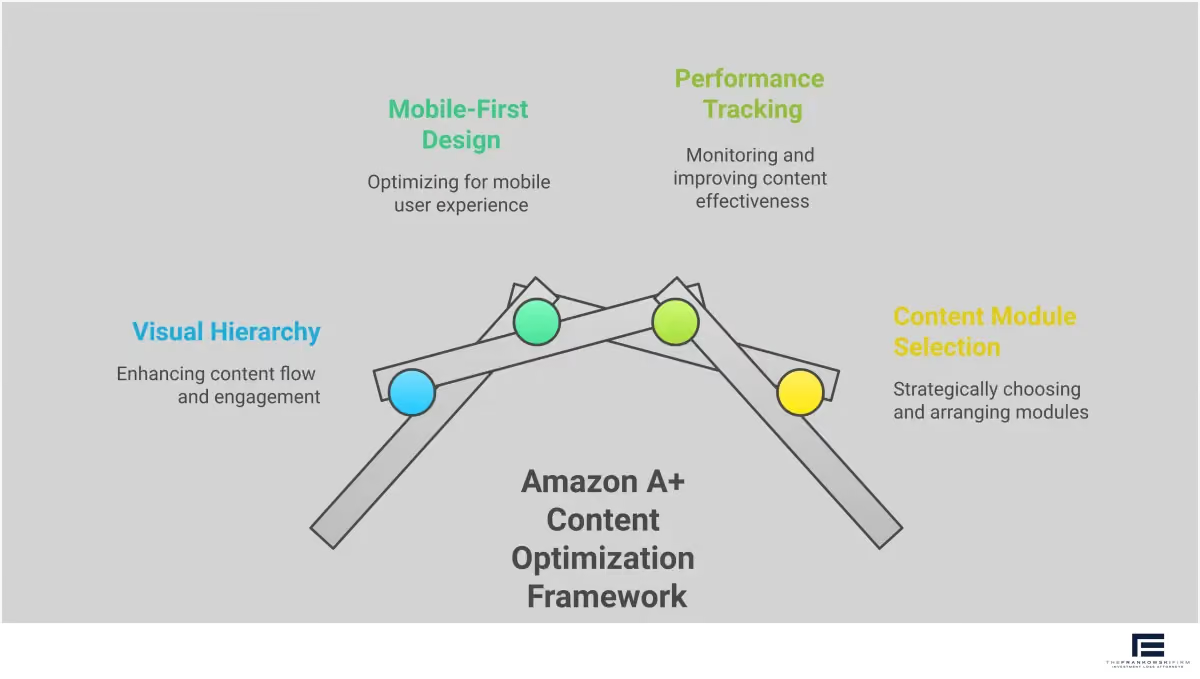
- Prioritize a mobile-first design: Since many customers shop on their phones, ensure your layout is clean and your text is readable on a small screen. Use a clear visual hierarchy to guide the shopper's attention to the most important information.
- Treat optimization as an ongoing process: Your A+ Content is not a "set it and forget it" feature. Regularly track your conversion rate and use Amazon's A/B testing tools to experiment with different images and copy to find what works best.
What is Amazon A+ Content?
Think of Amazon A+ Content as your opportunity to transform a standard product description into a rich, visual story. Instead of a simple block of text, you get to use a combination of high-quality images, custom copy, and branded layouts to guide shoppers through your product’s best features. This feature allows you to build a more compelling case for your product, answering customer questions and highlighting benefits in a way that a basic listing simply can’t. It’s your chance to make a strong impression and show customers what makes your brand and product special.
Why A+ Content Matters for Your Brand
A+ Content allows sellers to enhance their product descriptions with modules that include rich text, high-resolution images, comparison charts, and videos. This multimedia approach helps capture a shopper's attention much more effectively than text alone. Because the human brain processes images faster than text, your A+ Content design plays a huge part in keeping shoppers engaged and moving them toward a purchase. The primary benefits include higher conversion rates, a reduction in negative reviews by setting clear expectations, and a stronger connection between the customer and your brand.
The Impact on Sales
A+ Content is more than a visual upgrade for your product page; it's a direct investment in your sales performance. Industry data shows that using Basic A+ Content can increase sales by up to 8%, while well-executed Premium A+ Content can lead to a sales increase of up to 20%. This sales lift occurs because the feature creates a richer, more informative shopping experience. It allows you to connect with customers by answering their questions visually and through compelling copy before they even have to ask. When shoppers have access to comparison charts, detailed images, and clear benefit callouts, they can make more confident buying decisions, which directly translates to higher conversion rates.
A+ Content vs. Basic Listings: A Quick Comparison
A standard Amazon listing includes a title, bullet points, a handful of images at the top, and a plain text product description. It’s functional, but it doesn't offer much room for branding or creative storytelling. A+ Content replaces that plain text description with a custom-built section on the product detail page. You can use different modules to create a unique layout, combining lifestyle images with detailed feature callouts. This gives you control over the visual narrative, helping you stand out from competitors and build a more professional, trustworthy brand presence on the platform.
Who Can Use A+ Content?
A+ Content, which was once known as Enhanced Brand Content (EBC), is available to professional sellers who are part of the Amazon Brand Registry. To qualify for the Brand Registry, you must have an active, registered trademark for your brand name. Once your brand is approved, the A+ Content Manager will become available in your Seller Central account. This tool is designed to give brand owners more control over their product pages, helping to protect their brand identity and provide a better experience for customers shopping for their products.
Eligibility for Professional Sellers
The primary way to access A+ Content is through the Amazon Brand Registry. This program is specifically for professional sellers who own their brand and hold an active, registered trademark. Once your brand is approved for the Registry, you unlock a set of tools designed to protect your brand and enhance your listings, including the A+ Content Manager. This requirement acts as a gatekeeper, ensuring that brands have a verified identity on the platform. It’s Amazon's method for rewarding businesses that have invested in their intellectual property, giving them greater control over how their products are presented to customers.
Qualifying for Premium A+ Content
For brands looking to create an even more dynamic shopping experience, Amazon offers Premium A+ Content. This advanced tier includes more sophisticated features like full-width imagery, video modules, interactive hotspots, and detailed comparison charts. The result is a more immersive, magazine-style layout on your product page. Access to Premium A+ is not automatic, however. Brands must meet specific eligibility criteria, which usually means having a history of approved standard A+ Content projects and a demonstrated commitment to high-quality brand storytelling on the platform. It is often an invite-only feature reserved for top-performing brands.
A+ Content for KDP Authors
A+ Content isn't limited to sellers of physical goods; authors who publish through Kindle Direct Publishing (KDP) can also take advantage of this feature. It allows authors to replace the standard text description on their book’s detail page with rich media. You can add custom images, formatted text, and comparison tables to highlight other books in a series or showcase different formats. This is a valuable tool for authors who want to share more about their story, introduce key characters, or provide a behind-the-scenes look at their writing process, helping to convert casual browsers into dedicated readers.
Availability for Generic Products
While Brand Registry is the most common path to A+ Content, it isn't the only one. In some cases, sellers with a Professional account who list generic or unbranded products can also use A+ Content. This exception allows sellers without a registered trademark to still improve their product pages with more detailed descriptions and compelling visuals. It is especially useful for products where visual details, use-case examples, and feature callouts are critical for explaining the product's value and securing a sale, even when the item doesn't carry a specific brand name.
Types of Amazon A+ Content
Once you're approved for the Amazon Brand Registry, you can start creating A+ Content. Amazon offers a few different types, each with its own set of features and eligibility requirements. Understanding the options helps you choose the right format to showcase your products and connect with customers. The main choices are Basic A+ Content, the more advanced Premium A+ Content, and the Brand Story module, which focuses on your company's mission and values.
Basic A+ Content
Basic A+ Content is the standard option available to all eligible sellers and serves as a significant upgrade from a plain text description. It allows you to build a custom layout using up to five modules. Within these modules, you can combine text and images to highlight key product features, display your brand logo, and even add simple comparison charts or technical specification tables. This format gives you enough flexibility to create a visually appealing and informative section that breaks down important details for your customers, helping them make a more confident purchasing decision without overwhelming them with advanced interactive elements.
Premium A+ Content
For brands that meet certain eligibility requirements, Amazon offers Premium A+ Content, a more powerful and visually immersive option. This tier expands your creative canvas, allowing up to seven modules and unlocking a suite of advanced features. You can use larger, full-width imagery, embed videos to demonstrate your product in action, and create interactive experiences. These enhancements are designed to capture customer attention more effectively and provide a richer, more engaging shopping experience. Premium A+ Content is ideal for brands looking to create a high-end feel and tell a more detailed product story directly on the listing page.
Key Features of Premium A+ Content
The advanced features of Premium A+ Content are what truly set it apart. You can incorporate interactive hotspots, which let customers hover over different parts of an image to reveal text callouts with specific details. Other features include clickable carousels for scrolling through images, integrated Q&A sections to address common customer questions proactively, and more robust comparison charts that can include "Add to Cart" buttons. According to some reports, using well-designed Premium A+ Content can increase sales by up to 20% by creating a more compelling and informative product page.
Brand Story
Separate from the product-focused modules, the Brand Story feature gives you a dedicated space on your product pages to share your company's identity. This section appears under the "From the brand" heading and allows you to tell your story using a carousel of images and text. You can use it to communicate your brand's history, mission, and values, creating a deeper connection with shoppers. The Brand Story module can also feature links to other products in your catalog or a direct link to your Amazon Storefront, making it a great tool for encouraging brand discovery and repeat business.
The Building Blocks of High-Converting A+ Content
Think of your A+ Content as your digital product expert. It’s your chance to go beyond a simple title and bullet points to answer customer questions, handle objections, and show your product in the best possible light. A successful A+ layout isn't just a random assortment of images and text; it’s a strategic combination of elements designed to guide the shopper toward a purchase. By focusing on a few key components, you can create a rich, informative experience that builds trust and makes your product the obvious choice.
Showcase Your Product with Compelling Images
Since customers can’t physically touch your product, high-quality visuals are the next best thing. High-resolution images are crucial because they let you showcase your product in a visually appealing way, which improves the overall shopping experience. Go beyond the standard white-background shots from your main image block. Use this space for lifestyle photos that show your product in action, helping customers imagine it in their own lives. You can also use annotated images or infographics to call out specific features and materials. The goal is to use visuals to answer questions and demonstrate value before a shopper even has to ask.
Write Copy That Sells the Benefits
Your A+ Content is a powerful storytelling medium. Instead of just listing features, focus on translating those features into clear benefits for the customer. For example, a feature might be "water-resistant coating," but the benefit is "peace of mind during unexpected rain." By focusing on the benefits, you create a more engaging narrative that resonates with potential buyers. Use short, scannable paragraphs and concise headlines to break up your text. This makes it easy for customers to quickly understand how your product will solve their problem, which is a key part of effective conversion rate optimization.
Present Technical Specs Clearly
For many products, especially in electronics, home goods, or fitness, the technical details matter. A+ Content allows you to include essential technical specifications, which help customers make informed purchasing decisions. Don't make shoppers hunt for critical information like dimensions, weight, material composition, or compatibility. Presenting these details in a clean, easy-to-read format, like a simple list or a dedicated module, builds confidence and reduces the likelihood of returns. Being upfront with this information shows that you understand what’s important to your customer and have nothing to hide.
Use Comparison Charts to Help Shoppers Decide
Comparison charts are one of the most effective tools in A+ Content. They make it incredibly easy for customers to see why they should choose your offering, especially if you sell multiple versions of a similar product. A well-designed chart can quickly highlight the key differences between models, guiding a customer to the best fit for their needs. This is also a great way to compare your product to competitors without ever mentioning their names. By clearly laying out the advantages of your product, you keep the shopper on your page and simplify their decision-making process.
Share Your Brand's Story
This is your opportunity to build a connection that goes beyond a single transaction. Sharing your brand story, mission, and values helps create a memorable identity and builds trust with customers. People love to support brands they believe in. You can use a dedicated brand story module to talk about how your company started, what your mission is, or the care that goes into making your products. This humanizes your brand, differentiates you from generic sellers, and can turn a one-time buyer into a loyal fan who seeks out your products again and again.
How to Design Effective A+ Content
Great design does more than just make your product page look good. It acts as your silent salesperson, guiding customers through your product’s story, highlighting its best features, and making the buying decision easier. On a crowded platform like Amazon, your A+ Content is a critical opportunity to control the narrative and stand out from the competition. When you design your A+ Content, you’re creating a user experience that can directly influence your conversion rates. Every element, from the images you choose to the size of your text, plays a role in building trust and communicating value to someone who can't physically interact with your product. A thoughtful design shows professionalism and attention to detail, which customers often associate with product quality. By focusing on a few core design principles, you can create a layout that is both visually appealing and strategically effective. We'll walk through how to direct your customer’s attention with a clear visual hierarchy, use color and typography for readability, select professional images, and ensure everything looks perfect on a mobile screen.
Create a Clear Visual Hierarchy
A visual hierarchy arranges elements to show their order of importance. It’s how you tell your customer’s eyes where to look first, second, and third. A strong hierarchy ensures that the most critical information, like your main product benefit or a key feature, stands out immediately. You can create this effect by using larger images for important points, placing your value proposition in a prominent banner, and using bold text for headings. A well-planned visual hierarchy helps guide the viewer’s attention, ensuring that the most important elements stand out. This deliberate organization prevents shoppers from getting lost in a wall of text and images, leading them smoothly toward the "Add to Cart" button.
Choose Your Colors and Contrast Wisely
Color is a powerful tool for setting a mood and drawing attention, but its most important job in A+ Content is ensuring readability. Your text needs to be clear and easy to read against its background. As one guide points out, "The high contrast between your text and background is what makes your content easy to read (and products easy to buy)." Stick to your brand’s color palette for consistency, but always check that your text color has enough contrast with the background. Using a simple online contrast checker can help you confirm your choices are accessible and effective. Use brighter, accent colors strategically to highlight key features or call-to-action buttons without overwhelming the design.
Make Sure Your Typography is Readable
The fonts you choose have a major impact on how your message is received. While it can be tempting to use a unique or decorative font, clarity should always be your top priority. An effective design "includes appropriate typography, ensuring that text is legible and aligns with the overall design." Choose one or two clean, simple fonts that are easy to read on both desktop and mobile screens. Sans-serif fonts like Helvetica, Arial, or Open Sans are generally safe bets for body text. Use font size and weight (bold, regular) to create a clear hierarchy between your headlines and supporting text, making your content scannable for busy shoppers.
Follow Amazon's Image Quality Rules
High-quality images are non-negotiable for A+ Content. They are your best tool for showing your product in detail and building customer confidence. Blurry or poorly lit photos can make your brand seem unprofessional and untrustworthy. Amazon A+ Content allows you to use "high-resolution images, and other multimedia elements" to create a rich, informative experience. Always upload images at the highest possible resolution that meets Amazon’s specifications. This ensures your product photos look crisp and professional on all devices, from large monitors to small phone screens. Pay close attention to Amazon’s guidelines for image dimensions and file sizes to avoid any upload or display issues.
Always Design for Mobile First
A significant portion of Amazon shoppers browse and buy on their phones, so your A+ Content must be designed for a small screen first. What looks great on a desktop can become a jumbled, unreadable mess on a mobile device. Your "design choices—from the images you select to the fonts you use—can either make or break your product page, especially on mobile devices." To create a mobile-friendly experience, use large, clear images, keep text concise, and break up information into digestible sections. Always preview your design on a mobile device before publishing to ensure every element is clear, legible, and contributes to a seamless shopping experience.
How to Build Your A+ Content Strategy
Creating effective A+ Content requires more than just good design; it demands a clear strategy. A thoughtful approach ensures your efforts are focused, your brand message is consistent, and your results are measurable. By planning ahead, you can turn your product pages into powerful conversion tools that not only inform customers but also build brand loyalty. A solid strategy involves carefully choosing which products to feature, mapping out your content creation workflow, aligning everything with your brand identity, and continuously testing to find what works best. This structured process will help you make the most of your investment in A+ Content.
How to Choose Which Products Get A+ Content
You don’t need to create A+ Content for every item in your catalog right away. Instead, prioritize products where it will have the greatest impact. Start with your best-sellers to give them an extra edge over the competition. You can also focus on products that get a lot of traffic but have a lower-than-average conversion rate; enhanced content could be the key to convincing hesitant shoppers. New product launches are another great candidate, as A+ Content can help you make a strong first impression. By being selective, you can maximize the impact of your efforts and see a better return on your time and resources.
Map Out Your Content Creation Workflow
A smooth workflow is essential for producing high-quality A+ Content efficiently. Start by outlining a clear plan for each product page. This involves gathering all necessary assets, including high-resolution images, lifestyle photos, and any video content. Write your copy with a focus on benefits, and then map out which A+ Content modules you’ll use to display your text and visuals. Using a content calendar can help you track deadlines and assign tasks if you’re working with a team. A structured process ensures all elements come together cohesively and helps you avoid last-minute rushes before submitting your content for approval.
Using AI Tools for Content Generation
Creating compelling copy and visuals for every product can feel like a full-time job, especially when you're already juggling a dozen other tasks. This is where AI tools can be a game-changer, helping you move from a blank page to a polished draft much faster. You can use AI to brainstorm powerful headlines, rewrite feature lists into benefit-driven narratives, and ensure your tone is consistent with your brand's voice. For small businesses, end-to-end platforms can streamline this entire process. For instance, MEGA AI's content generation tools are designed to produce optimized copy that not only tells a great story but also aligns with what customers are searching for. This approach saves you valuable time and helps ensure your A+ Content is built on a foundation of data-driven insights, not just guesswork.
Keep it Consistent with Your Brand Guidelines
Your A+ Content is a direct extension of your brand, so consistency is key. It’s a powerful medium for storytelling that goes beyond a simple design upgrade. Use your established brand guidelines to inform your design choices, including your color palette, typography, and logo usage. The tone of your copy should also match your brand’s voice, whether it’s playful, professional, or technical. This consistency helps build brand recognition and trust with customers. When shoppers see a cohesive brand presentation across your product pages, it reinforces your credibility and makes your products more memorable.
Plan for Testing and Improving Your Content
Your first A+ Content design is a starting point, not the final destination. The most successful sellers continuously test and refine their content to improve performance. Every design choice, from the images you select to the headlines you write, can affect your conversion rate. Amazon’s Manage Your Experiments tool allows you to A/B test different versions of your A+ Content to see what resonates most with your audience. You can test different module layouts, images, or copy to gather data-driven insights. Create a simple schedule to review your content’s performance and plan for regular updates based on what you learn.
What Are the Rules for Amazon A+ Content?
Before your A+ Content goes live, it must pass Amazon’s review. Understanding the rules saves time and helps you get content approved on the first try. These guidelines are a framework for creating a clear, trustworthy, and effective shopping experience. Following the requirements ensures your content is helpful, looks professional, and ultimately drives sales.
Understanding Amazon's Content Policies
Amazon has specific rules for A+ Content, covering everything from unsupported claims and trademark symbols to including customer reviews or time-sensitive language like "on sale now." The best approach is to review the official A+ Content guidelines directly from Amazon Seller Central before you start designing. This ensures you build your content on a solid foundation and avoid major edits after submission.
Prohibited Content and Claims
To prevent your A+ Content from being rejected, it's critical to understand what you can and cannot say. Amazon strictly prohibits any claims that aren't substantiated, like "best-selling" or "top-rated," unless you have official data to support them. You are also not allowed to include customer reviews, even if they are authentic, or any time-sensitive language such as "on sale for a limited time." Other restrictions cover external website links, company contact details, and the use of copyright or trademark symbols within your text. The main objective is to maintain a focus on the product, offering factual, evergreen information that aids a customer's purchasing decision.
Guidelines for Comparisons and Awards
Comparison charts are a powerful feature, but they have specific rules. You are encouraged to use comparison charts to showcase the differences between your own products, which helps customers select the best model for their needs. While you can compare your product to others on the market, you are not permitted to mention competitors by name; instead, you must compare features generically. If you reference any awards or endorsements, you are required to include a note in the text that clearly states the name of the awarding body and the year it was received. Adhering to these guidelines lets you leverage these tools effectively without risking content rejection.
How the Approval Process Works
Creating A+ Content is a modular process using a template-based editor to add blocks for your logo, text, and images. Once you arrange your modules, you submit the page for review. Amazon typically reviews submissions within seven business days. If approved, it appears on your product detail page within 24 hours. If rejected, Amazon provides a reason, and you’ll need to make changes and resubmit.
Common Mistakes to Avoid in Your A+ Content
Many rejections happen because of simple errors. Common design mistakes include tiny fonts, low-resolution images, or a layout not optimized for mobile. On the content side, avoid language that guarantees satisfaction, references pricing, or includes contact information. You should also steer clear of linking to external websites. Sidestepping these common mistakes can significantly speed up your approval time.
Why Brand Consistency is Non-Negotiable
Your A+ Content is a direct extension of your brand. Use your official logos, color palette, and fonts to create a cohesive experience. Always use high-quality product and lifestyle images that align with your brand’s aesthetic. Ensure high contrast between text and background colors to make your copy easy to read. This consistency builds brand recognition and trust with your audience on the Amazon platform.
How to Optimize Your A+ Content for More Sales
Creating and publishing your A+ Content is a great first step, but the work doesn’t stop there. To get the most out of your investment, you need to monitor its performance and make data-driven adjustments. Optimization is an ongoing process of tracking what works, identifying areas for improvement, and testing new ideas to better connect with your customers. By treating your A+ Content as a dynamic tool rather than a static page, you can refine your messaging, improve your conversion rates, and build a stronger brand presence on Amazon. The following steps will help you establish a simple yet effective process for continuous optimization.
Which Performance Metrics Should You Track?
To understand if your A+ Content is effective, you need to track the right metrics. The most important one is your conversion rate, which tells you what percentage of visitors make a purchase after viewing your page. To calculate it, you simply divide the number of sales by the total number of visitors. This metric is crucial for understanding how effectively your A+ content is driving sales. A higher conversion rate suggests your images and copy are resonating with shoppers and persuading them to buy. Regularly monitoring this number will help you gauge the impact of any changes you make to your content.
How to Use Analytics to Measure Success
Beyond the conversion rate, other analytics can offer deeper insights into your content's performance. The click-through rate (CTR) is another key metric, measuring how often people who see your product in search results click on it. While not a direct measure of the A+ Content itself, a low CTR could indicate that your main image or title needs work, preventing shoppers from ever seeing your detailed content. Within Amazon Brand Analytics, you can review various reports to see how your content stacks up against competitors and identify trends. Using these analytics tools helps you make informed adjustments instead of guessing what needs to be fixed.
Double-Check Your Mobile Optimization
A significant portion of Amazon shoppers browse and buy on their phones, so your A+ Content must be designed for a small screen. Tiny, unreadable fonts or images that don't scale properly can create a frustrating user experience and cause potential customers to leave your page. When designing your modules, always use legible fonts and responsive layouts. Before you publish, use Amazon’s preview tool to see exactly how your content will appear on a mobile device. A seamless mobile experience is non-negotiable if you want to capture every possible sale.
Why You Need a Content Update Strategy
Your A+ Content should evolve with your brand and your customers. It’s more than a design upgrade—it's a storytelling medium. Regularly updating your content keeps it fresh and allows you to refine your messaging based on customer feedback and performance metrics. Set a schedule, perhaps quarterly, to review your A+ pages. Look at recent customer reviews and questions for insights. Are shoppers confused about a certain feature? Add a module that clarifies it. Did you launch a new product? Update your comparison charts. A consistent content strategy ensures your listings remain relevant and effective over time.
How to A/B Test Your A+ Content
The best way to know what truly works is to test it. Amazon’s "Manage Your Experiments" tool lets you run A/B tests on your A+ Content, showing different versions to different shoppers and measuring which one performs better. You can test nearly any element, from your headlines and body copy to your images and module layouts. Running split tests can help you identify which elements of your A+ content resonate best with your audience, leading to higher conversion rates. Start with a clear hypothesis, test one variable at a time, and let the data guide your decisions for continuous improvement.
Getting the Most Out of Your A+ Content
Creating A+ Content is an investment of time and resources, so you want to make sure it delivers a positive return. The ultimate goal is to increase sales and build brand loyalty. This means going beyond just making your product pages look good. A strategic approach involves focusing on what drives customers to click "Add to Cart," analyzing your performance data, and creating a system for maintenance and scaling. By treating your A+ Content as a dynamic sales tool rather than a static page element, you can ensure it consistently contributes to your bottom line and strengthens your brand presence on Amazon.
Fine-Tuning Your Content for Conversions
Your A+ Content should be designed with one primary goal in mind: turning browsers into buyers. This is the core of conversion rate optimization (CRO). Think of your A+ Content as a visual sales pitch. It’s your opportunity to tell a compelling story that connects with your audience on an emotional level. Use a thoughtful combination of images, text, and layout to guide the shopper through the product’s benefits and show them how it solves their problem. Every design choice, from the font you select to the colors you use, should work together to build trust and make the purchasing decision feel easy and natural.
Set a Schedule for Analyzing Performance
You can’t improve what you don’t measure. Amazon provides sellers with analytics that offer valuable insights into how your A+ Content is performing. Regularly check your unit session percentage rate, which is Amazon's term for conversion rate. To calculate it, divide the number of units sold by the total number of sessions for a given period. Tracking this metric before and after implementing A+ Content will show you its direct impact on sales. If your conversion rate isn't where you want it to be, use the data to identify which pages need adjustments and where you can make improvements.
How to Handle Long-Term Content Maintenance
A+ Content is not a one-and-done project. To keep it effective, you need a plan for long-term maintenance. Products get updated, branding evolves, and customer questions change over time. Schedule regular check-ins—perhaps quarterly or bi-annually—to review your content for accuracy and relevance. Amazon’s modular system makes this process manageable, allowing you to easily swap out modules with new technical specs, comparison charts, or brand stories. A consistent content maintenance plan ensures your product pages always provide the best, most current information to your customers, which helps maintain their trust.
How to Scale What's Working
Once you identify A+ Content layouts and modules that consistently perform well, it’s time to scale your success. Don’t reinvent the wheel for every product listing. Instead, create templates based on your highest-converting designs. This approach not only saves you a significant amount of time but also creates a cohesive and professional look across your entire product catalog. By replicating successful design elements, messaging, and structures, you build a recognizable brand experience for your customers. This consistency helps shoppers feel more comfortable and confident when purchasing any product from your brand.