
Your website's content and design are what visitors see, but its technical health is what search engines experience first. A strong technical SEO foundation is the bedrock upon which all your other digital marketing efforts are built. If search engines can't efficiently access and interpret your site, your ability to rank and attract organic traffic will be severely limited. WordPress site owners have a powerful ally in the Yoast SEO plugin for managing these critical aspects. This article will provide a comprehensive look at how to use Yoast SEO for technical SEO audit purposes, helping you identify and rectify issues that could be silently undermining your online presence and performance.
Key Takeaways
- Perform Regular Technical Audits: Consistently check your website's technical health using tools like Yoast SEO to identify and resolve issues that can hinder your search performance.
- Leverage Yoast SEO with Google Search Console: Integrate insights from both Yoast's on-page analysis and Google Search Console's data for a comprehensive view of your site’s technical SEO, allowing for more effective improvements.
- Develop an Action Plan from Audit Findings: Systematically analyze your Yoast audit results, prioritize the most critical fixes, and create a clear roadmap to enhance and maintain your site’s SEO.
What's a Technical SEO Audit, and Why Does It Matter?
Think of a technical SEO audit as a thorough check-up for your website's behind-the-scenes workings. It’s where you examine elements like your site's speed, how easily search engines can crawl and index your pages, and whether your site structure is sound. The main goal is to uncover any technical glitches that could be holding your website back from ranking higher in search results and to fix them.
So, why is this so important? Well, solid technical SEO is fundamental to your website's success. It directly impacts how easily search engines like Google can find, understand, and ultimately rank your website. If search engines can't properly access or interpret your content, even the most amazing blog posts or product pages might never see the light of day in search results. Consider an SEO audit as a regular health check for your website; it helps you identify what’s performing well and, more importantly, what’s not, so you can make targeted improvements. For businesses looking to enhance their online visibility, understanding and improving these technical aspects through services like MEGA AI's SEO offerings can make a significant difference. Regularly performing these audits, perhaps once or twice a year, helps you maintain strong SEO performance and adapt to any changes in search engine algorithms or your own website. Without a good technical foundation, your efforts to create great content might not achieve the visibility they deserve.
How Yoast SEO Simplifies Technical Audits
Think of a technical SEO audit as a thorough health check for your website. Its main job is to pinpoint what’s helping your site and what’s holding it back from better search engine rankings and a smoother experience for your visitors. This process is vital because even the most amazing content can get lost if search engines struggle to find or understand your site. This might sound a bit intimidating, especially if you're juggling many aspects of your business, but tools like Yoast SEO are designed to make this process much more manageable. Yoast SEO, particularly its premium version, offers features that streamline how you perform an SEO audit, guiding you through the steps to identify areas needing attention.
The goal is to get a clear picture of your site's technical foundation. When search engines can easily crawl, understand, and index your website, your content has a much better chance of reaching the right audience. Yoast helps by breaking down complex technical aspects into more understandable checks and recommendations. This means you spend less time figuring out what to look for and more time actually improving your site. It’s about making a potentially complex task more accessible, so you can effectively enhance your website’s performance without needing to be a seasoned SEO expert. By simplifying these technical checks, Yoast empowers you to take control of your site's SEO health, ensuring that your online presence is as strong as it can be.
Yoast SEO's Top Features for Audits
Yoast SEO comes packed with features that are particularly helpful when you're conducting a technical audit. It integrates well with essential tools like Google Search Console, allowing you to see crucial data from Google directly within your WordPress environment. This synergy means you don't have to constantly switch between platforms to gather information. Yoast also encourages you to assess your technical SEO fitness through its own analyses and educational content, which can highlight areas for improvement you might not have considered.
Beyond integrations, Yoast provides its own on-page SEO analysis, checking for common technical issues right as you edit content. While this is ongoing, its broader site-wide features, like XML sitemap generation and management, are fundamental to technical SEO. The plugin also offers guidance on structuring your site, using breadcrumbs, and managing redirects, all of which are key components of a technically sound website. These features work together to simplify the identification and correction of technical SEO problems.
Why Use Yoast SEO for Your Audit?
So, why choose Yoast SEO to help with your technical audit? The simple answer is that technical SEO is foundational to your website's success. It directly impacts how easily search engines can find, crawl, and understand your content. If these technical aspects aren't in order, even the best content might not get the visibility it deserves. Yoast helps by providing a structured approach to checking these critical elements.
A well-organized SEO audit process is essential for effective website optimization, and Yoast guides you through many of these steps within the familiar WordPress interface. It helps you focus on actionable insights. Furthermore, by encouraging the use of and integration with tools like Google Search Console, Yoast helps you combine data from various sources. This gives you a more complete picture of your website’s performance and technical health, making it easier to prioritize fixes and make informed decisions to improve your site.
Get Ready: Prepping for Your Yoast SEO Audit
Before you can really get into the nitty-gritty of your technical SEO audit with Yoast, there are a couple of essential groundwork steps. Think of this as your pre-flight check – making sure everything is in place so your audit can take off smoothly and give you the best insights. Getting these initial pieces right will make the entire audit process more effective and less of a headache. So, let’s walk through how to get your Yoast SEO plugin installed and properly connected.
Install and Set Up Yoast SEO
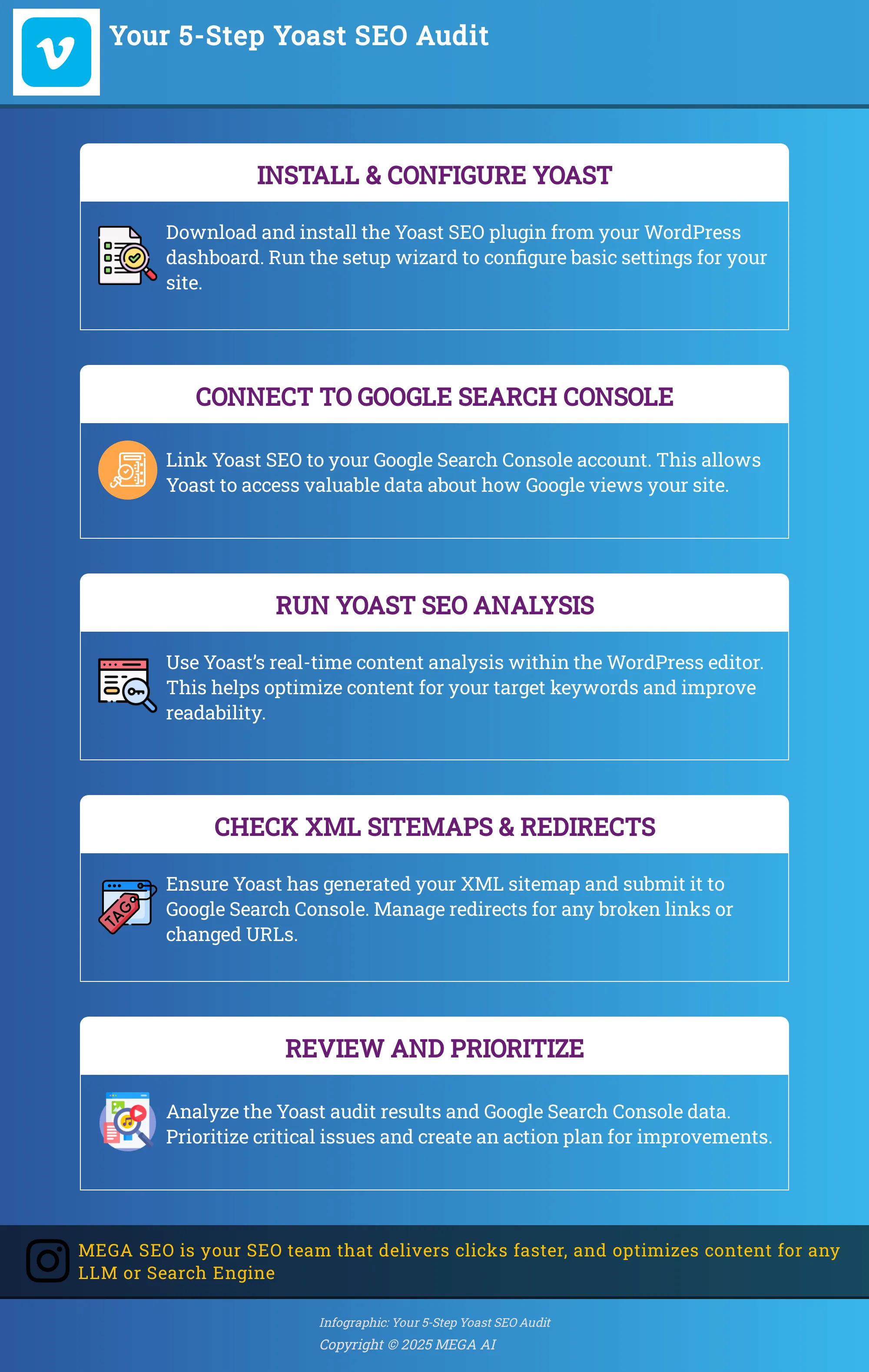
First things first, you’ll need to get Yoast SEO up and running on your WordPress site. If you haven't already, you can install the plugin directly from the WordPress plugin repository. Just search for 'Yoast SEO,' click install, and then activate it. Once activated, Yoast offers a helpful setup wizard. I really recommend going through this wizard, as it guides you through configuring the basic settings tailored to your site. This initial configuration is key for the plugin to work effectively. For those looking to simplify the audit process even further, Yoast SEO Premium is often highlighted as a tool that can enhance your auditing capabilities.
Connect Yoast to Google Search Console
Next up is linking Yoast SEO with Google Search Console. This step is super important because Google Search Console is a treasure trove of data about how Google sees your site. By connecting them, you allow Yoast to pull in some of this valuable information, giving you a more complete picture during your audit. You'll want to assess your technical SEO fitness using insights from both tools. Pay close attention to reports within Google Search Console such as Core Web Vitals, mobile usability, sitemaps, and any security issues. These reports offer direct feedback from Google and are crucial for a thorough technical SEO check.
Your Step-by-Step Yoast Technical SEO Audit
Alright, you've got Yoast SEO installed and you're ready to see what it can do. Now, let's walk through the actual audit process step by step. Think of this as a health check-up for your website's technical SEO. Yoast acts as your helpful guide, highlighting what’s working well and what might need a bit of attention. We'll cover the key areas Yoast helps you examine, from how search engines understand your content to how easily your visitors can read it. Taking these steps will give you a clear picture of your site's technical foundation and provide actionable insights for improvements. Don't worry if some terms are new; we'll break them down as we go. This process is about making steady progress, not achieving perfection overnight. By focusing on these core areas, you'll build a stronger technical SEO base, which is essential for better visibility and user experience. For businesses looking to streamline these efforts further, exploring platforms like MEGA AI for SEO can offer automated solutions that complement manual audits. Let's get started on making your website the best it can be.
Use the SEO Analysis Tool
One of Yoast SEO's most valuable features for an ongoing audit is its real-time content analysis tool. You'll find this directly within the WordPress editor when you're working on a page or post. As you write or make changes, Yoast provides immediate feedback on how well that specific piece of content is optimized for search engines. The tool analyzes your content based on your chosen focus keyphrase, checking its placement in titles, headings, meta descriptions, and the body text. It also looks at aspects like outbound and internal links, image alt attributes, and text length. You'll see a score, often shown with traffic light colors (red, orange, or green), guiding you on what to improve. For example, it might suggest making your meta description more compelling or ensuring your keyphrase appears naturally in the introduction.
Use the Readability Analysis
Alongside the SEO analysis, Yoast SEO offers a powerful readability analysis. This feature is crucial because content that's easy for humans to read often performs better in search results and keeps visitors engaged. The readability check evaluates your content's structure and language, looking at factors like sentence length, paragraph length, use of transition words, and passive voice. It also provides a Flesch Reading Ease score to give you an idea of how accessible your writing is. Just like the SEO analysis, you'll get color-coded feedback with specific suggestions. For instance, it might advise breaking up long sentences or using more active voice. Addressing these points helps ensure your message is clear and your audience can easily digest the information you're providing.
Generate and Submit XML Sitemaps
An XML sitemap is like a roadmap for search engines, helping them find and index all the important pages on your website. Yoast SEO simplifies this by automatically generating XML sitemaps for your site. You generally don't need to do much to set this up; Yoast handles it once activated. You can find the link to your sitemap in the Yoast SEO settings (usually under General > Features, then click the question mark next to XML sitemaps and "See the XML sitemap"). It's a good practice to submit this sitemap to Google Search Console and Bing Webmaster Tools. This ensures search engines are aware of your site structure and can efficiently crawl new or updated content, which is a fundamental part of technical SEO.
Manage Redirects and Fix Broken Links
Broken links (links that lead to non-existent pages, often called 404 errors) create a frustrating experience for users and can harm your SEO. While the free version of Yoast SEO doesn't include a dedicated redirect manager (Yoast SEO Premium does), it's still a critical part of your technical audit to check for broken links. You can use tools like Google Search Console to find crawl errors or other third-party broken link checkers. If you change a URL or delete a page, it's essential to set up a 301 redirect from the old URL to the new one. This tells search engines and users where the content has moved, preserving link equity and ensuring a smooth user journey. Regularly monitoring for and fixing these issues is key to maintaining site health.
Review Google Search Console Data
Google Search Console (GSC) is an indispensable free tool that provides a wealth of information about how Google sees your website. It's vital to review important reports within GSC as part of your technical SEO audit. Key areas to check include the Coverage report (for indexing issues), Core Web Vitals (for page experience metrics), Mobile Usability (to ensure your site works well on mobile devices), and any Security Issues or Manual Actions. Yoast SEO can integrate with GSC to bring some of this data into your WordPress dashboard, but diving directly into GSC gives you the most comprehensive view. This data helps you identify critical technical problems that might be hindering your site's performance in search results.
Optimize Page Speed and Core Web Vitals
Website speed and Core Web Vitals are significant ranking factors and crucial for user experience. Slow-loading pages can lead to high bounce rates and lower search rankings. While Yoast SEO itself doesn't directly speed up your site (that often involves hosting, theme optimization, and image compression), it encourages good content practices that contribute to better performance. To assess your technical SEO fitness in this area, use tools like Google's PageSpeed Insights. This tool will analyze your pages and provide specific recommendations for improvement related to Core Web Vitals (Largest Contentful Paint, First Input Delay, and Cumulative Layout Shift). Addressing these recommendations is a key part of any thorough technical SEO audit.
Common Technical SEO Issues Yoast Helps You Find
A smooth-running website is the foundation of any strong online presence. Technical SEO is all about making sure your site is easy for search engines to crawl, understand, and index. When technical problems arise, they can significantly affect your visibility, even if your content is top-notch. Imagine having a fantastic shop, but the door is tricky to open – some potential customers might just walk away. Yoast SEO acts as a helpful partner in this area, assisting you in identifying and tackling many common technical issues right from your WordPress dashboard. While it doesn't take the place of an in-depth technical SEO audit for more intricate websites, Yoast offers accessible tools and insights that empower you to manage frequent problems effectively. It walks you through checking essential backend components, from how search engines access your pages to the way your content is structured. By regularly using Yoast's features, you can proactively maintain your site's technical well-being, keeping it in good condition for both search engines and your visitors. This forward-thinking approach means you're less likely to encounter unexpected issues that could harm your rankings, ensuring a more stable and reliable online performance.
Fixing Crawl Errors Yoast Finds
Crawl errors happen when search engine bots, like Googlebot, attempt to reach a page on your site but encounter a problem. This might be due to a broken link, a server issue, or incorrect settings. If search engines cannot crawl your pages, they cannot index them, which means those pages won't appear in search results. Yoast SEO helps you manage this by encouraging you to connect your website to Google Search Console. Inside Search Console, the "Coverage" report clearly lists any crawl errors Google has found. While Yoast doesn't display these errors directly within the plugin, its setup process and helpful documentation often point you toward regularly checking these important GSC reports. Addressing these errors quickly helps ensure search engines can efficiently access and index all your valuable content.
Optimize Your Meta Tags
Your meta tags, particularly title tags and meta descriptions, serve as your website's introduction in search results. They inform both search engines and potential visitors about the content of your page. Well-written meta tags can notably improve your click-through rates from search. Yoast SEO offers a straightforward interface directly within the WordPress editor to optimize these on-page elements. For every page and post, Yoast provides dedicated fields where you can craft custom SEO titles and meta descriptions. It even shows a preview of how they might appear in search results, complete with color-coded feedback (green, orange, red) on their length and the inclusion of your focus keyphrase. This instant feedback makes it much easier to ensure your meta tags are engaging and properly structured to attract more visitors.
Improve Your Internal Linking
Internal linking involves creating links from one page on your website to another. This practice is vital for both SEO and user experience. Effective internal links help search engines understand your site's structure, find new content, and spread link equity—or ranking power—across your pages. For your visitors, it simplifies navigation and helps them discover related information easily. Yoast SEO includes features to assist with this process. The free version offers insights into your internal linking patterns, and Yoast SEO Premium provides specific internal linking suggestions as you write. This feature prompts you to link to relevant cornerstone content and other related posts on your site, encouraging a well-organized site that keeps users engaged and helps search engines see the connections between your content.
Address Mobile Usability Issues
With most online searches now happening on mobile devices, a mobile-friendly website is essential. Mobile usability problems can create a frustrating experience for users and negatively affect your search rankings. While Yoast doesn't perform mobile usability tests directly, it does highlight the importance of responsive design and quick loading times, which are fundamental to mobile-friendliness. By integrating with Google Search Console, Yoast encourages you to monitor GSC's "Mobile Usability" report. This report pinpoints pages with issues such as text that is too small, clickable elements positioned too closely, or content that is wider than the screen. Recognizing these issues allows you to make necessary adjustments and ensure your site provides a smooth experience on all devices.
Handle Duplicate Content
Duplicate content refers to situations where identical or very similar content exists on multiple URLs. This can be confusing for search engines and may dilute your ranking potential, as they might struggle to determine which version to prioritize or index. Yoast SEO helps you manage duplicate content primarily through its straightforward implementation of canonical tags. A canonical tag informs search engines which version of a page is the "master" copy that should be indexed. Yoast automatically sets self-referencing canonicals for most pages, which is generally a good practice. It also allows you to easily modify the canonical URL in the "Advanced" section of the Yoast SEO meta box if you are republishing content or have specific pages with similar content designed for different purposes, like print-friendly versions. This helps prevent duplicate content issues from impacting your SEO performance.
Understand and Prioritize Your Yoast Audit Results
Running a Yoast SEO audit is a fantastic step towards improving your website, but the real magic happens when you know what to do with those results. The audit will likely present you with a mix of information, highlighting areas where your site shines and others that need a bit of attention. Think of this as your roadmap to better search engine performance. Instead of feeling overwhelmed by the data, your goal is to systematically understand each point and then decide which actions will give you the most significant return for your effort.
This process is about turning insights into actionable steps. You'll learn to interpret what Yoast is telling you, distinguish between urgent fixes and minor tweaks, and then build a clear plan to tackle the necessary improvements. Remember, SEO isn't a one-time task, but understanding your audit results thoroughly sets a strong foundation for ongoing optimization and helps you make informed decisions that truly move the needle for your site's visibility and user experience. For businesses looking to streamline this, platforms like MEGA AI can offer automated SEO solutions to help implement and maintain these optimizations efficiently.
What Yoast's Scores Mean
When you look at your Yoast audit, you'll see various scores or indicators, often color-coded (like green for good, orange for needs improvement, and red for critical issues). These scores are essentially a website health check, giving you a quick snapshot of how well different aspects of your site align with SEO best practices. For example, a green score on readability means your content is easy for users to digest, while a red score on an SEO aspect might point to a significant problem hindering your search engine ranking.
Don't just glance at the colors; take the time to understand what each specific check means. Yoast usually provides explanations for its feedback. Understanding these scores helps you pinpoint exactly what's working well and what's not, so you can focus your efforts effectively to improve both your search engine rankings and overall user engagement.
Spot Critical vs. Minor Issues
Once you have your Yoast audit results, the next step is to figure out what needs your immediate attention. Not all recommendations are created equal; some issues can severely impact your site's performance, while others are less urgent. It's crucial to prioritize fixes based on their potential impact to use your resources wisely. For instance, problems with site indexing, security vulnerabilities, or major mobile usability issues are generally critical and should be addressed first.
Minor issues, like a slightly suboptimal keyword density on a single page or a few missing image alt texts, while still important, can often be tackled later. A good approach is to categorize issues based on severity—think critical, high, medium, and low priority. This helps you focus on what will make the biggest difference first, like ensuring your site is crawlable and secure, before moving on to finer details.
Create Your Action Plan
With your issues identified and prioritized, it's time to build an action plan. A great way to organize everything is to create a spreadsheet. List all the findings from your Yoast audit, assign a priority level to each, note who is responsible for the fix (especially if you're working with a team or a developer), and set a target completion date. This organized approach keeps you on track and ensures nothing falls through the cracks.
Your action plan should also include a schedule for regular follow-up. SEO isn't a set-it-and-forget-it activity; regular audits—perhaps once or twice a year, or after major site changes—are key to maintaining and improving your SEO performance over time. This ongoing commitment will help you adapt to algorithm changes and continuously refine your strategy for sustained success.
Go Deeper: Advanced Yoast SEO Audit Features
Okay, so you've diligently worked through the foundational steps of your Yoast SEO audit, and your website is already showing signs of improved health. That's fantastic progress. But if you're aiming to truly maximize your site's potential and gain a competitive edge, it's time to explore Yoast's more advanced features. Think of these as the specialized instruments in your SEO toolkit, designed for precision work. They allow you to examine the technical nuances and content strategies that can significantly impact how search engines perceive and rank your pages. We're talking about sophisticated techniques like implementing schema markup for richer search results, leveraging detailed content analysis for perfectly optimized posts, and using tools for efficient, site-wide updates.
These advanced capabilities are about moving beyond the checklist and into strategic optimization. They provide granular control and deeper insights, ensuring that every aspect of your site is finely tuned for performance. While the initial audit steps build a solid framework, these advanced features help you construct a more robust and effective online presence. For businesses and marketers serious about improving their search rankings, mastering these tools isn't just beneficial; it's often essential. They can help you uncover hidden opportunities, address complex issues, and ultimately drive more qualified traffic to your site. Let's explore a few of these powerful capabilities that can help you refine your SEO strategy and achieve even more impressive results.
Implement Schema Markup
Schema markup, or structured data, is like a secret handshake with search engines. It's a specific vocabulary you add to your website's HTML to help search engines understand your content more deeply. For instance, you can tell them that a piece of content is a recipe, an article, a product, or an event. Yoast SEO simplifies adding this. As Yoast themselves put it, "Schema markup is a powerful tool that helps search engines understand the content of your site better." By implementing schema markup, you can significantly enhance your search visibility. This often leads to richer search results, like those fancy snippets with ratings or FAQs, which can really improve your click-through rates.
Analyze Content for SEO
One of Yoast SEO's standout features is its real-time content analysis. As you write or edit a post or page, Yoast provides instant feedback right there in your WordPress editor. It's like having an SEO coach looking over your shoulder. "Yoast SEO offers a real-time content analysis tool that evaluates your content for SEO best practices," giving you actionable insights. This tool checks for things like your focus keyphrase usage, the readability of your text, and overall content quality. It helps you optimize your posts effectively by suggesting improvements, ensuring your content is not just well-written but also search-engine-friendly.
Use the Bulk Editor for Big Changes
If you manage a site with a lot of content, going back to edit SEO titles and meta descriptions page by page can feel like a never-ending task. This is where Yoast SEO's Bulk Editor comes in handy. It’s a real time-saver. "The Bulk Editor in Yoast SEO allows you to make large-scale changes to your titles and meta descriptions efficiently," according to Yoast. This feature is incredibly useful when you need to optimize multiple pages at once. Whether you're rebranding, targeting new keywords, or just cleaning up old metadata, the Bulk Editor helps you make these changes quickly and maintain consistency across your entire site.
Keep Your SEO Healthy After the Audit
Completing your Yoast SEO audit is a fantastic step, but the work doesn't stop there. Think of an SEO audit as a health check-up for your website; regular follow-ups are essential to maintain its vitality and performance. Keeping your site optimized is an ongoing effort, ensuring you continue to reap the benefits of your initial hard work and adapt to the ever-changing digital landscape. Let's look at how you can maintain your website's SEO health long after the initial audit is done.
Set Up Regular Audits
It's wise to view a technical SEO audit not as a one-off task, but as a recurring part of your website maintenance strategy. The digital world is always shifting, with search engine algorithms updating, new content being added, and old issues sometimes resurfacing. Scheduling regular audits, perhaps quarterly or bi-annually depending on your site's complexity and how frequently you update it, helps you identify new issues before they significantly impact your rankings. This proactive approach ensures your website remains well-optimized and continues to perform effectively in search results. Consistent check-ins allow you to adapt and refine your SEO strategy over time, making sure your site stays in top shape.
Track Your Progress
After you've implemented the changes suggested by your Yoast audit, the next crucial step is to monitor their impact. Keep a close eye on key performance indicators (KPIs) such as your search engine rankings for target keywords, the amount of organic traffic your site receives, and user engagement metrics like bounce rate and time on page. Tools like Google Analytics and Google Search Console are invaluable here. Regularly checking these metrics will help you understand which changes are yielding positive results and identify areas that might need further attention or a different approach. This data-driven feedback loop is key to refining your ongoing SEO efforts and demonstrating the value of your work.
Adapt to Algorithm Changes
Search engines like Google are constantly refining their algorithms to provide users with the best possible results. These updates, whether big or small, can impact how your website is ranked. Therefore, staying informed about major algorithm changes and understanding their implications is vital for maintaining your site's SEO health. When an update occurs, it's a good idea to review your site's performance and see if any adjustments are needed. This might involve re-optimizing existing content or tweaking your technical SEO settings. Continuous improvement and adaptation to these changes are necessary to sustain your website's visibility and performance in search results over the long term. Platforms like MEGA AI can also help update your content to align with new algorithm requirements, simplifying this often complex task.
Other SEO Audit Tools to Consider
Yoast SEO is a fantastic tool, especially if your website runs on WordPress. It simplifies many aspects of on-page and technical SEO. However, the world of SEO tools is vast, and exploring other options can provide you with a more complete picture of your website's health. Different tools often bring unique strengths to the table, whether it's deeper data on backlinks, more granular technical crawling, or broader competitor insights. Sometimes, what one tool might skim over, another will highlight in detail.
Think of it like building a well-rounded toolkit. While Yoast might be your trusty screwdriver for daily tasks, you might occasionally need a specialized wrench or a power drill for more complex jobs. Using a combination of tools can help you cover all your SEO bases and ensure no critical optimization opportunity is missed. Depending on your specific business needs, your budget, and how complex your website is, supplementing Yoast with another platform could be a smart move. This approach can help you find even more ways to improve your site's performance and how well it shows up in search results. Many businesses find that a primary tool for day-to-day tasks, combined with specialized software for particular analyses, offers the best overall strategy.
SEMrush
SEMrush is a comprehensive SEO platform that many digital marketing professionals use for a wide array of tasks. It goes beyond basic audits, offering strong keyword research features, in-depth competitor analysis, and detailed backlink tracking. Its Site Audit tool is particularly useful, giving you actionable insights to help improve your website's technical performance. Users often appreciate its ability to generate thorough site audit reports, which are incredibly helpful for pinpointing and systematically addressing technical SEO problems. If you're looking for an all-in-one solution to manage your SEO efforts and get a deep understanding of your site’s health, SEMrush is a solid option.
Ahrefs
Ahrefs is widely known for its powerful backlink analysis and extensive keyword research tools. If understanding your site's backlink profile or finding new keyword opportunities is high on your list, Ahrefs is a top-tier choice. Beyond these core strengths, it also includes a robust site audit feature designed to help you spot SEO issues and offers clear, practical suggestions for improvement. Many SEO professionals prefer Ahrefs because of its user-friendly interface and the comprehensive data it provides, making even complex SEO tasks more approachable. It’s a go-to tool for those who need deep insights into both off-page and on-page elements of their website.
Screaming Frog
Screaming Frog SEO Spider is a desktop-based website crawler that lets you perform a very thorough analysis of your website's SEO. It really shines when it comes to identifying technical SEO issues like broken links, duplicate content, and complex redirect chains. This tool is especially handy for in-depth audits and is a favorite among technical SEO specialists due to its detailed reporting capabilities. If you need to examine the technical structure of your website with a fine-tooth comb and uncover every potential technical hiccup, Screaming Frog provides the level of detail required for such intensive tasks.
Moz Pro
Moz Pro offers a well-rounded collection of SEO tools, including site audits, keyword research, and rank tracking features. Its site audit function gives you useful insights into on-page optimization opportunities and helps identify technical SEO issues that might be holding back your site's performance. Moz Pro is highly regarded for its easy-to-use interface and the wealth of educational resources it offers, making it a good option for both beginners who are still learning about SEO and experienced practitioners who need reliable data. If you value a tool that combines solid functionality with strong learning support, Moz Pro is worth a look.
Google Search Console
Google Search Console is an essential free tool offered directly by Google. It helps you monitor and maintain your site's presence in Google search results, essentially giving you a direct line of communication with the search engine. You can get insights into how your site is performing, check its indexing status, and identify potential issues that might be affecting your search visibility. Understanding how Google sees your site is fundamental for effective optimization, and Google Search Console provides this critical information straight from the source. It’s a foundational tool that every website owner should be using regularly.
Rank Math
Rank Math is a popular SEO plugin for WordPress that comes packed with a wide range of features to help you optimize your website content directly within your WordPress admin area. It includes built-in SEO audit tools that guide users in identifying issues and improving their site's overall performance. Many users like Rank Math for its user-friendly interface and its smooth integration with Google Search Console. This makes it a convenient and powerful choice for WordPress users who want an all-in-one SEO solution that works seamlessly within their content management system, simplifying many on-page and technical SEO tasks.
All in One SEO Pack
All in One SEO Pack is another long-standing WordPress plugin that provides a core set of essential SEO features. These include tools for XML sitemap generation, social media integration, and various on-page optimization settings. Its straightforward setup makes it quite accessible for beginners, while still offering advanced options that more experienced users can appreciate. The plugin also comes with audit tools designed to help you pinpoint areas for improvement in your site's performance. If you're looking for a reliable SEO plugin for WordPress that has a proven track record, All in One SEO Pack has been a consistent choice for many in the WordPress community.
SEOPress
SEOPress is a powerful and increasingly favored WordPress SEO plugin that offers a comprehensive suite of features, including detailed content analysis, XML sitemap creation, and social media integration. It also provides audit tools that help users effectively optimize their site for better search engine visibility. SEOPress is known for its simplicity, clean design, and overall effectiveness, making it an excellent choice for both beginners who need an easy-to-use solution and advanced users who want more granular control. Many find it to be a strong option in the WordPress SEO plugin field due to its great balance of robust features and user-friendliness.
Related Articles
- SEO Tech Audit: A Comprehensive Guide for 2024
- Top SEO Site Audit Tools for 2024: Free & Paid
- Master SEO Audits: Key Steps for Optimizing Your Website
- JetOctopus Audit Accuracy: A 2024 Deep Dive
- Tech SEO Checklist: Ultimate Guide for 2024
Frequently Asked Questions
Why should I bother with a technical SEO audit if I'm already using Yoast SEO? Think of Yoast SEO as your helpful guide during a technical SEO audit. While Yoast automates and simplifies many checks, like optimizing your meta tags or generating sitemaps, the audit itself is the process of systematically reviewing your site's technical health. Yoast makes this process much more manageable, especially within WordPress, by pointing out areas that need attention so you can ensure search engines can easily find and understand your content.
How often do I really need to do a full technical SEO audit using Yoast? It's a good practice to conduct a thorough technical SEO audit using Yoast's features about once or twice a year. However, if you're making significant changes to your website, like a redesign or adding a lot of new content, doing an audit more frequently, perhaps quarterly, can help you catch any new issues early and keep your site performing well.
Will Yoast SEO automatically fix all the technical problems it finds on my site? Yoast SEO is excellent at identifying many common technical SEO issues and provides clear guidance on how to address them, especially for on-page elements. However, it doesn't automatically fix everything. For instance, while it can help you spot issues related to page speed by encouraging you to check Core Web Vitals, the actual fixes for speed often involve other aspects like your hosting or theme optimization, which are outside Yoast's direct control.
What's one of the most important things Yoast helps me check during a technical audit? One of the most crucial aspects Yoast helps you manage is how search engines understand your content through meta tags and XML sitemaps. Yoast makes it very straightforward to craft effective SEO titles and meta descriptions for each page and automatically generates an XML sitemap, which is like a roadmap for search engines, ensuring they can discover and index your content efficiently.
If I'm using Yoast SEO for my audit, do I still need to pay attention to Google Search Console? Absolutely. Yoast SEO works best when used in conjunction with Google Search Console. Yoast can integrate some GSC data, but GSC provides direct, detailed insights from Google about crawl errors, indexing status, mobile usability, and security issues. Reviewing these reports in GSC gives you a more complete picture of your site's technical health, complementing the on-page guidance Yoast offers.