

Yoast SEO is a powerful manual tool that gives you direct control over your website’s on-page optimization. It allows you to set focus keyphrases, craft compelling meta descriptions, and ensure your content is readable. Mastering this plugin is a crucial first step for any business serious about its online presence. Learning the fundamentals is key. This guide breaks down exactly how to use Yoast SEO for on-page optimization, giving you the manual control to build a strong foundation. Once you master these steps, you can explore how automated tools, like MEGA AI's Maintenance Agent, can handle the ongoing work for you.
Key Takeaways
- Master on-page basics with real-time feedback: Use Yoast’s focus keyphrase and readability analyses as a checklist to create content that satisfies both search engine requirements and reader expectations.
- Automate technical SEO for a stronger foundation: Configure Yoast’s settings to handle critical background tasks like generating XML sitemaps and implementing schema markup, helping search engines better understand your site’s structure.
- Look beyond the green lights to measure success: A good score in Yoast is a starting point, but true performance is measured by tracking metrics like organic traffic and keyword rankings in tools like Google Search Console.
What is Yoast SEO?
If you have a WordPress website, you’ve likely heard of Yoast SEO. It’s one of the most popular plugins available, designed to help you improve your website’s ranking on search engines like Google. Think of it as a guide that sits right in your WordPress editor, offering suggestions to fix technical issues and optimize your content.
Yoast’s main goal is to make search engine optimization accessible to everyone, from small business owners to individual creators. It provides a framework for applying on-page SEO best practices without needing to be a technical expert. By analyzing your pages and posts, it gives you a clear, actionable checklist to follow, helping you create content that both search engines and readers will appreciate. While it simplifies the process, remember that the strategic work—like keyword research and content creation—still relies on your input and effort.
How it improves search visibility
Yoast improves your site’s visibility by focusing on two key areas: SEO and readability. It uses a simple traffic light system (red, orange, and green) to give you instant feedback. A green light indicates your content is well-optimized, while red or orange means there’s room for improvement.
For each page or post, the plugin prompts you to choose a focus keyphrase—the main search term you want to rank for. Yoast then analyzes your content to see how effectively you’ve used that keyphrase in important places like your title, headings, and meta description. It also provides a readability analysis, checking for things like sentence length and use of transition words to ensure your content is easy for your audience to understand.
Why small businesses and creators use it
Many small businesses and creators use Yoast because it addresses two major challenges: limited resources and a lack of in-house expertise. Research shows that a significant number of small businesses don't have a dedicated SEO professional on staff, making it difficult to keep up with technical requirements. Yoast provides a user-friendly interface that simplifies complex tasks like managing sitemaps and setting canonical URLs.
For businesses with a limited budget, Yoast’s free version offers powerful tools to get started with on-page optimization. It empowers entrepreneurs to take control of their own SEO, providing the guidance needed to make meaningful improvements without a hefty investment. This makes it a practical starting point for anyone looking to build their online presence from the ground up.
How to Install and Configure Yoast SEO
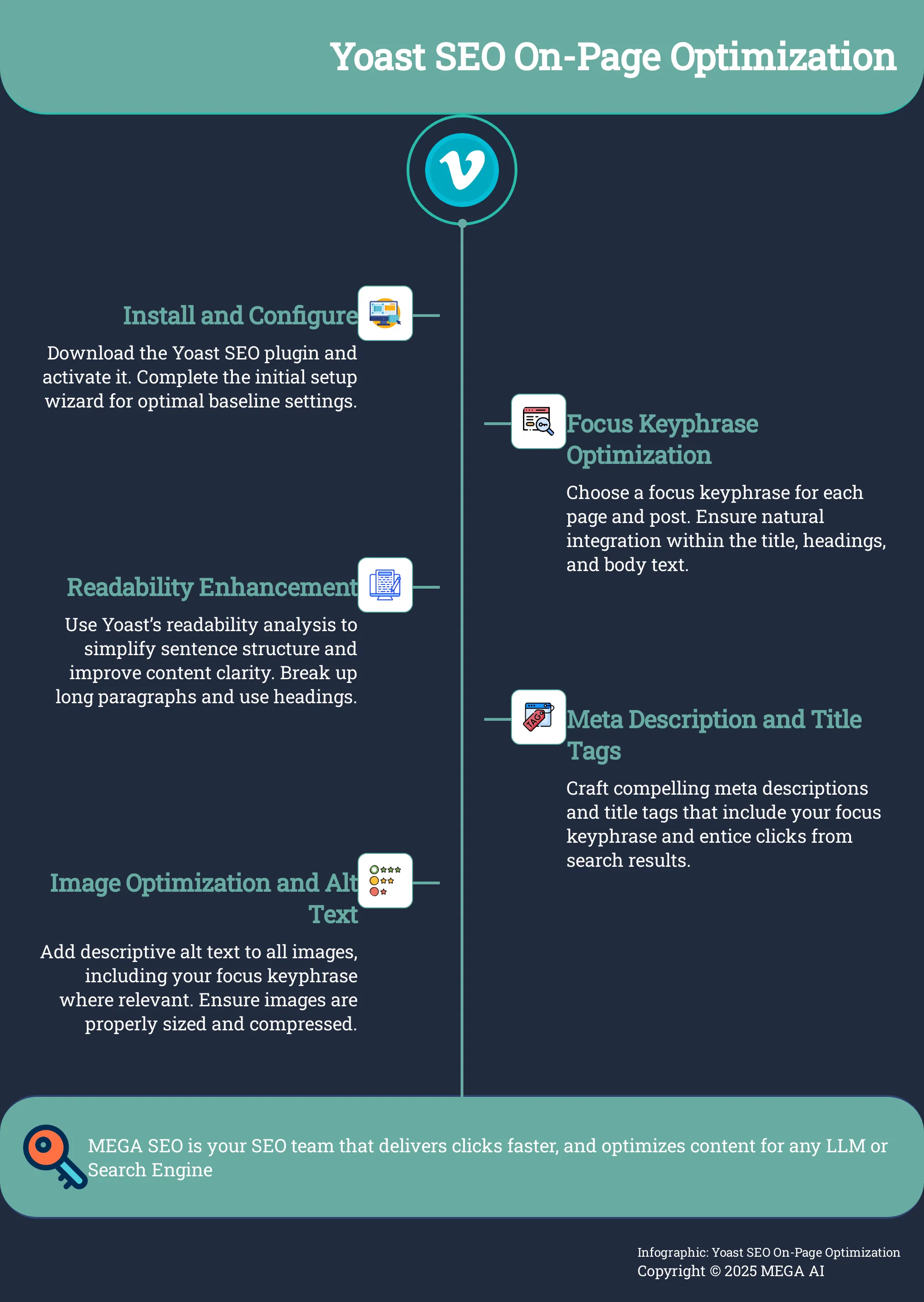
Getting Yoast SEO up and running on your WordPress site is a straightforward process that lays the foundation for all your on-page optimization efforts. The plugin is designed to be user-friendly, even for those who aren't technical experts. By following a few simple steps for installation and initial setup, you can configure the essential settings and ensure the tool works seamlessly with your site. This initial investment of time will pay off by making your day-to-day content optimization much more efficient. Let's walk through how to get started.
Install the plugin step-by-step
First, you need to add the plugin to your website. From your WordPress dashboard, find the 'Plugins' menu on the left-hand side and click 'Add New'. This will take you to the plugin directory. Use the search bar at the top right to type in 'Yoast SEO'. The official plugin should be the first result you see. Click the 'Install Now' button. WordPress will handle the download and installation for you. Once it's finished, the button will change to 'Activate'. Click it, and the Yoast SEO plugin will be active and ready for configuration on your site.
Complete the initial setup
Once the plugin is activated, Yoast will prompt you to run its first-time configuration wizard. I highly recommend you do this right away. This guided process is the easiest way to apply the best baseline settings for your site without needing to dig through menus. The wizard will walk you through several key steps, such as optimizing your site's SEO data, specifying whether your site represents a person or an organization, and adding your business logo and social media profiles. Completing this wizard ensures your site’s foundational SEO is correctly configured from the start, giving you a solid platform to build upon.
Check for theme compatibility
Before you get deep into creating and optimizing content, it’s a good idea to perform a quick compatibility check. While Yoast is built to work with most modern themes, some may have conflicts or not fully support every feature. Taking a moment to confirm your WordPress theme works well with the plugin can save you from potential issues down the road. A compatible theme ensures you can use all of Yoast’s features, like breadcrumbs and schema markup, without any technical glitches. You can usually find this information in your theme’s documentation or by reaching out to the theme developer for confirmation.
A Guide to the Yoast SEO Dashboard
Once you have Yoast installed, the dashboard becomes your command center for on-page SEO. It’s where you can get a high-level overview of your site’s SEO health and access all the plugin’s features. Think of it as a checklist that helps you spot potential issues and find opportunities for improvement. Getting familiar with its layout is the first step toward using the tool effectively.
A tour of the main sections
The main Yoast SEO Dashboard gives you a quick snapshot of your site’s SEO status, flagging any major problems that need your attention. It’s organized into several tabs that let you control different aspects of the plugin. The "Features" tab allows you to turn specific Yoast functionalities on or off, like the readability analysis or XML sitemaps. The "Integrations" tab is where you can connect Yoast to other tools. Finally, the "Webmaster Tools" section provides a simple way to verify your site with search engines like Google and Bing, which is a crucial step for tracking your performance.
Understand SEO and readability scores
Below the WordPress editor on each page or post, you’ll find the Yoast SEO meta box. This is where the real-time analysis happens. Yoast uses a simple traffic light system (green, orange, red) to score your content on two key areas: SEO and readability. The SEO analysis checks how well you’ve optimized for your chosen "focus keyphrase," looking at your SEO title, meta description, and keyphrase distribution. The readability analysis evaluates your content's structure, checking for things like sentence length, use of passive voice, and transition words to help you write content that’s easy for everyone to understand.
Customize the dashboard for your needs
Yoast is flexible, and you can tailor it to fit your workflow. In the "Features" tab of the main dashboard, you can disable any tools you don’t use to keep your interface clean. For instance, if you use a different tool for XML sitemaps, you can turn off Yoast’s sitemap feature to avoid conflicts. For those who want more control, Yoast Premium offers advanced features like internal linking suggestions and a redirect manager. While these manual tools are powerful, platforms like MEGA AI can further simplify your process by offering automated SEO to handle keyword research and content updates for you.
How to Optimize Content with Yoast
Once you have Yoast installed, you can start optimizing your content right from the WordPress editor. The plugin provides a dedicated meta box below your content area, offering real-time feedback and suggestions. This immediate analysis is what makes Yoast so helpful for creators and marketers who want to apply on-page SEO best practices without constantly switching between different tools.
The Yoast SEO meta box is split into several tabs, but the most important ones for content optimization are SEO and Readability. The SEO tab focuses on how well your content is optimized for your chosen keyword, while the Readability tab assesses how easy your text is to understand for a general audience. By addressing the suggestions in both tabs, you can create content that is not only discoverable by search engines but also engaging for your readers. Let's walk through the key steps to get those green lights.
Use the focus keyphrase effectively
The first step in optimizing any page or post is to choose a focus keyphrase. This is the primary search term you want the content to rank for. Yoast prompts you to enter this keyphrase and then analyzes your content to see how well you’ve incorporated it. The plugin checks for its presence in your SEO title, meta description, introduction, headings, and image alt text.
Your goal is to integrate the keyphrase naturally, not to force it in repeatedly. Think about user intent and how someone would search for your topic. Use variations and related terms to keep the language fluid. Yoast’s analysis provides a great checklist to ensure you’ve covered the basics, helping you create targeted content that directly addresses what your audience is looking for.
Improve readability with Yoast's analysis
A high search ranking won't matter if visitors click away because your content is hard to read. Yoast’s readability analysis helps prevent this by scoring your text on several factors, including sentence length, paragraph structure, and the use of transition words. It flags long, complex sentences and instances of passive voice, encouraging you to write in a clear and direct style.
Don't get obsessed with a perfect score, but do pay attention to the suggestions. Breaking up long paragraphs, shortening sentences, and using headings to structure your content makes it much more scannable for online readers. Following these guidelines helps ensure your message gets across effectively, which improves user engagement—a key signal that search engines value. Good readability is important for SEO and for keeping your audience on the page.
Write better meta titles and descriptions
Your meta title and description are what users see in the search results. They are your first chance to convince someone to click on your link instead of a competitor's. Yoast’s snippet editor gives you a preview of how your page will look on Google and allows you to customize this text easily. Crafting compelling SEO titles and meta descriptions is essential for improving your click-through rate (CTR).
When writing them, be sure to include your focus keyphrase and a clear benefit for the reader. Use active language and keep it concise to fit within Google's display limits. While Yoast helps you set this up initially, continuously improving CTR is an ongoing task. For instance, MEGA AI's Maintenance Agent can automatically test and update titles on existing articles to find the versions that perform best.
Optimize images and alt text
Images make your content more visually appealing and can help break up long blocks of text. They also present another opportunity for SEO. Search engines can't "see" images, so they rely on text-based information to understand what an image is about. This is where alt text comes in. Yoast will remind you if any images in your post are missing this important attribute.
Alternative text, or alt text, describes the content of an image for screen readers and search engines. Writing good alt text improves accessibility and helps your images rank in Google Images. Be descriptive but brief. For example, instead of "dog," write "golden retriever catching a red frisbee in a park." Ensuring images have descriptive alt text is a simple but effective way to make your content more robust and accessible.
Use Yoast for Technical SEO
Beyond analyzing your content, Yoast SEO works behind the scenes to manage key technical aspects of your website. These features handle foundational work so you can focus on creating great content without writing any code.
Manage XML sitemaps and robots.txt
An XML sitemap is a roadmap of your website that helps search engines find and index your pages. Yoast SEO automatically creates and updates this sitemap for you. The plugin also lets you edit your robots.txt file, which tells search engines which parts of your site to crawl. For instance, you might block a thank-you page from being indexed. Yoast provides a simple file editor, making it easy to control crawler access without needing to access server files.
Set canonical URLs and permalinks
Duplicate content can confuse search engines about which page to rank. To solve this, a canonical URL tells search engines which version is the "master copy." In the 'Advanced' tab of the Yoast SEO box, you can specify the canonical URL to ensure all SEO value points to the correct page. Yoast also helps you maintain clean, SEO-friendly permalinks, which are crucial for both users and search engines.
Implement schema markup
Schema markup is code that gives search engines more context about your content, like identifying a product rating or recipe. This can help your site earn rich snippets in search results, which can improve your click-through rate. Yoast automatically adds foundational schema markup to your site, identifying it as an organization and marking posts as articles. You can also specify page types, like a contact page, for more clarity.
Add breadcrumbs and internal links
Breadcrumbs are navigational links showing users their location on your site (e.g., Home > Blog > Post). They improve user experience and help search engines understand your site's structure. You can enable breadcrumbs in Yoast's settings. Additionally, Yoast encourages a strong internal linking strategy. The plugin's text link counter shows how many internal links are in your content and how many links point to it from other pages, helping you guide visitors to relevant content.
Use Advanced Yoast Features for On-Page SEO
Once you’re comfortable with the basics, you can use Yoast’s advanced settings to refine your on-page SEO strategy. These features give you more control over how search engines and people see your content. They help you define your site’s structure, improve how your content looks on social media, and connect with local customers. Taking the time to configure these settings helps ensure your most important content gets the attention it deserves.
Identify cornerstone content
Think of cornerstone content as the foundation of your website. These are your most important, in-depth articles that you want to rank highest for. Yoast SEO allows you to mark these key pages as "cornerstone content." When you do this, Yoast helps you prioritize them within your internal linking strategy, suggesting you link to them more often from other relevant posts. This simple action signals to search engines which pages are the most valuable on your site. It helps build a solid site structure where your most comprehensive content gets the authority it deserves, making it easier for both users and search engines to find your best work.
Optimize for social media
How your content appears when shared on social media can make the difference between a click and a scroll-by. Yoast gives you control over this with its social media optimization options. For each page or post, you can set a specific title, description, and featured image for platforms like Facebook and Twitter. This ensures your content looks polished and professional when it appears in someone’s feed. Instead of letting the platform pull random text or an irrelevant image, you can craft a compelling preview that encourages clicks. This is a simple way to maintain brand consistency and make your shared links more engaging, driving more traffic back to your site.
Configure local SEO settings
If you run a small business with a physical location, local SEO is critical. Yoast has features designed specifically to help you appear in local search results. In the settings, you can input your business information, including your official business name, address, phone number, and opening hours. Yoast then uses this data to add structured data (schema markup) to your site. This makes it easy for search engines to understand who you are, what you do, and where you’re located. Properly configured local SEO settings can improve your visibility in local search queries and on Google Maps, helping nearby customers find you when they need your products or services.
Maintain SEO Success with Yoast
SEO isn't a one-time setup. It's an ongoing process of refinement and maintenance. Search engine algorithms change, new competitors emerge, and your own content can become outdated. Staying on top of your SEO strategy ensures your website continues to perform well and attract organic traffic long after you hit publish. While Yoast provides an excellent foundation for on-page optimization, using it effectively for maintenance is what separates successful sites from those that fade over time.
Maintaining your site's health involves a few key activities. You'll need to regularly review and refresh your existing content to keep it relevant and accurate. You also have to monitor technical performance metrics that influence user experience, like how quickly your pages load. Finally, it's about finding the right equilibrium between following SEO best practices and creating a genuinely helpful experience for your visitors. Yoast offers features that support each of these areas, but it's your consistent effort that will ultimately drive lasting results. For businesses looking to streamline this process, automated tools like MEGA AI's Maintenance Agent can handle the heavy lifting of identifying optimization opportunities and updating content automatically.
Conduct regular content audits and updates
A content audit is a systematic review of all the content on your site. The goal is to identify which articles are performing well, which need to be updated, and which might be worth removing. Over time, information can become stale, links can break, and SEO best practices can evolve. Regularly updating your posts keeps them fresh for both readers and search engines. You can use Yoast to help identify cornerstone content that should be reviewed most frequently.
Without specialized expertise, keeping pace with technical SEO requirements becomes nearly impossible as search engines increasingly prioritize factors like page experience. A quarterly or semi-annual audit helps you stay ahead. Look for posts with outdated information, low traffic, or poor Yoast SEO scores. Updating these pages with new information, better keywords, or improved readability can give them a new lease on life and improve their ranking.
Monitor and improve Core Web Vitals
Core Web Vitals are a set of specific metrics that Google uses to measure a page's real-world user experience. As defined by experts, they focus on three aspects: loading speed, interactivity, and visual stability. A poor score in these areas can negatively impact your search rankings because it signals a frustrating experience for visitors. This is one of the key reasons why SEO is harder for small businesses that lack dedicated technical teams.
While Yoast doesn't measure these vitals directly, it encourages practices that help improve them. For example, its image optimization suggestions can reduce load times. To check your scores, you'll need to use Google Search Console. If your scores are low, focus on foundational improvements like choosing a fast hosting provider, using a lightweight theme, and compressing images before uploading them to your site.
Balance SEO recommendations with user experience
It can be tempting to chase a perfect "green light" score on every Yoast analysis. However, it's important to remember that Yoast's suggestions are guidelines, not strict rules. Your primary goal should always be to create clear, engaging, and valuable content for your human audience. Forcing a keyword into a sentence where it sounds unnatural just to meet a density recommendation can harm readability.
A balance between SEO and user experience is critical for success. When a user finds your content helpful and easy to read, they are more likely to stay on the page longer, which sends positive signals to Google. Use Yoast's feedback to guide your writing, but always prioritize clarity and a natural flow. A great user experience often leads to better SEO outcomes organically.
How to Integrate Yoast with Other Tools
Yoast SEO is a fantastic starting point for on-page optimization, but to get the most out of it, you need to see it as part of a larger ecosystem. Integrating Yoast with other tools transforms it from a simple checklist into a dynamic part of your SEO strategy. When you connect it with analytics platforms and other specialized software, you can ground your on-page decisions in hard data. This helps you understand what’s actually working, allowing you to refine your approach and ensure your efforts lead to tangible growth in traffic and rankings.
Connect to Google Search Console and Analytics
Connecting your site to Google Search Console (GSC) is a critical first step, and Yoast makes the process straightforward. Instead of manually adding code to your site’s header, you can use the plugin’s settings to verify ownership with just a few clicks. GSC gives you direct insight into how Google views your site, highlighting crawl errors, indexing issues, and the search queries people use to find you. You can find this feature under Yoast SEO > Settings > Site connections. While Yoast doesn't pull data from Google Analytics, having both connected is essential for a complete picture of your performance.
Check compatibility with other SEO tools
Yoast is designed to be part of a larger toolkit, but it's always smart to confirm compatibility with your other plugins. Most businesses rely on a stack of tools: Yoast for on-page checks, another for in-depth keyword research, and a third for link building. Yoast Premium streamlines this by offering direct integrations with services like Semrush and Zapier, which you can find in the "Integrations" tab. As your business grows, you might combine Yoast with a platform that can automate content optimization. This lets you use Yoast for the foundational on-page work while a more advanced system handles updating existing articles and finding new content gaps to fill.
Troubleshoot Issues and Measure Success
Setting up Yoast is just the beginning. To get real value, you need to know how to handle the occasional hiccup and, more importantly, how to measure your success. This involves keeping an eye on common performance issues, tracking the right metrics, and using the data you gather to make smarter decisions about your content strategy. By paying attention to these areas, you can ensure your on-page SEO efforts are actually moving the needle for your business. While Yoast provides the framework, consistently monitoring and refining your approach is what drives growth. For businesses looking to scale these efforts, MEGA AI's SEO automation can handle the ongoing optimization and updates, allowing you to focus on strategy.
Resolve common conflicts and performance problems
Many small businesses don't have a dedicated SEO professional on staff, which can make technical maintenance feel overwhelming. Yoast simplifies many technical tasks, but conflicts can still happen, often with your theme or other plugins. If you notice your site slowing down or features breaking after an update, a plugin conflict is a likely culprit. Use a troubleshooting plugin to safely deactivate other plugins one by one to find the source of the problem. A limited budget means you can't always hire a developer, so learning basic troubleshooting is a valuable skill. Keeping your theme, plugins, and WordPress version updated is your best first line of defense against these issues.
Key metrics to track for performance
Getting a "green light" in Yoast feels good, but it doesn't guarantee results. You need to track key performance metrics to see if your work is paying off. Start with organic traffic in Google Analytics to see how many visitors are finding you through search. In Google Search Console, monitor your click-through rate (CTR) and average keyword rankings. A low CTR might mean your meta descriptions aren't compelling, even if your page ranks well. One of the biggest SEO challenges is targeting the wrong keywords, so watch which terms are actually driving traffic. If there's a mismatch between your focus keyphrase and the queries you rank for, you may need to adjust your content.
Use Yoast data to inform your content strategy
The data from Yoast and your analytics tools can guide your future content. Look at your top-performing posts. What do they have in common? Do they share a similar format, tone, or focus keyphrase type? Use these insights to create more content that your audience loves. Yoast's features can also provide strategic direction. For example, if you have a physical location, configuring the local SEO settings is critical. You can then track how well your local landing pages perform for location-based searches. Similarly, you can customize social sharing options and see which content gets the most engagement on social media, helping you understand what resonates with your audience beyond search engines.
Top Yoast SEO Alternatives
While Yoast is a fantastic tool, it’s not the only option available for WordPress users. Different plugins offer unique features, interfaces, and pricing models that might be a better fit for your specific workflow or business needs. Exploring alternatives can help you find the perfect tool to manage your on-page SEO efficiently. Whether you’re looking for more advanced features, a simpler interface, or a more lightweight solution, there’s likely a plugin that fits the bill.
SEOPress
SEOPress is a powerful and user-friendly plugin that gives you a comprehensive suite of tools for on-page optimization. It helps you manage titles and meta descriptions, generate XML sitemaps, and implement schema markup with ease. Many users praise its clean interface and excellent value, especially since its pro version is quite affordable. According to WordPress user reviews, it’s highly effective for handling all the essential SEO tasks without overwhelming you with unnecessary clutter. If you're looking for a robust Yoast alternative that balances features and simplicity, SEOPress is a strong contender.
Rank Math
Rank Math has quickly become a popular SEO plugin, known for its modern interface and extensive features. It provides built-in suggestions based on SEO best practices, integrates with Google Schema Markup, and even allows you to optimize for multiple keywords in its free version. One of its standout features is its modular framework, which lets you enable only the tools you need, keeping your dashboard clean and fast. This makes it a highly customizable option for users who want more control over their SEO toolkit. It’s a great choice if you’re looking for advanced capabilities wrapped in a user-friendly package.
All in One SEO Pack
As one of the original WordPress SEO plugins, All in One SEO Pack has a long history of reliability. It’s designed to be beginner-friendly, offering a straightforward setup process while still providing advanced features for experienced users. The plugin covers all the essentials, including XML sitemap generation, social media integration, and support for custom post types. It’s a solid and dependable choice if you want a comprehensive tool that simplifies on-page optimization without a steep learning curve. All in One SEO Pack remains a go-to for many website owners for its consistency and ease of use.
The SEO Framework
If you prefer a more hands-off approach, The SEO Framework is an excellent choice. This lightweight and fast plugin focuses on automating your on-page SEO without requiring a lot of manual configuration. It intelligently generates titles, descriptions, and schema markup right out of the box. Users appreciate its simplicity and how it runs efficiently in the background without adding bloat to their site. It’s perfect for those who want solid SEO foundations without getting bogged down in settings and checklists. The SEO Framework delivers core optimizations effectively, letting you focus more on creating great content.
Related Articles
- WordPress SEO Guide: Drive Traffic & Rank Higher
- Best Automatic SEO Plugins for WordPress in 2025
- Tracking SEO Performance: The Ultimate Guide (2024)
- Content Optimization - MEGA SEO | Blog
- Technical SEO - MEGA SEO | Blog
Frequently Asked Questions
Do I need to get a green light on every Yoast check to rank on Google? Not at all. Think of Yoast’s traffic light system as a helpful guide, not a strict set of rules you must follow. Your primary goal should always be to write clear, valuable content for your human audience. Sometimes, forcing a keyword into a sentence just to get a green light can make your writing sound unnatural. Use the suggestions to improve your content, but always prioritize readability and a natural flow.
What’s the difference between the SEO analysis and the readability analysis? The SEO analysis focuses on how well you’ve optimized your page for a specific search term, or "focus keyphrase." It checks if you've included the keyphrase in important spots like your title, headings, and meta description. The readability analysis, on the other hand, scores how easy your content is for a person to read, looking at things like sentence length and paragraph structure. Both are important for creating content that search engines can find and people will enjoy reading.
Is using Yoast all I need to do for my website's SEO? Yoast is an excellent tool for managing your on-page SEO, which is a critical piece of the puzzle. However, a complete SEO strategy also involves other important tasks like in-depth keyword research, building backlinks from other credible sites, and maintaining your site's technical health. Yoast provides the framework for your content, but it works best as part of a larger toolkit.
How often should I go back and update old posts using Yoast? SEO is an ongoing process, so it's a great practice to regularly review your existing content. A good rule of thumb is to conduct a content audit every six months or so. Start with your most important articles—your cornerstone content—or any posts that have seen a significant drop in traffic. Updating them with fresh information and re-optimizing them with Yoast can help improve their performance.
I've set my focus keyphrase and have a green light, but I'm still not ranking. What am I doing wrong? This is a common frustration, and it highlights that on-page optimization is just one factor in ranking. Your ability to rank also depends on the competitiveness of your chosen keyphrase, your website's overall authority, and whether your content truly satisfies the user's intent. Yoast ensures your page is properly structured, but you still need a solid content strategy and off-page SEO efforts to climb the search results.


