

For startups, small businesses, and digital marketing agencies, optimizing your online presence efficiently is paramount. Keyword research forms the bedrock of this optimization, but it requires more than just intuition; it demands robust data and insightful tools. Majestic offers a powerful platform to dissect the competitive landscape and uncover keyword opportunities grounded in real link intelligence. If you're ready to learn how to use Majestic for keyword research? to its full potential, this guide will provide actionable steps. We'll cover everything from setting up your account and navigating the interface to employing advanced techniques with tools like the Clique Hunter, ensuring you can make informed decisions that drive meaningful traffic.
Key Takeaways
- Connect Link Analysis to Your Keyword Plan: Majestic's detailed look at backlinks reveals how sites are related and why competitor content ranks, helping you find impactful keywords.
- Grasp Key Metrics for Realistic Targeting: Get comfortable with Trust Flow and Citation Flow to understand a site's true authority, so you can choose keywords you have a good chance of ranking for.
- Explore Specific Tools for Fresh Ideas: Use Majestic’s Keyword Checker to assess keyword potential and the Clique Hunter to find where competitors get links that you don't, uncovering new content and link opportunities.
What is Majestic and How Does It Help Your Keyword Research?
If you're aiming to sharpen your SEO strategy, getting familiar with the right tools is essential. Majestic is a significant player in this space, widely recognized for its extensive backlink analysis capabilities. Imagine having a detailed map of how websites connect across the internet; Majestic provides this with what it claims is the world's largest link database. So, how does this connect to your keyword research? Understanding the origin and quality of links pointing to your website is a cornerstone of improving your search engine rankings. By examining these backlinks, Majestic helps you identify valuable opportunities for keyword optimization and to shape a more effective content strategy. It’s about seeing the authority and context of sites linking to yours, which helps you determine which keywords you can realistically compete for.
Beyond its strength in backlink data, Majestic provides tools specifically for exploring keywords. Their Keyword Checker is a practical feature to start with. It lets you input keywords, assess their presence online, and get an idea of their search volume. This is quite helpful for finding those high-impact keywords that could draw more of the right audience to your website. Additionally, Majestic’s Keyword Generator assists in creating keyword lists and, importantly, uncovering the keywords your competitors are using. This kind of insight can be incredibly valuable for your content marketing, revealing the terms that are successfully bringing traffic to others in your field.
To help you interpret this information, Majestic utilizes two key metrics: Trust Flow and Citation Flow. Trust Flow assesses the quality of the links directed at your site—essentially, are they from trustworthy, authoritative sources? Citation Flow, conversely, measures the quantity of these links. Grasping these metrics allows you to evaluate your website's overall authority and visibility, which is crucial when selecting keywords to target. A robust backlink profile, suggested by good Trust Flow and Citation Flow scores, indicates you might successfully target more competitive keywords. Tools such as the Clique Hunter even allow you to discover websites that link to your competitors but not to your site, offering a clear way to target specific keywords and enhance your search rankings. Using Majestic for various aspects of link building, from finding potential link sources to maintaining existing ones, continuously provides useful data for your keyword research.
Set Up and Navigate Majestic
Getting started with any new tool can feel a bit like finding your way around a new city. But don't worry, setting up Majestic and getting familiar with its layout is quite straightforward. Let's walk through the initial steps so you can begin your keyword research with confidence.
Create Your Account
First things first, you'll need an account to access Majestic's features. To use Majestic, you first need to create an account on its website. You'll find different subscription plans available, so take a moment to choose one that suits your specific needs and budget. Once your account is set up, it's a good idea to verify your website ownership. This step is important because it allows you to start analyzing your website's backlinks using powerful tools like the Site Explorer and other analytical features. Verifying ownership often provides more detailed data for your own properties, giving you a clearer picture of your site's backlink profile from the get-go.
Understand the Interface
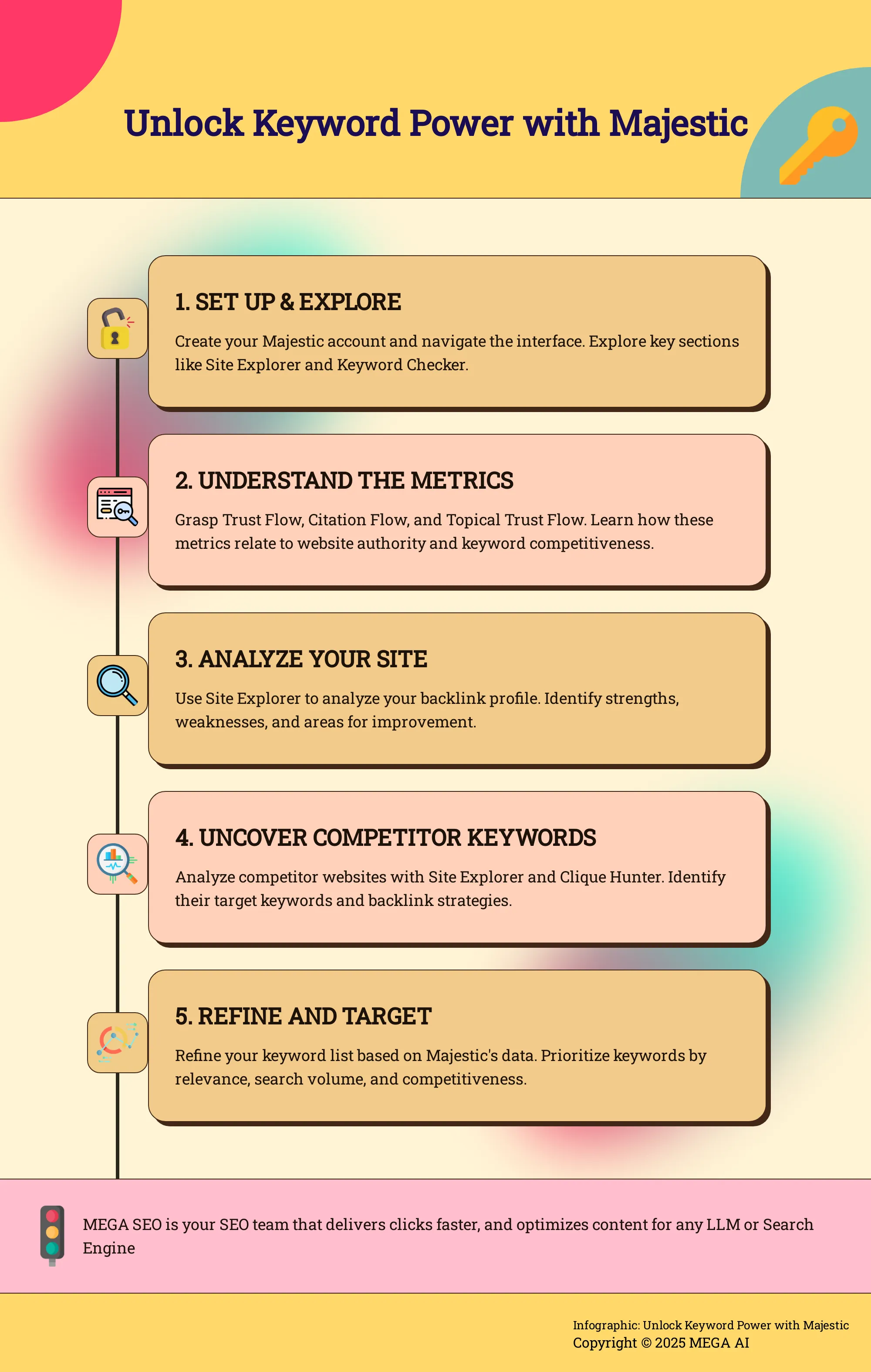
Once you're logged in, take some time to explore the dashboard. Majestic uses a web map to score websites based on their visibility and authority, which can be a unique way to visualize site strength. The main tools you'll likely use frequently include Site Explorer, which provides detailed reports on backlinks, and the Keyword Checker, which allows users to search for keywords and see their search volume estimates. These are your primary starting points for much of your research.
Majestic's interface includes features like Trust Flow and Citation Flow metrics; these are crucial for helping you understand the quality and quantity of backlinks pointing to a site. You'll also find a 'New/Lost' menu, which is handy for tracking recently gained or lost links – great for monitoring campaign progress or spotting issues. For deeper dives, the 'Context' and 'Backlinks' reports offer detailed information about inbound links, showing you where they come from and the anchor text used.
Understand Key Majestic Metrics for Keyword Research
To get the most out of your keyword research with Majestic, it's crucial to understand its core metrics. These aren't just numbers; they tell a story about website authority and relevance in the context of your target keywords. When you're sifting through potential keywords, these metrics act as your guide, helping you determine which terms are realistically attainable and which ones might require more significant effort to rank for. They also help you understand the authority of websites already ranking for those keywords, giving you a clearer picture of the competitive landscape. Familiarizing yourself with metrics like Trust Flow, Citation Flow, and Topical Trust Flow will empower you to make smarter decisions, refine your keyword selection process, and ultimately, build a more impactful content strategy. This understanding allows you to move beyond simply finding keywords to strategically choosing terms that align with your site's current strength and growth potential. Let's explore some of the key metrics you'll be working with, so you can use them effectively in your research.
Trust Flow and Citation Flow
Two foundational metrics in Majestic are Trust Flow and Citation Flow. These help you evaluate a website's link profile. As Majestic explains, "Trust Flow shows how trustworthy the websites linking to yours are (higher is better). Citation Flow shows how many websites link to you (more is better)." While many links might seem positive, it's the balance between these scores that truly matters. A high Citation Flow with low Trust Flow could suggest numerous low-quality links. Understanding both helps you gauge a site's genuine authority, which is vital when researching keywords and assessing the competitive landscape.
Topical Trust Flow
Majestic also provides Topical Trust Flow, which offers a more granular view of a site's influence. This metric is incredibly useful as it "indicates the trustworthiness of a website based on the categories of sites that link to it," helping you understand "the relevance and authority of a site within specific niches." Why does this matter for your keyword research? It helps you determine if a site is a recognized authority in the niche you're targeting. For instance, if you're focusing on 'sustainable fashion' keywords, you'd look for strong Topical Trust Flow in related categories. This allows you to assess relevance and identify authoritative domains, guiding your keyword selection more precisely.
Analyze Backlink Profiles
Analyzing competitor backlink profiles can reveal valuable keyword opportunities, and Majestic offers robust tools for this. As they state, "Majestic helps with all phases of link building: prospecting, outreach, and maintenance." The "Clique Hunter tool identifies websites linking to competitors but not to your site," highlighting direct opportunities for you to pursue similar links or keywords. Furthermore, the "Related Sites" report suggests potential link opportunities beyond simple backlink lists. By examining these profiles, you can understand which keywords competitors successfully target through their link strategies and discover fresh ideas for your own content, effectively reverse-engineering their success.
Master Majestic's Keyword Checker Tool
Majestic's suite of tools includes a feature specifically for keyword exploration: the Keyword Checker. This tool is your starting point for understanding how specific terms perform online and how they relate to website authority. Getting comfortable with this tool will significantly aid your keyword research process, allowing you to make more informed decisions about which keywords to target for your content and SEO efforts. By effectively using the Keyword Checker and understanding its data, you can refine your strategies and focus on terms that offer the best potential for visibility and traffic. This is particularly helpful when you're trying to pinpoint the most effective terms for your niche.
Use the Keyword Checker
Majestic’s Keyword Checker tool is neatly integrated within its SEO platform, making it easily accessible as you conduct your research. Its primary function is to allow you to input specific keywords and gain insights into their online presence. The tool provides data on how frequently these keywords appear across the web and offers an estimate of their search volume. This initial analysis helps you gauge the potential reach and competitiveness of the keywords you're considering, forming a foundational step in your keyword selection strategy. You can use this information to quickly assess whether a keyword is worth further investigation or if it's too broad or too niche for your current goals.
Interpret Keyword Data
Once you've used the Keyword Checker, understanding the data it presents is key. Majestic employs unique metrics like Trust Flow and Citation Flow to evaluate website authority and link profiles. Trust Flow indicates the quality and trustworthiness of sites linking to a URL, with higher scores being more desirable. Citation Flow, on the other hand, measures the quantity of links. Both metrics are crucial for assessing a site's online reputation and backlink strength when analyzing keywords and the domains ranking for them.
Majestic also maintains two distinct data indexes: the 'Fresh Index,' which is updated daily to reflect the most recent link data, and the 'Historical Index,' which provides a view of links accumulated over many years. This dual-index system allows you to analyze both immediate, short-term trends and the long-term link-building history associated with a keyword or domain. This offers a comprehensive perspective for your SEO strategy, helping you understand if a keyword's popularity is a recent development or has been established over time.
Analyze Competitor Keywords and Backlinks
Understanding what your competitors are doing is a fundamental part of effective keyword research and your broader SEO strategy. It’s not about simply mimicking their every move, but rather about intelligently identifying gaps, uncovering fresh opportunities, and learning from both their successes and their missteps. Think of it as gathering market intelligence that can give you a real edge. When you know which keywords they target, where their valuable backlinks come from, and what kind of content resonates with their audience (and yours), you're in a much stronger position to make informed decisions. This proactive approach means you're not just reacting to the market; you're actively shaping your place within it.
Majestic provides a robust set of tools that let you look into your competitors' approaches, especially concerning their keyword choices and the backlinks they've acquired. By carefully examining this information, you can sharpen your own content strategy, find valuable keywords you might have missed, and discover promising avenues for link building. This kind of analysis ultimately helps you position your website more effectively and compete for those important search engine rankings. It’s about working smarter, not just harder, to improve your site's visibility and attract the right kind of traffic, which is essential for any growing business or agency.
Uncover Competitor Strategies
Majestic is quite helpful when you want to understand what your competitors are focusing on. You can use it to track their digital PR campaigns and see where they're successfully earning new links. This gives you a clearer picture of their outreach efforts and the types of content that are gaining traction for them. It's also wise to monitor their Trust Flow and Citation Flow scores; these metrics offer ongoing insight into the quality and quantity of their backlink profile.
The Campaigns feature within Majestic simplifies the process of keeping tabs on several competitor websites simultaneously. You can set one up to receive regular updates, making monitoring less of a manual chore. Pay special attention to the 'New/Lost' links report. It highlights links they've recently acquired or lost, which can signal shifts in their strategy or even point to opportunities if a competitor loses a valuable link.
Identify Keyword Opportunities
Looking at competitor backlinks goes beyond just seeing who links to them; it’s a fantastic way to unearth new keyword and link opportunities for your own website. Majestic supports various stages of the link building process, from initially finding prospects to helping you maintain your existing link profile. The Clique Hunter tool is particularly effective here, as it pinpoints websites that are linking to your competitors but not yet to your site—these are often excellent candidates for your outreach.
Beyond these direct comparisons, the 'Related Sites' report can suggest other relevant websites that might be good link prospects. If you're dealing with a large number of domains, Majestic’s Bulk Backlink Checker is a time-saver. It can analyze up to a million URLs, providing key metrics like Trust Flow and Citation Flow for each. This allows for a quick assessment of potential link sources or helps you benchmark against a wider competitive landscape.
Use Advanced Keyword Research Techniques with Majestic
Once you're comfortable with the basics of Majestic, you can begin to explore some of its more advanced features. These tools are designed to help you refine your keyword research and gain a significant competitive edge, which is especially crucial for startups and small businesses looking to make an impact. They move beyond simple keyword lookups, offering deeper insights into the complex linking landscape and the strategies your competitors are using. Consider these techniques your pathway to becoming a keyword research expert, enabling you to uncover valuable opportunities that others might overlook. When you understand not just what keywords to target, but also how your competitors achieve their rankings and where their site authority originates, you're equipped to build a much more robust and effective SEO strategy. These advanced methods provide a broader perspective, clearly connecting your chosen keywords to the intricate web of backlinks that heavily influence search engine rankings. For businesses aiming to optimize their online presence efficiently, mastering these techniques can lead to more targeted and successful SEO campaigns. Let's examine a few powerful features within Majestic that can help you achieve this level of understanding and strategic advantage.
Leverage the Clique Hunter
One of Majestic's standout features for competitive analysis is the Clique Hunter tool. Imagine being able to quickly see which websites are linking to several of your competitors, but not to you. That's precisely what Clique Hunter does. Majestic helps with all phases of link building: prospecting, outreach, and maintenance. The Clique Hunter tool identifies websites linking to competitors but not to your site. This feature allows you to discover potential link opportunities that your competitors are leveraging, giving you a strategic advantage in your keyword research and link-building efforts. By finding these common backers of your competition, you can identify high-value, relevant sites to target for your own link-building campaigns, potentially tapping into the same authority sources that are benefiting them.
Explore with the Neighborhood Checker
To get an even clearer picture of the competitive landscape, Majestic's Neighborhood Checker is an invaluable asset. This tool allows you to see the websites that are linking to your competitors, giving you insights into potential link opportunities and the overall digital environment they operate in. By understanding the link profiles of your competitors, you can better tailor your keyword strategy to target similar audiences and improve your site's authority. It’s like getting a map of the online communities and influential sites in your niche. This information can help you identify not only direct link prospects but also understand the types of content and platforms that attract links in your industry, further informing your keyword and content strategy.
Use Fresh and Historical Indexes
Understanding the timeliness of backlink data is crucial, and Majestic addresses this by maintaining two distinct sets of data. Majestic keeps two sets of data: a 'Fresh Index' (updated daily) showing the newest links, and a 'Historical Index' showing links over many years. This dual approach helps you see both current and long-term trends in keyword performance and backlink profiles, allowing for a more comprehensive keyword research strategy. The Fresh Index is great for spotting recent link-building activities and emerging trends, while the Historical Index provides a long-term view of a domain's authority and linking patterns. Using both together gives you a well-rounded perspective, helping you make more informed decisions about which keywords are worth pursuing based on both current relevance and established authority.
Integrate Majestic with Other SEO Tools
Majestic is a powerful tool on its own, but its true strength often shines when you combine its insights with other SEO software. Think of it like assembling a dream team for your SEO efforts – each tool brings its unique skills to the table, giving you a much clearer picture of the digital landscape. By integrating Majestic's specialized backlink and web map data with broader SEO platforms, you can build a more robust and effective strategy. This approach helps you cover all your bases, from deep link analysis to comprehensive keyword tracking and content optimization.
Complementary Tools for Comprehensive Research
Majestic provides several tools for keyword research that draw from its extensive web map. These can really sharpen your SEO strategy by offering detailed views on backlinks, how authoritative a site is, and what your competitors are up to. While Majestic has its unique strengths, especially in link intelligence, it sits comfortably alongside other well-known SEO tools such as Ahrefs, Moz, or SEMrush. Using Majestic in concert with these platforms allows you to gain a more holistic view of your SEO landscape, ensuring you're not missing any crucial pieces of the puzzle.
Export and Analyze Data
One of Majestic’s handy features is the Bulk Backlink Checker, which can process up to a million domains at once. It gives you essential metrics like Trust Flow, Citation Flow, the number of referring domains, and total backlink counts. You can then export this data for deeper analysis in spreadsheets or other analytics tools, making it simpler to spot trends and uncover new opportunities. For those who want to take it a step further, Majestic’s API access allows you to pull its data directly into your own custom dashboards or integrate it with other software, streamlining your workflow and embedding Majestic’s insights right into your existing SEO processes.
Follow Best Practices for Keyword Research with Majestic
Using a robust tool like Majestic effectively means pairing its capabilities with solid SEO strategies. When it comes to keyword research, a few best practices can help you get the most out of Majestic’s data and features, ensuring your efforts translate into tangible results for your website.
Set Clear Research Goals
Majestic is a powerful tool for digital marketers, SEO specialists, and anyone looking to understand website authority. It uses an extensive web map to score websites based on their visibility and authority, offering deep insights. But like any sophisticated instrument, its true value emerges when you have a clear purpose. Before you dive into the data, take a moment to define what you want to achieve. Are you looking to discover fresh content ideas for your blog? Perhaps you want to understand which keywords your competitors are successfully targeting through their backlink strategies. Or maybe your goal is to identify areas where you can build topical authority. Having these goals in mind will guide your exploration within Majestic and make your research far more effective and focused.
Refine Your Keyword List
Once you have some initial keyword ideas, Majestic can help you sharpen that list. The platform offers a Keyword Checker tool integrated into its SEO platform, designed for this very purpose. This feature lets you search for keywords, see how often they appear online, and get an estimate of their search volume. This step is crucial for moving beyond guesswork. You can use this information to prioritize keywords that have a good balance of search interest and relevance to your content. It's also a great way to spot long-tail variations or related terms you might not have considered, helping you build a more comprehensive and targeted keyword strategy for your business.
Balance Link Building: Quantity vs. Quality
When you're researching keywords, it's not just about the search terms themselves; it's also about understanding the competitive landscape, especially the backlink profiles of pages already ranking. Majestic shines here by helping you assess both the quantity and quality of links. Metrics like Trust Flow and Citation Flow are key: Trust Flow shows how trustworthy the websites linking to yours are (higher is better), while Citation Flow shows how many websites link to you (more is better). Both are important for a good online reputation. Majestic assists with all phases of link building, from prospecting and outreach to maintenance. By analyzing the link profiles of top-ranking content for your target keywords, you can gauge the effort required to compete and identify opportunities where high-quality links could make a significant difference to your own rankings.
Overcome Common Challenges with Majestic
Majestic is a robust tool for keyword research, offering deep insights into backlink profiles and site authority. However, like any advanced software, it can present a few challenges, particularly for those new to its specific metrics and interface. Understanding these common hurdles from the outset, and knowing how to address them, can significantly streamline your research process and help you extract the most value from the platform. Let's look at some typical beginner mistakes and practical troubleshooting tips to ensure you're using Majestic effectively.
Avoid Beginner Mistakes
When you first start with Majestic, it's common to feel a bit overwhelmed by the data. A frequent early challenge is fully grasping its unique metrics like Trust Flow and Citation Flow. These aren't just numbers; they are core to how Majestic analyzes websites and their influence, so investing time to understand their meaning is important. Beyond tool-specific learning, many marketers make general keyword research errors. For example, it's tempting to focus solely on high search volumes, but this can be a pitfall if you ignore keyword difficulty, potentially leading you to target terms that are too competitive to rank for realistically.
Troubleshooting Tips
If you find yourself hitting a roadblock with Majestic, a couple of key adjustments in your strategy can often provide clarity. Firstly, consider shifting your focus towards long-tail keywords. These are longer, more specific search phrases that, while having lower individual search volumes, can attract highly relevant traffic and are often less competitive. Majestic's data can help you uncover these valuable terms. Secondly, always prioritize understanding the searcher's intent. Thinking about what a person is genuinely trying to achieve when they type a query into a search engine is a crucial aspect of effective keyword research. Aligning your content with this user intent is fundamental for success, and Majestic’s backlink context can offer useful clues.
Maximize Your Keyword Research Strategy with Majestic
To really get the most out of Majestic for your keyword research, it's helpful to become familiar with its powerful tools and features. These are built with SEO professionals in mind, but they're accessible even if you're just starting to explore deeper keyword strategies. A great place to begin is with Majestic's Keyword Checker tool. This feature lets you search for specific keywords, see how they're performing online, and get an idea of their search volume. It’s a solid way to pinpoint those high-potential keywords that could bring more visitors to your website.
Another key aspect of Majestic is its Fresh Index. This index is updated daily and includes billions of URLs, giving you access to very current data. When your keyword research is based on the latest search trends and user behaviors, you're better positioned to understand how to use Majestic effectively and stay ahead of your competition. For uncovering even more opportunities, the Clique Hunter tool is quite useful. It helps you find websites that link to your competitors but not to you. This can shine a light on new keyword ideas and potential backlink sources you might not have otherwise discovered.
Finally, understanding Majestic’s Trust Flow and Citation Flow scores can significantly refine your approach. These metrics help you assess the authority and influence related to the keywords you're considering. By getting started with these metrics, you can better prioritize which keywords to target, focusing your efforts on those most likely to improve your site’s visibility and search engine ranking. Integrating these tools and metrics into your regular keyword research process can provide a real competitive advantage.
Related Articles
- Majestic for Local SEO: A Step-by-Step Guide (2023)
- Comprehensive Backlink Audit: A Step-by-Step Guide
- Trust Flow SEO: The Definitive Guide (2024)
- Master Majestic for Voice Search Optimization
- Multiple Keyword Rank Checker: The Ultimate Guide
Frequently Asked Questions
I'm new to SEO; how can Majestic's backlink focus help my keyword research if my site doesn't have many links yet? Even if your own site is just starting out, Majestic is incredibly useful for looking at what's working for others. You can analyze the backlink profiles of websites that are already ranking for keywords you're interested in. This shows you the kind of authority and link quality you'll eventually need to compete, helping you set realistic keyword goals from the beginning. It also helps you understand the types of content that attract links in your niche.
Trust Flow and Citation Flow sound a bit technical. How do they actually help me pick better keywords? Think of Trust Flow as a measure of link quality – are the sites linking to a page trustworthy? Citation Flow measures link quantity – how many sites are linking? When you're researching keywords, you can look at these scores for the pages already ranking. If top-ranking pages have very high Trust Flow, it signals that authoritative links are important for that keyword, meaning it might be more competitive. This helps you gauge the effort needed and choose keywords that match your site's current ability to attract quality links.
What's a straightforward way to use Majestic to see what keywords my competitors are targeting? A good starting point is to use Majestic's Site Explorer on a competitor's website. Pay attention to their anchor text, which are the clickable words in their backlinks, as this often reveals the keywords they are actively trying to rank for. You can also use the Clique Hunter tool to find sites linking to multiple competitors; the context of these links can also point to shared target keywords in your industry.
Can Majestic help me find keywords for a very specific or niche topic? Yes, Majestic can be quite helpful here. By examining the backlink profiles of sites that are already authorities in your niche, you can uncover the specific terms they are being linked to for. Topical Trust Flow is particularly useful as it shows a site's influence within specific categories. If you find sites with high Topical Trust Flow in your niche, analyzing their backlinks and anchor text can lead you to relevant, specialized keywords.
Beyond finding keywords, how does understanding competitor backlinks with Majestic improve my overall SEO? Understanding competitor backlinks gives you a roadmap for building your own site's authority. You see what kind of content attracts links in your field, which websites are considered authoritative link sources, and the strategies your competitors use to earn links. This knowledge helps you refine your content creation, identify link-building opportunities, and develop a more effective overall SEO strategy that goes beyond just keyword lists.


