

Your local market is full of businesses, and many are likely vying for the same online attention you are. To stand out, you need a smart approach to your local search engine optimization. This means finding the keywords that not only attract customers but also give you a competitive edge. KWFinder is built to help you do just that, offering features to analyze what your local competitors are doing and identify opportunities they might be missing. We're here to explain how to use KWFinder for local SEO, so you can build a stronger, more effective strategy to capture your share of local searches.
Key Takeaways
- Discover What Locals Search For: Use KWFinder to identify the exact keywords people in your specific area are using and understand the competitive landscape, so you can focus on terms that truly matter for your local business.
- Put Your Keywords to Work: Apply the keywords you find with KWFinder to your website's content, meta descriptions, and Google Business Profile to make sure local customers can easily find you online.
- Keep Your Local SEO Sharp: Regularly revisit KWFinder to track how your chosen keywords are performing, see what your local competitors are up to, and adjust your strategy to maintain strong local visibility.
What is KWFinder? Why It's Key for Local SEO
KWFinder is a really handy keyword research tool, part of the Mangools suite of SEO tools. Think of it as your guide to discovering the exact search terms people are typing into Google when they're looking for businesses like yours. Its main job is to help you find these relevant keywords, but it goes a step further by showing you how difficult it might be to rank for them. This insight into keyword difficulty is super valuable, especially when you're focusing on local SEO, because it helps you pinpoint terms that aren't overly competitive, giving your local business a better shot at appearing higher in search results.
Now, where KWFinder really shines for local businesses is its ability to perform local keyword research. You can actually drill down and find keywords that are specific to your city, state, or even a smaller neighborhood. With data pulled from over 50,000 locations, it means you can tailor your website content and SEO strategy to attract customers right in your service area. This is a game-changer for connecting with your local community online.
Beyond its powerful features, KWFinder is known for being pretty user-friendly, and it gives you accurate estimates for keyword difficulty. Understanding these metrics, like Keyword Difficulty (KD), is a big part of choosing the right keywords so you can compete effectively in your local market. As Ralf van Veen notes, tools like KWFinder are essential for crafting effective client SEO strategies. By using what KWFinder offers, you can really sharpen your local SEO, bring more of the right kind of visitors to your site, and hopefully, see more of those visitors turn into customers.
How to Start Using KWFinder for Local SEO
Getting started with KWFinder for your local SEO efforts is a straightforward process. This tool is designed to help you uncover valuable keywords that your local customers are actually searching for. By focusing on location-specific terms, you can tailor your content and online presence to attract a relevant audience right in your neighborhood or service area. Think of it as laying the groundwork for a more targeted and effective local marketing strategy. We'll walk through the initial steps to get you up and running, from creating your account to understanding the main features you'll be working with. This foundation will help you make the most of KWFinder's capabilities as you begin your local keyword research journey.
Set Up Your Account
First things first, you'll need to create an account with Mangools to access KWFinder. The tool is specifically built to help businesses discover keywords tied to particular geographic areas. It draws on data from an impressive network of over 50,000 locations, which means you can get quite granular with your research, whether you're targeting a country, state, city, or even a smaller municipality.
This location-specific research is incredibly useful for local SEO campaigns. It allows you to move beyond generic keywords and really hone in on what potential customers in your service area are looking for. By understanding these local search patterns, you can more effectively target your audience and ensure your business shows up when and where it matters most.
Get to Know the KWFinder Interface
Once your account is ready, take some time to familiarize yourself with the KWFinder interface. It’s designed to be quite intuitive, even if you're new to keyword research tools. A helpful KWFinder guide can walk you through all the important features, making it easier to understand how to use them for your local SEO. You'll notice areas displaying search trends and data from Google Trends, which can give you a sense of how keyword popularity changes over time.
The interface also provides a SERP (search engine results page) overview for keywords, including metrics like Domain Authority (DA) and Page Authority (PA) for top-ranking pages. These metrics help you assess the competitive landscape. KWFinder also offers various filters—such as search volume and keyword difficulty—allowing you to refine your search and pinpoint relevant local keywords.
How to Do Local Keyword Research with KWFinder
Alright, let's get into the practical steps of using KWFinder for your local SEO. Once you have a grasp of the basics, you’ll find it’s a pretty intuitive tool that can really help you understand what your local customers are searching for. Think of it as your local market research assistant, helping you pinpoint the exact phrases that will bring customers to your door, or your website.
KWFinder is designed to simplify the often-complex process of keyword research, especially when you're trying to target a specific geographic area. This is super important because local customers search differently than those looking for general information. They use location-specific terms, and KWFinder helps you uncover these. For businesses looking to streamline their SEO efforts further, platforms like MEGA AI can automate keyword research and content optimization, building on the insights you gain from tools like KWFinder. Let’s walk through how to make the most of its features for your local business.
Define Location Parameters
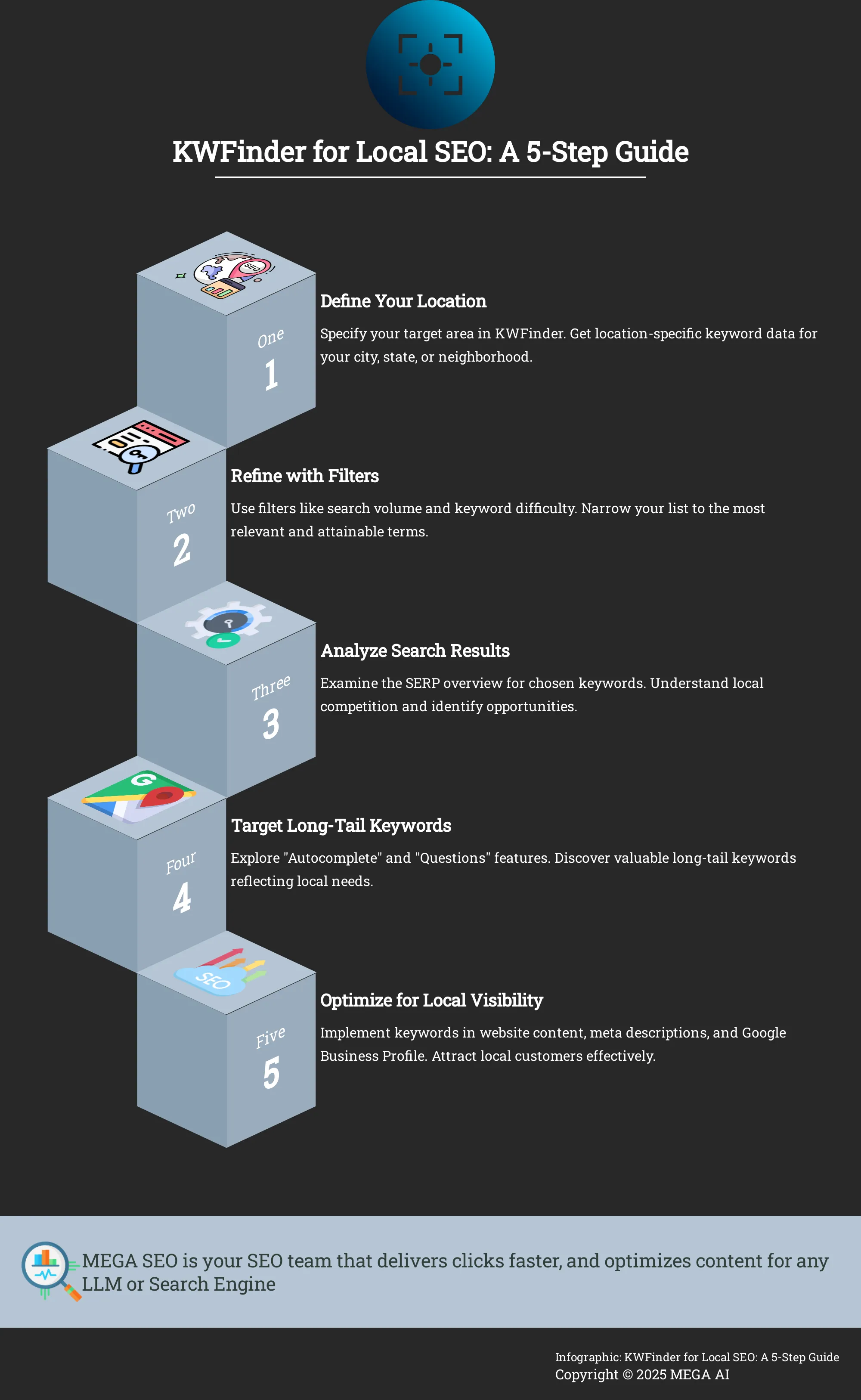
First things first, you need to tell KWFinder where you're focusing your efforts. This is the cornerstone of local keyword research. KWFinder helps businesses find keywords specific to a location to improve their search engine optimization (SEO). It uses data from over 50,000 locations, so chances are, your area is covered.
When you start a search, you'll see an option to specify the location. Don't skip this. You can type in a country, state, region, or even a city. Selecting the most precise location relevant to your business ensures the search volumes and keyword ideas are accurate for your target audience. For example, searching for "bakery" in "USA" is far too broad if you're a small bakery in Springfield, Illinois. You’d want to set your location to "Springfield, Illinois" to get truly relevant insights.
Use Filters to Sharpen Your Search
Once you’ve entered a seed keyword and set your location, KWFinder will present you with a list of keyword suggestions. This list can sometimes be quite long, which is where filters come in handy. You can filter results by search volume, keyword difficulty, number of words, and other criteria. This helps you sift through the noise and find the gems.
For local SEO, you might want to filter for keywords with a certain minimum local search volume to ensure there's enough interest. You could also filter by keyword difficulty to find terms that you realistically have a chance to rank for, especially if your website is newer or has lower authority. Playing around with these filters, like setting a minimum number of words to find more specific long-tail phrases, can help you refine your keyword list effectively.
Make Sense of Search Results
KWFinder provides a wealth of data for each keyword, and understanding this information is key. Beyond the keyword suggestions themselves, KWFinder shows search trends, Google Trends data, and a SERP (search engine results page) overview. This SERP overview includes valuable metrics for the top-ranking pages, such as Domain Authority (DA), Page Authority (PA), Citation Flow (CF), and Trust Flow (TF).
For local businesses, looking at the SERP overview for a specific local keyword can tell you a lot about your competition. Are the top spots dominated by large national chains, or are local businesses like yours ranking well? The trend data can also indicate seasonality or growing interest in certain local services or products. This information helps you assess the competitive landscape and choose keywords strategically.
Find Effective Long-Tail Keywords
Don't underestimate the power of long-tail keywords, especially for local SEO. KWFinder helps you find "long-tail keywords"—more specific phrases people search for, which often indicate a higher intent to purchase or visit. For instance, instead of just "plumber," a local long-tail keyword might be "emergency plumber in downtown Springfield" or "best coffee shop near Lincoln Park."
These longer, more specific phrases usually have lower search volume, but they also tend to have lower competition and attract a more qualified audience. KWFinder’s "Autocomplete" and "Questions" features are excellent for uncovering these. The "Questions" feature, for example, can show you what specific questions people are typing into Google related to your seed keyword and location, giving you direct insight into customer needs and great ideas for content creation.
Key KWFinder Metrics: What They Mean for Local SEO
Once you've got KWFinder set up and you're starting to explore keywords for your local area, you'll notice a lot of numbers and data points. It can feel a bit overwhelming at first, but these metrics are actually your best friends when it comes to crafting a smart local SEO strategy. Think of them as the compass and map for your local marketing journey. Without understanding what they mean, you're essentially working in the dark, hoping you stumble upon the right customers. For local businesses, every marketing dollar and every minute spent on SEO needs to count. That's where these KWFinder metrics really shine. They help you move beyond guesswork and make data-driven decisions.
Are you targeting keywords people in your community are actually searching for? Is it realistic for your business to rank for those terms, or are you up against giants you can't compete with yet? Are these keywords likely to bring in customers ready to buy, or just casual browsers? These are the kinds of critical questions KWFinder's metrics help you answer. By learning to interpret data like search volume, keyword difficulty, cost per click, and search trends, you can pinpoint the most valuable opportunities for your specific business and location. This isn't just about finding any keywords; it's about finding the right keywords that will drive meaningful results – more local customers, more inquiries, and ultimately, more growth. Platforms like MEGA AI can then help you take these insights and seamlessly integrate them into your content creation and optimization workflow. In the following sections, we'll break down exactly what these key metrics mean and how you can use them to supercharge your local SEO efforts.
Search Volume: Understand Local Relevance
Search volume is a foundational metric in keyword research. As Mangools explains, "Search volume indicates how many times a keyword is searched in a specific location over a given period." For local businesses, this metric is particularly insightful because it helps you understand the local relevance of your keywords. A high search volume for a term like "best pizza delivery in [your town]" clearly signals strong local interest.
Knowing this allows you to tailor your content and SEO strategies to meet the actual needs and search behaviors of your target audience in your specific area. Focusing on keywords with sufficient local search volume ensures you're not wasting effort on terms no one in your community is looking for. It guides you to create content that directly answers local queries, drawing more relevant traffic to your website and physical location.
Keyword Difficulty: Evaluate Local Competition
Keyword Difficulty (KD) helps you gauge how challenging it will be to rank on the first page of search results for a particular keyword. KWFinder's KD score is a valuable indicator, as "Keyword Difficulty (KD) is a metric that shows how hard it is to rank for a specific keyword." For local SEO, understanding the competition level for your chosen keywords is crucial. It helps you identify which keywords you can realistically target based on your website's current authority and strength.
A high KD score might mean that established competitors dominate the search results for that term. As a local business, especially if you're just starting or have a newer website, targeting keywords with lower to moderate difficulty can provide quicker wins. This allows you to build momentum and authority before tackling more competitive terms. It’s about finding that sweet spot where relevance meets achievability.
Cost Per Click (CPC): Gauge Commercial Intent
Cost Per Click (CPC) offers a window into the commercial value of a keyword. "Cost Per Click (CPC) is an important metric that indicates how much advertisers are willing to pay for a click on their ads for a specific keyword," according to the KWFinder Guide. While CPC is directly tied to paid advertising, it provides valuable insights for organic local SEO too. A higher CPC often signifies higher commercial intent, meaning users searching for that keyword are likely closer to making a purchase or taking a specific action.
For a local business, identifying keywords with strong commercial intent can help prioritize content that converts. For example, a keyword like "emergency roof repair [your city]" probably has a high CPC because users searching for it need immediate help and are ready to hire. Focusing some of your SEO efforts on these high-intent keywords can lead to more direct business outcomes.
Trend Data: Time Your Local SEO Efforts
Understanding how search interest for a keyword fluctuates over time can give your local business a strategic edge. KWFinder "provides trend data that shows how search interest in a keyword changes over time." This information is vital for local SEO because it helps businesses identify seasonal trends and plan their content and marketing strategies accordingly. This allows you to maximize visibility and engagement when your audience is most actively searching.
For instance, a local florist will likely see searches for "flower delivery [your town]" peak around holidays like Valentine's Day or Mother's Day. By observing this trend data, the florist can prepare promotional content and update their online listings well in advance. Aligning your marketing efforts with these trends ensures your message reaches potential customers at the most opportune times, making your campaigns more effective.
How to Analyze Competitor Keywords for Local SEO
Understanding what your local competitors are doing is a smart move in any local SEO strategy. It’s like getting a peek at their playbook. By analyzing the keywords they’re targeting, you can uncover valuable insights to refine your own approach and find opportunities they might have missed. KWFinder is a fantastic tool for this kind of detective work, helping you see exactly where your local rivals are focusing their efforts.
Pinpoint Local Competitors
First, you need to know who you’re actually up against in your specific service area. KWFinder simplifies this by allowing you to research keywords tied to particular locations, like a country, state, or even a specific city. This feature is incredibly helpful for local SEO because it filters out national or international noise, letting you concentrate on businesses truly competing for your local customers. By entering keywords relevant to your business and setting the location, KWFinder shows who’s ranking, giving you a clear list of direct local competitors to analyze.
Reveal Competitor Keyword Strategies
Once you’ve identified your local competitors, KWFinder helps you dig into their keyword strategies. You can see which terms they’re ranking for, giving you a clearer picture of their focus. This isn't just a list of keywords; KWFinder provides a SERP overview with metrics like Domain Authority (DA) and Page Authority (PA). These metrics help you understand the strength of your competitors' online presence. Examining the keywords they successfully rank for, especially those with good search volume relevant to your offerings, helps you understand their content focus and identify patterns in attracting local customers.
Discover Keyword Gaps and Opportunities
Analyzing competitors isn't just about seeing what they are doing; it's also about finding what they aren't doing, or what you could do better. KWFinder is excellent for spotting these keyword gaps. You might find competitors overlooking valuable long-tail keywords or not effectively targeting certain local search terms. By identifying keywords with lower difficulty scores, KWFinder can help you find opportunities to improve your website's organic search ranking more easily. This process helps you build a comprehensive keyword list, ensuring you cover all bases and potentially attract customers your competitors are missing. Tools like KWFinder and SERPChecker are valuable for this detailed local keyword research.
How to Optimize Your Google Business Profile with KWFinder
Your Google Business Profile (GBP) is a fantastic, free tool that helps local customers find you on Google Search and Maps. Think of it as your digital welcome mat. When optimized well, it can significantly increase your visibility to people in your area who are looking for exactly what you offer. While KWFinder is a go-to for website keyword research, its power extends to making your GBP even more effective. By helping you pinpoint the right local keywords, KWFinder allows you to tailor your profile so it speaks directly to your community. This means more local eyes on your business, and ultimately, more potential customers walking through your door or visiting your website. Let's explore a few straightforward ways you can use KWFinder to enhance your Google Business Profile and connect with more local clients.
Weave Keywords into Your Business Description
Your business description on your Google Business Profile is a key spot to tell potential customers about your business and what makes you special. It's also an excellent place to incorporate relevant local keywords. With KWFinder, you can identify the specific terms people in your geographic area are using in their searches. The tool offers valuable insights into search volume and keyword difficulty, guiding you to choose keywords that are both popular enough to matter and realistic for your business to rank for. Instead of simply listing your services, try to naturally weave these keywords into a compelling narrative that resonates with your local audience and clearly communicates your unique value.
Improve Your Service and Product Listings
If your business provides distinct services or sells particular products, ensuring these are clearly and accurately listed on your Google Business Profile is essential. This is another area where KWFinder can provide a significant advantage. You can use it to discover the exact local keywords that potential customers type into Google when searching for the services or products you offer. For example, rather than a generic term like "plumber," KWFinder might show that "emergency pipe repair [your city]" or "affordable drain cleaning near me" are common local searches. By integrating these specific, locally-relevant keywords into your service and product names and their descriptions, you greatly improve your chances of appearing when a nearby customer is ready to make a purchase or book a service.
Place Keywords Strategically for Local Visibility
Thoughtful keyword placement throughout your Google Business Profile is crucial for boosting your local visibility. It’s not about cramming keywords in wherever they fit; it’s about using them intelligently. KWFinder helps you pinpoint the most pertinent local keywords, which often prove more effective than very broad, high-volume terms that attract a less targeted audience. Once you have your curated list of local keywords, consider all the places they can naturally enhance your profile. Beyond your main business description and your service or product listings, think about incorporating them into the Q&A section (both in your answers and by anticipating common customer questions) and within your Google Posts to share updates and offers. A well-optimized profile, enriched with local keywords identified through KWFinder, can make a substantial difference in how prominently your business features in local search results.
How to Use KWFinder Data in Your Local SEO Strategy
Once you've gathered valuable insights from KWFinder, it's time to put that data into action. Your local keyword research forms the foundation for several key activities that can significantly improve your visibility in local search results. By strategically applying what you've learned, you can connect more effectively with customers in your specific geographic area.
Develop Location-Specific Content
KWFinder is a fantastic tool for uncovering keywords that people in specific areas are actually searching for. It draws from a massive database covering over 50,000 locations, so you can really pinpoint your efforts on particular cities, regions, or even countries, and in more than 40 languages. This precision is what helps you create content that truly speaks to your local audience and matches what they’re looking for. Think about crafting blog posts about local events or issues, service pages tailored to your neighborhood, or even a local FAQ section. By using these locally relevant keywords, your content becomes much more visible and valuable to the customers right in your backyard.
Optimize Meta Tags and Headers for Local Search
Once KWFinder helps you identify those valuable local keywords, the next step is to weave them into your website. This means carefully placing them in your title tags, meta descriptions, and headings (like H1s and H2s). Don't forget your URLs and image alt text either. According to Mangools' beginner's guide to local SEO, this optimization is key to helping search engines understand that your content is highly relevant to local searches. It’s like giving search engines clear signposts that direct local customers straight to your business. Consistently applying these keywords across your site elements can make a real difference in how you show up for nearby searches.
Build a Local Link Building Strategy
A solid local link building strategy can really strengthen your local search presence. Start by getting your business listed in reputable online directories like Yelp or Houzz. A crucial tip from Nutshell's local SEO guide is to ensure your Name, Address, and Phone number (NAP) are identical across every single listing. Consistency here is key. Beyond directories, focus on acquiring backlinks from other local websites. This could be local blogs, community organizations, or complementary businesses. These local links act as endorsements, telling search engines that your business is a recognized and trusted part of the local community, which can significantly improve your visibility.
Advanced KWFinder Techniques for Local SEO
Once you've got the hang of the basics with KWFinder for your local keyword research, it's time to explore some more advanced strategies. These techniques can really help you fine-tune your approach, uncover those valuable, less obvious keywords, and get a clearer picture of what your local customers are actually looking for. Think of this as leveling up your keyword game – moving beyond just finding terms to strategically using them for the biggest local impact. For businesses aiming to solidify their neighborhood presence, these advanced steps are key.
Many small businesses and startups can benefit from these deeper dives, as they often allow you to compete effectively even without a massive marketing budget. By being smarter with your keyword choices, you can attract highly relevant local traffic. MEGA AI's SEO tools can further automate and simplify this process, but understanding these manual techniques first will give you a strong foundation.
Keep Keywords Fresh: Monitor and Update Regularly
The online world, especially at the local level, is always changing. A popular search term today might not be so hot tomorrow. That’s why it’s really important to keep your keyword list up-to-date. As the team at Mangools points out in their KWFinder Guide, you should "Regularly check and update KD (Keyword Difficulty) values to ensure that your keyword strategy remains effective and relevant."
This isn't something you do once and forget. Make it a regular habit to look at your target keywords. Are the search volumes shifting? Is the Keyword Difficulty score going up? Staying on top of these changes means you can adjust your content and SEO efforts proactively. This consistent attention helps you stay ahead of your local competitors and adapt to new search trends, making sure your business stays visible.
Find the Right Balance: Search Volume vs. Keyword Difficulty
It’s easy to get drawn to keywords with huge search volumes, but for local SEO, that’s not always the best path. High-volume keywords often come with high Keyword Difficulty (KD). KWFinder is great for helping you find keywords that are easier to rank for because it clearly shows the difficulty score for each term. This insight lets you identify keywords with less competition, which is a big deal for local SEO success.
Your aim is to find that sweet spot: keywords with decent local search volume but a Keyword Difficulty score you can realistically tackle. Tools like KWFinder and SERPChecker are incredibly helpful for this, allowing you to do thorough keyword research. By carefully balancing search volume and keyword difficulty, you can optimize your local SEO strategy and focus your energy where it will make the most difference for your business in your specific area.
Make the Most of Related Keywords and Questions
KWFinder does more than just suggest primary keywords. It also uncovers a lot of related keywords and, very importantly for local SEO, the actual questions people are typing into search engines. The tool gives you Google Trends data and a SERP overview, which includes key metrics like Domain Authority (DA) and Page Authority (PA). This information is crucial for finding related keywords and questions that can really improve your local SEO efforts.
Think about how your local customers search. They often use full questions, like "best coffee shop near me with wifi" or "emergency plumber in [your town]". By using KWFinder to find these questions and related terms, you can create content that directly answers what your audience is asking. Other tools can also help you discover relevant local keywords and questions, boosting your local search visibility by showing you understand and can solve local needs.
How to Track Local SEO Progress with KWFinder
Once you've put in the work to research and implement your local keywords, the journey doesn't end there. To make sure your efforts are paying off and to adapt to the ever-changing search landscape, you need a solid way to track your local SEO progress. This is where consistent monitoring comes into play, and KWFinder can be a fantastic ally in this ongoing process. Think of it as giving your local SEO strategy regular check-ups to keep it healthy and performing at its best. By understanding what to measure and how to use KWFinder for these checks, you can refine your approach and continue to attract local customers.
Establish Your Local SEO KPIs
Before you can effectively track progress, you need to know what success looks like. This means establishing clear Key Performance Indicators (KPIs) for your local SEO efforts. When you define your KPIs, it's important to sidestep common pitfalls like simply stuffing keywords everywhere or having an internal linking strategy that doesn’t quite hit the mark. It’s also crucial to truly understand and cater to search intent, rather than just chasing high-volume keywords. A more holistic view, considering how local searches translate into actual customer communications, will serve you much better.
Your choice of keywords should be a thoughtful process, weighing factors like search volume against keyword difficulty, and considering the priority and opportunity each term presents. When you select keywords with these elements in mind, you're building a more robust and effective local SEO strategy that’s geared towards attracting the right kind of local traffic to your website. These well-defined KPIs will be your guideposts as you monitor your performance.
Use KWFinder for Ongoing Performance Checks
KWFinder isn't just for the initial research phase; it's also an incredibly useful tool for ongoing performance checks of your local SEO. The platform excels at helping you find keywords specific to your geographic area, drawing on data from an extensive network of over 50,000 locations. This ensures the insights you're getting are genuinely relevant to your local market, which is a huge advantage for businesses aiming to sharpen their online presence within their community.
To keep your strategy effective, it's a good practice to regularly check keyword difficulty (KD) values for your target terms. Market dynamics shift, and so does the competitive landscape. KWFinder’s SERP overview feature is particularly helpful here, as it allows you to analyze what your competitors are doing and how they're ranking. This information empowers you to make informed adjustments to your own strategy, helping you maintain or improve your visibility in local search results.
Related Articles
- Regional SEO: Dominate Local Search in 2024
- Boost Local Business Visibility: Proven SEO Techniques
- Local SEO for Roofers: A Complete Guide
- Harnessing Local Keywords for Enhanced SEO Performance: A Comprehensive Guide - MEGA SEO | Blog
- Engaging Local Audiences: 6 Strategies for Success
Frequently Asked Questions
What's the main benefit of using KWFinder for local businesses specifically? KWFinder helps you uncover the exact search terms people in your specific town or service area are using. This means you can focus your efforts on attracting customers who are nearby and more likely to engage with your business.
How does KWFinder help me understand if a keyword is too competitive for my local business? KWFinder provides a Keyword Difficulty score for search terms. This score gives you a clear indication of how challenging it might be to rank on the first page of search results, helping you select keywords where your local business has a stronger chance of succeeding.
Can KWFinder help me find what actual questions my local customers are asking online? Yes, KWFinder includes features that reveal the specific questions people type into search engines related to your industry and location. This insight is incredibly valuable for creating content that directly addresses their needs and concerns.
Beyond my website, can KWFinder insights improve other parts of my local online presence? Absolutely. The local keywords you identify with KWFinder are very useful for optimizing your Google Business Profile. You can incorporate them into your business description, service listings, and even Google Posts to make it easier for local customers to find you.
Is KWFinder a one-time tool, or should I use it regularly for my local SEO? For the best results, you should use KWFinder on an ongoing basis. Local search trends, customer behavior, and competitor strategies can change over time. Regularly checking your keywords and exploring new opportunities helps ensure your local SEO strategy remains effective.


