

Are you wondering why some of your best content isn't getting the traffic it deserves? Or perhaps you're unsure how to effectively distribute "link equity" across your site to support your most important pages. These are common challenges, and often, the answer lies in your internal linking strategy. Building a strong internal link profile is fundamental to SEO success, but knowing where to start and what to fix can be overwhelming. This is precisely where understanding how to use Ahrefs for internal linking becomes invaluable. Ahrefs provides the data and tools you need to diagnose issues, uncover opportunities, and strategically build links that make a real difference. This guide will walk you through the process, step by step, so you can leverage Ahrefs to enhance your site's navigation, improve rankings, and get your content seen.
Key Takeaways
- Prioritize Your Internal Linking: A well-thought-out internal link structure helps search engines effectively index your site and improves how users move through your content.
- Leverage Ahrefs for Link Insights: Use Ahrefs’ Site Explorer and Site Audit tools to get a clear view of your current linking, fix problems like broken or orphan pages, and find strategic new linking opportunities.
- Build and Maintain Effective Links: Create contextually relevant internal links with descriptive anchor text, use your strong pages to support others, and regularly review your links to ensure they benefit your site’s SEO.
Internal Linking: What It Is & Why It’s Key for Your SEO
Let's talk about something super important for your website: internal linking. Simply put, internal linking is when you link from one page on your website to another page on that same website. Think of these links as little pathways. They guide your visitors smoothly from one piece of content to another, and just as importantly, they help search engines like Google understand what your site is all about and how your content connects.
So, why should you care about these internal pathways? Well, they pack a pretty big punch for your SEO and how users experience your site. For search engines, a smart internal linking strategy helps them discover and index all the pages on your site more effectively. It’s like giving them a clear map. Plus, these links can pass along what's often called 'link equity' or 'authority.' This means if you have a page that already ranks well, linking from it to another relevant page can give that second page a helpful nudge in the search results. In fact, Google's own John Mueller has highlighted that internal links are "super critical" for SEO because they signal to Google which of your pages are the most significant.
Beyond the search engine benefits, good internal linking makes your website much more user-friendly. When visitors can easily find related information or their next logical step, they're more likely to stick around longer. This can lead to lower bounce rates and a better overall experience, encouraging them to explore more of what you offer. It’s all about making their journey through your site as seamless and helpful as possible.
Getting Started: Using Ahrefs for Internal Links
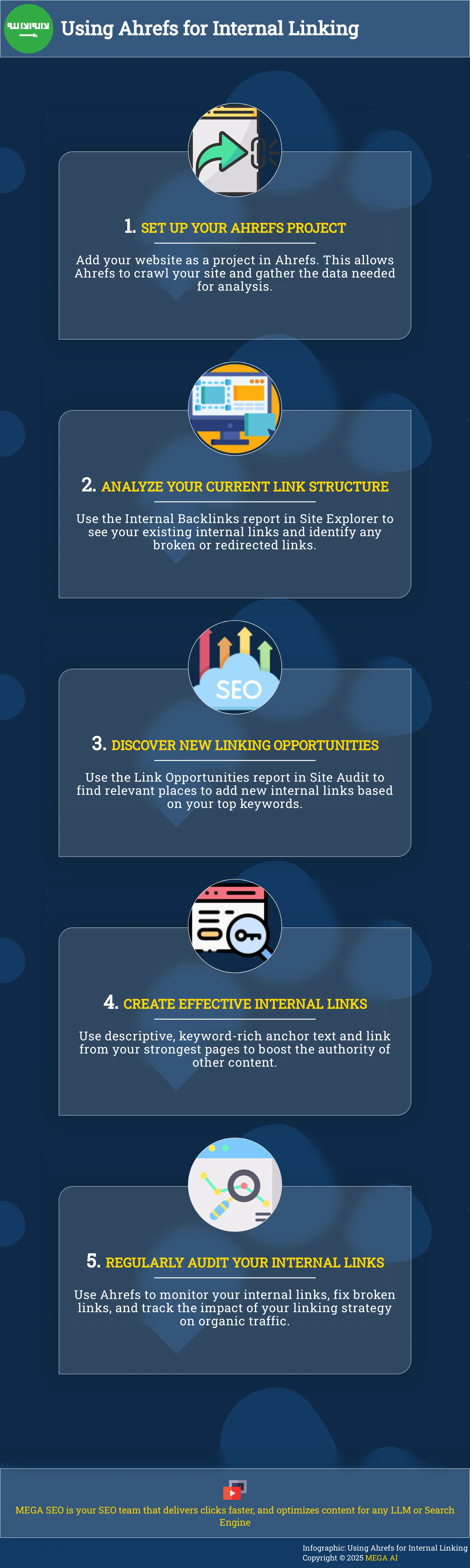
Taking the first steps with Ahrefs to manage your internal links can significantly impact your website's SEO. Internal links are essentially the roadways that guide both your visitors and search engine crawlers through your site, helping to distribute page authority and highlight your most important content. Ahrefs provides a robust set of tools designed to simplify this often complex task, transforming data into clear, actionable steps. Before you can fully utilize Ahrefs for internal linking, a couple of initial actions are necessary. First, you'll need to correctly set up your website as a project within the Ahrefs platform. This setup is vital because it allows Ahrefs to crawl your site and collect the data required for its in-depth analysis. Once your project is active, the next step involves getting to know the specific Ahrefs tools dedicated to internal link analysis and identifying opportunities. Understanding where to find these tools and what each report means will streamline your workflow and help you concentrate your efforts effectively. While platforms like MEGA AI can automate many SEO tasks, including internal linking, learning to explore these insights manually in Ahrefs builds a solid understanding for any SEO strategy. Let's walk through how to prepare your project and identify the best Ahrefs tools for your internal linking efforts.
Set Up Your Project in Ahrefs
Before you can explore the details of your internal linking, your first task is to add your website as a project in Ahrefs. This process is quite simple: you provide your domain, and Ahrefs begins its work of crawling and collecting data. Consider this step as giving Ahrefs a map to your website so it can chart out all the connections. Once your project is established and Ahrefs has completed its initial crawl, you'll have access to a wealth of information. A key resource here is the Internal Backlinks report, which serves as your primary dashboard for understanding your current internal linking structure. Regularly reviewing this report will also help you identify and address issues such as broken internal links.
Find the Right Ahrefs Tools for Internal Links
With your project configured, the next step is to identify the most effective tools within Ahrefs' comprehensive suite for internal linking. Your main destination for this will often be the Site Audit tool. After Ahrefs has crawled your site, Site Audit offers a thorough health check, which includes valuable data on your internal links. A particularly useful feature within Site Audit is the 'Link Opportunities' report. This report is designed to help you improve your website's SEO by analyzing the top keywords your pages rank for and then finding other relevant content on your site where an internal link would be beneficial. It’s an excellent way to proactively enhance your site’s structure.
Look at Your Current Internal Linking Structure
Before you start building new internal links or making big changes to your strategy, it’s really helpful to get a clear picture of what your current internal linking structure looks like. Think of it as taking an inventory or creating a map of your website's existing pathways. This initial assessment helps you see what’s working well, where there might be some weak spots, and what you can improve quickly. When you understand how your pages are currently connected, you can make much smarter decisions about where to add new links or adjust existing ones.
Ahrefs offers some excellent tools to help you with this, showing you how link value, often called "link equity," moves through your site and highlighting areas that might need more attention. Getting a handle on this foundation is the first step to making effective changes that can genuinely improve your site's performance in search results and for your visitors. This groundwork ensures your efforts are targeted and more likely to yield positive results. For businesses looking to streamline their SEO, understanding this baseline is crucial before automating internal linking or other optimization tasks.
Use Site Explorer to Check Your Links
Ahrefs’ Site Explorer is your go-to starting point for examining your website's links. Specifically, the Internal Backlinks report within Site Explorer is designed to help you understand your website's internal linking structure. It’s a fantastic way to get an overview of how your pages are interconnected. One of the most immediately useful features is its ability to help you find and fix broken links. The report makes it easy to spot pages with broken (404 error) or redirected (3XX) links without needing to run a separate, full website crawl. This means you can quickly identify and address issues that could be harming user experience and your SEO.
Understand Ahrefs’ Internal Backlinks Report
Once you’re in the Internal Backlinks report, take some time to explore the data it provides. This report does more than just list links; it helps you identify technical issues and truly grasp how internal links contribute to your page rankings. This insight is particularly valuable for understanding why some pages might rank well even if they don't have many external backlinks—strong internal linking could be playing a significant role. By analyzing this report, you can see which pages receive the most internal link equity and which important pages might be underserved. This understanding is key to making informed decisions about your internal linking strategy.
Find Orphan Pages with Ahrefs
Orphan pages are pages on your site that have no internal links pointing to them. Essentially, they're disconnected from the rest of your website, making them hard for search engines to find and index, and nearly impossible for users to discover organically. It's important to regularly check for these. Ahrefs’ Site Audit tool is particularly effective for this task. As the Ahrefs blog suggests in its guide to internal links, using a tool like Site Audit can help you efficiently find orphan pages. Once identified, you can then decide whether these pages should be integrated into your site structure with relevant internal links, redirected, or removed if they are no longer needed.
Find New Internal Linking Opportunities in Ahrefs
Once you have a good grasp of your current internal linking, it's time to find new places to add valuable links. Ahrefs offers several tools that can help you pinpoint these opportunities, making your site easier for users and search engines to understand. This process helps distribute link equity and can improve the rankings of important pages.
Use Content Explorer to Find Link Spots
Ahrefs' Content Explorer is a powerful tool for discovering relevant content on your site that could benefit from new internal links. Think of it as a mini search engine for your own website. You can search for specific keywords or phrases related to a page you want to build authority for. Content Explorer will then show you all the pages on your site that mention these terms.
From there, you can identify articles or blog posts that discuss a topic but don't yet link to your main pillar page on that subject. For instance, if you have a comprehensive guide on "organic gardening," you can search for mentions of "composting" on your site. If you find pages discussing these subtopics without linking to your main guide, you've found a perfect internal linking opportunity. This helps users discover more of your relevant content.
Use the Link Opportunities Report for Quick Wins
For a more direct approach, Ahrefs' Site Audit tool includes a "Link Opportunities" report. This feature is designed to give you actionable internal linking suggestions with minimal effort. After Ahrefs crawls your site, this report analyzes your content and identifies specific places where an internal link could be beneficial.
The tool often looks at the keywords your pages are ranking for and suggests linking from pages that mention these keywords to the ranking page. This is a fantastic way to find quick wins because the suggestions are based on existing keyword relevance. Implementing these suggestions can help solidify the topical authority of your pages. It’s a straightforward way to enhance your site’s SEO by making connections Ahrefs has flagged as valuable.
Get Anchor Text Ideas from Ahrefs
Choosing the right anchor text is crucial for effective internal linking. You want
When you're looking to link to a specific page, check its "Organic Keywords" report in Ahrefs Site Explorer. This report lists the keywords that the page is currently ranking for. You can use these ranking keywords, or variations of them, as anchor text when linking from other relevant pages on your site. This practice reinforces the page's relevance for those terms. For example, if your target page ranks for "best hiking boots," using that phrase as anchor text from a post about "first hike preparation" would be a smart move.
How to Create Internal Links That Work
Okay, you've used Ahrefs to get a clear picture of your current internal linking structure and identified potential new opportunities. That's a fantastic start. But simply knowing where to add links isn't the whole story. The real magic happens when you create internal links that genuinely work – for your users and for your SEO. It’s about more than just scattering links across your pages; it’s a strategic process. Thoughtful internal linking builds clear pathways through your website, making it incredibly easy for visitors to find the information they need and continue their journey with your content.
Simultaneously, well-crafted internal links help search engines like Google understand the hierarchy and relationship between your pages. This understanding is crucial because it allows search engines to crawl your site more efficiently and assign value to your most important content. When done correctly, internal linking helps distribute "link equity" – often called "link juice" – throughout your site. This can significantly improve the authority and ranking potential of individual pages. So, how do you ensure your internal links are pulling their weight? It comes down to a few key practices that transform simple hyperlinks into powerful tools for site navigation and SEO improvement. Let's explore these essential techniques.
Choose Anchor Text That Helps Users and SEO
The words you use for your hyperlinks, known as anchor text, play a big role. Think of anchor text as a signpost for both your readers and search engines. It should clearly indicate what the linked page is about. Using keyword-rich anchor text helps search engines understand the context of the destination page. However, be mindful not to overdo it or use the exact same anchor text for every link pointing to a particular page. Varying your anchor text makes your linking profile look more natural. The key is to be descriptive and relevant, helping users decide if they want to click through for more information.
Link from Your Strongest Pages
Not all pages on your website carry the same weight in the eyes of search engines. Some pages, often your most popular or well-linked content, have more authority. When you link from these stronger pages to other pages on your site, you pass some of that authority along. Prioritizing linking from high-authority pages can give a helpful nudge to the pages you're linking to, potentially improving their own search rankings. Think of it as getting a recommendation from a trusted source. Ahrefs can help you identify these high-authority pages, so you can strategically use them to support other important content on your site and spread that valuable link equity.
Keep Links Relevant and User-Friendly
Internal links should always make sense in the context of the content. Don't just insert links for the sake of having them; ensure they genuinely add value for the reader. Contextually relevant links guide visitors to more information on a topic they're already reading about, which can significantly improve their experience on your site. Good internal linking makes your website easier to use, helps users find related content, and can even reduce bounce rates because visitors are encouraged to explore more of your site. The goal is to create a seamless journey for your users, where each link feels like a natural next step in their discovery process.
Run Regular Internal Link Audits in Ahrefs
Think of your website like a well-organized library. Internal links are the pathways guiding visitors and search engines. Keeping these pathways clear is essential, and regular audits help. Running consistent checks on your internal links using Ahrefs helps maintain a healthy site structure, improve user experience, and support your SEO efforts. It’s like a regular health check-up for your site’s internal architecture.
Find and Fix Broken Internal Links Fast
A user clicking a link only to find an error page is frustrating. These broken internal links also confuse search engine crawlers. Ahrefs simplifies finding these issues. The Ahrefs Internal Backlinks report is your key tool. It shows your site's internal linking setup and helps you spot pages with broken (404 error) or redirected (3XX) links without a separate crawl. Fixing these improves user experience and search engine perception. Regularly checking this report keeps your site functional and visitors content.
Spread Link Value Evenly
Some website pages naturally hold more authority or "link equity," like your homepage or popular posts. Strategic internal linking shares this strength with other important pages needing an SEO lift. As Backlinko explains, this method can improve the ranking of key pages by passing 'authority' from high-ranking pages to those that are currently lower-ranking. Use Ahrefs to identify your top-performing pages. Then, find natural spots to link from these strong pages to other relevant content you want to perform better. This distributes link value effectively.
See How Links Affect Your Organic Traffic
Ever wonder how some pages rank well without many external backlinks? Strong internal linking is often the reason. The Ahrefs Internal Backlinks report doesn't just find broken links; it also helps you understand the success of your internal linking. If a page performs well in search and has many quality internal links, your strategy is likely working. Regularly reviewing this report helps identify these patterns, fix 'nofollow' issues on internal links, and see how internal linking impacts your organic traffic.
Go Further: Advanced Ahrefs Linking Tactics
Once you've got a good handle on the basics of internal linking with Ahrefs, you might be looking for ways to take your strategy a step further. These advanced tactics are all about refining your site’s architecture, especially if you're dealing with a large website or really want to establish yourself as an authority on certain topics. It’s about moving from just placing links to thinking more strategically about how your content connects and how search engines see those connections.
Ahrefs offers some powerful features that can support these more complex approaches, helping you scale your efforts and make smarter, data-driven decisions. Whether you’re trying to manage a huge number of pages or make sure your content clusters are perfectly woven together, these techniques will help you get more out of your internal linking. Think of it as fine-tuning your internal link setup for the best possible performance, making sure every link is doing meaningful work for your SEO and for your visitors. By digging into these advanced methods, you can build a website structure that’s not just functional, but truly powerful and coherent, giving you an edge in search rankings and user engagement.
Use the Ahrefs API for Big Websites
If you're managing a particularly large website, keeping track of internal links manually can quickly become a monumental task. This is where the Ahrefs API can be a real game-changer. While Ahrefs' standard interface provides robust tools, the API allows for custom solutions and automation at a much larger scale. For example, insights from Ahrefs' Internal Backlinks report, which helps you understand your site's linking structure, can be programmatically accessed.
This capability means you can automate finding broken links, identifying 'nofollow' internal links that might need adjustment, or even monitoring how link equity is distributed across thousands of pages. For large sites, leveraging the API helps you efficiently maintain a healthy internal linking structure, ensuring both users and search engine crawlers can effectively navigate your content.
Link Your Content Clusters Effectively
Creating content clusters—groups of interlinked pages centered around a core pillar topic—is an excellent strategy for demonstrating topical authority to search engines. Ahrefs offers tools that can significantly aid in identifying and implementing effective linking within these clusters. The Link opportunities report in Ahrefs' Site Audit is particularly useful here, as it analyzes your top 10 keywords for each page to suggest relevant internal linking opportunities.
This strategic linking helps search engines understand the relationships between your pieces of content and how they collectively cover a broader subject. By using Ahrefs to identify internal linking opportunities, you can ensure your pillar pages are strongly supported by relevant cluster content, and that link value flows logically through your topic hubs. This approach not only benefits your site’s SEO but also improves the user experience by guiding visitors to related, valuable information.
Measure the Success of Your Internal Links
Once you've dedicated time and effort to building a smart internal linking strategy, it's natural to want to see if your work is paying off. Measuring the success of your internal links isn't just about giving yourself a pat on the back; it’s about understanding what’s effective so you can refine your approach and achieve even better results. By tracking the right numbers, you'll gain clarity on how your internal links are contributing to your overall SEO performance and helping users discover valuable content on your site. This data is also incredibly useful for understanding how tools that automate SEO tasks, such as optimizing content or managing your link profile, can be applied most effectively to support your goals. Knowing what works helps you make smarter decisions, whether you're manually adjusting links or leveraging automation.
Important Metrics to Watch
So, what specific numbers should you keep an eye on to gauge the effectiveness of your internal linking efforts? Internal links play a crucial role because they "help search engines (like Google) find and understand all the pages on your site. They also help visitors [find] relevant content." As the experts at Backlinko explain, "Strategic internal linking can [improve] the ranking of important pages by passing 'authority' from high-ranking pages to lower-ranking ones."
Key indicators of a successful internal linking strategy include noticeable improvements in the organic search rankings for the pages you are linking to. You should also monitor for an increase in organic traffic to these target pages. While it can be a bit trickier to isolate, improvements in user engagement metrics, such as more pages viewed per session or a longer average time on site, can suggest that users are finding relevant content more easily thanks to your well-placed internal links. Ultimately, for your most important business-critical pages, an increase in conversions after enhancing your internal linking structure is a very strong signal of success.
Use Ahrefs to Track Performance Gains
Ahrefs offers some excellent tools that can help you monitor these changes and understand the impact of your internal linking. The Ahrefs Internal Backlinks report is a fantastic starting point. This report "helps you understand your website's internal linking structure" and, importantly, "lets you easily spot pages with broken (404 error) or redirected (3XX) links without needing a separate website crawl." Addressing these issues directly "improves user experience and search engine rankings."
It's a good practice to "regularly check your internal links using the Ahrefs Internal Backlinks report to identify and fix broken links and 'nofollow' issues." Ahrefs also advises users to "pay attention to pages ranking well with primarily internal links; this indicates a successful internal linking strategy." Furthermore, if you've utilized the Ahrefs 'Link Opportunities' report, which "analyzes your top 10 keywords per page to find linking opportunities," you can then track whether implementing these suggestions leads to tangible ranking or traffic improvements for the targeted pages. This provides direct feedback on your linking decisions.
Make Ahrefs Part of Your Linking Strategy
Integrating Ahrefs into your internal linking strategy can really make a difference in how your website performs in search results. It’s not just about adding links; it’s about making smart, strategic connections between your pages, and Ahrefs provides the tools to do this effectively. Think of it as creating a well-organized map for search engines and users to follow through your site, improving the flow of authority and relevance.
One of the first steps is to get a clear picture of your current internal linking setup. Ahrefs' Internal Backlinks report is fantastic for this. It lets you see how your pages are currently connected, helping you spot any broken links or internal links that are marked as 'nofollow' which might be unintentionally hindering link equity flow. Understanding this existing structure is crucial before you start making changes. Regularly checking this report helps you maintain a healthy internal link profile.
Once you know where you stand, Ahrefs helps you find new places to add valuable internal links. The Link Opportunities report within Ahrefs' Site Audit tool is particularly helpful. It cleverly identifies keywords your pages are already ranking for and then finds mentions of those keywords on other pages of your site where a link could be beneficial. This takes a lot of the guesswork out of finding relevant linking opportunities. By regularly using these tools to monitor your internal links and strategically add new ones, you can significantly improve how search engines understand and rank your content.
Related Articles
- Effective Internal Linking: Boost SEO for Category Pages
- Mastering SEO Content: Best Practices for Effective Linking
- Internal Links: Boost Crawling & Indexing for SEO
- Deep Linking SEO: A Complete Guide for 2024
- Using Internal Links to Improve Site Structure and Boost SEO: Content Optimization Strategies - MEGA SEO | Blog
Frequently Asked Questions
Why should I bother with internal linking if I'm already creating good content? Think of internal links as the helpful pathways within your website. Even with great content, these links guide your visitors smoothly to related information, keeping them engaged longer. For search engines, they clarify what your site is about and which pages are most important, which can really help those pages show up better in search results.
I'm new to Ahrefs. What's the first thing I should do to understand my site's internal links? A great starting point in Ahrefs is the Internal Backlinks report found within Site Explorer. After you set up your website as a project, this report gives you a clear overview of how your pages are currently connected and can quickly show you if you have any broken internal links that need fixing.
What's a simple way to find new internal linking opportunities using Ahrefs? Ahrefs' Site Audit tool has a feature called the 'Link Opportunities' report that's really handy for this. It looks at the keywords your pages are ranking for and then points out other places on your site where mentioning those keywords could be a good spot to add a link back to the ranking page.
How do I choose the right words for my internal links, the anchor text? Your anchor text should give a clear idea of what the linked page is about. It’s helpful to use words that are relevant to the topic of the destination page, sometimes even incorporating keywords that page is trying to rank for. The main goal is to be descriptive so both users and search engines understand the connection.
Besides fixing broken links, what's another key benefit of regularly auditing my internal links with Ahrefs? Regularly looking at your internal links helps you see how "link equity" or authority is flowing through your site. You can identify your strongest pages and make sure they are linking to other important content that might need a bit of a boost, effectively sharing that strength.


