

Running campaigns on Google, Meta, and LinkedIn means juggling three different interfaces, three sets of rules, and three separate workflows. It’s a recipe for inconsistency and wasted time. A simple headline change requires you to log in to each platform and make the same edit repeatedly. A better approach is to centralize your campaign data in one place. Using a spreadsheet to structure your campaigns allows you to maintain brand consistency and manage everything from a single source of truth. When you’re ready, you can upload ads all at once to each platform, streamlining your process and ensuring accuracy across the board.
Key Takeaways
- Structure your data before you start: A successful bulk upload begins with an organized spreadsheet. Use consistent naming conventions, check for formatting errors, and always back up your original file to prevent simple mistakes.
- Master each platform’s unique template: Google, Meta, and LinkedIn have different requirements for bulk uploads. Download and use their official templates to ensure your file is formatted correctly and avoid rejection due to technicalities.
- Use automation to focus on strategy, not spreadsheets: Go beyond manual uploads with tools that handle cross-platform campaigns, create hundreds of ad variations, and automatically optimize your budget, freeing you up to work on high-level planning.
What Is Bulk Ad Uploading?
Bulk uploading is the process of making multiple changes to your advertising accounts at once, typically by using a spreadsheet. Instead of clicking through endless platform menus to edit each ad individually, you can manage everything from a single file. This method is crucial for anyone running multiple campaigns or managing ads for several clients, as it streamlines your workflow and lets you make changes to your Google Ads account(s) quickly. Think of it as the difference between texting your friends one by one versus sending a group message—both get the job done, but one is far more efficient. This approach is a foundational skill for scaling your advertising efforts without getting buried in manual tasks.
Why you should bulk upload your ads
This is a game-changer for productivity. Manually updating campaigns, ad groups, and individual ads takes hours that could be better spent on strategy. Bulk uploading cuts that time down significantly. It also helps maintain consistency. When you're working from a single spreadsheet, you can ensure your messaging, URLs, and targeting parameters are uniform across all relevant ads. This is key for brand integrity and a clear campaign structure. Managing large-scale advertising becomes much simpler, and the risk of human error drops. Instead of making a typo in one of a hundred ads, you can spot-check your spreadsheet and use platform tools to preview changes before they go live, catching potential mistakes early.
Supported platforms: Google, Meta, and LinkedIn
Bulk uploading isn't limited to just one platform. The biggest names in digital advertising all offer ways to manage campaigns in bulk. Google Ads has robust options, including Google Ads Editor and spreadsheet uploads. You can even use Google Ads Scripts to upload CSV files from different sources. Meta, which includes Facebook and Instagram, also supports bulk changes. For those looking to scale, using tools for automated ad creation is essential for efficiency. LinkedIn Campaign Manager provides similar functionality, allowing you to download a template, make your edits, and upload the file to apply changes across your campaigns. Each platform has its own template and rules, but the core principle of saving time through bulk actions remains the same.
How to Prepare for a Successful Bulk Upload
Jumping straight into a bulk upload without a plan can lead to frustrating errors and wasted time. A little preparation goes a long way toward ensuring your campaigns go live smoothly and accurately. Think of it as setting the foundation before building the house. By organizing your assets and understanding the requirements upfront, you can avoid common issues and make your paid advertising efforts much more efficient. Follow these steps to prepare your data for a successful upload.
Organize your ad data
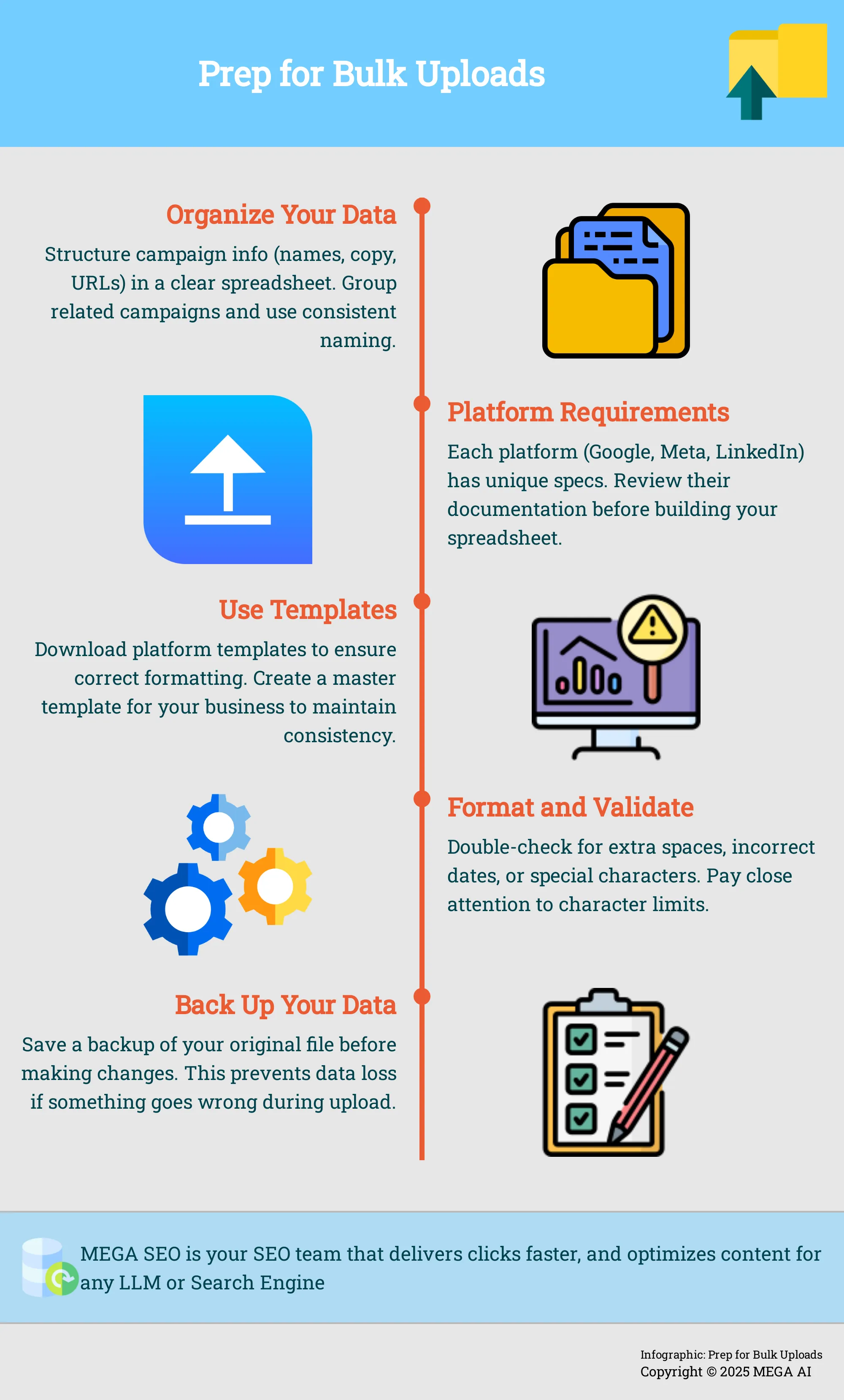
Before you begin, get your ad data in order. This means structuring your campaign information—names, headlines, body copy, URLs, and targeting parameters—in a clear and logical spreadsheet. When you process data in bulk, having it organized effectively improves efficiency and significantly reduces the chance of errors during the upload. Group related campaigns or ad sets together, and make sure your naming conventions are consistent. This initial step makes every subsequent part of the process easier to manage.
Understand platform-specific requirements
Each advertising platform has its own set of rules for bulk uploads. Google, Meta, and LinkedIn all have unique specifications for file formats, column headers, character limits, and file sizes. For example, one platform might require a .csv file while another accepts .xlsx. Before you build your spreadsheet, review the documentation for each platform you’re targeting. Being aware of these platform-specific requirements is essential for a smooth upload and prevents your file from being rejected for simple formatting issues.
Create and use templates
Templates are your best friend for bulk uploading. Most ad platforms offer downloadable templates that are already formatted with the correct columns and headers. Using these templates streamlines the process by ensuring your data structure is consistent and compatible with the platform’s system. This is especially helpful when you’re managing multiple campaigns at once. Creating a master template for your own business can also help maintain consistency across all your advertising efforts and makes it easier to manage your upload strategy long-term.
Format and validate your data
One of the most common sources of upload errors is incorrect data formatting. Double-check your spreadsheet for issues like extra spaces, incorrect date formats, or special characters that a platform might not support. It is critical to validate file types and formats to prevent errors during the upload process. Pay close attention to character limits for headlines and descriptions. Taking a few minutes to scan your data for accuracy and proper formatting can save you the headache of troubleshooting a failed upload later on.
Know the common pitfalls
Awareness of common mistakes can help you avoid them entirely. Failing to validate data before uploading is a major one, as is not having a clear process for handling errors when they do occur. Other issues include using outdated templates or incorrect naming conventions that throw off the platform’s system. Understanding these common pitfalls in batch processing allows you to be proactive. Always review the upload preview, if available, to catch any mistakes before you finalize the changes and push your campaigns live.
Back up your original data
This step is simple but crucial: always save a backup of your original data file before you start making changes or attempt an upload. Think of this as your safety net. If something goes wrong during the upload, or if you make an error in your spreadsheet, you’ll have a clean, original version to revert to. This precaution is essential for preventing data loss and can save you from having to rebuild your campaign data from scratch. It’s one of the easiest ways to avoid common mistakes in file uploading.
Use cloud storage for ad assets
Your ad creatives—images and videos—are just as important as your spreadsheet data. Storing these assets in a cloud-based solution like Google Drive or Dropbox makes them easy to access and share with your team. When preparing your bulk upload sheet, you can simply include direct links to these assets instead of trying to upload large files directly. Leveraging cloud storage is an effective way to manage large files, ensure your team is working with the correct creative versions, and keep your workflow organized.
How to Bulk Upload Ads: A Step-by-Step Guide
Once your assets are organized, you can begin the upload process. Each platform has its own methods, ranging from user-friendly applications to more technical solutions. Understanding the specific steps for Google, Meta, and LinkedIn will help you manage your campaigns efficiently. Below is a breakdown of how to approach bulk uploads on each major ad platform.
Bulk upload to Google Ads
Google provides two primary methods for bulk uploading ads. The first is Google Ads Editor, a free, downloadable application that lets you manage campaigns offline. You can make extensive changes to multiple campaigns at once, then upload everything back to your account when you're ready.
The second method involves using a spreadsheet. Google allows you to download a template, which you can fill out with your campaign data offline. This is useful for creating many ads or making edits across your account without having to click through the online interface. Once your spreadsheet is complete, you simply upload it back into Google Ads to apply the changes.
Bulk upload to Meta Ads
For Meta platforms like Facebook and Instagram, the process can be more technical. One way to bulk upload ads is by using the Meta Marketing API. This method allows you to create and manage ads programmatically, but it requires a developer account and some coding knowledge to set up an application.
If you aren't a developer, several third-party tools are available to simplify the process. These tools connect to your Meta Ads account and provide a more user-friendly interface for uploading campaigns in bulk. They range from free, complex solutions to paid platforms that offer ease of use and additional features. This is often the most practical route for agencies and small businesses managing large-scale campaigns without a dedicated development team.
Bulk upload to LinkedIn Ads
LinkedIn’s native bulk uploading capabilities are less direct compared to Google or Meta. While you can edit existing campaigns in bulk within the Campaign Manager, creating hundreds of new ads from scratch typically requires significant manual work or a specialized third-party tool. LinkedIn does not offer a simple spreadsheet upload feature for new ad creation in the same way Google does.
For the most current information, it's always best to consult LinkedIn's official help documentation, as platform features can change. For most marketers looking to run large-scale campaigns on LinkedIn, integrating with a paid ads platform that automates the creation and uploading process is the most efficient path forward.
Tips for a successful upload on any platform
Regardless of the platform, a few best practices can help ensure your bulk upload goes smoothly. First, be aware of common issues like slow upload speeds and file size limitations, which can disrupt the process. Organizing your files and ensuring a stable internet connection are simple but effective first steps. For sensitive campaign data, consider using encryption tools to secure files before uploading them.
Also, pay close attention to formatting. A misplaced comma or an incorrect column header in a spreadsheet can cause the entire upload to fail. Always use the official template provided by the platform and double-check your data for accuracy before you start the upload.
Use platform tools to check for errors and preview changes
Before finalizing your upload, always use the platform’s built-in tools to check for errors and preview your changes. For example, Google Ads allows you to preview your upload to see how the changes will appear before they go live. You can also review a report of any errors in the "Uploads" section of your account.
This review step is critical for catching mistakes in ad copy, URLs, or targeting parameters that could waste your budget or misrepresent your brand. Most platforms offer a similar review or error-checking feature. Taking a few extra minutes to verify everything is correct can save you significant time and trouble later on.
How to Optimize and Troubleshoot Your Bulk Uploads
Even with the best preparation, you might run into a few snags when you upload your ads. The key is to have a process for spotting and fixing issues quickly so your campaigns can go live without major delays. From small formatting mistakes to platform approval hurdles, a proactive approach to troubleshooting keeps your workflow moving smoothly.
Optimizing your process involves more than just fixing what’s broken. It’s about creating systems to prevent errors in the first place. This includes organizing your assets logically, maintaining ad quality across hundreds of variations, and using the right tools to manage everything. By building these habits, you can make bulk uploading a reliable and efficient part of your advertising strategy.
Fix common formatting errors and data inconsistencies
Before you upload, double-check your spreadsheet for formatting errors. Simple mistakes like extra spaces, incorrect date formats, or inconsistent naming conventions can cause an entire upload to fail. It’s also important to ensure your data is consistent and secure. Many users make common mistakes like failing to validate file types or secure sensitive files, which can compromise data integrity and slow you down. Create a pre-upload checklist to review your file for these issues. This small step can save you hours of troubleshooting later.
Manage the ad approval process
Once your ads are uploaded, they still need to pass each platform’s review process. To avoid delays, make sure your ad copy, images, and landing pages comply with the advertising policies of Google, Meta, and LinkedIn. If an ad is rejected, the platform will usually provide a reason. Address the issue promptly and resubmit the ad for approval. Having a streamlined process for handling rejections is one of the best practices for managing large campaigns, as it prevents bottlenecks and keeps your launch on schedule.
Organize and track your uploaded ads
When you’re managing hundreds or thousands of ads, organization is essential. Use a clear and consistent naming convention for your campaigns, ad sets, and individual ads. This makes it easier to track performance and make changes later. Structuring your campaigns logically also helps you avoid the common pitfalls that can arise when processing large batches of data. Think about how you want to report on performance from the start, and build your campaign structure to support that goal.
Maintain ad quality in bulk
A major risk of bulk uploading is that a small error can be duplicated across many ads, hurting your brand’s image. Before you upload, spot-check a few ads to ensure the copy is correct, the images are high-resolution, and the links work. Failing to validate file types and other ad components can lead to a poor user experience. After the upload, review a sample of live ads on each platform to confirm they look as intended. This quality control step helps maintain brand integrity across all your campaigns.
Use automation for ongoing campaign management
Your work isn’t done after the upload. Ongoing management is crucial for success, and automation can make this process much more efficient. Tools like MEGA AI’s Paid Ads platform can automatically remix your content to create new ad variations, test them, and shift your budget to the top performers. This approach uses a file upload strategy that hides the complexity from you, letting you focus on strategy while the system handles the day-to-day optimizations.
Handle errors in upload reports
If your bulk upload fails or has partial errors, the ad platform will provide an upload report detailing the issues. Download this report and review it carefully. The report will typically specify which rows in your spreadsheet caused the error and why. Correct the issues in your original file, save it as a new version, and re-upload it. Addressing these problems methodically prevents them from slowing down your workflow and impacting your campaign launch.
Use version control for data management
When you’re making frequent changes to your campaign data, it’s easy to lose track of which file is the most current. Implement a simple version control system for your spreadsheets. For example, you can name your files with the date and a version number (e.g., "Campaign_2024-10-26_v1"). This helps you track changes over time and prevents you from accidentally overwriting correct data with an older version. Proper data management is key to avoiding errors and ensuring your campaigns run as planned.
Monitor and optimize the performance of your ads
After your ads are live, the final step is to monitor their performance and optimize them. Track key metrics like click-through rate (CTR), conversion rate, and cost per acquisition (CPA). Use this data to identify which ads are performing well and which need improvement. Creating a robust and secure system for your campaigns includes regular monitoring. This allows you to make data-driven decisions, pause underperforming ads, and scale the ones that are driving results for your business.
Automate Your Ad Uploads with MEGA AI
While manual bulk uploading can save time compared to creating ads one by one, it still comes with its own set of challenges, from formatting data correctly to managing approvals across platforms. This is where automation tools can make a significant difference. MEGA AI’s Paid Ads platform is designed to handle the entire process for you, from uploading assets to optimizing performance. It simplifies campaign management so you can focus on strategy instead of spreadsheets.
Simplify cross-platform campaigns on Google, Meta, and LinkedIn
Managing campaigns across Google, Meta, and LinkedIn often means duplicating your efforts, learning the nuances of each platform’s uploader, and manually ensuring your messaging is consistent. MEGA AI removes this friction by allowing you to upload your ad content in bulk to all three platforms from a single interface. This approach to batch processing not only saves hours of manual work but also helps maintain brand consistency across your entire digital footprint. You can launch large-scale campaigns with confidence, knowing that your ads will appear as intended on every platform without the tedious, repetitive work.
Remix content and create hundreds of ad variations automatically
Effective advertising requires testing. Finding the right combination of copy, visuals, and calls to action often means creating dozens of ad variations, which can be a major creative and logistical hurdle. MEGA AI’s platform can take your core content and automatically remix it into hundreds of unique ads. It can even translate voiceovers and closed captions into multiple languages, opening up new markets with minimal effort. This level of automated variation allows you to run extensive A/B tests, gather performance data quickly, and let the results guide your creative strategy, all without designing each variation by hand.
Let AI optimize your ad spend
Once your campaigns are live, the work isn't over. A critical part of campaign management is allocating your budget to the ads that deliver the best results. Instead of manually tracking performance and shifting funds, you can let MEGA AI handle it for you. The platform’s AI analyzes your campaign metrics in real time and automatically moves your budget to the highest-performing ads. This dynamic budget allocation ensures your ad spend is always working as hard as possible to achieve your goals, improving your return on investment without constant monitoring. If you're ready to see how automation can transform your paid advertising workflow, book a demo to see how it works.
Related Articles
- Bulk Upload Ads to LinkedIn: A Step-by-Step Guide
- Uploader
- Best Google Ads Management Tools for 2024
- 10 Best Ad Automation Tools to Boost ROI in 2025
- Google Ads Automation: A 2024 Guide
Frequently Asked Questions
Why should I bother with bulk uploading instead of just creating ads one by one? The main reasons are efficiency and consistency. Manually creating ads across different platforms is time-consuming and opens the door for human error. Bulk uploading allows you to manage everything from a single spreadsheet, which drastically cuts down on repetitive work. It also ensures your messaging, URLs, and targeting are uniform across all your campaigns, which is important for maintaining brand integrity.
Do I need to be a tech expert or know how to code to do this? Not at all. While some advanced methods, like using the Meta Marketing API, are technical, the most common ways to bulk upload do not require coding skills. Platforms like Google Ads offer user-friendly tools such as Google Ads Editor and pre-formatted spreadsheet templates. As long as you are comfortable working with a spreadsheet, you can manage bulk uploads effectively.
What's the single biggest mistake to avoid when bulk uploading? The most common and frustrating mistake is failing to validate your data before you upload. A simple formatting error, like an extra space or an incorrect column header in your spreadsheet, can cause the entire upload to fail. Always use the official templates provided by the ad platform and take a few minutes to double-check your data for accuracy and formatting issues before you hit upload.
How do I keep my ads from looking generic or low-quality when creating so many at once? Maintaining quality comes down to having a good process. Start with high-quality creative assets, including well-written copy and clear images. Before you upload, spot-check a few rows in your spreadsheet to ensure everything looks right. After the upload is complete, review a small sample of the live ads on each platform to confirm they appear exactly as you intended.
When does it make sense to use an automation tool instead of manual spreadsheets? Spreadsheets are a great starting point, but they have their limits. You should consider an automation tool when you find yourself managing campaigns across multiple platforms, wanting to run extensive A/B tests, or needing to optimize your budget in real time. A tool like MEGA AI handles the cross-platform complexities and automates performance optimization, which allows you to focus on strategy rather than manual data entry.


