

Your website might look great on the surface, but hidden technical issues could be quietly undermining your SEO efforts and frustrating your visitors. Identifying these problems is the first step towards a healthier, higher-ranking site. If you're looking for a practical approach to this, understanding how to use Ubersuggest for technical SEO audit? can provide a clear path forward. This tool offers a suite of features designed to scan your site and pinpoint areas for improvement, from slow loading times to broken links. In this guide, we'll walk through the essential steps, helping you interpret the results and prioritize actions for maximum impact on your site’s performance.
Key Takeaways
- Pinpoint Technical Issues with Ease: Use Ubersuggest's Site Audit feature to get a straightforward list of technical problems on your website, such as slow loading times or broken links, giving you a clear starting point for improvements.
- Address Problems Strategically: Act on the audit findings by tackling critical errors first, followed by warnings; this approach helps you efficiently enhance your site’s technical soundness and its performance in search results.
- Incorporate Audits into Your Routine: Make Ubersuggest site audits a regular component of your SEO activities to monitor progress and consider combining its insights with other tools for a more thorough technical optimization plan.
Ubersuggest for Technical SEO: What It Is and Why Use It
If you're looking to get a clearer picture of your website's technical health, Ubersuggest is a name you'll likely come across. It's a multifaceted SEO tool designed to help you improve your site's performance in search engine results. A key part of its offering, and particularly relevant for our discussion, is the Site Audit feature. This function performs a technical deep-dive into your website, flagging issues that could be holding you back from better search rankings. Think of it as a check-up for your website's behind-the-scenes structure and performance.
The primary reason to use Ubersuggest for technical SEO is its ability to simplify a complex area. It scans your site for common technical problems, such as slow loading pages, broken links, issues with SSL certificates, or problems with your sitemap. The platform then presents these findings in a way that's generally easier to understand, even if you're not a seasoned SEO professional. While Ubersuggest also provides tools for keyword research, content ideas, and competitor analysis, its Site Audit is a great starting point for identifying actionable technical improvements. It’s particularly helpful for those managing smaller projects or just beginning to focus on the more technical aspects of SEO, offering valuable insights without an overwhelming learning curve. By addressing the issues Ubersuggest uncovers, you can make tangible improvements to your site’s foundation, which is crucial for search engine visibility. For businesses looking for more automated solutions, platforms like MEGA AI can further streamline SEO optimization efforts.
Starting Your Ubersuggest Site Audit
Getting your technical SEO in order can feel like a significant undertaking, but Ubersuggest offers a clear path to understanding your site's current health. The platform is designed to help you pinpoint issues without needing an extensive technical background. Let's walk through how to begin your audit, making the process straightforward and actionable, whether you're new to technical SEO or managing multiple client websites. This initial step is crucial for laying the groundwork for a healthier, better-performing website that search engines and users will appreciate.
Accessing the Site Audit Tool
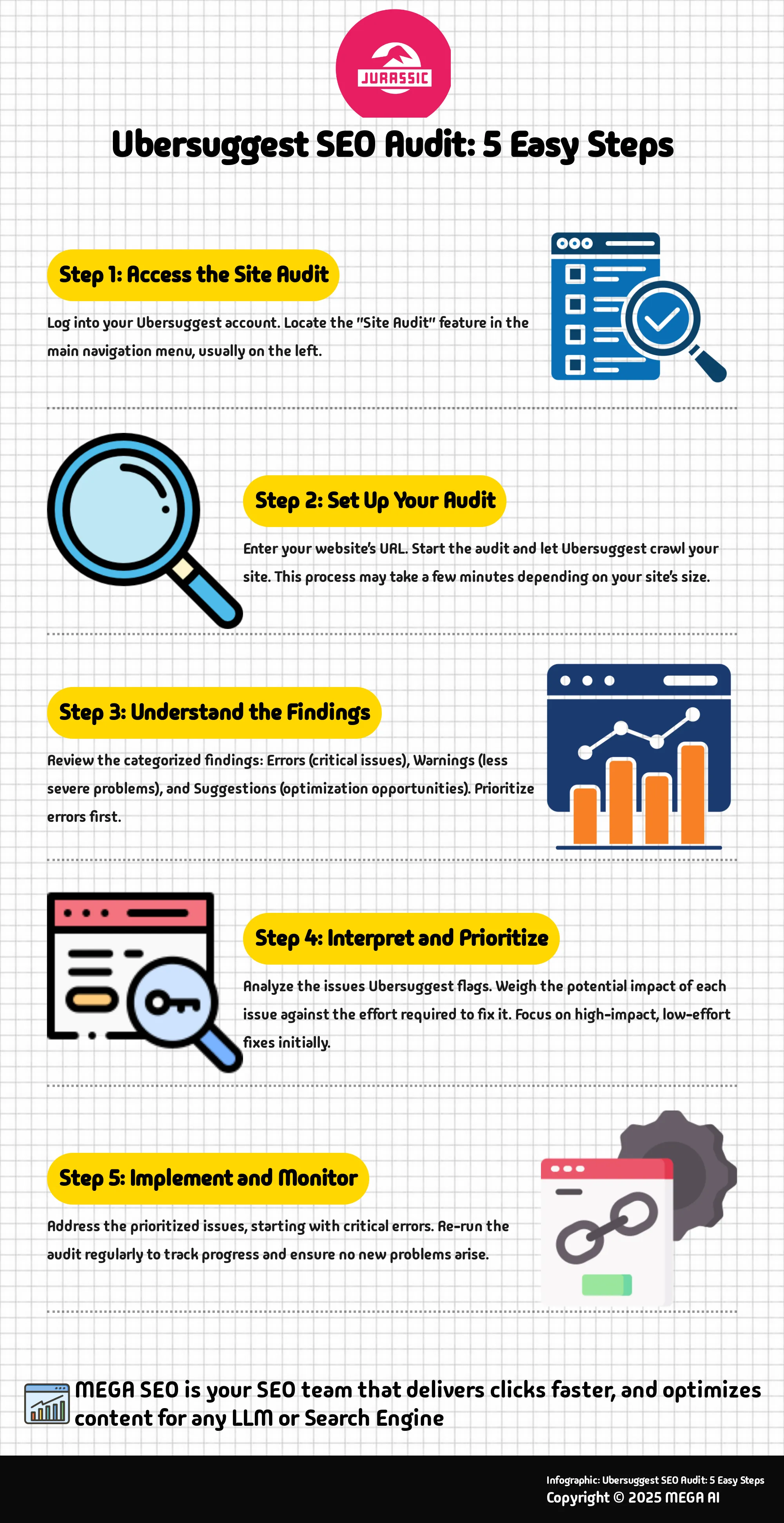
First, you'll need to locate the Site Audit feature within Ubersuggest. "The Site Audit feature is one of Ubersuggest's more advanced tools, providing a detailed technical analysis of a website," as noted in Ubersuggest's Site Audit Guide. Don't let the term "advanced" deter you; accessing it is quite simple. Once you're logged into your Ubersuggest account, you will typically find "Site Audit" in the main navigation menu, usually on the left-hand side of your dashboard. Clicking this option will take you to the section where you can initiate new audits and review any previous reports. This tool is your starting point for uncovering those technical SEO issues that could be affecting your site's ability to rank effectively and provide a seamless user experience.
Setting Up Your First Audit
Once you've found the Site Audit section, initiating your first audit is a direct process. "To run an SEO audit with Ubersuggest, simply enter your website's URL into the Site Audit tool." After you input your domain name and start the audit, Ubersuggest will begin to crawl your site, much like a search engine bot would. This crawling process can take a few minutes, and the duration often depends on the size and complexity of your website. The outcome is a comprehensive report that "highlights critical issues and provides actionable recommendations to optimize your site for better rankings." This report serves as your roadmap, clearly showing you where to focus your efforts for meaningful technical improvements.
Key Technical SEO Issues Ubersuggest Finds
When it comes to improving your website's performance in search results, technical SEO is a foundational piece of the puzzle. It’s about ensuring your site is structured in a way that search engines can easily crawl, understand, and index your content. Ubersuggest offers a Site Audit feature designed to help you pinpoint technical issues that might be hindering your site's visibility. This tool conducts a detailed technical analysis, giving you a clearer picture of your website's health.
While Ubersuggest provides in-depth insights, it's good to remember that the effectiveness of any audit tool can be influenced by various external factors. Think of it as a skilled detective that uncovers clues; how you use those clues makes all the difference. The Site Audit feature is particularly helpful because it doesn't just throw a list of problems at you. Instead, it categorizes findings, which we'll explore next, helping you understand the severity of each issue. For many startups and small businesses, Ubersuggest offers a solid starting point for identifying areas for improvement. The platform allows you to run an SEO audit that uncovers common yet critical problems, enabling you to focus your efforts where they'll have the most impact on your journey to better search rankings.
Understanding Errors, Warnings, and Suggestions
Once Ubersuggest completes its scan, it presents findings categorized into errors, warnings, and suggestions. Understanding this classification is key to prioritizing your actions. Errors are the most critical issues; these are problems that are likely having a direct, negative impact on your SEO performance and user experience. Think of things like pages that search engines can't access or broken critical links. These demand your immediate attention.
Warnings flag issues that are less severe than errors but can still harm your site's ranking or usability. Addressing these should be your next priority after fixing errors. Finally, Suggestions point out opportunities for optimization or minor issues that, while not critical, could give your site a slight edge if addressed. This structured feedback helps you create a clear action plan, making the task of site improvement much more manageable.
Common Issues Ubersuggest Detects
Ubersuggest is adept at uncovering a wide array of common technical SEO problems that can affect your website. When you optimize your website with its technical audit, you'll often find it highlighting issues such as slow page load speeds, which are a major factor for both user experience and search rankings. It also flags problems with on-page elements like missing or poorly optimized title tags and meta descriptions, which are crucial for click-through rates from search results.
Other frequent findings include broken internal or external links that can frustrate users and dilute link equity, instances of duplicate content that can confuse search engines, and problems with your website’s sitemap or robots.txt file. Ubersuggest also checks for security issues like pages not served over HTTPS and identifies elements like large image files that can slow down your site. Recognizing these common pitfalls is the first step toward a healthier, better-performing website.
Interpreting and Prioritizing Recommendations
Once your Ubersuggest site audit is complete, you'll likely have a list of items that need your attention. Ubersuggest's Site Audit feature is a handy tool for getting a detailed technical look at your website. As Ubersuggest itself mentions in its Site Audit Guide, while the insights are thorough, their ultimate effectiveness can depend on various factors beyond the tool's direct control. This means your first job after running the audit is to carefully look through the findings. Not every flagged item will carry the same weight, and some fixes will give you a much better return on your time and effort. You'll typically see issues categorized as errors, warnings, and suggestions. Errors usually need your immediate attention, warnings are often next on the list, and suggestions can be addressed when you have the capacity.
Think of this process like a health check-up for your website; some recommendations might be critical, like addressing a significant problem, while others are more like suggestions for minor improvements. Your main goal is to figure out which issues are most seriously impacting your site's performance and how users experience it. A practical way to approach this is to weigh the potential impact of an issue (how much does it affect your SEO or user experience?) against the effort required to fix it (is it a quick adjustment or a major project?). For example, fixing a broken internal link might be a relatively low-effort task with a moderate positive impact, making it a quick win. On the other hand, a complete overhaul of your site's speed could be a high-effort, high-impact project that requires more planning. Creating a simple priority list, perhaps using a spreadsheet to track issues, their severity, estimated effort, and potential impact, can help you organize your next steps and ensure you're tackling the most beneficial changes first. This systematic approach helps you use your resources wisely.
Effective Strategies for Addressing Issues
With a prioritized list in hand, it's time to plan how you'll address these issues. Ubersuggest does a good job of highlighting what needs fixing, and for many straightforward problems, the information it provides will likely be sufficient to guide you. While some Ubersuggest reviews suggest that for highly complex technical SEO challenges, users might eventually explore more specialized platforms, Ubersuggest provides a solid foundation for most small businesses and startups.
A practical strategy is to group similar issues together. For instance, you could tackle all 404 errors in one go, while issues related to page load speed might form another distinct project. For content-related items, such as missing meta descriptions or pages with thin content, your strategy will involve either creating new content or optimizing what you already have. For more technical problems, like slow page speed or crawl errors, you might need to investigate your website's configuration, your hosting setup, or even delve into the site's code. The key is to develop a methodical plan rather than randomly jumping between fixes. This ensures you're making steady, measurable progress.
Best Practices for Implementing Fixes
Once your strategies are clear, implementing the fixes is the next important step. The overall aim here is to optimize your site for better performance and improved search engine rankings. Begin with the critical errors and high-priority items you identified earlier, as these are often the issues causing the most significant problems for your SEO and user experience.
It's generally a good practice to make changes incrementally, especially if you're relatively new to technical SEO. Fix a specific group of issues, then take some time to monitor your site's performance and analytics. This approach helps you understand the direct impact of your changes and makes it easier to troubleshoot if anything unexpected occurs. Keep a log of the changes you implement and the dates you make them. After you've implemented fixes, always re-run your Ubersuggest site audit. This will help you confirm that the issues have been successfully resolved and that no new problems have inadvertently been introduced. Remember, the objective isn't just to clear an error list but to improve speed and climb search results, so always keep that broader goal in mind.
Using Advanced Features for Deeper Analysis
Once you've run an initial site audit with Ubersuggest and have a grasp of the immediate technical fixes, you can begin to use its more advanced features for a richer understanding of your site's SEO landscape. These features help you see the bigger picture, connecting your technical SEO efforts to broader strategic goals. For instance, Ubersuggest’s Site Audit feature itself is quite comprehensive, offering what the platform describes as a "detailed technical analysis of a website." While its effectiveness can depend on various external factors, the depth it provides is a great starting point for any serious technical review.
Beyond the direct technical audit, understanding how your site performs in relation to competitors and how well it’s optimized for relevant keywords provides crucial context. This is where exploring competitor analysis and integrating keyword research comes into play. These aren't just standalone activities; the insights gained can directly inform your technical SEO priorities. For example, if a competitor is outranking you for key terms and their site loads significantly faster, that’s a clear signal to prioritize page speed optimization. Similarly, if your keyword research uncovers valuable terms your site isn't structured to target effectively, you might need to look at technical aspects like internal linking or URL structures. Using these advanced features allows you to move from simply fixing errors to strategically enhancing your site’s technical foundation for better overall performance.
Exploring Competitor Analysis Tools
Ubersuggest offers robust tools for looking into what your competitors are doing, which is invaluable even when your primary focus is a technical SEO audit. As one review notes, "Ubersuggest has emerged as a powerful tool for digital marketers and SEO professionals alike... it provides a variety of tools to help you with keyword research, competitive analysis, content ideas and backlink tracking." By examining your competitors' top pages, keyword rankings, and even their site speed or mobile-friendliness, you can identify technical benchmarks and opportunities.
For example, if you find that your main competitors all have excellent Core Web Vitals scores or highly optimized mobile experiences, it underscores the importance of addressing these technical aspects on your own site. You might also discover technical SEO tactics they are using effectively, such as specific schema markup types or a particularly efficient site architecture, which you can then consider for your own strategy. This comparative analysis helps you prioritize technical fixes that are most likely to give you a competitive edge.
Integrating Keyword Research
While keyword research is often associated with content creation, it plays a significant role in guiding your technical SEO efforts too. Ubersuggest is quite capable in this area; as a review points out, "One of the core features of any SEO tool is keyword research, and Ubersuggest delivers well in this area — so long as your needs are relatively straightforward." Understanding the keywords you want to rank for can help you ensure your site’s technical infrastructure supports these goals.
For instance, are your target keywords prominently featured in title tags, meta descriptions, and header tags that are technically sound and easily crawlable? Does your site architecture and internal linking strategy effectively distribute link equity to pages targeting your most important keywords? Keyword research can also reveal if technical issues, like poor indexing or slow page load times, are preventing your content from ranking for its intended terms. By integrating keyword insights, you can make more informed decisions about which technical optimizations will have the greatest impact on your visibility for relevant searches.
Maximizing Ubersuggest for Ongoing Improvements
Getting the most out of Ubersuggest for your technical SEO isn't just about running an audit every now and then. It’s about weaving its findings into your regular SEO activities and using the data to steer your efforts over time. This consistent approach is what helps you continuously refine your website, making it perform better in search results and for your visitors. Think of Ubersuggest as a helpful partner in your ongoing quest for a healthier, more visible website.
The key is to make these audits a regular part of your routine and to be smart about how you use the information. By integrating audit findings into your broader strategy and diligently tracking your progress, you can turn Ubersuggest’s data into actionable steps that lead to real improvements. This way, you’re not just identifying problems; you’re actively solving them and building a stronger online presence.
Integrating Audits into Your Strategy
Ubersuggest's Site Audit feature provides a detailed technical look at your website, which is incredibly useful. To truly benefit from these insights, it’s best to see the audit not as a one-time check-up, but as a recurring part of your overall SEO plan. The effectiveness of these audits often comes down to how well you incorporate their findings into your wider efforts.
Try scheduling these audits regularly—perhaps monthly or quarterly, depending on how frequently your site changes or how aggressive your SEO goals are. Before you even run an audit, have a clear idea of what you want to achieve. Are you focusing on improving site speed, enhancing mobile-friendliness, or cleaning up on-page errors? Connecting the audit results to these larger objectives helps you prioritize fixes and see genuine progress in your SEO performance.
Tracking Progress and Setting Benchmarks
Once Ubersuggest helps you identify issues and you’ve started making changes, the next important step is to monitor your progress. Re-running site audits after you’ve implemented fixes allows you to see concrete results, such as an improved site health score or a decrease in critical errors. This cycle of ongoing audits is fundamental to consistently enhancing your site’s technical foundation.
Use the data from Ubersuggest to set realistic benchmarks for future improvements. For many websites, especially those of small businesses or startups, Ubersuggest offers enough detail for effective tracking. While some reviews mention that for very complex sites or deep competitive dives, its suggestions might not have the same depth as more specialized platforms, it serves as an excellent tool for tracking your technical SEO health and making steady, measurable gains.
Combining Ubersuggest with Other Tools
Ubersuggest is a valuable tool in your SEO toolkit, particularly when you're looking for quick insights or managing straightforward projects. However, it's quite rare for a single tool to cover every single aspect of technical SEO with the deepest level of detail for every type of website. To truly get a comprehensive understanding of your site's technical health and uncover all potential opportunities, you'll often find it beneficial to pair Ubersuggest's findings with information from other specialized platforms. This approach allows you to cross-verify data, gain more granular insights in specific areas, and ultimately build a more resilient SEO strategy.
Think of Ubersuggest as a strong starting player on your digital marketing team. Even the best players rely on the strengths of their teammates to win. By understanding where Ubersuggest excels and where other tools might offer additional perspectives, you can create a more thorough and effective technical SEO auditing process. This doesn't mean you need to subscribe to a dozen different services; it's about strategically selecting a few complementary tools that address your specific analytical needs and help you achieve your SEO goals.
Complementary Tools for a Complete Audit
While Ubersuggest offers a solid foundation with its keyword suggestions and reporting features, especially for less complex projects, you might find that for more intricate analyses, its depth can be enhanced by other tools. For instance, some users find that "Ubersuggest’s keyword suggestions, competitive analysis, and reporting tools, while sufficient for simple projects, ultimately lack the depth and precision to be found in platforms like Semrush, Ahrefs, and Moz." This isn't a criticism of Ubersuggest, but rather an acknowledgment that different tools are built with different core strengths.
Furthermore, it's worth noting that the platform's "effectiveness depends on several external factors beyond Ubersuggest's control." This means that for a truly exhaustive audit, particularly if you're working with a large or technically complex website, incorporating insights from tools that specialize in areas like advanced backlink profiling or detailed log file analysis can provide significant advantages.
Handling Data Differences Across Tools
If you've used multiple SEO tools, you've probably noticed that metrics like keyword search volume or the number of referring domains can vary from one platform to another. This is a common occurrence and not necessarily a sign that one tool is "wrong." Ubersuggest, for example, "delivers well in this area [keyword research] — so long as your needs are relatively straightforward." However, for more advanced tasks, such as detailed competitive mapping or comprehensive backlink audits, you might observe differences, as "Ubersuggest doesn’t include advanced competitive mapping, and its backlink audit capabilities are lacking too."
These variations often arise because each tool employs its own data collection methodologies, crawling technologies, databases, and algorithms. Instead of getting fixated on achieving identical numbers across platforms, it's more productive to focus on the trends and relative differences they highlight. If one tool indicates a keyword has substantially higher search interest than another, that's a valuable piece of information, even if the exact volume figures differ. Using multiple data sources can give you a more well-rounded perspective, helping you make more informed decisions for your overall search engine optimization efforts.
Overcoming Common Ubersuggest Challenges
While Ubersuggest is a helpful tool for many SEO activities, like any software, you might find areas where it has certain boundaries or encounter a few common issues. Knowing what these are and how to approach them can help you make the most of the platform and decide when it's the right fit for your specific needs. It's all about understanding the tool's strengths and how to work around any potential hurdles.
Understanding Ubersuggest's Limitations
It’s useful to recognize where Ubersuggest performs well and where it might have some constraints. For instance, while its features for keyword ideas, competitor insights, and reports are quite practical for simpler projects, some users find that "Ubersuggest’s keyword suggestions, competitive analysis, and reporting tools, while sufficient for simple projects, ultimately lack the depth and precision to be found in platforms like Semrush, Ahrefs, and Moz." This suggests that if you're handling very intricate SEO strategies or require extremely detailed data, Ubersuggest might serve best as one component of a broader SEO toolkit.
Additionally, it's worth remembering that "while it offers in-depth insights, its effectiveness depends on several external factors beyond Ubersuggest's control." These external elements could include shifts in search engine algorithms or the particular setup of your website. Being aware of these aspects helps you set practical expectations for what the tool can accomplish independently and when you might need to explore more comprehensive SEO solutions to achieve your goals.
Troubleshooting Common User Issues
If you encounter difficulties while using Ubersuggest, especially with its site audit function, there are a few typical areas to review. Many find it beneficial to regularly "run an SEO audit with Ubersuggest to identify issues and optimize your site for better rankings." This proactive method can help you catch and address problems early on. Should an audit flag something unexpected, your first step should be to double-check your project settings and confirm that the correct domain was crawled.
Sometimes, problems might arise from how Ubersuggest interacts with your website's specific configuration. For a more detailed approach to resolving these, Ubersuggest provides its own resources. For example, their guide on how to "optimize your website with UBERSUGGEST's technical audit" can be an excellent starting point. This guidance can assist you to "detect errors, improve speed, and climb the search results." If you consistently face issues not covered in their documentation, checking community forums or Ubersuggest's support channels can also offer solutions from other users or the Ubersuggest team.
Tips for Effective Ubersuggest Audits
Getting the most out of your Ubersuggest audits involves more than just running the tool; it’s about how you interpret the findings and communicate them effectively. When you approach your audits thoughtfully, you can turn data into actionable steps that genuinely improve your website's performance. Here are a couple of key tips to make your Ubersuggest audits truly effective for your SEO strategy.
Customizing Reports for Stakeholders
Ubersuggest's Site Audit feature provides a detailed technical analysis of a website, as their own guide explains. While this depth is valuable, presenting raw data directly to clients or non-technical team members might lead to more questions than answers. To make your audit findings impactful, it's essential to customize your reports. Consider who will be reading the report. A CEO might want a high-level overview of site health and its business implications, while a developer needs specific, actionable tasks. Tailor the language, visuals, and level of detail to your audience. For instance, instead of just listing "pages with no meta description," explain why this matters for search visibility and click-through rates, and then suggest a clear next step.
Using Ubersuggest Data for Decision-Making
Once Ubersuggest helps you identify issues on your site, the next step is to use this data to make informed decisions. Not all flagged items will carry the same weight or urgency. It's helpful to prioritize fixes based on their potential impact on your SEO performance and user experience. Critical errors affecting site crawlability, for example, should likely take precedence over minor warnings. While Ubersuggest offers valuable insights, especially for straightforward projects, remember that its data, as some reviews note, might benefit from cross-referencing with other analytics or specialized SEO platforms for a more complete picture before committing to significant changes. This approach ensures you're making the most strategic choices for your website's health.
Related Articles
- How to Use Ubersuggest for On-Page Optimization in 2024
- How to Use Ubersuggest for Powerful Keyword Research
- What's in an SEO Audit? A Comprehensive Guide
- Top SEO Site Audit Tools for 2024: Free & Paid
- How to Use Ubersuggest for Keyword Research Like a Pro
Frequently Asked Questions
What's the main advantage of using Ubersuggest for a technical SEO audit if I'm not very technical? Ubersuggest is quite helpful because it takes complex technical website issues and presents them in a more straightforward way. If you're just starting to look into your site's technical health, its Site Audit feature can give you a clear list of common problems without requiring you to be an SEO expert.
How does Ubersuggest help me figure out which technical problems to fix first? When Ubersuggest audits your site, it categorizes the findings. You'll see "errors," "warnings," and "suggestions." Errors are the most pressing issues that are likely impacting your site negatively, so you'll want to address those first. Warnings are next in line, followed by suggestions for further optimization. This helps you create a sensible action plan.
Will an Ubersuggest audit tell me absolutely everything about my site's technical SEO? Ubersuggest provides a really solid overview and identifies many common technical SEO issues, which is a great starting point for most websites, especially smaller ones. For very large or technically intricate sites, or if you need extremely deep dives into specific areas, you might find it beneficial to use Ubersuggest alongside other specialized SEO tools to get the fullest picture.
How often should I perform a site audit using Ubersuggest? There isn't a strict rule, as it depends on how actively you update your website and your specific SEO goals. However, making it a regular habit, perhaps monthly or quarterly, is a good approach. It's also wise to run an audit after you've made significant changes to your site to ensure everything is still technically sound.
What's the practical difference between an "error" and a "warning" in my Ubersuggest site audit report? Think of "errors" as the red flags that need your immediate attention because they are likely causing significant problems for your site's performance in search results or for your visitors. "Warnings" are less severe but still important; they indicate issues that could be hindering your site and should be addressed once you've tackled the critical errors.


