

Improving your website's visibility and user experience on mobile devices directly impacts your bottom line. Users expect fast, seamless interactions on their phones, and search engines reward sites that deliver. If you're aiming to refine your approach, understanding how to use Ubersuggest for mobile optimization? can provide the data-driven insights you need. This article will demonstrate how to employ Ubersuggest to conduct thorough mobile site audits, research keywords that mobile users are actively searching for, and analyze your content's effectiveness on smaller screens. Prepare to learn practical techniques for turning Ubersuggest's findings into tangible improvements for your mobile SEO.
Key Takeaways
- Know Your Mobile Visitors: Use Ubersuggest to find out what terms mobile users search for and check how your site performs on their devices.
- Enhance Your Mobile Site with Data: Put Ubersuggest's findings to work by tailoring content for mobile, resolving technical snags, and speeding up your site for phone users.
- Stay Current with Mobile SEO: Regularly check Ubersuggest to track your mobile progress, learn from competitors' mobile tactics, and keep your strategy effective.
Understand Ubersuggest and Its Role in Mobile SEO
To effectively optimize your website for mobile users, it's helpful to have the right tools in your arsenal. Ubersuggest is one such tool that can provide valuable insights. Let's explore what Ubersuggest is and how it specifically aids in enhancing your mobile SEO efforts. Understanding its capabilities will set a solid foundation for the strategies we'll discuss later, helping you make informed decisions for your business.
What is Ubersuggest?
Ubersuggest is an SEO tool designed to help website owners and marketers improve their site's visibility in search engine results. Originally a simpler application, it has since expanded its features significantly. According to Backlinko, Ubersuggest is particularly adept at uncovering new keywords—those specific words and phrases people type into search engines like Google when they're looking for information, products, or services. This ability to discover keywords is fundamental for any SEO strategy, including efforts focused on mobile users. By understanding what terms your mobile audience is searching for, you can tailor your content and optimization to meet their needs more effectively, which is a great first step for any small business or startup looking to grow.
Why Mobile Optimization is Key
The way people access the internet has shifted dramatically, with mobile devices often being the primary means of browsing and searching. As highlighted by Use Pattern, ensuring your site is mobile-friendly is no longer just a recommendation; it's crucial. A website that performs well on mobile devices directly impacts your search engine rankings and, just as importantly, the overall user experience. If visitors struggle to view or interact with your site on their phones or tablets, they're likely to leave. This can signal to search engines that your site isn't providing a good experience. Prioritizing mobile optimization means you're catering to a significant portion of your audience and improving your chances of ranking well, which is essential for sustainable online growth.
How Ubersuggest Helps with Mobile SEO
Ubersuggest offers several features that can be specifically leveraged for mobile SEO. You can use its keyword analysis tools to find high-performing keywords that mobile users are searching for. This involves looking at search volumes and competition levels with a mobile-first perspective. Furthermore, Ubersuggest allows you to analyze competitors, giving you insight into what mobile strategies are working for others in your niche. As Use Pattern points out, neglecting mobile optimization can be detrimental. Ubersuggest provides data that helps you avoid this pitfall by identifying areas where your mobile site can be improved, from content gaps to technical SEO aspects relevant to mobile performance. This makes it a valuable asset in crafting a comprehensive mobile SEO strategy for your business.
Start Using Ubersuggest for Mobile Optimization
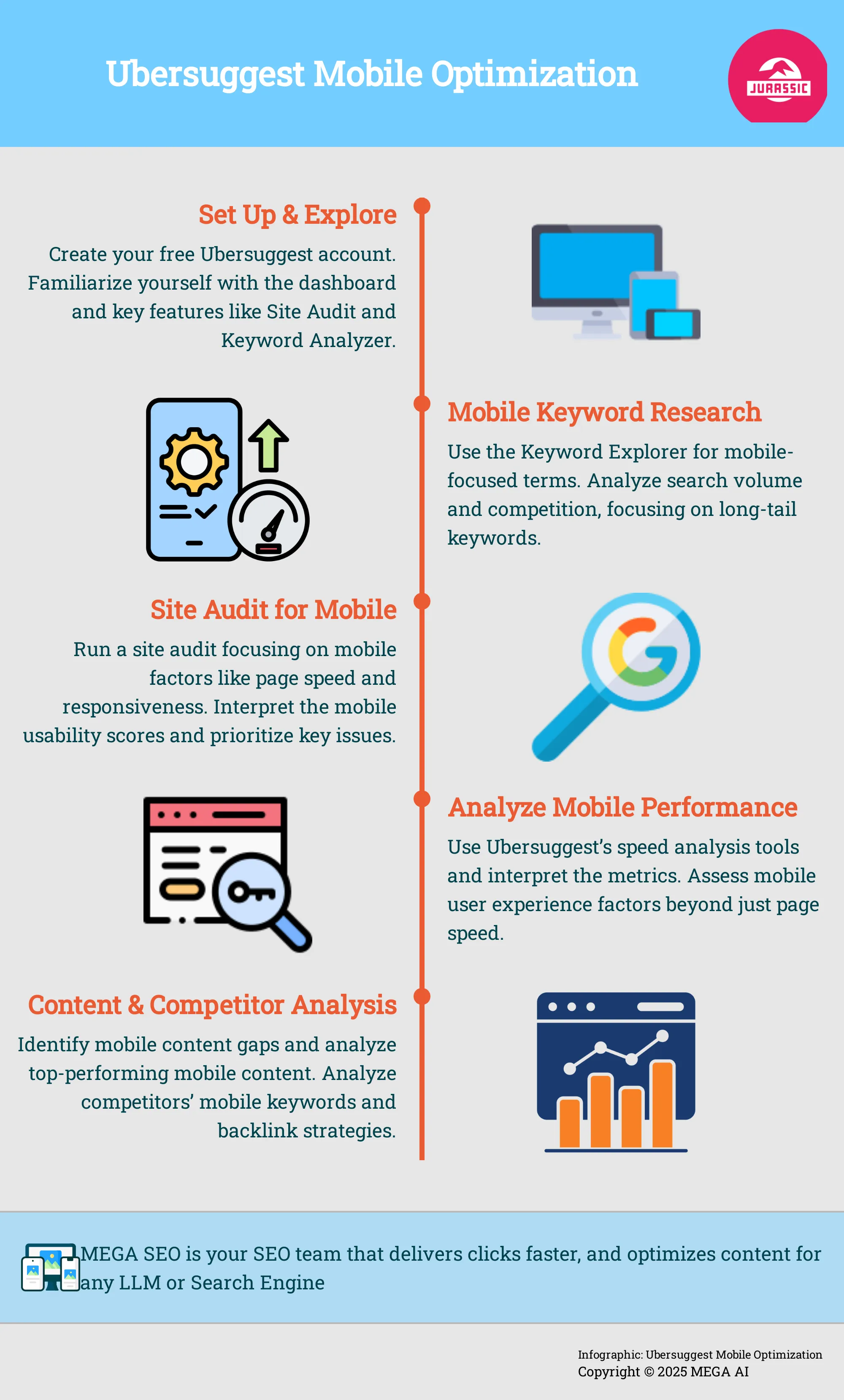
We've discussed how Ubersuggest can be a valuable ally in refining your mobile SEO strategy. Now, let’s move from understanding its potential to actually putting it to work. The best way to grasp how Ubersuggest can specifically aid your website's mobile presence is by getting hands-on. This section will walk you through the essential first steps: creating your account, getting comfortable with the dashboard's layout, and pinpointing the key features that will become your main tools for mobile optimization tasks.
If you're new to SEO software, there's no need to feel intimidated; Ubersuggest is recognized for its user-friendly interface, making it accessible even if you're just beginning to explore SEO tools. The process of setting up and navigating the platform is quite direct, and the initial insights you can gather about your site's mobile performance are often quite revealing. This early stage is about building your comfort and understanding so you can confidently use Ubersuggest to make well-informed decisions. These actions will enhance the mobile user experience and improve your site's visibility in mobile search results. Taking these first steps will establish a solid foundation for your entire mobile optimization approach, enabling you to effectively use the platform's capabilities. Let's go through these foundational steps together.
Set Up Your Ubersuggest Account
Your first practical step is to create a Ubersuggest account. "To get started with Ubersuggest, create a free account. This will allow you to access a variety of tools that can help you analyze keywords, track your rankings, and optimize your website for mobile users." This initial access is a great way to begin without an immediate financial commitment.
The registration process is generally quick, often just needing an email address or a Google account to get you started. Once you're signed in, you'll have access to a suite of tools designed to simplify SEO. This setup is your entry point to understanding how Ubersuggest can clarify aspects of mobile SEO and provide actionable data for your business.
Find Your Way Around the Ubersuggest Dashboard
After activating your account, spend some time getting to know the Ubersuggest dashboard. "The Ubersuggest dashboard is designed to be user-friendly, providing easy access to essential features such as keyword suggestions, site audits, and traffic analysis." You'll typically find a main navigation menu, often on the left side, which houses these core functions.
"Familiarizing yourself with these tools will help you effectively optimize your site for mobile." For mobile optimization, you'll likely frequent the Site Audit section to check for mobile-specific issues and the Keyword Analyzer to discover terms mobile users are actively searching for. The dashboard usually offers a high-level overview, so understanding its layout is important for quickly locating the detailed reports you'll need.
Discover Key Features for Mobile Optimization
Ubersuggest provides several features that are particularly useful for mobile SEO. "One of the standout features of Ubersuggest is its ability to analyze mobile usability." When you perform a site audit, pay close attention to the sections that address mobile-friendliness and page speed on mobile devices. "By checking your site's mobile-friendliness, you can identify areas for improvement that will enhance user experience and boost your search rankings."
Beyond general site audits, the keyword research tools allow you to see how keywords perform on mobile compared to desktop. You can also look for features that analyze your competitors' mobile strategies. Identifying these specific tools within Ubersuggest will enable you to focus your efforts effectively on mobile optimization right from the beginning.
Conduct Mobile-Friendly Keyword Research
Keyword research forms the bedrock of a solid SEO strategy, and its importance is amplified when you're targeting mobile users. People often search differently on their phones compared to desktops. They might use shorter phrases, rely on voice search, or seek immediate, location-specific answers. Grasping these distinctions is vital for attracting mobile traffic. Ubersuggest provides effective tools to help you uncover the exact terms your mobile audience uses. By concentrating on mobile-friendly keywords, you can shape your content to address their unique needs and search patterns, which can markedly improve your visibility in mobile search results. For businesses, especially startups and small enterprises looking to make an impact, understanding these mobile search behaviors is a critical step. Let's look at how you can leverage Ubersuggest for this specific purpose.
Use the Keyword Explorer for Mobile Terms
Ubersuggest’s Keyword Explorer is your primary tool for discovering terms pertinent to your mobile audience. You can start when you "Enter a seed keyword or topic related to the website’s content into Ubersuggest's search bar." Then, as Ubersuggest's own guidance suggests, "Take a look at the brief list of keyword ideas Ubersuggest provides in this section and divide it into 4 categories (suggestions, questions, prepositions, comparisons)." This categorization helps you understand the various angles from which users approach their searches.
When applying this to mobile, always consider the user's context. Are they likely searching for quick solutions, directions, or product details while on the move? For instance, rather than a broad term like "best coffee," a mobile user might search "best coffee shop near me open now." Focus on terms that are concise or phrased as questions, as these are common in voice-activated searches. Ubersuggest will generate a range of related terms, giving you a strong foundation.
Analyze Search Volume and Competition for Mobile Keywords
After compiling a list of potential mobile keywords, the next step is to examine the data. Ubersuggest offers a free keyword analysis tool that lets you "find high-performing keywords, analyze competitors, and improve your SEO rankings." This tool shows the search volume for each term, indicating monthly search frequency, alongside a competition score, which estimates the difficulty of ranking for that keyword.
For mobile SEO, your goal is to find a balance: keywords with reasonable search volume but manageable competition. A very high search volume might seem attractive, but if the competition is intense, gaining traction can be challenging, particularly for newer websites. Conversely, a keyword with low competition might be easier to rank for, but if it has negligible search volume, it won't drive traffic. Ubersuggest helps you evaluate these elements to select the most impactful keywords for your mobile approach.
Identify Long-Tail Keywords for Mobile Searches
Don't underestimate the value of long-tail keywords, particularly for mobile searches. These are longer, more specific phrases users type in, often when they are further along in their decision-making process or seeking very precise information. For example, instead of "women's shoes," a long-tail keyword could be "comfortable black walking shoes for women with flat feet." While these terms individually attract lower search volumes than broader keywords, they frequently yield higher conversion rates because they target users with clear, specific intent.
As a helpful guide on Ubersuggest keyword research notes, "Ignoring Low Competition Keywords: While high-volume keywords are appealing, don't overlook low-competition keywords. They can be easier to rank for and still bring in traffic." Mobile users, especially those utilizing voice search, naturally employ longer, more conversational queries. Ubersuggest can assist you in finding these valuable long-tail phrases, enabling you to create highly focused content that directly answers your mobile audience's specific questions.
Use Ubersuggest's Site Audit for Mobile Performance
Think of Ubersuggest's Site Audit feature as your helpful guide for understanding how well your website performs on mobile devices. It’s designed to meticulously scan your site and highlight areas that might be causing a less-than-ideal experience for your mobile visitors. This is incredibly important because a clunky or slow mobile site can lead people to leave quickly. The audit examines various technical aspects, providing you with a clear roadmap of what needs your attention to improve your mobile presence. By understanding these elements, you can make informed decisions to enhance how users interact with your site on their phones and tablets.
Run a Site Audit for Mobile Factors
When you initiate a site audit in Ubersuggest, it performs a thorough check-up on your website's mobile health. It specifically evaluates critical mobile factors that directly influence user experience. This includes assessing your page speed, which is how quickly your content loads for someone on a mobile device. It also looks at mobile responsiveness, meaning whether your site’s design adapts well to different screen sizes, ensuring it’s easy to read and use.
The audit can uncover a variety of issues, such as missing meta descriptions that can affect how your site appears in search results, broken links that create dead ends for users, or slow loading times that are a common frustration on mobile. Addressing these findings helps you create a smoother and more effective mobile website.
Interpret Mobile Usability Scores
After the site audit completes its scan, you’ll receive a report that includes mobile usability scores. These scores offer a straightforward way to gauge how well your site caters to mobile visitors. They reflect key elements such as the overall mobile-friendliness of your design—for instance, is your text easy to read without zooming, and are buttons large enough to tap accurately on a smaller screen? The scores also take into account the loading speed of your pages on mobile devices.
A higher score generally indicates that your site is well-optimized for mobile users. This is particularly significant because Google primarily uses mobile-first indexing when determining search rankings, meaning it predominantly considers the mobile version of your website.
Identify and Prioritize Mobile-Specific Issues
Ubersuggest doesn't just present you with a list of findings; it helps you identify and prioritize the mobile-specific issues that require your immediate attention. For instance, the site audit results will clearly highlight problems like pages that load too slowly on mobile networks or design elements that aren't responsive, which can contribute to visitors leaving your site prematurely.
By focusing on these high-priority items first, you can make substantial improvements to the user experience and engagement for your mobile audience. This targeted approach is essential for keeping visitors on your site longer and encouraging them to take desired actions, ultimately contributing to your site's overall success.
Analyze Mobile Page Speed and User Experience
A strong mobile presence means a fast, smooth experience for your users. Ubersuggest helps you find and fix mobile performance issues. Focusing on speed and user experience here can significantly improve your site's engagement and search visibility.
Why Mobile Page Speed Matters
Many people use mobile devices to browse the web, so your site must be mobile-friendly. This directly affects your search rankings and how users experience your content. Slow mobile pages often lead to visitors leaving quickly. Google considers page speed a key factor for mobile search results. A quick mobile experience is vital for attracting and retaining visitors, ultimately helping your site succeed.
Use Ubersuggest's Speed Analysis Tools
Ubersuggest offers tools to check how well your website performs, including its speed on mobile. The Site Audit feature is particularly useful for this, helping you analyze your site's technical health. It gives you insights into how quickly your pages load for mobile users. While many know Ubersuggest for keyword research, its site analysis capabilities extend to technical SEO aspects like page speed. These tools help identify specific elements slowing down your mobile site, giving you a clear starting point for improvements.
Interpret Speed Metrics and Recommendations
When Ubersuggest analyzes your site, it presents various speed-related metrics. These can include load times, server response times, and Core Web Vitals data. Understanding these, like a high 'First Contentful Paint' time, shows users are waiting too long. Ubersuggest usually provides actionable recommendations alongside these metrics. It might suggest optimizing images, using browser caching, or minifying code. Focus on changes that offer the biggest improvement to mobile performance.
Assess Mobile User Experience Factors
Beyond speed, the overall mobile user experience includes how easy your site is to use on a small screen. Ubersuggest's site audit can flag common mobile usability issues like small text or poorly spaced touch elements. While Ubersuggest identifies technical problems, also consider your content strategy for mobile users. They often search with shorter, direct queries. Understanding these mobile search behaviors helps you tailor content for a better experience and meet their specific needs effectively.
Uncover Mobile Content Opportunities
Mobile users aren't just desktop users on smaller screens; their needs and search behaviors are often quite different. They might be looking for quick answers while on the move, searching for local businesses, or preferring content that’s easy to scan and digest quickly. Recognizing these distinctions is key to crafting a mobile content strategy that truly connects. This is where a tool like Ubersuggest becomes incredibly valuable. It can help you discover what your mobile audience is searching for and identify areas where your content might not be hitting the mark for on-the-go consumption. Many businesses, unfortunately, are still neglecting mobile optimization, which creates a real chance for you to stand out.
By understanding these mobile-specific nuances, you can tailor your content to better serve these users. This isn't just about making your existing content responsive; it's about creating or adapting content with the mobile user experience in mind from the start. Thinking about content from a mobile-first perspective can lead to better engagement, lower bounce rates on mobile, and ultimately, improved search rankings. It’s about providing value in the format and style that mobile users prefer. Let's explore how you can use Ubersuggest to find these important mobile content opportunities and ensure your message resonates, no matter the device.
Find Mobile Content Gaps with Ubersuggest
One of the first steps in creating effective mobile content is figuring out where your current offerings might be falling short for mobile users, or where there are untapped opportunities in your niche. Ubersuggest can help you pinpoint these areas. By analyzing your site and your competitors, you can see what topics are well-covered on desktop but might lack a mobile-friendly equivalent, or what questions mobile users are asking that currently go unanswered by your content.
For instance, you might find that while you have comprehensive desktop guides, there's a need for concise summaries or FAQ-style content that mobile users can quickly digest. Ubersuggest's keyword research and competitor analysis features can reveal search terms popular among mobile users that you aren't currently targeting. This allows you to identify specific content pieces you can create or adapt to fill these gaps, directly addressing the needs of your mobile audience.
Analyze Top-Performing Mobile Content in Your Niche
To create content that truly resonates with mobile users, it’s wise to look at what’s already succeeding in your niche. Ubersuggest allows you to analyze top-performing keywords and content, and you can interpret this data with a mobile-first perspective. Examine the top-ranking pages for keywords relevant to mobile searches. What format do they use? Are they listicles, short how-to guides, videos, or something else? Pay attention to content length and visual elements.
By studying these successful examples, you can gather valuable insights into the types of content structures, lengths, and styles that appeal to mobile users searching for similar topics. This isn’t about copying, but about understanding the patterns of success. For example, if the leading mobile results for a particular query are all short videos or highly visual guides, a lengthy, text-heavy article might not be the most effective choice for your mobile audience.
Generate Content Ideas for Mobile Users
Coming up with fresh content ideas tailored specifically for mobile users can sometimes feel like a hurdle. Ubersuggest offers features that can spark creativity and provide direction. When you enter a seed keyword or a topic relevant to your website, Ubersuggest provides a list of related keyword ideas. The tool often helpfully categorizes these into suggestions, questions, prepositions, and comparisons, which can be goldmines for mobile content.
For instance, the "Questions" category is perfect for creating FAQ pages or content pieces that directly answer common queries mobile users might type or speak into their devices. "Prepositions" (like "keyword for mobile") can help you find specific niche topics, while "Comparisons" (such as "product A vs product B on mobile") are excellent for review-style content that mobile users often seek when making quick decisions. Consider how these keyword categories can translate into formats that are easy to consume on the go, like checklists or quick tip sheets.
Analyze Competitors for Mobile SEO
Understanding what your competitors are doing on mobile is a smart move. It helps you see what's working, find gaps you can fill, and refine your own mobile SEO approach. Ubersuggest provides the tools you need to get a clear picture of the competitive landscape for mobile search, allowing you to make informed decisions. By looking at their strategies, you can identify opportunities to improve your own site’s performance for users on smartphones and tablets. This isn't about copying, but about learning and finding your unique edge in the mobile space.
Identify Mobile-Focused Competitors with Ubersuggest
Your first step is to figure out who your main competitors are in the mobile arena. These might be different from your desktop competitors or have a stronger emphasis on mobile. Ubersuggest's keyword analysis and checker tool is a great starting point. By entering keywords relevant to your niche, you can see which domains consistently rank well on mobile devices.
Pay attention to sites that appear frequently for mobile-intent queries; these are likely your key mobile-focused competitors. Analyzing their overall domain strength and mobile traffic estimates within Ubersuggest will give you a clearer idea of who to watch closely and learn from. This insight helps you benchmark your own mobile performance and set realistic goals.
Analyze Competitors' Mobile Keywords and Strategies
Once you've identified your mobile competitors, the next step is to understand their keyword strategy. With more people using mobile devices for searches, a site that isn't mobile-friendly significantly impacts its rankings and user experience. You can use Ubersuggest for keyword research to see which mobile-specific keywords your competitors are targeting.
Look at their top-ranking mobile pages and the terms that drive traffic to them. Are they focusing on "near me" searches, voice search queries, or keywords that indicate immediate local intent? This analysis helps you adapt your own content and keyword strategy to better meet the needs of mobile users and potentially uncover terms you might be missing.
Discover Mobile Backlink Opportunities
Backlinks are still a crucial part of SEO, even for mobile. By examining your competitors' backlink profiles, you can find opportunities for your own site. Ubersuggest allows you to see who links to your competitors. Focus on links pointing to their mobile-optimized pages or content specifically designed for mobile users.
While Ubersuggest helps you get keyword ideas by exploring related terms, you can apply a similar investigative approach to their backlinks. Look for high-quality, relevant sites that link to them; these could be excellent targets for your own outreach, especially if you have comparable or better mobile content. This can help strengthen your site's authority in mobile search results.
Implement Ubersuggest Insights for Mobile Optimization
Once you've gathered all that valuable data from Ubersuggest, the next step is to put it into action. It's one thing to know what needs fixing or improving for your mobile site, and quite another to actually do it. This is where a clear plan and consistent effort come into play. Think of Ubersuggest as your diagnostic tool; now it's time for the treatment plan to enhance your mobile SEO performance and provide a better experience for your on-the-go audience.
Prioritize Mobile Optimization Tasks with Ubersuggest Data
Ubersuggest's site audit and keyword reports often reveal several areas for improvement. Instead of trying to tackle everything at once, use this data to prioritize. Focus first on issues that significantly affect mobile usability and your site's SEO. For instance, Ubersuggest might flag critical technical errors on your mobile site or identify pages with slow load times specifically on mobile devices. As industry insights suggest, "Neglecting Mobile Optimization: With more people using mobile devices, it's crucial that your site is mobile-friendly. This impacts your rankings and user experience." Addressing these high-priority items can lead to noticeable improvements more quickly. Also, look for patterns in the data—if multiple pages share the same mobile-related issue, addressing the root cause can be more efficient than fixing each instance individually. This targeted approach helps you make the most impact with your efforts.
Create an Action Plan for Mobile SEO Improvements
With your priorities clearly defined, the next step is to build a detailed action plan. For each task Ubersuggest helped you identify, outline the specific steps required for resolution. For example, if Ubersuggest indicates poor mobile page speed, your plan might include tasks like compressing images, minifying CSS and JavaScript files, or enabling browser caching. If you've discovered new mobile-specific keywords, your plan should detail how you'll naturally integrate these terms into your existing content or create new, targeted pieces. You can effectively use Ubersuggest's keyword tool to find these high-performing keywords and understand what competitors are doing. Assigning responsibility for each item if you're part of a team, and setting realistic deadlines, will keep the process organized and moving forward. This structured method transforms insights into manageable actions.
Track Progress and Adjust Your Strategies
Mobile SEO is not a set-it-and-forget-it task; it requires ongoing attention and refinement. After implementing your initial changes, consistently use Ubersuggest to track your progress. Are your mobile usability scores improving? Have your rankings for important mobile keywords seen a positive shift? Monitoring these key metrics will show you what’s effective and where further adjustments might be necessary. For instance, if your initial set of long-tail keywords for mobile isn't delivering the expected results, you might revisit Ubersuggest to explore broader terms or different keyword variations, as suggested by their help documentation. Be prepared to adapt your strategy based on the data you collect, continuously testing and tweaking your approach to achieve the best possible mobile performance and user experience.
Apply Advanced Ubersuggest Techniques for Ongoing Mobile Optimization
Once you've laid the groundwork for mobile optimization with Ubersuggest, the journey doesn't end there. Think of mobile SEO as a continuous improvement project rather than a one-off task. To truly keep your website performing well for mobile users, you'll want to weave more advanced Ubersuggest techniques into your regular routine. This means moving beyond initial checks and using the tool more strategically to uncover deeper insights about your mobile audience and performance. By doing so, Ubersuggest can become an indispensable ally in your ongoing efforts, helping you consistently refine your mobile experience, meet the evolving needs of your users, and stay competitive in mobile search results. Let's explore how you can take your Ubersuggest skills to the next level for sustained mobile success.
Use Custom Reports for Mobile-Specific Metrics
Relying on general website reports can sometimes give you a skewed view of how your site actually performs on mobile devices. To get a truly accurate understanding, it’s helpful to create custom reports within Ubersuggest that specifically highlight mobile metrics. As experts point out, "Neglecting Mobile Optimization: With more people using mobile devices, it's crucial that your site is mobile-friendly. This impacts your rankings and user experience." You can tailor your Ubersuggest dashboards or reporting setup to focus on data points like mobile organic traffic, bounce rates specifically from mobile visitors, mobile conversion rates, and page load times experienced on mobile. Regularly reviewing these focused reports allows you to quickly spot issues or opportunities that are unique to your mobile audience, leading to more precise and effective optimization.
Integrate Ubersuggest Data with Other Mobile SEO Tools
Ubersuggest provides robust features, particularly for keyword analysis and understanding your competitors. However, its utility for mobile SEO is significantly amplified when you combine its data with other specialized tools. For example, you might use Ubersuggest to identify promising keywords for mobile users, and then turn to Google Search Console to see exactly how your site is performing for those terms on mobile devices, looking at impressions, clicks, and average ranking. Similarly, the mobile usability insights from an Ubersuggest site audit can be further explored by cross-referencing with Google's Mobile-Friendly Test for more granular diagnostics. This integrated approach gives you a more complete picture, helping you refine your strategies for better mobile engagement.
Set Up Mobile-Specific KPIs and Monitor Improvements
To effectively steer your mobile optimization efforts, it's important to define and track Key Performance Indicators (KPIs) that are specific to mobile. This involves looking beyond general SEO metrics to concentrate on what truly indicates success for your mobile audience. Ubersuggest can assist you as you discover keyword ideas that have significant search volume on mobile, which can then inform your KPI targets. Consider tracking KPIs such as your rankings for high-intent mobile keywords, the growth of your mobile organic traffic, improvements in mobile page load speed, increases in mobile usability scores, and better mobile conversion rates. Consistently monitoring these KPIs using Ubersuggest and your other integrated tools will clearly show the impact of your optimizations and pinpoint areas that might need more attention.
Maximize Ubersuggest for Your Mobile SEO Strategy
Ubersuggest is a valuable ally in your efforts for better mobile SEO, offering a suite of tools that can uncover significant opportunities. However, truly getting the most from its potential means going beyond simply pulling reports. It’s about weaving its capabilities into a cohesive and ongoing mobile optimization strategy. Think of Ubersuggest as your data detective; it can find the clues, but you, or your integrated systems, need to piece them together to solve the mobile ranking puzzle. This involves not just identifying mobile-friendly keywords or spotting a technical glitch, but understanding how these elements interact and impact your overall mobile presence.
A comprehensive approach is key. You'll want to use Ubersuggest to regularly audit your mobile site's health, research how mobile users are searching for your products or services, and keep an eye on what your competitors are doing in the mobile space. This isn't a one-time task, but a continuous cycle of analysis, action, and refinement. As search engine algorithms evolve and user behavior shifts, your mobile SEO tactics must adapt too. While Ubersuggest provides the raw data and insights for manual adjustments, platforms offering SEO automation can help implement and scale these strategies efficiently, ensuring your mobile site consistently performs at its best. The following sections will guide you through combining Ubersuggest's features effectively, making sense of its data, and using it to stay competitive in the dynamic world of mobile SEO.
Combine Ubersuggest Features for Full Mobile Optimization
To truly get the most out of Ubersuggest for your mobile strategy, think of its features as interconnected tools rather than standalone options. Start with the keyword analysis tool to find terms your mobile audience is using. Don't just look at broad terms; explore long-tail keywords and questions that are common in voice searches on mobile devices. You can use filters to narrow down your lists, including or excluding specific words to better match mobile search intent.
Once you have a solid list of mobile-centric keywords, use the site audit feature to see how well your site is optimized for them from a mobile perspective. This includes checking mobile usability and page speed. Then, take those same keywords and analyze your competitors. What are they ranking for on mobile? Where are their mobile backlinks coming from? By combining insights from keyword research, site audits, and competitor analysis, you build a much clearer picture of your mobile SEO landscape and can create a more effective, holistic optimization plan.
Interpret and Act on Ubersuggest Data: Best Practices
Gathering data with Ubersuggest is just the first step; the real value comes from how you interpret and act on it. When you input a seed keyword, Ubersuggest will provide a list of ideas, often categorized into suggestions, questions, prepositions, and comparisons. For mobile SEO, pay close attention to the "questions" category, as these often reflect voice search queries. Don't just look at search volume; consider keyword difficulty and the click-through rate (CTR) potential for mobile SERPs, which can differ from desktop.
When you run a site audit, Ubersuggest will give you a health score and list issues. Prioritize these based on their impact on mobile usability and speed. For example, unoptimized images or slow server response times are critical to fix for mobile users. The key is to translate these data points into a concrete action plan. Create a list of tasks, assign priorities, and track their completion. Regularly review your Ubersuggest dashboards to monitor progress and identify new areas for improvement, ensuring your actions are data-driven.
Stay Ahead in Mobile SEO with Ubersuggest
The mobile SEO landscape is constantly changing, with new algorithm updates, evolving user behaviors, and emerging technologies. Ubersuggest can be a powerful tool in your arsenal to help you stay current and adapt your strategy proactively. Its features allow you to monitor your mobile keyword rankings over time, so you can quickly spot any drops that might indicate an issue or a shift in the competitive landscape. Regularly checking competitor activity for mobile can also reveal new tactics they're using that you might want to consider.
Make it a habit to explore new keyword opportunities, especially those relevant to mobile search trends like "near me" searches or voice queries. Ubersuggest's content ideas feature can also help you brainstorm topics that resonate with mobile users. By consistently using Ubersuggest to monitor, analyze, and adapt, you’re not just optimizing for today; you’re preparing for the future of mobile search. This ensures your strategy remains effective and ahead of the curve. For ongoing optimization, consider how tools that maintain existing content can complement your Ubersuggest findings by automatically updating articles to improve performance.
Related Articles
- How to Use Ubersuggest for On-Page Optimization in 2024
- How Improving Mobile User Experience Can Boost Your SEO Efforts - MEGA SEO | Blog
- Optimizing Your Site for Mobile Devices: A Key to SEO Success - MEGA SEO | Blog
- Boost SEO by Enhancing Mobile User Experience and Design
- How to Use Ubersuggest for Keyword Research Like a Pro
Frequently Asked Questions
I'm new to Ubersuggest. What's the first thing I should do for mobile SEO? Once you have your Ubersuggest account set up, a really good starting point is to run a Site Audit. This feature will give you an overview of your website's health, specifically highlighting areas that impact mobile users, like page speed and responsiveness. It’s like getting a check-up for your site's mobile performance, showing you where to begin your optimization efforts.
How can Ubersuggest help me find keywords that mobile users are actually searching for? Ubersuggest is quite handy for this. You can use its Keyword Explorer tool to look into the terms people use on their phones. Think about how mobile searches differ – they're often shorter, more direct, or even phrased as questions for voice search. Ubersuggest can help you uncover these specific phrases, including longer, more conversational long-tail keywords, so you can tailor your content to what your mobile audience is genuinely seeking.
My mobile site feels slow. Can Ubersuggest tell me exactly what to fix? Yes, Ubersuggest can definitely point you in the right direction if your mobile site feels sluggish. The Site Audit feature includes a speed analysis that examines how quickly your pages load on mobile devices. It will provide you with specific metrics and often gives recommendations, such as pointing out large images that need compressing or other technical elements that could be slowing things down, so you know what to work on.
Beyond technical fixes, how does Ubersuggest help with creating content for mobile users? That's a smart question because mobile content is more than just technical. Ubersuggest can help you identify content gaps by showing you what mobile users are searching for that you might not be covering. You can also analyze top-performing mobile content in your field to see what formats and styles resonate. Plus, its keyword tools can spark ideas for content specifically designed for quick consumption on mobile, like answers to common questions or concise guides.
Is Ubersuggest enough on its own for mobile SEO, or should I use other tools too? Ubersuggest offers a strong set of features for mobile SEO, especially for keyword research and initial site analysis. However, for a really comprehensive approach, you might find it beneficial to combine its insights with data from other tools. For instance, Google Search Console can provide very specific performance data for your site on mobile. Using them together can give you a more complete picture and help you make even more informed decisions for your mobile strategy.


