

Keyword research can feel like searching for a needle in a haystack. You know the right keywords are crucial for connecting with your audience, but sifting through endless lists and tools can be daunting. What if you could leverage a tool you might already have, or one that’s readily accessible, to get a much clearer picture? Screaming Frog, while famous for its technical SEO prowess, offers robust features that can significantly enhance your keyword discovery. This guide is designed to answer the question: how to use Screaming Frog for keyword research? We'll walk through setting it up, performing targeted crawls, and analyzing the rich data it uncovers, helping you find those valuable keyword needles with greater confidence and precision.
Key Takeaways
- Map Your Current Keywords: Use Screaming Frog to crawl your website and understand exactly how keywords are currently distributed across your titles, headings, and content, establishing a clear baseline for your strategy.
- Uncover Advanced Insights: Employ Screaming Frog’s features like Custom Search and competitor URL analysis, and connect with Google Analytics and Search Console, to get a more detailed view of keyword performance and identify hidden opportunities.
- Refine Your Strategy Continuously: Regularly apply the data from Screaming Frog to identify content gaps, resolve keyword cannibalization, and optimize keyword placement, ensuring your SEO efforts adapt and improve over time.
What is Screaming Frog and Why Is It Great for Keyword Research?
Screaming Frog is a well-regarded website crawler tool, primarily known for its power in conducting technical SEO audits. You can download it for Windows, macOS, or Linux, and it offers both free and paid versions. This is great because it means SEO professionals at any level or budget can access its features. Think of it as a digital detective that meticulously goes through your website, page by page, to gather important information.
So, why is it particularly good for keyword research? One of Screaming Frog's standout abilities is extracting a vast amount of data from websites, and this includes the keywords used on each page. This is incredibly useful because it allows you to see exactly how keywords are being utilized across your entire site. You can identify which keywords your pages are targeting, find opportunities where you might be missing out, or even spot instances of keyword cannibalization. Beyond just keywords, it helps pinpoint technical issues like broken links or duplicate content, which indirectly supports your keyword strategy by ensuring your site is technically sound for search engines. This comprehensive technical audit capability makes it a valuable asset for improving your website's overall search performance.
What's more, Screaming Frog doesn't operate in isolation. It can integrate with other popular SEO tools, such as Google Keyword Planner. This means you can pull data from Screaming Frog and combine it with insights from other platforms to get a more holistic view of your keyword landscape. This ability to combine data sources makes your keyword research more robust and ultimately more effective. By understanding how keywords are currently implemented on your site and identifying areas for improvement, you can build a much stronger, data-driven keyword strategy.
Ready to Start? Your First Steps with Screaming Frog for Keywords
Getting started with a new tool can sometimes feel like a hurdle, but Screaming Frog is quite user-friendly once you know the basics. This section will walk you through downloading the software, configuring essential settings, and running your very first website crawl. Think of it as laying the groundwork for all the valuable keyword insights you're about to uncover. Let's get you set up for success.
Download and Configure Screaming Frog
First things first, you'll need to get Screaming Frog onto your computer. It’s a powerful SEO tool designed to crawl websites and collect data on various SEO elements, which is incredibly useful for keyword research. The good news is that it’s free for crawling up to 500 URLs, making it a fantastic option for smaller websites or for when you're just starting to explore its capabilities.
You can download the Screaming Frog SEO Spider directly from their official website. Once it's installed, take a moment to look at the configuration options. While the default settings work well for many situations, you might want to adjust things like the user agent or set up authentication if you need to crawl parts of a website that are restricted. These advanced settings can be explored later as you become more familiar with the tool.
Set Up Your Initial Crawl
With Screaming Frog installed and open, you’re ready to perform your first crawl. It’s simpler than it sounds. Just enter the full URL of the website you want to analyze into the search bar at the top of the application (where it says ‘Enter URL to spider’) and click the ‘Start’ button. The tool will then begin to navigate through the website, page by page, gathering data on elements like title tags, meta descriptions, header tags, and much more.
Once the crawl is complete, you’ll see a lot of information organized into different tabs and reports. For an initial dive into keyword usage, navigate to the ‘Reports’ menu in the top bar. From there, select ‘Ngram Analysis’. This report is particularly helpful as it allows you to identify frequently used phrases and keywords across your site, giving you a foundational understanding of your current keyword landscape.
Uncover Screaming Frog's Power Features for Keyword Research
Screaming Frog is often recognized for its technical SEO auditing prowess, but its capabilities extend far beyond identifying broken links and server errors. When you learn to use its more advanced features, it transforms into a remarkably insightful tool for keyword research. These features allow you to dig deep into website content—both your own and your competitors'—to uncover how keywords are being used, identify new opportunities, and refine your overall content strategy. Many users primarily employ Screaming Frog for technical checks, but its true potential for keyword analysis often goes untapped.
Moving beyond basic crawls, Screaming Frog offers functionalities that can give you a granular view of keyword distribution, help you find specific phrases across thousands of pages, and extract custom data points relevant to your keyword goals. This means you can get a much clearer picture of the keyword landscape directly from the source code and on-page content of any website. By understanding these power features, you can add a robust layer to your keyword research process, complementing traditional keyword discovery tools with hard data from actual websites. This approach helps you make more informed decisions about which keywords to target and how to integrate them effectively into your content.
Tap into Custom Search
One of Screaming Frog’s most versatile features for keyword research is Custom Search. Think of it as a highly specific search engine for any website you crawl. Screaming Frog's custom search feature allows you to find specific words or phrases within a website's HTML or text. This is incredibly useful for keyword research because you can look for mentions of your target keywords, related terms, or even competitor brand names.
For instance, you could search for outdated product names to update, identify pages that mention a keyword but don't link to your target pillar page, or find instances of "out of stock" that might indicate content needing a refresh with new keyword opportunities. This capability is particularly useful for pinpointing keywords that can enhance internal linking strategies or for identifying content gaps where specific keywords are underutilized across your site.
Master Data Extraction
At its core, Screaming Frog is an SEO spider designed to collect data about a website by crawling every page and extracting information from its HTML. This data extraction is crucial for understanding keyword usage and optimizing content. Instead of just seeing a list of keywords a page might rank for, you can see exactly how those keywords are (or are not) implemented within titles, headings, body content, and meta descriptions.
By mastering data extraction, you can pull specific HTML elements that contain keywords, giving you a structured dataset for analysis. For example, you can extract all H1 tags to see primary keyword targeting across your site, or scrape product descriptions from competitor sites to analyze their keyword strategies. This raw data provides a foundation for deeper keyword analysis and helps you refine your content optimization efforts with precision.
Use Site Audit Tools Effectively
While "site audit" often brings technical SEO to mind, utilizing Screaming Frog for site audits can significantly improve your keyword research efforts. The tool identifies site issues quickly, but many of these insights are also essential for optimizing content and links, making it a powerful ally in keyword research. For example, a site audit might reveal pages with thin content, which are prime candidates for keyword enrichment and expansion.
Furthermore, features that analyze page titles and meta descriptions can highlight pages where keyword optimization is lacking or where keywords are not strategically placed. By improving SEO audits with an eye toward keyword relevance, you can ensure that your technical optimizations also support your content and keyword strategies. Understanding aspects like crawl efficiency and structured data validation helps ensure search engines can find and understand your keyword-rich content more effectively.
Your Step-by-Step Guide to Keyword Research with Screaming Frog
Alright, you've got Screaming Frog set up and you understand its core features. Now, let's walk through the actual process of using it for keyword research. This is where you start to unearth valuable insights that can shape your content strategy and improve your site's visibility. We'll cover how to crawl your site effectively, analyze the crucial on-page elements where keywords play a significant role, and then make sense of all the data you've gathered. Think of this as your roadmap to finding out which keywords your site is currently targeting, how well it's doing, and where the opportunities lie.
This hands-on approach will give you a solid foundation, whether you're refining existing content or planning new pieces. For small businesses and startups, understanding your keyword landscape is a critical step in building a strong online presence. Digital marketing agencies can also use these steps to provide deeper insights for their clients. The goal here is to move from simply having a tool to actively using it to make informed decisions that drive results. Let's get started on putting Screaming Frog to work for your keyword strategy.
Crawl Your Website for Keywords
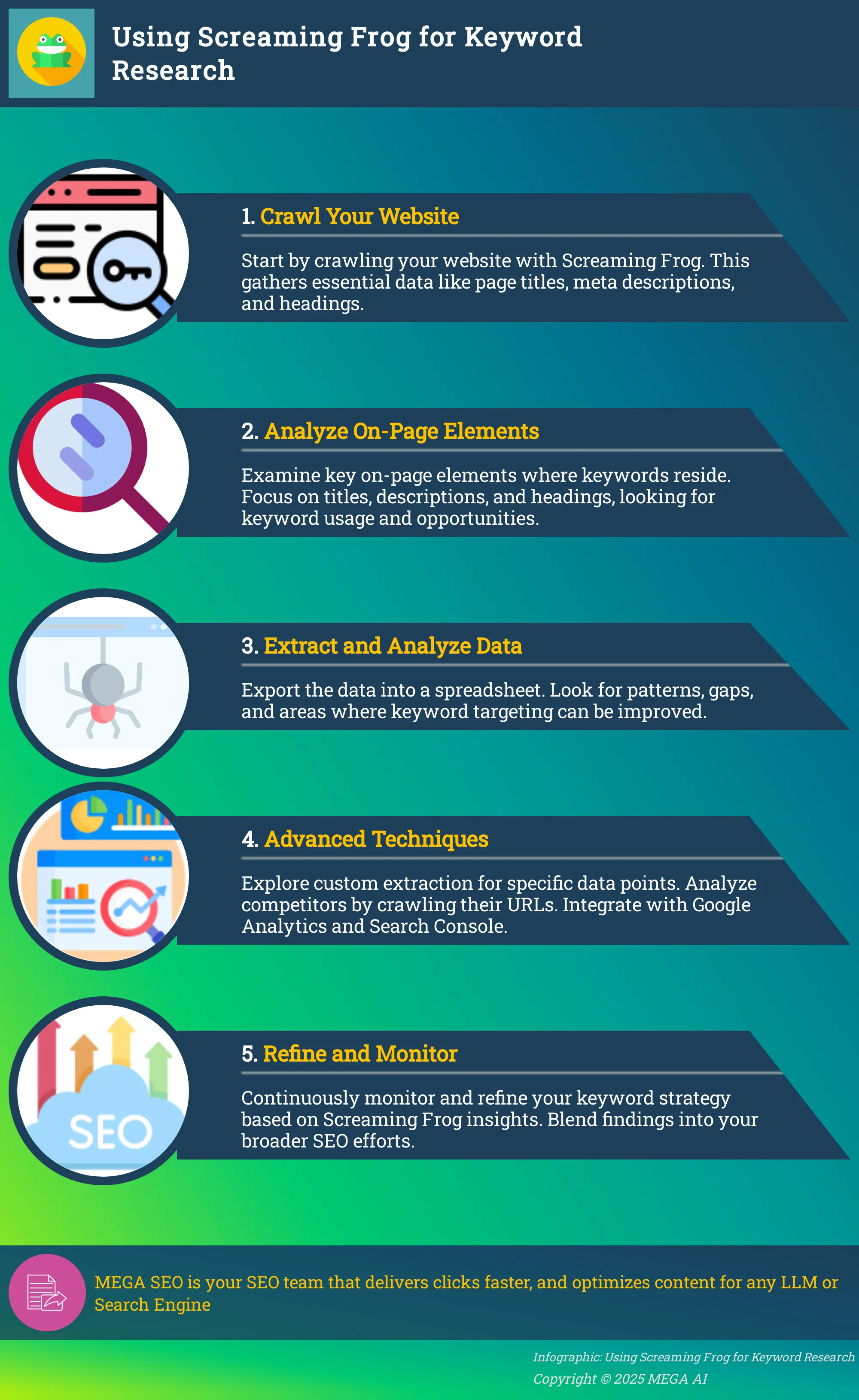
The first practical step is to get Screaming Frog to explore your website. Screaming Frog acts as an SEO spider, meticulously collecting data by crawling every page and extracting information directly from its HTML code. This initial crawl is fundamental because it gathers all the raw data you'll later analyze for keyword insights.
To begin, ensure you're in "Spider" mode, enter your website's URL into the top bar, and select "Start." As Screaming Frog crawls, it will populate various tabs with information. For keyword research, you'll be particularly interested in elements like page titles, meta descriptions, headings, and body content. You can effectively use Screaming Frog's keyword research tool alongside other free options, such as Google Keyword Planner, to gain a more comprehensive view of your keyword landscape.
Analyze Key On-Page Elements
Once your crawl is complete, it's time to examine the key on-page elements where your keywords should live. Screaming Frog provides a wealth of data, and its filters are incredibly helpful for sifting through large volumes efficiently. This allows you to isolate specific pieces of information, like pages missing meta descriptions or those with very long title tags.
Focus your attention on tabs like "Page Titles," "Meta Description," and "H1" and "H2." By regularly analyzing metadata and header tags with Screaming Frog, you can ensure these important SEO elements are optimized for both search engines and users. Ask yourself: Are your target keywords present? Are they used naturally? Are there opportunities to incorporate them more effectively? For instance, you can filter page titles to see which ones are too short, too long, or duplicated, all of which can impact how search engines understand and rank your content.
Extract and Make Sense of Keyword Data
After analyzing on-page elements within the tool, you'll want to extract this data to work with it more easily, often in a spreadsheet. Screaming Frog helps improve SEO by identifying site issues quickly and offering insights that optimize content and links. The data you export—like page titles, URLs, meta descriptions, and header tags—forms the basis of your keyword analysis.
Look for patterns and opportunities. Are certain pages ranking for unintended keywords? Are important pages missing clear keyword focus in their titles or descriptions? This extracted data allows you to build a comprehensive picture of your current keyword strategy. While Screaming Frog is powerful, sometimes users encounter issues like incomplete crawls or missing data. Often, checking configurations or memory allocation can resolve these common problems, ensuring you get the complete dataset you need for thorough content optimization.
Take Your Keyword Research Further with Advanced Techniques
Once you've got the hang of basic crawls and understand how to pull initial keyword data with Screaming Frog, you're ready to explore its true potential with more advanced techniques. These aren't just minor adjustments; they are powerful methods that can transform your keyword research from a simple data-gathering exercise into a strategic intelligence operation. By going beyond standard crawls, you can extract highly specific information tailored to your exact needs, conduct focused analyses of competitor strategies, and enrich your findings by integrating data from other essential SEO platforms like Google Analytics and Search Console. This deeper examination allows you to understand not just what keywords are present, but how they're performing and where the real opportunities lie, giving you a significant edge. This detailed insight is invaluable, especially when you're looking to refine strategies suggested by automated systems or want to provide more context to the keyword research and content generation efforts you might be managing through platforms like MEGA AI. These advanced approaches help you build a multi-dimensional view of your keyword landscape, ensuring your SEO efforts are both targeted and impactful. Mastering these techniques means you're not just collecting data; you're actively shaping a more effective SEO future for your website or your clients. Let's look at three specific ways you can enhance your Screaming Frog keyword research.
Dig Deeper with Custom Extraction
Custom extraction is a fantastic way to get really specific with the data you pull from a website. Instead of just relying on standard crawl data, you can tell Screaming Frog exactly what HTML elements you're interested in. For keyword research, this is incredibly useful. As the experts at SEO.com point out, "Screaming Frog allows users to perform custom extraction to pull specific data from a website's HTML, which can be particularly useful for keyword research." This means you can easily gather all meta descriptions, H1 tags, or even specific schema markup across a site. By extracting this targeted information, you can analyze how keywords are currently being used and identify areas for improvement or new keyword integration.
Analyze Competitors Using URL List Mode
Understanding what your competitors are doing is a cornerstone of effective SEO, and Screaming Frog’s URL List mode is a powerful ally here. Instead of crawling an entire website, you can feed it a specific list of competitor URLs—perhaps their top-ranking pages for keywords you’re targeting. This focused approach lets you analyze their SEO performance in detail. You can gather crucial insights into their keyword usage within title tags, meta descriptions, and body content, as well as understand their overall on-page optimization strategies. This intelligence is invaluable for refining your own keyword targeting and finding gaps you can exploit. It’s like getting a clear view of their playbook.
Connect Screaming Frog with Other SEO Tools
Screaming Frog becomes even more powerful when you connect it with other tools in your SEO arsenal, particularly Google Analytics and Google Search Console. This integration allows you to overlay Screaming Frog’s crawl data with real-world performance metrics. For instance, you can pull in valuable data about user behavior, like bounce rates or time on page for specific URLs, alongside their on-page keyword elements. You can also see impression and click data from Search Console, helping you understand which keywords are actually driving traffic. This combination provides a much richer, more comprehensive view, allowing you to make more informed decisions about your keyword strategy and prioritize efforts effectively.
Sharpen Your Keyword Strategy with Screaming Frog Insights
Screaming Frog is more than just a technical crawler; it's a key tool for refining your keyword strategy. Once you've gathered keyword data, Screaming Frog helps you analyze it to make smarter decisions, understand performance, and find new opportunities. This detailed analysis ensures your content resonates with search engines and your target audience. For businesses wanting to simplify this, MEGA AI's SEO services offer automation for keyword optimization and content maintenance.
Find Untapped Keyword Gaps and Opportunities
Grow your reach by finding keyword gaps—valuable search terms your audience uses but you aren't targeting. Screaming Frog helps you discover these opportunities by analyzing your site's current keyword usage. You can also crawl competitor sites in URL List mode to see what keywords they rank for that you might be missing. Comparing their focus with yours can spark fresh content ideas and help you pinpoint specific terms to attract new, relevant visitors to your site, broadening your understanding of the search landscape.
Spot and Fix Keyword Cannibalization
Keyword cannibalization occurs when multiple pages on your site compete for the same search terms, confusing search engines and weakening your ranking potential. Screaming Frog can help you identify these problematic overlaps. By examining page titles, H1 tags, and content, you can spot pages with overly similar keyword focuses. Once found, you can consolidate content onto one authoritative page or re-optimize conflicting pages for distinct keywords, ensuring each page serves a clear, unique purpose in your SEO strategy.
Evaluate Keyword Relevance and Strategic Placement
Simply having keywords isn't enough; they must be relevant and strategically placed within your content. Screaming Frog allows you to examine how and where keywords are used across your site. Use its filters and custom search features to check if target keywords appear in vital on-page elements like titles, headers, and meta descriptions. This helps you evaluate if your keywords are integrated naturally and support the page's main topic. Identifying pages where keywords feel forced or are missing from key areas shows you exactly where to focus optimization efforts.
Turn Data into Action: Reports and Visualizations
Gathering a wealth of keyword data with Screaming Frog is a significant first step, but its true power is unlocked when you translate that raw information into clear, actionable insights. It’s one thing to have numbers and lists; it’s another entirely to understand what they mean for your SEO and how to use them to make real improvements. This phase is all about moving from data collection to strategic application. Think of it like a chef who has gathered the finest ingredients – the data. Now, it's time to combine them thoughtfully, following a recipe – your strategy – to create a delicious meal, which in this case is improved search engine performance. Without this crucial step of analysis and planning, even the most comprehensive data set remains just potential. The goal here is to make sense of what Screaming Frog tells you and then build a roadmap for positive change.
Export and Organize Your Keyword Findings
Once your Screaming Frog crawl has finished its work, your immediate next step is to get that valuable keyword information out of the tool and into a format that’s easier to work with. Screaming Frog allows you to export data in several useful formats, such as CSV or Excel spreadsheets. This capability is essential because it lets you organize your keyword findings effectively. You can pull out everything from keyword usage details to various search engine optimization metrics, laying the groundwork for a deeper analysis. Taking the time to structure this research properly means you can easily sort, filter, and manipulate the data as you begin to develop your strategic approach. For businesses or agencies handling multiple clients or websites, establishing a consistent organization system for these exports is key to maintaining clarity and efficiency.
Build Smart, Data-Driven SEO Strategies
With your keyword data neatly exported and organized, you’re now in a prime position to build smarter, more effective SEO strategies. By leveraging Screaming Frog's comprehensive crawling capabilities, you can identify over 300 SEO issues, warnings, and opportunities that your keyword research helps bring to light. This detailed information allows you to prioritize fixes and optimizations based on concrete data rather than just intuition. Furthermore, using Screaming Frog, you can create visual representations of your site structure and how your keywords are distributed across your content. This visualization is incredibly helpful for developing a more coherent SEO strategy, allowing you to see clearly how your chosen keywords align with your content and overall site architecture. This clarity helps you make informed decisions that genuinely enhance your website's visibility and performance in search results. For ongoing optimization, a platform like MEGA AI can help you maintain and improve existing content based on these data-driven insights.
Overcome Common Screaming Frog Challenges
Even the most powerful tools can present a learning curve, and Screaming Frog is no exception. You might encounter a few bumps as you get started or try to scale your efforts. Don't worry, these are often easy to smooth out with a bit of know-how. Let's look at some common hurdles and how you can clear them to keep your keyword research on track.
Tackle Crawl Errors and Data Extraction Hiccups
It can be frustrating when Screaming Frog crawls don't start, stop unexpectedly, or seem to miss data you were counting on. Often, the fix is simpler than you think. First, double-check your settings to ensure they're correctly configured for what you want to achieve. It's also important to make sure you're not unintentionally asking Screaming Frog to access areas restricted by your website's robots.txt file, as this can halt or limit your crawl.
Beyond just getting the crawl to run, remember that Screaming Frog is fantastic for pinpointing technical SEO issues on your site. You can use it to find broken links, spot images missing alt text, or identify duplicate content. Making a habit of regularly checking for these kinds of problems will go a long way in maintaining your site’s overall SEO health and ensuring your keyword strategy has a solid foundation to build upon.
Make Your Crawls Faster and More Efficient
When you're dealing with large websites or complex analyses, crawl speed and efficiency become really important. Nobody wants to wait longer than necessary for their data. To make your Screaming Frog crawls more efficient, you can employ advanced tactics like refining your site's internal link structure, which helps the crawler move through your content more logically. It's also a good idea to validate any data integrations you're using and keep an eye on key performance metrics to see how your adjustments are impacting crawl performance.
Diving into Screaming Frog’s configurations can also significantly improve processing speed and how it handles data, leading to more successful and quicker crawls. Don't hesitate to explore the settings menu; tailoring the tool to your specific project needs can make a big difference. For instance, you might exclude certain URL parameters or file types that aren't relevant to your keyword research, saving valuable processing time.
Get the Most Out of Your Screaming Frog Keyword Research
Screaming Frog is a fantastic tool in your keyword research toolkit, but simply running a crawl is just the first step. To truly make the most of it, you need a thoughtful approach to how you integrate its findings into your overall strategy and how you maintain your efforts over time. It’s about turning that raw data into clear, actionable insights that genuinely improve your SEO. This means looking beyond the "what"—the keywords people are using—and understanding the "how" and "why"—how these keywords fit into your content, your site's structure, and your audience's journey. Many businesses find that while tools like Screaming Frog provide excellent data, the interpretation and implementation can be quite involved, which is where a clear understanding of your broader SEO goals becomes so important.
Think of Screaming Frog as providing a detailed map of the keyword landscape. It shows you the terrain, highlights interesting spots, and can even reveal some hidden gems. But it's your job as the strategist to chart the actual course. This involves connecting the dots between the keyword data and other vital SEO components, such as on-page optimization, your site's technical health, and what your competitors are doing. For example, identifying a high-volume keyword is one piece of the puzzle; figuring out how to naturally incorporate it into existing content or create new, engaging pieces around it is another. By adopting a comprehensive view and committing to an ongoing process of refinement, you can ensure your keyword strategy stays dynamic, responsive, and consistently helps your website grow.
Blend Findings into Your Broader SEO Strategy
The keyword data you gather from Screaming Frog becomes truly powerful when you weave it into your wider SEO activities. Try to think beyond just compiling a list of terms. Use what you've learned to guide your content creation, making sure your articles, blog posts, and product descriptions genuinely connect with what your audience is searching for. Screaming Frog makes it quite straightforward to analyze your website's URLs, which helps you identify any areas that could benefit from some optimization. Aim for clean, logical, and SEO-friendly URLs that incorporate relevant keywords where it makes sense, as this builds a solid foundation for a well-organized and easily discoverable site. This integrated approach helps search engines better understand your content and rank your pages more effectively.
Keep Monitoring and Refining Your Approach
Keyword research isn't a task you complete once and then forget about; it’s a continuous cycle of discovery, implementation, and adjustment. Regularly using Screaming Frog helps you stay informed about your site's SEO performance and health. It’s particularly useful for pinpointing technical issues on your site, such as broken links or duplicate content, which can negatively affect your keyword rankings. As you continue to crawl your site and analyze competitors, you'll uncover new keyword opportunities and identify areas that need attention. It's also a good idea to stay current with best practices for using Screaming Frog to ensure you're getting the most accurate data and avoiding common issues. This ongoing process of monitoring and refining keeps your keyword strategy sharp and effective.
How Screaming Frog Strengthens Your Overall SEO Efforts
Screaming Frog is a fantastic tool that does much more than just help with keyword discovery. Think of it as your website's personal detective, meticulously crawling through every page and link. This process uncovers valuable insights that can significantly strengthen your overall SEO performance. By giving you a detailed map of your site's architecture and on-page elements, Screaming Frog helps you spot critical issues and opportunities you might otherwise miss. This kind of comprehensive site analysis is really key to building a healthier, more visible website that search engines and users will love.
Pinpointing Technical SEO Issues
One of Screaming Frog's standout features is its ability to conduct thorough technical SEO audits. It diligently crawls your site to find common problems that can hold back your search engine rankings. These include things like broken links (those pesky 404 errors), confusing redirect chains, and instances of duplicate content.
It can also help you examine your XML sitemaps to make sure they're correctly formatted and include all the important pages you want search engines to index. Taking care of these technical glitches is a fundamental step for improving how easily search engines can crawl your site and understand what your content is all about.
Refining On-Page Elements
Beyond the technical nuts and bolts, Screaming Frog is brilliant at helping you fine-tune crucial on-page elements. You can easily analyze meta data and header tags across your entire site. This means checking for titles and descriptions that might be missing, duplicated, or not quite optimized for your target keywords.
It also lets you look at how you're using header tags (H1-H6) to ensure your content has a clear, logical structure. Plus, Screaming Frog makes it simple to assess your website's URLs. This helps you identify any that are too long, overly complex, or don't clearly describe the page content, giving you a chance to optimize them for better clarity and SEO.
Enhancing Content Effectiveness
While Screaming Frog is a champ for technical and on-page checks, the insights it provides also play a big role in making your content strategy more effective. By identifying pages that might have thin content, or by highlighting areas where your keyword targeting could be sharper (based on the current on-page data), it lays a solid foundation for content improvements.
When you combine its findings with information from dedicated keyword research tools, you get a much clearer picture of how well your existing content aligns with what users are actually searching for. This understanding helps you pinpoint where new opportunities lie for creating relevant content that has a better chance of ranking well.
Related Articles
- How to Use Screaming Frog: Mobile Optimization Guide
- SEO Tech Audit: A Comprehensive Guide for 2024
- Affordable Ahrefs Alternatives: Cost-Effective SEO Solutions
- Best SEO Tracking Tools to Boost Your Rankings
- Ultimate Keyword Research Checklist for SEO
Frequently Asked Questions
Is the free version of Screaming Frog good enough for keyword research, or do I really need the paid one? The free version of Screaming Frog is a fantastic starting point, especially for smaller websites, as it allows you to crawl up to 500 URLs. For basic keyword analysis on your own site, like checking how keywords are used in your titles and headings, it can provide valuable insights. However, if you're looking to do more in-depth competitor analysis, use advanced features like custom extraction extensively, or integrate with Google Analytics and Search Console, the paid version offers much more power and flexibility.
Screaming Frog seems very technical. Can I still use it effectively for keyword research if I'm not an SEO expert? While Screaming Frog has a lot of technical depth, you absolutely don't need to be a seasoned SEO pro to use it for keyword research. Start with the basics outlined in this post, like crawling your site and looking at the "Page Titles," "Meta Description," and "H1" tabs. Focus on understanding how your current keywords are implemented. As you get more comfortable, you can gradually explore features like Custom Search. The key is to start simple and build your knowledge.
How often should I run Screaming Frog crawls for keyword research purposes? There's no single magic number, but a good practice is to crawl your site for keyword analysis quarterly. This allows you to track changes, identify new opportunities, and catch issues like keyword cannibalization before they become major problems. If you're making significant content updates or launching new sections on your website, you might want to run a crawl more frequently to assess the impact of those changes on your keyword landscape.
The post mentions analyzing on-page elements. What's one key thing I should look for in the Screaming Frog data to quickly improve my keyword targeting? A great place to start is by examining your "Page Titles" tab. Look for titles that are missing, duplicated, too short, or too long. More importantly, check if your primary target keyword for each page is present and placed prominently, ideally towards the beginning of the title. Ensuring your titles are clear, compelling, and keyword-focused is a relatively quick win that can make a noticeable difference.
Can Screaming Frog help me find new keyword ideas, or is it mainly for analyzing keywords already on my site? Screaming Frog excels at analyzing how keywords are currently used on your site and your competitors' sites. While it's not a traditional keyword generation tool like Google Keyword Planner, it indirectly helps you find new opportunities. For instance, by crawling competitor sites, you can see which keywords they are targeting that you might have overlooked. You can also use its Ngram analysis or custom search to identify frequently used phrases on high-performing content, which can spark ideas for related keywords.


