

Uncovering the hidden strengths and weaknesses within your website's structure is key to unlocking better search engine performance. Your internal links form the backbone of this structure, influencing crawlability, indexation, and the flow of authority. Without a proper audit, you might be unaware of critical issues or missed opportunities. This is where understanding how to use Screaming Frog for internal linking becomes invaluable. We will explore how this powerful crawler allows you to dive deep into your site’s architecture, identify pages that need more support, fix broken pathways, and ultimately build a more robust and SEO-friendly internal linking system that helps your content shine.
Key Takeaways
- Understand Your Internal Links: Use Screaming Frog to map out how your pages connect, making it easier to find and fix issues like orphaned pages or poorly linked content.
- Pinpoint Linking Weaknesses with Data: Look at crawl depth, unique inlinks, and Link Score in Screaming Frog to identify which pages need more internal link support for better performance.
- Strategically Add and Monitor Links: Use Screaming Frog’s tools, like custom search, to find smart places for new internal links and regularly check how your changes are affecting your site’s performance.
What is Screaming Frog? Why It's Key for Internal Linking
When you're working to improve how your website performs in search engines, you'll likely come across a tool called Screaming Frog. It's essentially a website crawler—think of it as a digital spider—that thoroughly examines your site, much like search engine bots do. Its main purpose is to help SEO professionals, and really anyone managing a website, analyze their site and pinpoint areas for optimization. For internal linking, which is all about how the pages on your own website connect to one another, Screaming Frog is incredibly useful. It provides a clear picture of your site's interconnectedness, a crucial aspect for making your site easy for users to move through and for search engines to understand its structure.
A significant advantage of using Screaming Frog for your internal linking strategy is its ability to find "orphaned pages." These are pages on your site that aren't linked from any other page, effectively making them hidden from both users browsing your site and search engine crawlers. If search engines can't locate a page, it simply won't be indexed or appear in search results. Screaming Frog explains that internal links are vital because they "help search engines understand your website's structure and pass 'authority' between pages, improving search rankings"; you can explore their internal linking audit guide for a deeper understanding. Locating and linking to these orphaned pages ensures all your valuable content is accessible and contributes to your site's overall authority.
Beyond just orphaned pages, Screaming Frog also helps you spot other issues that can undermine your internal linking efforts. For example, it can identify pages that are "poorly linked," meaning they lack sufficient internal links pointing to them. It can also highlight "non-descriptive anchor text." Anchor text is the clickable text in a hyperlink, and using generic phrases like "click here" offers little context to search engines or users about the linked page's content. Addressing these problems, which an article from Optimising outlines can help you uncover internal link opportunities, allows you to create a more coherent and effective internal linking structure. This, in turn, makes your website more user-friendly and can lead to better SEO results.
Set Up Screaming Frog for Internal Link Analysis
Getting Screaming Frog ready for internal link analysis is a clear process. A few initial steps will help you gather the right data to make smart decisions about your website's structure and how link equity flows through it. Properly configuring the tool from the beginning can save you considerable time and allow you to focus on the insights that genuinely impact your SEO. Let's walk through how to get the software and adjust its settings for an effective internal link audit.
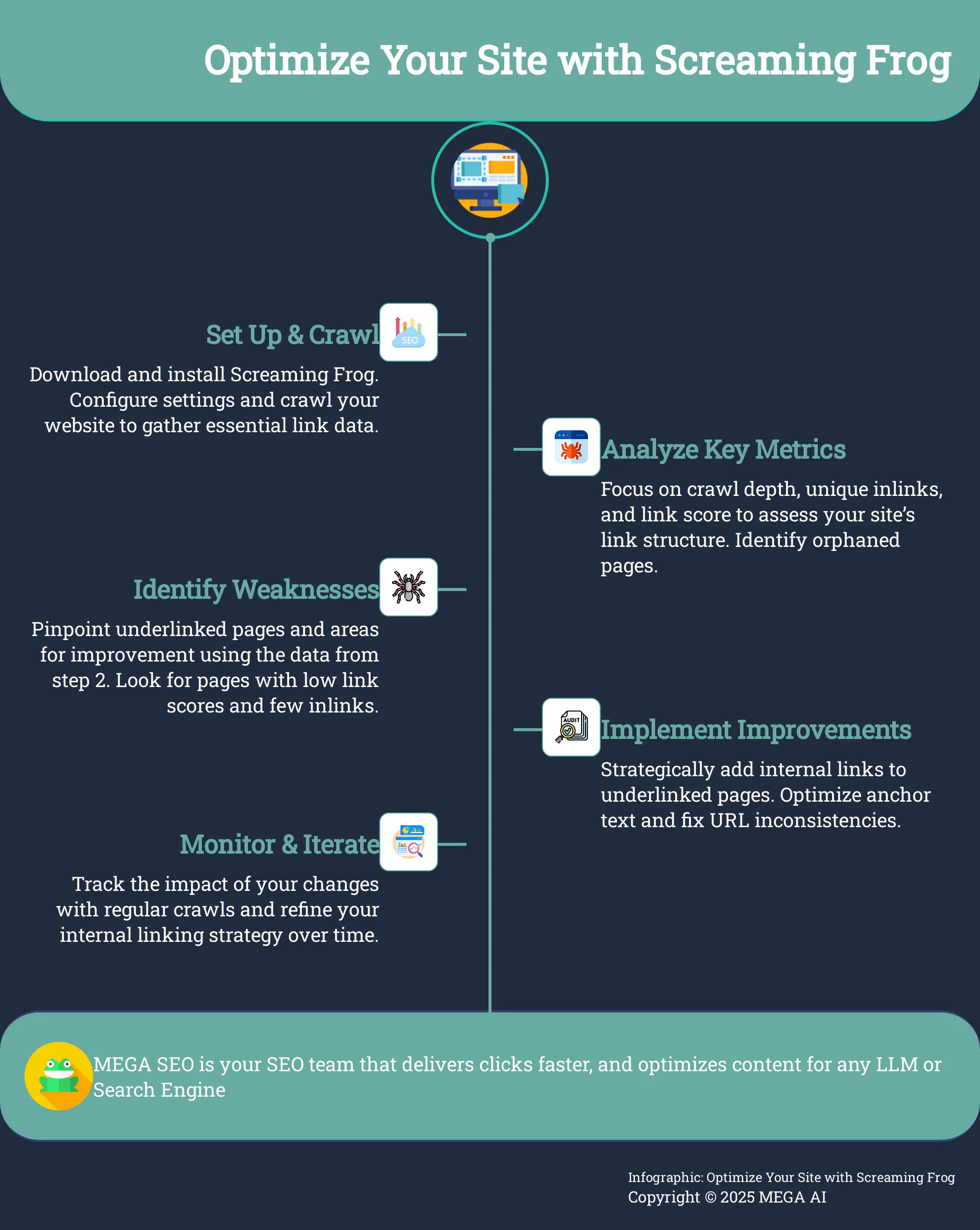
Download and Configure Screaming Frog
First, you'll need to download Screaming Frog SEO Spider to your computer. The good news is they provide a free version that is quite useful, allowing you to crawl up to 500 URLs. This makes it an excellent starting point if you're new to the tool or if you manage a smaller website or blog. Using the free version is a practical way to become familiar with its interface and main features before you think about a paid license. Once downloaded and installed, the standard configuration is often enough for a basic crawl, but we will look at specific customizations next.
Customize Your Settings for Internal Link Crawls
Once Screaming Frog is installed and running, you might want to adjust some settings, particularly if your website has a non-standard HTML structure. For a thorough internal link analysis, understanding where your links are placed on a page—such as in the main content, navigation, or footer—can offer valuable information. The paid version of Screaming Frog allows you to customize how link positions are classified. You can access this feature by going to 'Config > Custom > Link Positions'. The tool uses default search parameters to identify link locations, but you can modify these to match your site’s specific coding, which helps ensure more accurate reporting on your internal link placements.
Key Internal Linking Metrics to Watch in Screaming Frog
When you're using Screaming Frog to get a handle on your internal linking, knowing which metrics to focus on can make all the difference. Think of these numbers as a health check for your website, showing you how easily search engines and your visitors can find important content. They also reveal how link equity, or 'link juice,' flows through your site, which is a big factor in how well your pages rank. By keeping an eye on a few key indicators within Screaming Frog, you can quickly spot areas where your linking strategy might be falling short and identify opportunities to improve your site’s overall SEO performance. This isn't about getting lost in a sea of data; it's about using specific insights to make smart, effective changes that can lead to better visibility and user experience. Understanding these metrics helps you ensure that your most valuable pages are well-supported by your site's structure. Let’s explore some of the most impactful metrics Screaming Frog offers to help you refine your internal linking and make sure your best content gets the attention it deserves from both search engines and potential customers. These insights are crucial for building a strong foundation for your website's SEO.
What is Crawl Depth? How It Affects Your Links
Crawl depth tells you how many clicks it takes to get to a specific page starting from your homepage. This is a really important metric because pages that are buried deep within your site structure (meaning they have a high crawl depth) are much harder for search engines to discover and index. Ideally, your most important pages should have a crawl depth of three or less. This ensures they are easily accessible. You can find this information in Screaming Frog after running a crawl by navigating to the 'Internal' tab. Look for the 'Crawl Depth' column; you can sort by this column to quickly see which pages might be too far from the homepage. For a deeper understanding, Screaming Frog provides excellent tutorials on how to conduct a thorough internal linking audit.
Analyze Unique Inlinks and Link Score
When you're looking at your internal linking, pay close attention to the 'Unique Inlinks' and 'Link Score' metrics in Screaming Frog. The 'Unique Inlinks' column shows you how many different pages on your own site are linking to a particular URL. Pages that have very few unique inlinks might not be receiving enough internal authority, which can hold back their performance in search results. Alongside this, Screaming Frog calculates a 'Link Score,' which is essentially its own version of an internal PageRank. This score helps you assess how important a page is based on the internal links it receives. A low Link Score often indicates that a page could benefit from more internal links to increase its perceived value and visibility within your site's architecture.
Find Orphaned Pages: Why They Need Your Attention
Orphaned pages are those URLs on your site that have no internal links pointing to them. This means visitors can't find them by navigating through your website, and search engines will have a very hard time discovering them too. If search engines can't find these pages, they certainly can't index or rank them, which can negatively affect your site's overall SEO. To find orphaned pages, you'll typically compare the data from your Screaming Frog crawl (which shows all internally linked pages) with lists of URLs from other sources like your sitemap, Google Analytics, or Google Search Console. Screaming Frog can help you compare these sources to pinpoint these isolated pages. Once identified, you'll need to decide whether to integrate them with internal links, redirect them if they're outdated, or delete them if they no longer serve a purpose.
Find and Improve Underlinked Pages with Screaming Frog
Once your Screaming Frog crawl is complete, it's time to examine the data to find pages that could benefit from more internal link support. Identifying and strengthening these connections can significantly improve how search engines discover and value your content. Let's explore how you can pinpoint these opportunities and take effective action.
How to Read the Internal Links Report
To begin, you will want to focus on Screaming Frog's internal links report. After your site crawl finishes, go to the "Internal" tab. Here, you will find a lot of information about each URL. The key columns for identifying underlinked pages are "Unique Inlinks" and "Link Score." "Unique Inlinks" shows you the exact number of individual internal pages linking to a specific URL. You can sort this column to quickly see pages with very few or even zero inlinks. Screaming Frog also provides a "Link Score." This metric, on a scale of 0-100, estimates the relative importance of a page based on its internal links. Pages with a low Link Score often have fewer unique inlinks. By examining these metrics, you can identify pages that are good candidates for receiving more internal link attention.
Effective Ways to Strengthen Weak Internal Links
Once you've pinpointed pages needing more internal links, the next step is finding relevant spots to add them. Here are effective approaches:
Leverage Performance Data: Connect Screaming Frog to Google Search Console (GSC) and Google Analytics 4 (GA4). Look for pages with high GSC impressions but low click-through rates, or GA4 pages with solid traffic that could be more visible. These are prime candidates for more internal links, as better visibility can direct more traffic to them.
Discover Linking Opportunities: Use Screaming Frog’s "Custom Search" feature. Search your site's content for keywords related to your underlinked page—for example, "sustainable gardening" if that's your target page's topic. This helps find new, relevant places for links.
Optimize Link Placement: Where you place a link matters. Links within the main body content are typically more impactful than those in footers or sidebars. Use descriptive anchor text, not generic phrases like "click here," to clarify the destination for users and provide better search engine context.
Use Screaming Frog Data to Optimize Your Internal Linking Strategy
Once your Screaming Frog crawl is complete, you can analyze the data to make meaningful improvements to your site's internal linking. This isn't just about adding links randomly; it's about strategically connecting your content to guide users and search engines effectively. By focusing on a few key areas, Screaming Frog's insights help you build a stronger website structure.
Prioritize Pages for Better Internal Linking
Screaming Frog helps identify pages needing better internal linking. A key metric is 'crawl depth,' showing clicks needed to reach a page from your homepage. High crawl depth makes pages harder for search engines to find. Aim for a crawl depth of three or less for important content. Screaming Frog's internal linking audit features simplify spotting these deeper pages.
Connecting Screaming Frog to Google Search Console (GSC) and Google Analytics 4 (GA4) reveals performance data with crawl data. This helps find pages with many impressions but few clicks. These are often good candidates for more internal links from relevant, authoritative pages, which can improve their visibility.
Improve Your Anchor Text Distribution
The text used for internal links, known as anchor text, significantly impacts how search engines understand the linked page's content. Screaming Frog helps identify links with weak or generic anchor text, like "click here" or "read more," which offer little context to search engines or users.
Your goal is to replace these with descriptive anchor text. For instance, instead of "click here," use anchor text like "explore our SEO tools." This approach clearly indicates the linked page's topic, benefiting user experience and SEO. Backlinko offers a comprehensive guide on how effective anchor text can make your content more understandable to Google.
Find Linking Opportunities with Custom Search
Screaming Frog’s custom search feature is a powerful tool for finding new internal linking opportunities. If an important page needs more link equity, use custom search to find other site pages mentioning relevant keywords that don't yet link to it. This involves searching for keywords related to your underlinked page.
To make this more effective, you can configure the custom search to exclude pages already linking to your target URL, ensuring you find new opportunities. A second custom search can identify pages already linking to your target, helping avoid redundant links and focusing efforts on valuable new connections.
Advanced Ways to Analyze Internal Links
Okay, you've gotten comfortable with the basics of using Screaming Frog for internal linking, and now you're ready to explore some more powerful techniques. This is where you can really start to fine-tune your website's architecture and uncover those game-changing insights. Moving beyond standard reports allows you to conduct a much more granular analysis, tailored specifically to your site's structure and your unique SEO objectives. Think of it as graduating from a general check-up to a specialist consultation when it comes to diagnosing and improving your site's internal link health. These advanced methods are key to identifying subtle yet impactful opportunities and resolving complex issues that basic checks might miss.
So, why invest the time in these more intricate approaches? Because a truly optimized internal linking structure is a cornerstone of effective search engine optimization. It directly influences how search engines crawl, understand, and assign value to your pages. More importantly, it guides your users seamlessly through your site, improving their experience and encouraging them to engage more deeply with your content. By employing advanced analysis, you can ensure your most critical pages are properly supported with internal links, test the impact of your linking strategies with precision, and build a website that’s not only search engine friendly but also incredibly user-centric. This deeper understanding allows you to make data-driven decisions that can significantly enhance your site's performance and help you achieve your business goals, whether that's increasing organic traffic or improving conversion rates.
Use Custom Filters for Targeted Analysis
Screaming Frog’s real power often lies in its customization. The 'Custom Search' feature is a fantastic example, letting you zero in on specific internal linking opportunities or problems. As the experts at Screaming Frog detail, you can use this to "find places to add links to underlinked pages. Search for keywords related to the underlinked page, but exclude pages that already link to it." This is incredibly useful. Imagine you have a new cornerstone piece of content; you can search your existing blog posts for relevant keywords and phrases, filtering out any pages that already link to your new piece. This way, you get a clean list of prime candidates for adding new, relevant internal links, ensuring your important content gets the support it needs without redundant efforts.
Export and Visualize Your Internal Linking Data
Sometimes, seeing the data laid out clearly makes all the difference. Screaming Frog allows you to export vast amounts of information, and the 'All Inlinks' export is particularly valuable for internal linking. According to Screaming Frog's own guide, using this export helps you "see which pages have few links pointing to them." This is crucial because it "allows you to prioritize high-value pages that need more links." Once you have this data in a spreadsheet, you can sort, filter, and even use conditional formatting to quickly identify pages with low inlink counts. Visualizing this data, perhaps by creating simple charts or color-coding, can make it much easier to spot patterns and communicate your findings to your team or clients, helping everyone understand where linking efforts should be focused.
Get More from the Crawl Comparison Feature
Made some changes to your internal linking? That's great. But how do you know if they actually worked? This is where Screaming Frog's 'Crawl Comparison' feature becomes incredibly helpful. It allows you to compare two different crawls of your site – typically one before you made changes and one after. As highlighted in a Screaming Frog tutorial, you should "test your changes using Screaming Frog's 'Crawl Comparison' feature to see if they improved your site's ranking and traffic." Importantly, they advise to "allow 2-4 weeks after making changes before running the comparison." This waiting period is key for search engines to recrawl your site and for changes to propagate. This feature provides concrete data on how your internal linking adjustments have affected things like crawl depth, link scores, and even indexability, offering valuable feedback on your strategy.
Address Common Internal Linking Issues
Internal linking is a real workhorse for your website's SEO. It guides both your visitors and search engine crawlers smoothly through your site, helps spread page authority, makes navigation easier, and allows search engines to find and index your content more effectively. When it’s done well, it’s fantastic. However, it's pretty common for even the best internal linking plans to develop a few hitches over time. Issues like accidentally sending too many links to less important pages, or ending up with a messy web of inconsistent URL structures and redirect chains, can really water down your site's authority. These problems can confuse search engines about which of your pages are the most important and can even use up your valuable crawl budget, meaning some of your great content might not get indexed as quickly or as often as it should.
Think of your website's internal linking like a well-drawn city map. Clear, direct routes help everyone get where they need to go without fuss. But if that map is cluttered with dead ends, confusing detours, or too many signs pointing to minor spots, it just becomes frustrating and inefficient. Similarly, internal linking snags can stop "link equity"—that valuable ranking power—from flowing smoothly to your key service pages, product descriptions, or cornerstone articles. The good news is that with a tool like Screaming Frog, you can systematically diagnose these common issues and get them sorted. Let's look at two frequent culprits: the habit of overlinking to low-priority pages and the challenge of untangling inconsistent URLs or long redirect chains. Tackling these will help make sure your internal linking efforts are truly supporting your SEO goals, not accidentally working against them.
Stop Overlinking to Low-Priority Pages
It's quite easy to get into the habit of linking to every related page you can think of. While the intention is good, this can sometimes mean your less critical pages end up with more internal links than they perhaps warrant. This isn't ideal because it can dilute the "link equity," or ranking power, that should ideally be flowing to your most important content—like your main service pages or key informational blog posts. Screaming Frog is a great help here because it allows you to visualize how your internal links are distributed across your site. As the team at Screaming Frog rightly says, "Internal links are crucial for SEO, but often ignored... You should prioritize link changes based on how much they'll help and how easy they are to make." So, dive into your link reports and see if any low-priority pages are getting a bit too much link love. Then, you can strategically redirect some of that attention to the pages that truly drive your business forward.
Fix Inconsistent URL Structures and Redirect Chains
Inconsistent URL structures and lengthy redirect chains are like sending your visitors and search engines on an unnecessary scenic route. Problems such as mixing HTTP and HTTPS, using both www and non-www versions of your site, or having inconsistent trailing slashes can create signals of duplicate content or dilute your link equity. Redirect chains, where one URL redirects to another, which then redirects to yet another, also use up your crawl budget and can slow down how quickly your pages load. Screaming Frog is excellent for uncovering these kinds of problems. It can help you pinpoint broken links and clearly map out any redirect chains. As the folks at InLinks mention, "Screaming Frog can find problems with your internal links, including broken links and redirect chains. Regular audits can help identify these issues and ensure a clean linking structure." Making these fixes a priority is important for a healthy website, as it improves the experience for both your users and search engines, aligning with Google's 'Reasonable Surfer Model' which even considers the position of links on a page.
Implement and Monitor Internal Linking Improvements
Once you've identified areas for improvement with Screaming Frog, the next steps are to put those changes into practice and then keep a close watch on how they perform. This is where your strategic efforts begin to show real results, and consistent monitoring ensures your website’s internal linking structure remains strong and effective over time.
Develop a System for Internal Linking
With your Screaming Frog data in hand, it's time to create a methodical way to improve your internal links. This isn't about randomly adding links; it's about having a clear plan. Screaming Frog is a fantastic tool to pinpoint problems and opportunities with your current internal links, such as pages buried too deep in your site structure or those that don't have enough incoming links.
A really practical approach is to use Screaming Frog’s custom search feature. You can set this up to find pages that mention keywords related to a specific page you want to link to, but importantly, it can find mentions that aren't already linked. This helps you discover natural, contextual places to add valuable internal links. For businesses looking to streamline this, MEGA AI offers SEO features that can help manage these linking opportunities more efficiently.
Track the Impact of Your Changes and Conduct Regular Audits
After you’ve made your internal linking updates, it’s important to see what effect they've had. Regular audits are also essential to keep your internal linking in top shape. Screaming Frog offers a 'Crawl Comparison' feature, which is very useful for testing your internal link changes. It's a good idea to wait about two to four weeks after making changes before running a new crawl to compare. This gives search engines time to process your updates.
Make internal link audits a regular part of your SEO routine. Experts often suggest you should check your internal links using tools like Google Search Console or Screaming Frog at least once or twice a year. This helps you catch any broken links and ensure your link equity is distributed well. To further support this, MEGA AI’s Maintenance Agent can identify new content to add to existing articles, which naturally creates more internal linking opportunities and helps optimize your content.
Integrate Screaming Frog Analysis into Your SEO Strategy
Once you've gotten comfortable with using Screaming Frog for your internal link audits, the real magic happens when you start weaving these findings into your everyday SEO practices. It’s about more than just spotting issues; it’s about using that rich data to make smarter, more informed decisions for both your content strategy and your technical SEO. When you combine Screaming Frog's powerful crawling abilities with other tools and a strategic approach, you can really refine how you handle on-page optimization and see better results.
Combine Screaming Frog Data with Analytics Platforms
Screaming Frog becomes an even more valuable ally when you connect it with your analytics tools. You can integrate Screaming Frog with Google Search Console and Google Analytics, which gives you a much clearer view of which pages are already bringing in visitors. This connection lets you see traffic and engagement data right alongside your crawl information.
With this combined insight, you can make more strategic choices about where to focus your internal linking efforts. Instead of making educated guesses, you’ll know precisely which of your popular pages could benefit most from additional internal links. This helps to further improve their visibility and performance in search results, ensuring your work is concentrated where it will make the biggest difference to your site’s SEO.
Use Insights to Inform Your Content and SEO Plans
The information you gather from Screaming Frog, particularly when paired with analytics, provides excellent direction for your wider content and SEO strategies. For example, by linking Screaming Frog to Google Search Console (GSC) and Google Analytics 4 (GA4), you can identify pages that get plenty of views but not many clicks. These pages are ideal candidates for enhanced internal linking, which can directly help their performance.
Screaming Frog’s ‘Crawl Comparison’ feature is also incredibly useful. After you’ve updated your internal links, give it a few weeks, then run a new crawl and compare it to your previous one. This allows you to evaluate if your linking strategy changes have positively affected your site's rankings and traffic. Consistently addressing internal linking issues, as detailed in many internal linking audit guides, is a core part of a robust SEO foundation, leading to improved search engine rankings and overall website traffic.
Handle Common Screaming Frog Challenges for Internal Linking
Screaming Frog is a fantastic tool for SEO, but like any software, you might run into a few common questions or challenges, especially if you're new to it or dealing with a particularly large website. The good news is that most of these are easy to address. Understanding these potential hurdles and how to manage them will help you make the most of Screaming Frog for your internal linking strategy. Let's look at how to handle large site crawls and some quick tips to get you started smoothly.
Manage Large Websites and Crawl Limits
When your website has a lot of pages, it's helpful to know how Screaming Frog handles size. The free version is quite capable and lets you crawl up to 500 URLs, which is often perfect for smaller sites or blogs. If your website is more extensive, you'll likely find this limit restrictive.
For larger sites, upgrading to the paid version is a practical step. This removes the URL cap and also provides access to additional features that can significantly refine your internal linking analysis. For example, if your site has a complex layout, you might want to customize link position classification. This feature, available with a paid license, can give you more precise data on where your links appear on a page, helping you better understand and improve your site’s internal linking structure.
New to Screaming Frog? Quick Start Tips
If you're just getting started with Screaming Frog, the free version is a great way to become familiar with its interface and core functions. A useful technique is to use both standard text searches and regular expressions (regex) for keywords. This allows you to find variations of your target terms, which can uncover more internal linking opportunities you might have missed.
Making it a regular practice to audit your internal links with Screaming Frog is also very beneficial. The tool excels at helping you improve the link structure for pages that might be buried deep within your site, ensuring that your valuable content is easily discoverable by both users and search engines. To begin, simply enter your website's URL to start a crawl. After the crawl finishes, you can select specific URLs and check the 'Inlinks' tab at the bottom to see all the internal pages linking to them.
Related Articles
- Effective Internal Linking: Boost SEO for Category Pages
- Internal Links: Boost Crawling & Indexing for SEO
- Mastering SEO Content: Best Practices for Effective Linking
- Boost Your SEO Strategy: Mastering Crawlability Tips
- How to Use Screaming Frog: Mobile Optimization Guide
Frequently Asked Questions
I've downloaded Screaming Frog. What's a good first step for checking my internal links? Once you have Screaming Frog installed, a great starting point is to simply enter your website's URL and run a crawl. After the crawl completes, head to the 'Internal' tab. This section gives you a comprehensive list of your site's pages and initial data points, like how many clicks it takes to reach each page from your homepage, which is a good indicator of your site's accessibility.
I keep hearing about "crawl depth." Why should I care about it for my website's links? Crawl depth essentially tells you how many clicks away a page is from your homepage. This matters because pages that are buried very deep within your site structure can be harder for search engines to find and index. Screaming Frog clearly shows the crawl depth for each URL, helping you ensure your most important content is easily discoverable.
My site has a lot of pages. How can Screaming Frog show me which ones aren't getting enough internal link love? After running a site crawl, Screaming Frog provides useful columns like 'Unique Inlinks' and 'Link Score' in the 'Internal' tab. 'Unique Inlinks' shows how many other pages on your site link to a specific page. If this number is low, or if the 'Link Score' (Screaming Frog's internal importance metric) is low, it often means that page could benefit from more internal links to improve its visibility and authority.
Is there a common internal linking mistake Screaming Frog can help me spot and fix easily? One frequent issue is using generic or uninformative anchor text for internal links, such as "read more" or "click here." Screaming Frog can help you identify these by examining the 'Anchor Text' in the 'Inlinks' tab for specific URLs or through its broader link reports. You can then work on updating this text to be more descriptive, which is much better for both user experience and search engine understanding.
After I've updated some internal links, how can I use Screaming Frog to know if my changes made a difference? Screaming Frog includes a 'Crawl Comparison' feature that's very helpful here. You can run a crawl of your site before you implement your internal linking changes, save it, and then run another crawl a few weeks after your updates have been live. Comparing these two crawls can show you how metrics like crawl depth, link scores, or the number of inlinks to key pages have changed, giving you concrete feedback on your efforts.


