

Every digital marketer and business owner seeks actionable strategies to enhance their website's performance. Site speed is a non-negotiable element for success, directly impacting user satisfaction and SEO. Majestic provides a wealth of data about your site's backlink profile, offering clues about its authority and online reputation. While it doesn't directly tweak server settings, the insights gleaned from Majestic can guide your efforts toward a healthier, more credible website, which often performs better. The key is knowing how to translate that link data into tangible improvements. This article will detail how to use Majestic for site speed improvement? by focusing on practical steps you can take, using Majestic's features to identify opportunities that contribute to a faster and more robust online presence for your users.
Key Takeaways
- Assess Your Backlink Health with Majestic: Use Majestic’s Trust Flow and Citation Flow to understand your site's link quality, a key factor that contributes to overall site authority and can influence how search engines view its performance.
- Find Quality Link Prospects Using Competitor Data: Leverage Majestic’s Site Explorer and Clique Hunter to analyze where your competitors get their links, helping you identify strong, relevant link-building opportunities for your own site.
- Act on Majestic’s Insights Efficiently: Combine Majestic’s backlink data with direct speed testing tools, and use a platform like MEGA AI to automate and implement the necessary content and linking improvements faster.
How Can Majestic Help Improve Your Site Speed?
Understanding how different tools contribute to your website's overall health is key, and Majestic is a valuable asset in your SEO toolkit. While it's primarily known for backlink analysis, its insights can indirectly lead to a faster, better-performing website. Let's explore how.
What is Majestic? How Does It Connect to Site Speed?
Majestic is a powerful online tool that provides a comprehensive view of how websites are interconnected across the internet. Essentially, it creates a detailed "map" of the web, showing which sites link to others. This information is incredibly useful for digital marketing and SEO, as it helps you understand your site's online presence and identify areas for improvement. You might be wondering how this relates to site speed. While Majestic doesn't directly adjust your site's loading times, its strength lies in backlink analysis. By helping you analyze your backlinks, it guides you in building a well-optimized site. Websites with high-quality backlinks often achieve better search engine rankings. This improved visibility and credibility can correlate with better overall site performance, which includes how quickly your pages load for users.
Discover Majestic's Key Features for Performance Analysis
Majestic offers several key features that can significantly aid in your site's performance analysis, ultimately contributing to improved site speed. One of its primary functions is allowing you to analyze your competitors' online strategies, including their backlink profiles. Understanding what works for others in your niche can provide valuable insights to refine your own strategies for enhancing site performance. Majestic also excels at identifying and helping you fix broken links on your website, which can negatively impact user experience and search engine reputation, indirectly affecting site speed.
Furthermore, by assessing backlink quality and quantity, Majestic helps you gauge your site's authority. Higher authority often correlates with better performance, as search engines favor credible, well-linked sites. This focus on quality can lead to a more efficient website. By using these features, you can identify high-quality links that positively contribute to your site's performance, paving the way for a faster user experience.
How to Use Majestic's Site Explorer for Speed Insights
Majestic's Site Explorer is a fantastic tool for digging into your website's backlink profile. While it won't directly measure your page load times, it offers valuable clues that can help you uncover underlying issues potentially slowing down your site. By understanding which metrics to focus on within Site Explorer, you can gather insights that contribute to a faster, more user-friendly website. Let's look at how you can use these backlink insights to inform your speed optimization efforts.
Identify Essential Metrics for Speed-Related Issues
When you're using Site Explorer to look for speed-related clues, certain metrics can act as indirect indicators. It's helpful to examine the overall health of your backlink profile. For instance, a sudden increase in low-quality or spammy links might point to broader site neglect or even a security compromise, both of which can significantly drag down performance. Also, consider the quality of the domains referring to your site. Are your links mostly from well-maintained, authoritative websites, or do they come from slow, less trustworthy sources? Even the Topical Trust Flow, which helps you gauge the thematic relevance of your backlinks, can offer hints. A high number of off-topic links might suggest a less-than-natural link profile, which can sometimes be associated with sites that don't prioritize overall user experience, including site speed.
Interpret Trust Flow and Citation Flow for Better Performance
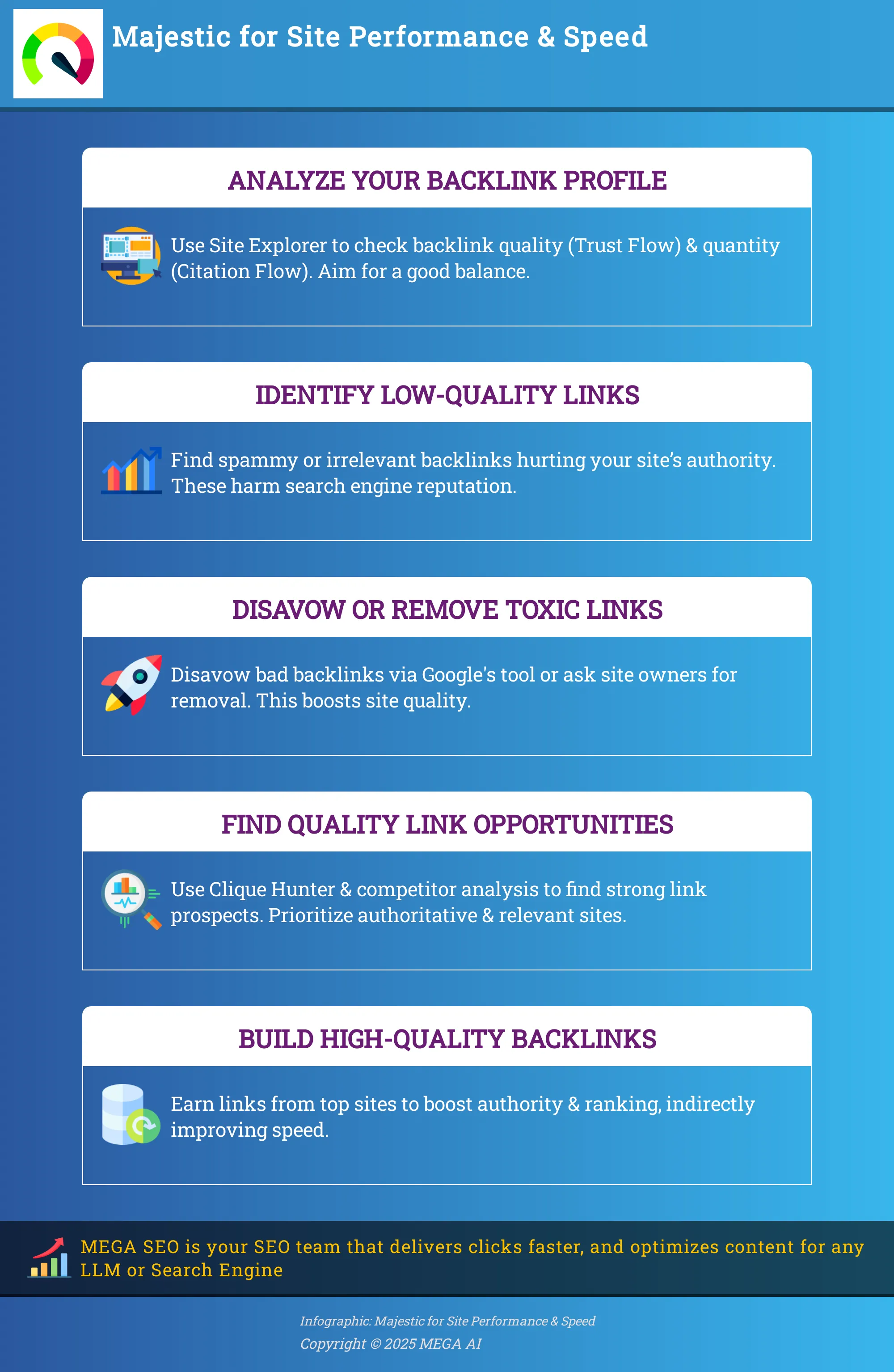
Two key proprietary metrics in Majestic are Trust Flow (TF) and Citation Flow (CF). Understanding these can offer insights into your site's perceived quality, which often has a connection to its performance. Trust Flow aims to measure the trustworthiness of sites linking to yours, essentially giving you a sense of link quality. Citation Flow, on the other hand, predicts how influential a URL might be based on the sheer number of sites linking to it, indicating link quantity. What you're looking for is a healthy balance between these two. A high Citation Flow paired with a disproportionately low Trust Flow can suggest that many of your backlinks are coming from less reputable or lower-quality sources. Websites that exhibit a strong, natural link profile, often indicated by a good TF/CF ratio, tend to be better maintained in all aspects, including their loading speed.
Use Backlink Analysis to Enhance Your Site Speed
While backlinks might not directly adjust your server response times, a healthy backlink profile is a key part of a well-performing website. Think of it this way: search engines aim to direct users to high-quality, trustworthy sites. If your site is linked with spammy, slow-loading websites through low-quality backlinks, it can send the wrong signals. Majestic is an excellent tool for examining your backlink profile, helping you understand who is linking to you and how those links might be perceived. By tidying up your site's online connections and building strong relationships, you contribute to its overall authority and trustworthiness. These factors are vital for SEO and can indirectly support a perception of quality and speed.
Pinpoint and Address Low-Quality Backlinks
First, let's focus on tidying up your existing links. A backlink analysis involves carefully reviewing all the websites that link to yours. The main goal here is to understand their quality and how they impact your site. Some links are beneficial, originating from authoritative sites and positively acknowledging your content. Others, however, are not helpful. These low-quality or spammy backlinks can come from irrelevant or poorly maintained sites and offer no real value. Using Majestic, you can identify these less-than-ideal links. Once found, you can take action, such as using Google's disavow tool to ask search engines to disregard them, or you might contact the site owner to request removal. This process helps ensure your site is associated with reputable online properties.
Develop Strategies to Improve Your Backlink Profile
After you've addressed any problematic links, the next step is to build a stronger, healthier backlink profile. This isn't just about acquiring more links; it's about obtaining the right kind of links. Majestic offers a wealth of data that helps you make informed decisions in this area. By understanding how to effectively use Majestic's features and interpret its metrics correctly, such as Trust Flow and Citation Flow, you can gain valuable insights into your website's current link profile. This information allows you to create a targeted strategy. For example, you might identify types of content that tend to attract high-quality links or discover authoritative sites in your niche from which you could potentially earn links. A robust backlink profile signals to search engines that your site is a valuable resource.
Use Competitor Backlink Data for Speed Optimization
Examining your competitors' backlink profiles can provide very useful information. Majestic is quite effective for comprehensive competitor research, allowing you to use advanced filters to see who is linking to your competitors and to analyze the quality of those links. How does this relate to speed? If your competitors are receiving links from fast, authoritative, and relevant sites, those are the kinds of sites you might also want to target. Conversely, if you notice competitors with many links from slow or spammy domains, it serves as a good reminder of what to avoid. This analysis helps you identify opportunities to build high-quality links that can enhance your own site's authority and, by association, its perceived quality and performance.
Optimize Your Site's Link Structure Using Majestic
Your website's link structure is a fundamental aspect of its online presence, covering both the internal links that connect pages within your site and the external backlinks pointing to it from other websites. This structure plays a significant part in how search engines like Google understand, crawl, and ultimately rank your content. While optimizing your link structure might not directly tweak your server's response time, a thoughtfully crafted and well-maintained link profile contributes to a healthier, more authoritative website. This, in turn, often correlates with better overall site performance and a more satisfying user experience. Think of it as ensuring all the digital pathways to and within your online space are clear, logical, and efficient, making for smoother journeys for both human visitors and search engine bots.
Majestic is an excellent resource for gaining a comprehensive overview of this often complex link landscape. It provides the tools you need to thoroughly analyze your existing links, understand their inherent quality, and identify specific areas for improvement. This isn't just about external backlinks; a strong internal linking strategy is also key for distributing authority across your site and helping search engines discover all your valuable content. By ensuring your site is well-connected internally and externally through high-quality, relevant links, you make it easier for search engines to crawl and index your content efficiently. This efficiency can be a subtle but important factor in how your site's authority is perceived.
Furthermore, a robust link profile, particularly one rich in quality backlinks, can drive more qualified and interested traffic to your pages. When these new visitors arrive, a fast-loading site becomes absolutely critical. A speedy, responsive experience makes a strong positive first impression, encouraging them to stay longer, explore further, and engage more deeply with what you offer. Thus, optimizing your link structure and ensuring your site speed is up to par are complementary efforts that work together to enhance your overall online success.
Balance Link Quantity and Quality for Improved Performance
When it comes to your site's backlinks, it's tempting to chase large numbers, but the real focus should be on achieving a healthy balance between quantity and, more importantly, quality. Majestic truly excels in helping you understand this dynamic. As the team at Pattern aptly puts it, "By analyzing the quality and quantity of backlinks, Majestic helps you gauge your site's authority and identify opportunities for improvement. Think of Majestic as a backstage pass to your website's link profile." A deluge of low-quality, spammy, or irrelevant links can actually harm your site's reputation with search engines. In contrast, a carefully curated collection of links from authoritative, relevant sources can significantly elevate your site's standing. Using Majestic allows you to dive deep into your link profile, see exactly who is linking to you, and assess the true value these connections bring, helping you build a foundation of trust and authority.
Find High-Quality Link Opportunities to Increase Speed
Once you have a clear picture of your current backlink profile, Majestic becomes an invaluable partner in proactively discovering new, high-quality link opportunities. Examining your existing backlinks, and even those of your competitors, helps you identify the characteristics of high-quality links that positively contribute to your site's authority. As the experts at BacklinkWorks highlight, strong backlinks are key to improving your website's performance because they enhance authority and trustworthiness, which can subsequently improve rankings. While these new, quality links might not directly reduce your page load times, they are instrumental in attracting an engaged audience. For this valuable traffic, a fast-loading site is absolutely essential for delivering a positive user experience and encouraging conversions.
Focusing your efforts on acquiring links from reputable and relevant sources helps build a more resilient and trustworthy online presence. This commitment to quality often aligns with other critical site improvements, including ensuring your technical SEO and site speed are optimized to effectively welcome and retain that new, high-quality traffic. You can leverage Majestic’s tools to discover potential link prospects that resonate with your content and meet your stringent quality standards, ensuring your link-building efforts are both effective and sustainable.
Explore Advanced Majestic Features for In-Depth Speed Analysis
Beyond the standard metrics, Majestic offers some advanced tools that can give you a much deeper understanding of your site's link profile. This is important because your link profile is a key part of your site's overall health and how search engines perceive its performance. When you dig into these features, you can really refine your technical SEO strategy and uncover opportunities that might influence how search engines evaluate your site, including aspects related to its speed.
How to Use Clique Hunter and Neighborhood Checker
Majestic's Clique Hunter is a pretty smart tool for checking out what your competitors are up to. If you're trying to rank for a particular keyword, you can take the URLs of, say, the top five or ten sites ranking for that term and pop them into Clique Hunter. The tool then works its magic to identify websites that link to several of these top competitors—sites that might not be linking to you yet. Finding these common, high-quality, niche-relevant backlinks can open up some really valuable link-building opportunities. While this isn't a direct measure of site speed, getting links from authoritative sites that Google already trusts can certainly enhance your site's overall authority and credibility. A site with strong authority is often seen as more reliable, and search engines may crawl it more efficiently, which is a component of good overall performance.
Integrate Majestic Data with Your Technical SEO
The information you collect from Majestic, especially from its Site Explorer report, is incredibly useful for your technical SEO work. This report lets you examine the backlink profile of any website, including your own, in great detail. When you analyze the quality and quantity of your backlinks, you get a clearer picture of your site's authority and can spot areas that need improvement. For example, if you suddenly see a lot of low-quality links pointing to your site, it could be a sign of a negative SEO attack or just an accumulation of spammy links. These can be associated with poorly maintained sites, potentially affecting how search engines view your site's overall quality and trustworthiness. Using Majestic's data helps you make more informed decisions about your SEO strategy, allowing you to address technical issues that could indirectly affect site speed or the user experience.
Create Your Action Plan with Majestic Insights
Alright, you’ve spent time digging through Majestic’s data, uncovering insights about your site’s backlinks and overall link profile. Now, it’s time to turn that knowledge into a solid, actionable plan. Simply having data isn't enough; the real magic happens when you use it to make strategic decisions that lead to tangible improvements in your site speed and overall SEO performance. Think of this as building your roadmap. Majestic has given you the lay of the land, and now you're charting the most effective course forward. This involves pinpointing exactly where to focus your efforts first and then establishing clear, achievable targets and a practical schedule for getting things done.
This planning phase is crucial because it bridges the gap between analysis and results. Without a clear plan, even the most detailed data can feel overwhelming or lead to scattered efforts that don't yield significant improvements. By structuring your approach, you ensure that every action you take is purposeful and contributes to your larger goals of enhancing site speed and strengthening your online presence. We'll look at how to prioritize your tasks based on what Majestic tells you and then how to set goals that are both ambitious and attainable. This methodical approach will help you make informed decisions about your SEO strategy and implement changes effectively.
Prioritize Speed Improvements with Majestic Metrics
Once you have a clearer picture of your site's backlink profile through Majestic, you can start to see where your priorities should lie for speed improvements. While Majestic doesn't directly measure page load times, its metrics offer valuable clues. For instance, by analyzing the quality and quantity of backlinks, Majestic helps you gauge your site's authority. A site with a healthier, more authoritative link profile is often viewed more favorably by search engines, which can indirectly correlate with how performance factors are weighed.
If Majestic reveals a high number of low-quality or spammy backlinks, addressing these could be a priority. These links might not directly slow down your server, but they can harm your site's reputation, and a site struggling with authority might not get the same crawl attention as a more trusted one. Use metrics like Trust Flow and Citation Flow to identify areas where your link profile needs shoring up. Focusing on improving these foundational aspects can contribute to a healthier site overall, creating a better environment for speed optimization efforts to take root.
Set Realistic Goals and Timelines for Implementation
With insights from Majestic in hand, the next step is to set realistic goals and a practical timeline for making improvements. It’s tempting to want to fix everything at once, but a phased approach is usually more effective and sustainable. For example, if Majestic’s data shows a need to disavow toxic backlinks or build more high-authority links, these tasks take time and consistent effort. By understanding how to effectively use Majestic's features and interpreting its metrics correctly, you can gain valuable insights into your website's link profile and make informed decisions about your SEO strategy.
Break down your speed improvement strategy into manageable steps. Perhaps your first 30-day goal is to clean up a certain percentage of problematic backlinks identified by Majestic. Your 60-day goal might be to acquire a specific number of quality links to key pages. Using Majestic's metrics as a baseline, you can track your progress and adjust your strategy as needed. Remember, improving site speed and authority is an ongoing process, not a one-off project. Setting realistic goals based on these insights will help you implement changes effectively and track progress over time.
Discover Tools and Strategies to Complement Majestic for Site Speed
While Majestic offers fantastic insights into your site's authority and link profile, which indirectly influence performance, pairing it with other specialized tools and strategies can provide a more direct path to improving your site speed. Think of Majestic as your guide for understanding your site's connections across the web; then, use other tools to fine-tune the technical aspects of speed.
Combine Majestic with Other Speed Improvement Techniques
Majestic excels at helping you build your site's authority through link strategies. For direct site speed analysis and improvement, you'll want to bring in a few other key players. Tools like GTMetrix are excellent for a deep dive into your site's speed and performance metrics, showing you exactly where bottlenecks occur.
Another essential tool is Google PageSpeed Insights. It’s a great idea to test your website speed here and carefully review the issues it flags. The reports often provide specific recommendations, and it’s wise to focus on addressing the suggestions that promise the biggest performance improvements first. By using these tools alongside Majestic, you get a comprehensive view of both your site’s authority and its technical speed, allowing for a well-rounded optimization approach.
How MEGA AI Enhances Majestic for Site Optimization
Majestic is a powerful tool for backlink analysis, giving you a clear picture of your website's link profile. This information is incredibly valuable, but acting on it can be time-consuming. This is where a platform like MEGA AI comes in. MEGA AI can take the rich data from Majestic and help you implement changes efficiently.
For instance, insights from Majestic about link quality can inform MEGA AI’s automated internal and external linking suggestions, ensuring your link-building efforts are sound. If Majestic reveals that competitors are earning links from content your site lacks, MEGA AI can assist in generating that new content or identifying existing articles to update. By integrating Majestic's diagnostic power with MEGA AI's automation capabilities, you can streamline your SEO efforts and make data-driven decisions for site optimization more effectively.
Measure and Maintain Your Site Speed Improvements
Improving your site speed is a fantastic step, but the work doesn't stop once you've made those initial changes. To ensure your efforts have a lasting impact, you need to consistently measure performance and maintain those improvements. Think of it like tending a garden; regular care keeps it thriving. While Majestic is primarily a tool for understanding backlink profiles, the health of your backlinks can offer insights into your site's overall authority and trustworthiness, which are part of a good user experience, just like site speed.
Track Performance Changes Over Time with Majestic
Keeping an eye on your site’s performance over time helps you understand what’s working and where you might need to make adjustments. Majestic’s strength lies in backlink analysis, and this data can provide indirect clues about your site's health and authority. Regularly reviewing reports, such as Majestic’s Site Explorer, allows you to observe trends in your backlink profile. For instance, a steady increase in quality backlinks might correlate with other positive site changes you're making, contributing to a better overall perception of your site. This tool provides data that empowers you to make informed decisions about your SEO strategy, which naturally includes maintaining a fast and accessible website for your users.
Follow Best Practices for Ongoing Speed Maintenance
Maintaining site speed requires consistent effort and attention to detail. A key practice is to regularly analyze your backlinks to ensure they are high quality and contribute positively to your site's authority. Low-quality or spammy links can detract from your site's standing, indirectly affecting user trust. It's important to monitor for new links, but also to keep an eye on lost links. Majestic can help you track these changes, showing you backlinks that have been removed or can no longer be found. Identifying and addressing issues with problematic backlinks promptly is a crucial part of your site maintenance routine, helping ensure your site remains healthy and performs well for your visitors.
Maximize Majestic's Potential for Lasting Site Performance
To truly get the best results for your website, especially when it comes to speed and overall health, weaving Majestic's powerful tools into your ongoing strategy is essential. It’s not just about a quick look; it’s about consistent analysis and staying updated with what the platform offers. This approach will help you maintain and improve your site's performance over the long haul, ensuring your users have a smooth experience every time they visit.
Integrate Majestic into Your Regular SEO Workflow
Getting the most out of Majestic for long-term site performance isn't just about a one-time check; it's about making it a regular part of your SEO routine. Think of it like a health check-up for your website's backlink profile. By consistently analyzing the quality and quantity of backlinks, Majestic helps you understand your site's authority and spot areas where you can make improvements.
Scheduling regular sessions with Majestic, perhaps monthly or quarterly, allows you to monitor changes, catch potential issues early, and continuously refine your strategy. This consistent effort ensures your site remains robust and performs well over time, adapting to the ever-changing digital landscape. This proactive approach means you're always working towards better site health, which directly impacts speed and user experience.
Keep Up with Majestic's Features for Speed Optimization
Majestic is always evolving, so staying familiar with its features is key, especially for aspects like site speed. The Site Explorer report is a fantastic starting point, allowing you to examine the smallest details of all backlinks to your website. This detailed view can help you identify potentially harmful links that might be slowing your site down or negatively affecting its performance.
Because Majestic boasts the largest backlink index, it's incredibly useful for comprehensive competitor research. See what’s working for others (and what’s not) to inform your own speed optimization tactics and overall backlink strategy. Making full use of the Site Explorer for analyzing domain backlinks and anchor text gives you a powerful dataset to refine your site’s performance and, consequently, its speed. Regularly checking for new features or updates to existing ones ensures you're leveraging the tool to its fullest for optimal site health.
Related Articles
- Enhance SEO with Lazy Loading for Faster Page Loads
- Majestic for Local SEO: A Step-by-Step Guide (2023)
- 2024 PageSpeed Guide: Boost Your Core Web Vitals
- SEO Best Practices: The Ultimate Guide to Ranking Higher
- Visualize Your Site Structure: A Comprehensive Guide
Frequently Asked Questions
Does Majestic directly tell me how fast my website loads? Not in the way a stopwatch would. Majestic's primary role is to map out your website's backlink profile, showing you who links to your site and the quality of those connections. While it doesn't give you a loading time in seconds, understanding this link data can point to overall site health, which often correlates with better performance and speed.
How can looking at my backlinks with Majestic actually help my site speed? Think of your site's backlinks as its online neighborhood. If your site is linked with many low-quality, slow, or spammy websites, it can reflect poorly on your own site's perceived quality. Majestic helps you identify these less desirable connections. Cleaning up these links and building a profile of quality connections contributes to your site's authority and trustworthiness, factors that often go hand-in-hand with a well-maintained, faster-loading website.
What are Trust Flow and Citation Flow, and how do they connect to site performance? Trust Flow is Majestic's way of measuring the quality of links pointing to your site, based on how trustworthy those linking sites are. Citation Flow, on the other hand, looks at the quantity or volume of links. A healthy site often shows a good balance between these two. Sites with strong, trustworthy link profiles (a good Trust Flow relative to Citation Flow) tend to be better maintained overall, which usually includes better site speed and performance.
Can I use Majestic to find new link opportunities that might help my site seem faster? Yes, you can. By using features like Site Explorer to see where your competitors are getting their quality backlinks, or tools like Clique Hunter to find sites linking to multiple top players in your niche, Majestic can reveal potential link-building opportunities. Securing links from authoritative, well-performing websites can enhance your own site's credibility, which is a positive signal that often aligns with good overall site performance.
Majestic helps with links, but what else should I be doing to directly improve my site's loading speed? Majestic is excellent for understanding and improving your link profile, which is an important piece of the puzzle. For direct speed optimization, you'll want to use tools specifically designed for that, such as Google PageSpeed Insights or GTMetrix. These tools analyze the technical aspects of your site and provide concrete recommendations, like optimizing images, leveraging browser caching, or reducing server response times, all of which directly impact how quickly your pages load for visitors.


