

Every time Google visits your site, it uses a limited resource called a "crawl budget" to index your pages. If your site is bloated with hundreds of low-value pages that get no traffic, you're asking Google to waste its time. This means your new blog posts, updated product pages, and other critical content might get overlooked. Your most important assets are stuck waiting in line behind pages that offer no value to users. Effectively managing your crawl budget is crucial for SEO success. Here, we’ll walk through how to prune your low-performing content so search engines can focus on what truly matters, ensuring your best work gets indexed and ranked.
Key Takeaways
- Treat low-traffic pages as a liability: These pages aren't harmless; they dilute your site's authority and waste Google's crawl budget, which can prevent your most important content from being discovered and ranked effectively.
- Every underperforming page needs a specific plan: After your content audit, decide whether to update the existing information, consolidate similar articles into one stronger piece, improve its internal linking structure, or repurpose the content into a new format.
- Prioritize user intent and technical health: The best way to prevent low-traffic pages is to create content that directly answers a user's query from the start. Ensure it's well-structured and supported by a technically sound website to provide a good user experience.
How Low-Traffic Pages Affect Your Google Rank
You might think a few pages with little to no traffic are harmless, but they can do more damage to your SEO than you realize. These underperforming pages can seriously impair your site's overall performance and visibility. From Google's point of view, a website with a high percentage of pages getting zero traffic is a red flag. The search engine may see these pages as a waste of its resources, which can negatively affect how it views your entire domain.
These pages are often called "zombie pages" because they offer little content value and get no clicks, yet they consume your site’s crawl budget and dilute its authority. When Google’s bots crawl your site and find numerous low-quality pages, it sends a signal that your website as a whole may not be a valuable resource. This can cause the rankings of your important, high-quality pages to suffer as well.
Ultimately, low traffic is often a symptom of a bigger issue. It usually means the content fails to answer user queries or meet their needs. With constant algorithm updates that prioritize content quality, having a clean, efficient, and valuable website is more critical than ever. Addressing these low-traffic pages is a key step in showing Google that your site is a high-quality destination worthy of a top spot in search results.
Why a High Number of Low-Traffic Pages Hurts SEO
It’s easy to think of low-traffic pages as neutral—they aren’t helping, but they aren’t hurting either. Unfortunately, that’s not the case. A website with a large number of pages that get little to no organic traffic can see its overall SEO performance suffer. Think of your website as a team. If you have a few star players but many underperforming members, the entire team's average performance drops. Search engines like Google look at your website as a whole.
When a significant portion of your site consists of pages with thin, outdated, or irrelevant content, it sends a negative signal. Google’s crawlers might view your site as a waste of resources to index, which can impact how often it visits your important pages. This collection of low-value pages, often called "zombie pages," dilutes your site's authority. Instead of presenting a focused, high-quality resource to search engines, you’re presenting a bloated site where your best content is lost in the clutter.
This clutter directly affects your rankings. High-quality, relevant content is one of the most important Google ranking factors. When your quality content is surrounded by pages that users ignore, it drags down the perceived value of your entire domain. This can suppress the rankings of even your best-performing articles and landing pages. Ultimately, fixing low-traffic pages is not just about cleaning house; it's a strategic move to improve user engagement and lift your site's overall authority in search results.
How to Find and Evaluate Low-Traffic Pages
Before you can fix your low-traffic pages, you need to find them. This process involves digging into your website's data to identify which pages aren't performing and understanding why. By using the right metrics and tools, you can create a clear, data-backed plan for your content audit. This isn't about guesswork; it's about making precise decisions to improve your site's overall health and search performance. Let's walk through how to locate these underperforming assets and what to look for during your evaluation.
Key Metrics to Assess Page Performance
Start by focusing on a few key metrics to measure page performance accurately. The first thing to look for are "zombie pages"—pages with thin or outdated content that generate little to no organic traffic. These pages offer minimal value to visitors and can dilute your site's authority. Next, monitor your page views. This metric helps you see which pages are getting the least attention from your audience. Keep in mind that some tools, like Google Analytics 4, may not report on pages with zero views within a specific date range, so you need to be proactive in your search. Regularly checking for these pages ensures nothing slips through the cracks.
Tools for Traffic Analysis
Your primary tools for this task will be Google Analytics and Google Search Console. Use Google Analytics to track user behavior metrics like page views and time on page. Google Search Console is essential for understanding search performance, showing you impressions, clicks, and the queries your pages rank for. For a more streamlined approach, you can use an AI platform. AI tools can quickly analyze traffic drops and identify which keywords or page types are underperforming. Platforms like MEGA AI automate this entire process, running a continuous analysis to find low-traffic pages and providing actionable recommendations for SEO improvements. This saves you time and helps you focus your efforts where they will have the most impact.
Signs Your Website Is at Risk
It’s not always obvious when your website’s SEO health is declining. The changes can be gradual, making them easy to miss until your traffic has already taken a significant hit. A few underperforming pages might not seem like a major issue, but they are often the first sign of a larger problem that can affect your entire site's authority and search engine ranking. Recognizing these early warnings is key to taking corrective action before minor issues become major setbacks.
The most straightforward indicator is a downward trend in your analytics. Regularly monitoring your website traffic is the first step to catching problems early. If you notice a steady decline in visitors over weeks or months, it’s a clear signal that something is amiss. Even if your overall traffic seems stable, a high number of pages receiving little to no traffic is a red flag. These "zombie pages" contribute very little value and can seriously impair your site's overall performance by diluting your SEO efforts and wasting your crawl budget.
Beyond traffic numbers, look at user engagement metrics. High bounce rates, low average time on page, and minimal conversions on specific pages indicate that your content isn't meeting user expectations. This poor user experience sends negative signals to search engines. Another sign is poor keyword performance. If your pages aren't ranking for their target terms or are consistently losing rank, it suggests they aren't seen as relevant or authoritative. This often happens when content isn't properly optimized with the right long-tail keywords that align with user search intent. These symptoms point toward a need for a deeper content audit to identify and address the root cause.
How to Conduct a Content Audit
A content audit is a systematic review of all the content on your website. Think of it as taking inventory of your digital assets to see what’s working, what’s not, and what’s just taking up space. Once you’ve identified your low-traffic pages, an audit helps you understand the "why" behind their poor performance. This process is crucial for making informed decisions about whether to update, consolidate, or remove content, ultimately strengthening your site’s overall SEO health.
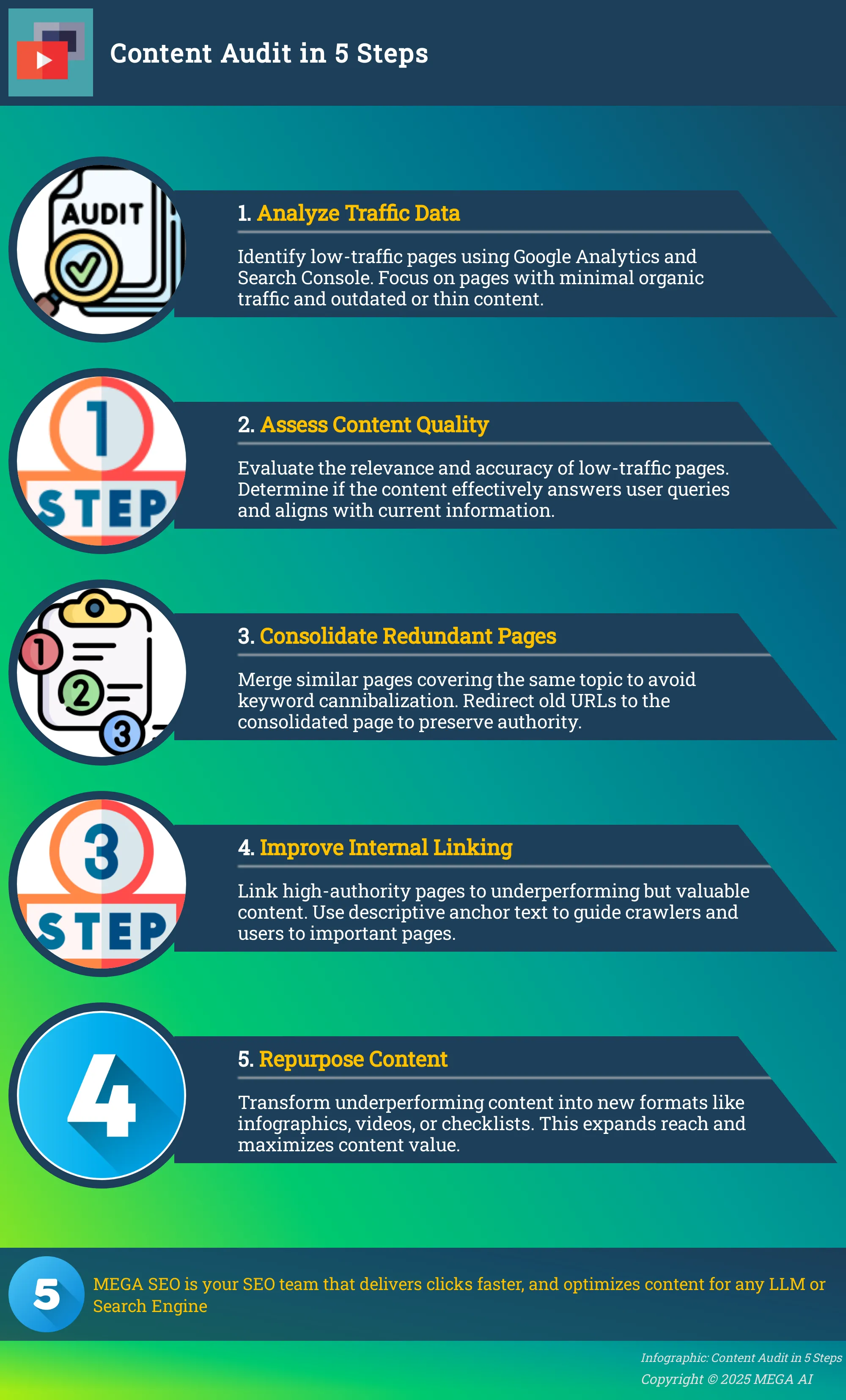
Analyze Your Traffic Data
First, you need a complete picture of your website. Start by pulling a list of every page that's visible to search engines. You can then cross-reference this list with data from a tool like Google Analytics to see which pages are getting clicks and which are not. Your goal is to find the "zombie pages"—those with very low content value and almost no traffic. While you analyze your traffic data, also keep an eye out for pages with thin or outdated information. Sometimes a page gets traffic but ranks for irrelevant search queries, which is another sign that it needs attention. This step gives you a data-backed list of underperforming content to investigate further.
Assess Content Quality and Relevance
With your list of low-performers in hand, it’s time to look at the content itself. Traffic numbers tell you what is happening, but content quality tells you why. High-quality content is accurate, comprehensive, and directly relevant to what your audience is searching for. It enhances the user experience and is exactly what search engines want to provide. Ask yourself: Does this page effectively answer a user's question? Is the information still current and correct? Content that was great five years ago might be outdated today. This qualitative assessment is key to deciding the best course of action for each page, whether it's a simple refresh or a complete overhaul.
What to Do With Low-Traffic Pages
Once you’ve identified your low-performing pages, the next step is to decide on a course of action. Not every low-traffic page needs to be deleted. In fact, many of them represent an opportunity to strengthen your site's authority. Your approach will depend on why the page is underperforming. Is the content outdated? Is it too similar to another page on your site? Or is it a great piece of content that’s just hard for users and search engines to find?
Your content audit should give you the answers you need to choose the right strategy. The goal is to make every page on your site serve a clear purpose. Fixing these low-traffic pages is essential for improving user engagement and your site's search engine results. Instead of letting them weigh down your performance, you can turn them into assets that attract visitors and build credibility. The four main strategies for dealing with these pages are updating them, consolidating them, improving their internal links, or repurposing the content into a new format. Let's look at how to execute each of these tactics effectively to make your website stronger.
Update and Improve Existing Content
Some pages have a solid foundation but just need a little attention to perform better. If a page covers a relevant topic but has outdated information, thin content, or isn't optimized for the right keywords, an update is the best path forward. Improving the content involves adding more depth, incorporating new data or examples, and refreshing it for accuracy. You can also enhance readability with better formatting, images, and videos.
This process ensures the content better matches user intent and provides real value. MEGA AI’s Maintenance Agent can automate this by identifying content gaps, suggesting additions, and re-optimizing the page to improve its click-through rate and ranking potential.
Consolidate Similar or Redundant Pages
If your audit reveals multiple pages covering the same topic, you might have a keyword cannibalization problem. This happens when several pages compete for the same search terms, diluting your authority and confusing search engines. These are sometimes called "zombie pages" because they offer little unique value and get almost no clicks.
The solution is to consolidate them. Identify the strongest page of the group—the one with the most traffic, best information, or most backlinks. Merge the valuable content from the weaker pages into this primary page to create one comprehensive resource. Then, delete the old pages and implement 301 redirects to send all traffic and link equity to your new, consolidated page.
Build a Strategic Internal Linking Structure
Sometimes, a page has great content but is buried deep within your site architecture, making it difficult for users and search engines to find. A strong internal linking strategy can fix this. Internal links act as pathways, guiding crawlers and visitors to important pages and signaling their relevance.
Start by identifying high-authority pages on your site, like your homepage or popular blog posts. From these pages, add links to your underperforming (but still valuable) content using descriptive anchor text. This passes authority, or "link juice," to the weaker page and helps it get indexed and ranked more effectively. A well-planned internal linking structure is crucial for distributing page authority across your entire site.
Repurpose and Refresh Content
If a piece of content isn't performing well in its current format, consider giving it a new life. Repurposing content allows you to reach a different audience and get more mileage out of your initial research and effort. A detailed blog post can be transformed into a visually engaging infographic, a script for a short video, a series of social media updates, or a downloadable checklist.
Regularly monitoring your website traffic helps you understand which formats resonate most with your audience. By repurposing content, you can test different channels and presentation styles to see what works best. Tools like MEGA AI can even help you remix content into hundreds of variations for different platforms, complete with translated voiceovers and captions.
How to Create Content That Drives Traffic
Creating content that consistently brings visitors to your site isn't about luck; it's about a repeatable process. By focusing on your audience's needs and making your content easy for both people and search engines to find and understand, you can build a reliable source of traffic. This involves understanding what your audience is looking for, optimizing your pages for visibility, and ensuring a smooth on-page experience. Let's look at how to put these principles into action.
Focus on User Intent and Relevance
Creating content that attracts visitors starts with understanding why they're searching in the first place. This is called user intent. Are they looking for an answer, a product comparison, or instructions on how to do something? Your content needs to directly address that need. High-quality content is defined by its accuracy, depth, and relevance to the user's query. When you align your articles and landing pages with what people are actively looking for, you provide a better experience and signal to search engines that your page is a valuable result. Think of it as having a helpful conversation with your audience, giving them exactly the information they came for.
Optimize for Search Visibility
Once you have valuable, intent-focused content, you need to make sure people can find it. This is where search optimization comes in. Start with thorough keyword research to find the terms your audience uses. Then, strategically place these keywords in your page titles, meta descriptions, headings, and body copy. This helps search engines understand what your page is about and show it to the right people. Search engine algorithms are constantly evolving, so it's important to adapt your strategy over time. Using a platform like MEGA AI for SEO can automate this process, ensuring your content stays optimized for visibility without constant manual work.
Improve User Experience and Engagement
Getting a click is only half the battle; keeping the user on your page is just as important. A positive user experience encourages visitors to stay longer, interact with your content, and explore your site. This includes having a clean page layout, fast load times, and content that's easy to read with clear headings and short paragraphs. Regularly monitoring your website traffic with analytics tools helps you understand user behavior and see what's working. When users are engaged, it sends strong positive signals to search engines, which can improve your rankings over time. Fixing pages with low engagement is a key step toward better overall site performance.
How to Manage Crawl Budget and Site Authority
Dealing with low-traffic pages isn't just about cleaning house. It's about managing two critical SEO concepts: crawl budget and site authority. Think of it this way: Google has limited resources to understand the millions of websites online. It allocates a "budget" for how many pages it will look at on your site, and it prioritizes sites it considers authoritative and high-quality. When your site is bloated with low-value pages, you're essentially telling Google to waste its time. This can prevent your most important pages from getting the attention they deserve. By strategically managing your content, you can guide Google to your best work, improve your site's reputation, and ultimately, enhance your SEO performance.
What Is Crawl Budget?
Your crawl budget is the number of pages Googlebot decides to crawl on your site within a specific timeframe. If your site has hundreds or thousands of pages that offer little value, Google may see crawling them as a poor use of its resources. This can directly hurt your SEO because the crawler might exhaust its budget on unimportant pages and miss your new blog posts or updated product pages. Effectively, your low-traffic pages are clogging the pipeline, preventing your high-quality content from being indexed or re-ranked promptly. Managing this budget means making it easy for Google to find and prioritize your best content, ensuring your most valuable assets get seen.
Improve Your Site's Overall Quality Signals
Site authority is your website's reputation in Google's eyes. A key way to build this authority is by consistently publishing high-quality content. This means your content should be accurate, in-depth, and genuinely helpful to your audience. When you focus on creating valuable pages that answer user questions, you send strong quality signals to Google. A site with strong quality signals is seen as more trustworthy and is more likely to earn a larger, more efficient crawl budget. This creates a positive feedback loop: better content leads to better authority, which leads to more efficient crawling and better rankings for the pages that matter most.
Common Mistakes to Avoid When Managing Low-Traffic Pages
Once you’ve identified your low-performing pages, the next step is to fix them. This is where many site owners run into trouble. Simply knowing a page has low traffic isn’t enough; making the wrong changes can waste your time or even make the problem worse. To get the best results from your content audit, it’s important to sidestep some common pitfalls that can keep your pages from ranking.
Many of these errors happen when you focus on a single aspect of SEO, like keywords, while ignoring the bigger picture. A successful page is a mix of quality content, a solid technical foundation, and a great user experience. Let’s walk through the most frequent mistakes so you can avoid them and give your content the best chance to succeed.
Neglecting Content Structure and Quality
It’s tempting to make a few surface-level tweaks and call it a day, but true content improvement goes deeper. A frequent error is treating heading tags (H2s, H3s) as just a way to make text bigger or bolder. In reality, these tags create a logical structure that helps search engines understand your content’s hierarchy and main points. When you misuse them, you make it harder for Google to see what the page is about. Instead of just sprinkling in keywords, review the entire article for clarity, depth, and organization. Ensure your content fully answers the user’s query and is structured in a way that’s easy to read and follow.
Creating an Unnatural Linking Profile
Internal linking is a powerful tool, but it requires a thoughtful approach. One common mistake is overloading a page with links in an attempt to pass authority, which can distract readers and appear spammy to search engines. On the other hand, having too few links is a missed opportunity to guide users to other relevant content and establish topical authority. The key is balance and relevance. Every internal link should serve a purpose for the reader, connecting them to information that adds value to their journey. Audit your links to ensure they are natural, helpful, and contribute to a cohesive site structure.
Ignoring Technical SEO Health
You can have the best content in the world, but if the page has technical issues, it will struggle to rank. Many marketers focus exclusively on on-page content and forget about the technical foundation that supports it. Simple oversights like slow page speed, a poor mobile experience, or broken schema markup can prevent a page from performing well. It's also crucial to address basic site security. Failing to update software or using weak credentials can create vulnerabilities that harm your site’s reputation with search engines. A technical check should be a standard part of your content audit process.
Forgetting About User Experience
Ultimately, you are creating content for people, not just algorithms. A poor user experience is one of the fastest ways to lose traffic. If a visitor lands on your page and is met with intrusive pop-ups, hard-to-read text, or a confusing layout, they are likely to leave immediately. This increases your bounce rate, sending a negative signal to Google that your page isn’t a good result for the search query. Pay attention to design and usability to avoid common website mistakes that hurt your online presence. Your goal is to create an environment that encourages visitors to stay, read, and engage with your content.
Use AI to Automate Content Optimization and Improve SEO
Fixing every low-traffic page on your site can feel like an endless task, especially for small teams or agencies managing multiple clients. This is where AI tools change the game. They can automate the heavy lifting of content audits and optimization, turning a manual, time-consuming process into a strategic, automated workflow. By handling the analysis and updates, AI frees you up to focus on higher-level strategy.
AI-powered platforms can sift through your website data to pinpoint exactly which pages are underperforming. Instead of you manually digging through analytics, AI can assist in analyzing drops in traffic, identifying which URLs and keyword clusters are losing visibility. This gives you a clear, prioritized list of pages that need your attention first, saving you from guesswork and hours of research.
Once the problem pages are identified, the next step is figuring out how to fix them. AI can analyze your content for quality, relevance, and keyword gaps. It can find valuable long-tail keywords you might have missed and suggest ways to integrate them naturally. This process ensures your content directly addresses user intent and search engine requirements.
Platforms like MEGA AI take this a step further with end-to-end automation. Our SEO tools can automatically update articles to improve click-through rates, add new sections to existing content to increase its depth, and re-optimize posts after major algorithm updates. By automating these fixes for low-traffic pages, you can consistently enhance user engagement and improve your site’s authority without spending hours on manual updates.
Related Articles
- Google Algorithm Updates: A 2024 SEO Guide
- Step-by-Step Guide to Explosive Organic Traffic Growth
- Website Traffic Content: The Ultimate Guide to Driving Leads
- Top 5 Spam Website Checkers for Safe Browsing
- Unlock Your Content Potential: The Null Hypothesis
Frequently Asked Questions
Should I just delete every page that gets no traffic? Not necessarily. Deleting a page without a plan can sometimes do more harm than good, especially if other sites link to it. Before removing anything, check if the content could be improved or combined with another page. If you have several weak pages on the same topic, it's often best to merge them into one strong article and redirect the old URLs to the new one. This preserves any authority the old pages had and creates a much more valuable resource for both users and search engines.
How can I tell if a page has low traffic because of its content or because of technical issues? A good way to diagnose this is to start with a quick technical check. Use tools to test the page's loading speed and mobile-friendliness. If the page loads slowly or is difficult to use on a phone, that could be the primary problem. If the technical foundation is solid, then the issue is almost certainly the content itself. It may not align with user intent, lack depth, or fail to target the right keywords.
What about pages that are important for my business but don't get much search traffic, like a privacy policy? This is a great question. The advice to fix low-traffic pages primarily applies to content that is intended to attract visitors from search engines, like blog posts, articles, and service pages. Informational pages like your privacy policy, terms of service, or contact page serve a different, functional purpose. While they should be easy to find and use, they aren't expected to be major traffic drivers, so you don't need to worry about their low traffic numbers in the same way.
How long does it typically take to see SEO improvements after fixing these pages? Patience is key when it comes to SEO. After you update or consolidate your content, it can take several weeks for search engines to recrawl and re-index the pages. You might see small positive changes within a month or two, but significant improvements in ranking and traffic can often take three to six months. The timeline depends on your site's overall authority, the competitiveness of your keywords, and the quality of your changes.
Is it better to update an old post or write a completely new one on the same topic? In most cases, updating an existing post is the better strategy. If the page already has some history, a few backlinks, or even ranks for less competitive terms, it has a foundation to build on. Updating it preserves that existing authority. You should only consider writing a completely new post if the original content is fundamentally flawed, targets the wrong audience entirely, or if the topic has changed so much that a simple update won't be enough.


