

Navigating the complexities of SEO can sometimes feel like you're trying to hit a moving target in the dark. What if you had a tool that shed light on exactly how Google perceives your website and how users are finding you? That's precisely what Google Search Console offers. It’s a free service packed with reports and tools that help you measure your site's search traffic, identify technical issues, and understand which queries are driving visitors to your pages. For digital marketers and business owners focused on results, this platform provides the critical feedback loop needed to refine strategies, fix problems, and ultimately enhance your site's presence in Google Search.
Key Takeaways
- See Your Site as Google Does: Use Google Search Console to understand how Google crawls and indexes your website, helping you identify what's working and what needs fixing for better search performance.
- Prioritize Key GSC Reports: Regularly analyze reports like Performance, Index Coverage, and Mobile Usability to ensure your content is discoverable, error-free, and provides a positive user experience.
- Turn Insights into SEO Actions: Act on the data from Search Console to resolve technical problems, enhance your content, and make strategic adjustments that improve your site's visibility in search results.
What is Google Search Console?
If you're looking to get a better handle on how your website is doing in Google Search, then Google Search Console is a tool you'll definitely want to get familiar with. Think of it as your direct communication channel with Google, offering a wealth of information about your site's performance right from the source. It’s a completely free service offered by Google that helps you understand how your website is perceived and processed by the search engine. Essentially, Google Search Console provides detailed insights into how your site is indexed and how it actually appears in search results. This information is incredibly valuable because it empowers you to make targeted optimizations for better visibility and, as a result, attract more relevant traffic to your pages.
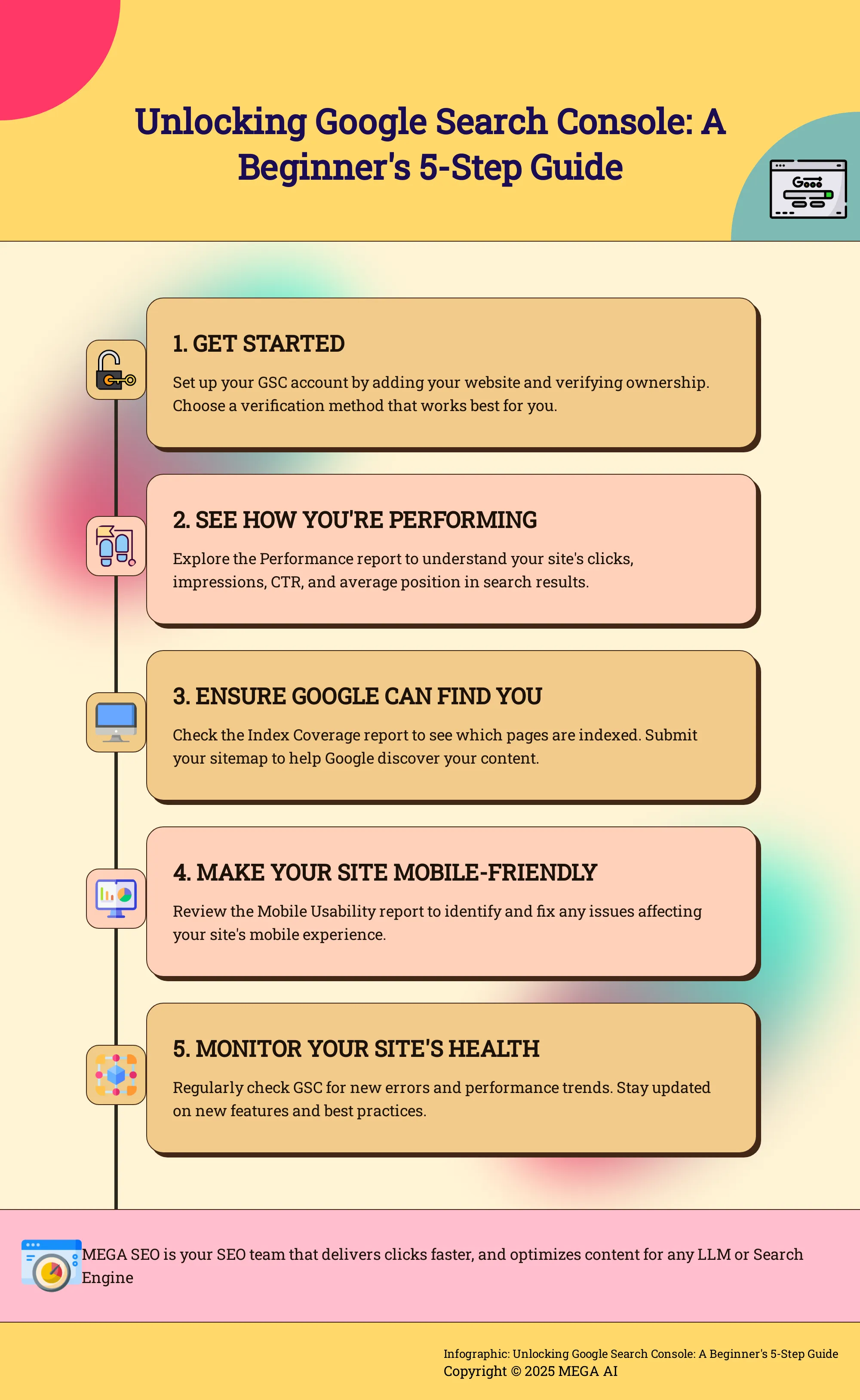
Google itself describes its utility well, stating that "Search Console tools and reports help you measure your site's Search traffic and performance, fix issues, and make your site shine in Google Search results." This really gets to the heart of what it does. For anyone serious about improving their website's SEO, this platform is indispensable. It gives you a clear view of how Google’s bots crawl your site, how your content gets indexed, and ultimately, how your pages are served to users. By regularly using the insights from Search Console, you can proactively monitor your site's overall health, quickly identify and address potential problems, and make data-driven decisions to significantly enhance your online presence. It’s far more than just a simple tracking tool; it’s a comprehensive resource designed to help you optimize every relevant aspect of your site and attract the kind of visitors who are genuinely interested in what you offer.
Why Use Google Search Console for Your SEO?
If you're serious about improving your website's visibility in Google Search, then Google Search Console (GSC) isn't just helpful—it's essential. Think of it as your direct line of communication with Google, offering a wealth of information about how the search engine sees your site. It's surprising, but one of the most common SEO mistakes we see small business owners make is not being set up with Google Search Console, and that's a huge missed opportunity to really understand and improve their online presence.
At its core, GSC provides tools and reports that help you measure your site's Search traffic and performance, identify and fix issues, and ultimately, make your site shine in Google Search results. It gives you a clear picture of which search queries bring users to your site, how often your pages appear in search results, and what your click-through rates are from those results. This data is invaluable for understanding what's working and where you can make improvements.
Furthermore, Search Console offers crucial information on how Google crawls, indexes, and serves websites. Understanding this process is fundamental to effective SEO. You can see if Googlebot is encountering any problems accessing your content, which pages are included in Google's index, and if there are any indexing errors preventing your pages from appearing in search. By regularly monitoring this information and acting on the insights provided, you can make a significant difference in your site's performance. It’s not just about collecting data; it’s about getting actionable insights to refine your SEO strategy and truly connect with your audience.
Get Your Account Ready: Setup and Verification
Alright, let's get your Google Search Console account set up so you can start gathering all that valuable SEO data. Think of this as laying the foundation for your website's SEO health; it’s a crucial first step that you don't want to skip. Setting up your account correctly ensures you have direct access to how Google sees your site and vital information about its performance in search results. It might seem a bit technical at first, but I’ll walk you through it, step by step. The process involves adding your website, proving you own it, and then deciding who else on your team, or perhaps an agency like MEGA AI, gets access. Taking the time to do this properly now will save you headaches down the road and put powerful, actionable insights right at your fingertips. This setup is fundamental for anyone serious about improving their online presence, whether you're a startup founder wearing many hats or a marketer in a small business.
Add Your Website
First things first, you need to tell Google Search Console which website you want to monitor. This is called adding a "property." You'll head over to the Google Search Console homepage and sign in with your Google account. Once you're in, you'll be prompted to add your site. You have two main options: adding your entire domain (e.g., yoursite.com) or a specific URL prefix (e.g., http://yoursite.com/blog). For most beginners, and for a comprehensive view, adding the domain property is generally recommended as it covers all variations of your site (like http, https, www, and non-www versions) under one umbrella.
It's important to note that certain actions, like submitting a new sitemap for Google to crawl, require owner permissions on the property. As Google’s documentation clarifies, "When you want to submit a new sitemap for crawling, you must have owner permissions on a property to submit a sitemap using the Sitemaps report." This ensures you have the necessary control to manage how your site appears in search results and to provide Google with the most up-to-date map of your content.
Choose Your Verification Method
Once you've added your website, Google needs to confirm that you actually own or manage it. This step is super important because, as Google explains, "To effectively use Google Search Console, it's crucial to verify your ownership of the website. This verification process allows you to access important data and insights about your site's performance in Google Search." Without this verification, anyone could theoretically try to access your site's sensitive performance data, so it’s a key security measure.
Google offers several verification methods, and you can choose the one that’s easiest for you or your technical team. Common options include uploading an HTML file to your website's root directory, adding a specific meta tag to your homepage's HTML code, or using your Google Analytics or Google Tag Manager account (if they're already set up with the same Google account). For many, especially if you're already using other Google services, the Google Analytics or Tag Manager options are often the simplest. Another method involves adding a DNS record with your domain name provider, which might require a bit more technical know-how but is a very robust way to verify.
Manage Users and Permissions
After your site is successfully added and verified, you might want to give access to other people. This could be members of your marketing team, an SEO consultant you're working with, or even a platform like MEGA AI if you're leveraging our automated SEO tools. Google Search Console allows you to add users and assign them different permission levels: Owner, Full, or Restricted. Owners have complete control, including the ability to add or remove other users and change settings. Full users can access all data and use most tools but can't manage other users. Restricted users have view-only access to most data and limited use of tools.
It's wise to "Regularly monitor your site's performance and manage user permissions," as this practice helps you "collaborate effectively while ensuring that sensitive data remains secure." Be thoughtful about who you grant access to and what level of permission they genuinely need to perform their role. This approach keeps your account secure and ensures that any changes or actions taken within Search Console are made by those authorized to do so, maintaining the integrity of your SEO efforts.
Explore Essential Features for Beginners
Stepping into Google Search Console for the first time can feel a bit like walking into a pilot's cockpit – so many buttons, dials, and readouts. It's completely normal to feel a little overwhelmed. But here’s the good news: you don’t need to understand every single feature right away to start making a real difference to your website's SEO. Think of it as learning to drive; you master the basics like steering, accelerating, and braking before you worry about advanced driving techniques.
For beginners, the key is to focus on a handful of essential features that provide the most impactful insights. These core areas will help you understand how Google perceives your site, how users are finding you, and where potential issues might be hindering your performance. We're talking about getting a clear picture of your site's search traffic, ensuring Google can actually find and index your important pages, making sure your site works well on mobile devices (which is super important these days), and checking on key user experience signals. By familiarizing yourself with these foundational reports, you'll be well-equipped to diagnose common SEO problems, make data-driven decisions, and lay a strong groundwork for your website's growth in search results. This initial understanding is crucial before you even think about more complex SEO tactics. It’s about building that solid base so you can confidently improve your site's visibility in Google Search.
Unpack the Performance Report
The Performance report is your go-to spot for understanding how your site is doing in Google Search results. It shows you vital metrics like total clicks, total impressions (how many times your site appeared in search results), your average click-through rate (CTR), and your average position. Think of it as your site's report card for search visibility. Google Search Console tools like this one are designed to help you measure your site's Search traffic and performance. Regularly reviewing this data helps you see which queries people use to find your site, which pages are most popular, and how these trends change over time. For instance, if you notice a page has high impressions but a low CTR, it might be a sign that your title tag or meta description isn't compelling enough to earn the click.
Check the Index Coverage Report
If the Performance report tells you how you're doing, the Index Coverage report tells you if your pages are even in the running. This report shows the index status of all the URLs Google has found on your site. It will tell you which pages are successfully indexed, which have warnings, and which have errors preventing them from being indexed. It's crucial because if your pages aren't indexed, they can't appear in search results. Whenever you make important site changes or add new content, it's wise to check this report. If you see errors, Google Search Console will provide details, and you can use the URL Inspection tool (more on that later) to get more information on specific URLs.
Submit and Check Sitemaps
A sitemap is essentially a map of your website for search engines. It lists all the important pages on your site, helping Google discover and crawl them more efficiently. In Google Search Console, there's a dedicated Sitemaps report where you can submit your sitemap and monitor its status. This is particularly important for new websites or sites with a lot of pages. To submit a new sitemap for crawling, you'll need to have owner permissions for the property in Search Console. Once submitted, you can check if Google has processed it correctly and see if there are any errors. Keeping your sitemap up-to-date ensures Google is always aware of your latest content.
Review Your Site's Mobile Usability
With more and more people searching on their phones, having a mobile-friendly website isn't just nice to have; it's essential. The Mobile Usability report in Google Search Console scans your site and flags any pages that have issues when viewed on a mobile device. These issues could include things like text that's too small to read, clickable elements being too close together, or content wider than the screen. Addressing these errors is vital for providing a good user experience and can also impact your mobile search rankings. While strategies like implementing Accelerated Mobile Pages (AMP) can significantly enhance mobile performance, the first step is always to check this report for basic usability issues.
Understand Core Web Vitals
Core Web Vitals are a set of specific factors that Google considers important in a webpage’s overall user experience. They focus on three aspects: loading speed (Largest Contentful Paint - LCP), interactivity (Interaction to Next Paint - INP), and visual stability (Cumulative Layout Shift - CLS). Essentially, they measure how quickly your page loads, how responsive it is to user input, and whether things jump around on the screen as it loads. Google Search Console has a dedicated report to help you monitor your site's Core Web Vitals on both mobile and desktop. Improving these metrics can lead to a better user experience and potentially better rankings, as they are part of Google's page experience signals.
Optimize Your Website with Search Console
Think of Google Search Console (GSC) as your direct line to Google. It’s a free service offering a wealth of information about how your website appears in Google Search results and helps you understand how Google views your site. Using GSC effectively means more than just spotting problems; it's about actively refining your website to perform at its best. It’s your essential toolkit for understanding search performance, ensuring Google can access your content, and ultimately, making your site more visible and user-friendly.
The tools and reports within Search Console are designed to help you measure your site's Search traffic and performance, identify issues that might be hindering your progress, and guide you in making improvements. Whether you're a startup founder juggling multiple roles, a small business owner aiming to expand online, or a digital marketer focused on top results, GSC provides the data-driven insights necessary for success. It’s about shifting from guesswork to informed decisions. By regularly reviewing these reports, you can find opportunities to attract more visitors, enhance user experience, and reach your online goals. This proactive approach to website optimization is an ongoing process, and GSC is a reliable partner, helping you adapt to search engine updates and changing user expectations. The following sections will show you some key features and how you can use them to begin optimizing your site.
Analyze Search Performance
The Performance report in Google Search Console is one of the first places you should explore. This section provides valuable data on how your site is doing in Google Search, including metrics like total clicks, total impressions (how many times your site appeared in search results), average click-through rate (CTR), and average position.
Consider this report your guide to understanding which content connects with searchers and which areas might need attention. You can filter this data by queries, pages, countries, devices, and other dimensions. For example, you might find a page that receives many impressions but has a low CTR. This could indicate a need to refine your page titles or meta descriptions to make them more engaging. Regularly reviewing your search performance helps you understand trends, identify your best-performing content, and find areas for improvement.
Identify and Fix Crawl Errors
For Google to display your website in search results, it must first be able to crawl and index your pages. Crawl errors happen when Googlebot attempts to access a page on your site but encounters an issue. These errors can stop your content from being indexed, meaning it won’t appear in search results. Google Search Console is key for identifying these problems.
The Index Coverage report shows which pages have errors, alongside warnings or valid pages. It's important to review Search Console frequently, particularly after making significant site changes or adding new content. If you discover errors, GSC usually offers details about the cause. You can also use the URL Inspection tool to test a specific URL and verify if Google can access it correctly. Addressing these errors helps ensure Google can find and comprehend all your content, a crucial part of enhancing your site's visibility.
Submit and Monitor Sitemaps
A sitemap acts as a roadmap for your website, listing all the important pages you want search engines to crawl and index. Submitting a sitemap to Google Search Console helps Google find your content more efficiently, which is particularly useful if your site is new, has many pages, or includes rich media.
Many website platforms or SEO plugins, such as Yoast SEO or Rank Math, can create an XML sitemap for you automatically. Once you have your sitemap URL, you can submit it through the Sitemaps section in GSC. This isn't a one-time task; you should monitor the status of your sitemaps within GSC. The console will indicate if Google processed it successfully and if any errors were found. Maintaining an up-to-date and error-free sitemap helps Google keep its index of your site current.
Improve Your Site's Mobile-Friendliness
As more people use their phones for searches, a mobile-friendly website is essential, not just optional. Google gives preference to mobile-friendly sites in its search results, directly affecting your SEO. Google Search Console offers tools to help you evaluate and enhance your site's mobile experience.
The Mobile Usability report in GSC will identify specific pages with mobile-friendliness problems, like text that is too small, clickable elements positioned too closely, or content that exceeds screen width. Furthermore, the Core Web Vitals report offers insights into your site's loading speed, interactivity, and visual stability on both mobile and desktop devices. Resolving these issues can improve your ranking potential and also create a better experience for your mobile visitors, potentially leading to lower bounce rates and increased engagement.
Implement AMP (Accelerated Mobile Pages)
If providing an exceptionally fast mobile experience is a key goal for your website, Accelerated Mobile Pages (AMP) could be a valuable option. AMP is an open-source framework created to help mobile pages load nearly instantly. While Google Search Console's specific AMP report has been merged into other reports, the core ideas of AMP—speed and mobile user experience—remain highly relevant.
Implementing Accelerated Mobile Pages means creating simplified versions of your web pages that follow particular HTML and JavaScript guidelines. The main advantage is a significant improvement in loading times on mobile devices, which can result in better user engagement and lower bounce rates. If you decide to use AMP, it's important to ensure your AMP pages are valid and correctly set up. You can use GSC's URL Inspection tool to check individual AMP URLs and keep an eye on overall mobile performance through Core Web Vitals, as AMP can contribute to these metrics.
Explore Advanced Techniques and Reports
Once you're comfortable with the basics of Google Search Console, you can start exploring some of its more advanced features. These tools and reports offer deeper insights into how Google sees your site and can help you fine-tune your SEO efforts for even better results. Don't worry, "advanced" doesn't mean overly complicated; it just means you're ready to take your understanding to the next level. These techniques can really make a difference in how your site appears in search results and how users interact with it, which is fantastic for growing your online presence.
Leverage Rich Results and Structured Data
Rich results are those eye-catching search listings that go beyond the standard blue link and description. Think star ratings, product prices, or event dates appearing directly in the search results. These are made possible when you implement structured data on your website. Structured data is a standardized format for providing information about a page and classifying its content. For instance, "without this markup, Google would display the search result as just the main URL of the page." With structured data, Google can understand the context of your content better and may display it as a rich result, potentially increasing visibility and click-through rates. Search Console helps you monitor your structured data, identify errors, and see which rich results Google is generating for your pages, giving you a clear path to more engaging search snippets.
Use the URL Inspection Tool
The URL Inspection tool is your direct line to understanding how Google perceives a specific page on your site. You can submit a URL from your website and get detailed information about its index status, any crawl errors, mobile usability, and whether it's eligible for rich results. This tool is incredibly useful when you've published new content or made significant changes to an existing page. As Google's own documentation suggests, you should "[t]est that Google can access your pages using the URL Inspection tool" after adding new content. It helps you quickly identify if there are any issues preventing Google from properly crawling and indexing your page, allowing you to address them promptly and ensure your hard work gets seen.
Analyze the Links Report
Understanding your site's link profile is crucial for SEO, and the Links report in Search Console provides valuable data on both internal and external links. It shows you which external sites are linking to your content, what anchor text they're using, and which of your pages are most linked to. This information is gold because, as one expert puts it, "Google Search Console also shows you who else is linking to you. This is great because you can build relationships with these websites...and try to get them to link more to you." You can also see your internal linking structure, helping you ensure that important pages are receiving sufficient link equity and that your site navigation is logical for both users and search engines. This can be a great starting point for your link building strategy.
Implement Breadcrumbs and Schema Markup
Breadcrumbs are a secondary navigation scheme that shows users their current location on a website. They improve user experience by making it easy to navigate back to previous pages or understand the site's hierarchy. Indeed, "[i]mplementing breadcrumbs thoughtfully not only improves navigation but also enhances the overall user experience." To help search engines understand your breadcrumbs, you should use breadcrumb schema markup. This specific type of structured data tells Google how your breadcrumbs are structured. While implementing it, be mindful of "common pitfalls...Incorrect Position Values: Ensure each breadcrumb has a unique position in the trail to avoid errors." Search Console can help you test your breadcrumb markup and ensure it's implemented correctly, making your site more user-friendly and search-engine-friendly.
Troubleshoot Common Issues
Even with the best planning, websites can sometimes run into little snags. The good news is Google Search Console is fantastic for helping you spot and sort out these common issues, making sure they don’t get in the way of your site’s performance in search results. Let's walk through a few typical problems and how you can address them.
Handle 404 Errors
When you see a "404 Not Found" error, it simply means someone—or a search engine—tried to reach a page on your website that isn't there. It might sound a bit technical, but many 404 errors are quite harmless. Often, they're just the result of a small typo in a URL or someone linking to a page that never actually existed. You'll find these listed in Search Console, typically within the "Coverage" report under "Not found (404)".
The important part is to look into these errors. If a 404 error is for a page you deliberately removed, and that page used to get a lot of links or traffic, it’s a good idea to set up a 301 redirect. This action permanently sends users and search engines to a relevant, live page on your site, which helps keep any SEO value that page had. For those random, mistyped URLs that Google stumbles upon, you generally don’t need to take any action.
Resolve Crawl Errors
Crawl errors happen when Googlebot, which is Google's web crawler, has trouble accessing pages on your site. If Google can't crawl your pages, it can't index them, and that means they won't show up in search results. You'll find details on these problems in the "Coverage" report in Search Console, often listed under "Server error (5xx)" or other specific error descriptions.
Taking care of these errors quickly is really beneficial for your site’s overall health and how it ranks. Once you’ve figured out and fixed what caused a crawl error – maybe it was a server issue or something in your robots.txt file – you should ask Google to validate your fix right there in Search Console. This lets Google know you've sorted out the problem and encourages them to try crawling the affected URLs again.
Address Mobile Usability Problems
A huge amount of web browsing happens on mobile devices, so making sure your website provides a great experience on smartphones and tablets is crucial. Google gives preference to mobile-friendly sites, and any issues here can affect your rankings. The "Mobile Usability" report in Search Console will point out any pages with problems like text that’s too small to read, buttons or links that are too close together, or content that’s wider than the screen.
The main way to solve these issues is to ensure your website has a responsive design, which means it automatically adjusts its layout to look good on any screen size. For certain types of content, you might also explore options like Accelerated Mobile Pages (AMP). AMP can help create versions of your pages that load very quickly for mobile users. Regularly checking the Mobile Usability report and fixing any flagged problems will help keep your mobile visitors engaged and your site performing well in mobile search.
Manage Google Search Console Effectively: Best Practices
Getting your Google Search Console account set up and verified is a significant first step, but the journey to truly leveraging its power for your website's SEO doesn't end there. Think of Google Search Console not as a static report card, but as a dynamic, evolving conversation between your website and Google Search. To make the most of this dialogue, it’s helpful to adopt some ongoing practices. These aren't about adding overwhelming tasks to your already busy schedule; rather, they're about cultivating habits that allow you to work smarter, using the rich data GSC provides to make informed decisions.
Consistently engaging with Search Console in a structured way can transform it from a tool you occasionally glance at into a cornerstone of your SEO strategy. By regularly monitoring your site's performance, staying abreast of new features, and integrating GSC with other tools, you can proactively identify growth opportunities, catch potential issues before they impact your rankings, and continuously refine your approach to keep your site performing optimally in search results. These best practices help demystify some aspects of SEO by grounding your efforts in concrete data directly from Google, fostering a healthier, more visible online presence for your business.
Monitor and Analyze Regularly
One of the most impactful habits you can develop is to regularly check in with your Google Search Console data. This isn't a "set it and forget it" scenario. Aim to schedule some dedicated time, perhaps weekly or bi-weekly, to explore your reports. Look for trends in your site's search performance, keep an eye out for any new errors flagged in the Index Coverage report, and review your Core Web Vitals. As the team at Allcompanycorp wisely puts it, "Regular monitoring, acting on insights, and leveraging advanced features can make a significant difference in your site's performance." Staying consistent and proactively addressing issues allows you to optimize your site more effectively, ensuring it remains in good standing with Google.
Stay Updated on New Features
Google is constantly refining its tools, and Search Console is certainly no exception. New features, updated reports, and additional data points are introduced periodically to help website owners like you better understand and improve their site's visibility in search. To truly get the most out of GSC, make it a point to stay informed about these updates. Google itself states, "Search Console is a tool from Google that can help anyone with a website to understand how they are performing on Google Search, and what they can do to improve their appearance on search to bring more relevant traffic to their websites." Following the Google Search Central Blog and its documentation are excellent ways to learn about new functionalities and how they can benefit your SEO efforts.
Integrate with Other SEO Tools
While Google Search Console is incredibly insightful on its own, its capabilities can be further enhanced when used in tandem with other SEO tools. For example, you can link Search Console with Google Analytics to gain a more comprehensive understanding of your user's journey, from the initial search query to their behavior on your site. Many third-party SEO platforms also offer GSC integration, allowing you to consolidate its valuable data into a central dashboard alongside information like keyword rankings and backlink profiles. According to Google, "Google Search Console tools and reports help you measure your site's Search traffic and performance, fix issues, and make your site shine in Google Search results." This integrated approach provides a richer, more holistic view, empowering you to make even more effective SEO decisions.
How Can Google Search Console Enhance Your SEO Strategy?
Google Search Console is more than just a dashboard; it's a direct line of communication with Google, offering invaluable insights that can significantly shape and refine your SEO approach. Think of it as your SEO command center, providing the data you need to make informed decisions and steer your website toward better visibility and performance. By actively using its features, you can transform raw data into actionable strategies that drive organic growth.
One of the first things you'll want to monitor regularly is the crawl errors report. These errors can prevent Google from properly accessing and indexing your pages, which directly impacts your rankings. By identifying and fixing these, you're clearing the path for Googlebot and helping your content get seen. If you've made significant updates or published new content, you don't have to wait for Google to find it. You can use the URL Inspection tool to request a recrawl, prompting Google to look at your changes sooner. This is especially handy for time-sensitive content or when you've fixed critical issues.
Submitting your sitemap through Search Console is another fundamental step. A sitemap acts as a roadmap for Google, outlining all the important pages on your site and helping Google understand its structure. This ensures more efficient and comprehensive indexing, making it easier for search engines to discover all your valuable content. Beyond these foundational tasks, Search Console provides a wealth of performance data. You can see which queries bring users to your site, which pages are most popular, your click-through rates, and average positions in search results. Analyzing this data helps you understand what's working, identify content gaps or opportunities for optimization, and ultimately, make your site shine in Google Search results. Consistent engagement with these tools and reports allows for continuous improvement, making a real difference in your site's SEO success.
Related Articles
- Getting Started with Google Search Console: A 2024 Guide
- Getting Started with Google Search Console: An Overview, Importance, and Setup Guide - MEGA SEO | Blog
- Unlocking SEO Success: Getting Started with Google Search Console for Startups - MEGA SEO | Blog
- Getting Started with Google Search Console: Performance, Coverage, Enhancements, and URL Inspection - MEGA SEO | Blog
- SEO Tools - MEGA SEO | Blog
Frequently Asked Questions
What's the most important reason to use Google Search Console for my website? Think of Google Search Console as your direct insight into how Google views your website. It provides essential information on your site's performance in search results, highlighting what's effective and pinpointing areas where you can make adjustments to attract more of the right kind of visitors.
I'm not very technical; will I find Google Search Console hard to set up? Setting up Google Search Console involves a few steps, like adding your website and confirming you own it, but it's generally quite manageable. Google provides several verification methods, and some, such as using an existing Google Analytics account, are pretty simple to follow.
Once my Google Search Console is active, what's a good first report to check out? A great place to begin is the Performance report. This section offers a clear summary of how often your site appears in search results, how many clicks it's getting, and the specific search terms people are using to find your content.
How frequently should I log in and review my Google Search Console data? While there isn't a strict schedule, developing a habit of checking in regularly, perhaps weekly or every couple of weeks, is beneficial. This allows you to catch any new issues quickly and observe trends in how your site is performing over time.
Can Google Search Console tell me what search terms people use to find my website? Yes, it certainly can. The Performance report details the exact search queries, or keywords, that users typed into Google before they landed on your site. This information is incredibly helpful for understanding your audience's interests and search behavior.


