

For startups and small businesses, every marketing effort counts, and understanding your website's authority is key to making smart decisions. Backlinks play a huge role in building that authority, but tracking them can seem daunting. Fortunately, Google Search Console provides a free and accessible platform to get started. If you're a business owner or marketer asking how to use Google Search Console for backlink analysis?, this guide aims to provide clear, actionable steps. We'll show you how to leverage this powerful tool to see who's linking to you, which content attracts these links, and how you can use this information to refine your SEO strategy and grow your online presence effectively, even on a tight budget.
Key Takeaways
- Begin with Google Search Console for foundational backlink knowledge: Use GSC to discover which sites link to you, which of your pages earn the most links, and the common anchor texts, giving you a clear starting picture.
- Make GSC link analysis a regular habit for smarter SEO moves: Consistently check your Links report to identify your strongest content and assess linking domains, allowing you to refine your strategy and build site authority.
- Translate GSC insights into concrete actions for a stronger backlink profile: Actively use what you learn from Search Console to pursue new quality links, manage any problematic ones, and amplify your best-performing content to attract more authoritative connections.
What is Google Search Console & Why Use It for Backlinks?
Google Search Console, often called GSC, is a free service from Google that helps you keep an eye on your site's presence in Google Search results. Think of it as a direct line to Google, offering insights into how it views and crawls your website. When it comes to understanding your backlink profile, GSC is a really useful starting point. It provides a basic but valuable overview of the websites linking to yours.
Using Google Search Console for backlink analysis allows you to see key information about your external and internal links. The Links report within GSC will show you your top linked pages, which sites are linking to you most, and the anchor text being used in those links. This data helps you identify which content is attracting links and which external sites are contributing to your site's perceived authority.
It's good to know that the data in Search Console might take some time to appear and often shows a sample of your total links, not every single one. Also, GSC doesn't differentiate between all link types, such as 'nofollow' links, which typically don't pass as much ranking influence. Despite these limitations, GSC is an essential tool for gaining initial insights into your backlink landscape, helping you make more informed decisions to support your site's SEO.
How to Find and Use the Links Report
Understanding who links to your website and how your own content is interconnected is a cornerstone of effective SEO. Google Search Console provides a dedicated "Links report" that offers valuable insights into these areas. Knowing how to access and interpret this report can significantly help you refine your backlink strategy and improve your site’s internal linking structure. Let's walk through how to find this report and what information it contains.
Finding the Links Report: Step-by-Step
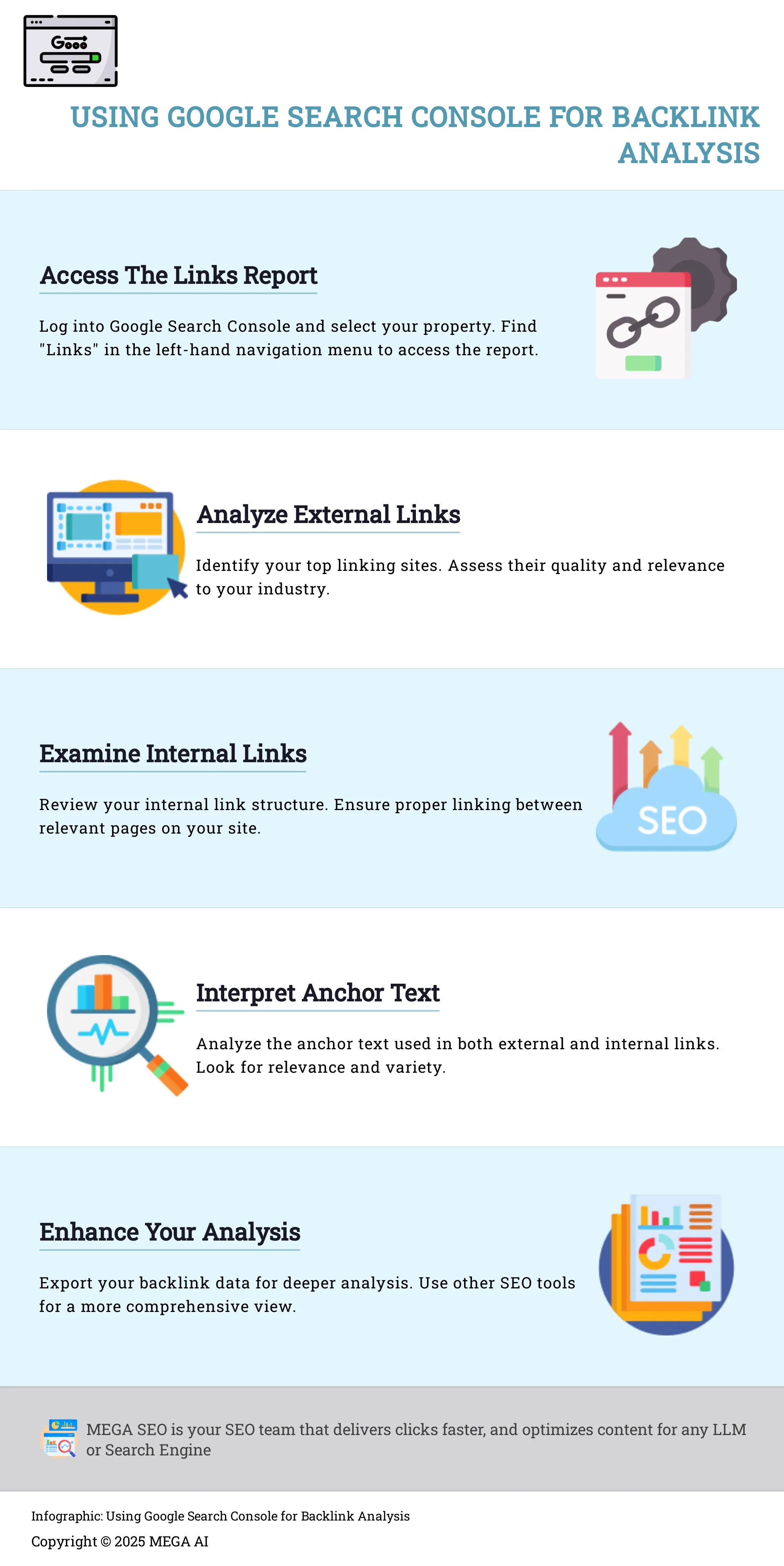
Getting to your Links report in Google Search Console is quite simple. First, you'll need to log into your Google Search Console account and select the specific website property you want to analyze. Once you're on the dashboard for your chosen site, look to the navigation menu on the left-hand side. You should see an option labeled "Links." Clicking on this will take you directly to the main Links report page. This is where you'll find comprehensive data about your external backlinks and your internal link distribution, helping you understand how search engines perceive your site's authority and structure.
What's Inside the Links Report Interface?
When you open the Links report, you'll find it neatly organized to give you a clear view of your site's link landscape. The report is primarily divided into external links and internal links. For external links, you can see your "Top linked pages," which are the pages on your site that have received the most backlinks from other websites. You'll also find "Top linking sites," a list of the domains that link to your site most frequently, and "Top linking text," showing the anchor text used in those external links. For internal links, the report highlights your "Top linked pages" from within your own site. A really handy feature is the ability to export this link data as a CSV file or Google Sheet, allowing for more detailed analysis and tracking.
What Key Data Will You Find in the GSC Links Report?
The Google Search Console (GSC) Links Report is a fantastic resource if you're looking to really get to grips with how your website performs in search results. Think of it as your direct insight into how Google sees your site's authority and how it's connected, both to other sites and within its own pages. This report offers more than just raw numbers; it gives you clear, actionable information about who is linking to your content, which of your pages are getting the most attention, how well your site is structured with internal links, and even the specific words people use when they link to your pages.
By checking this report regularly, you can build a solid understanding of your site's overall link profile. This includes the valuable external links pointing to your site, which essentially act as recommendations from other places on the web. You'll also see how effectively you're linking between your own pages, a practice that helps Google understand your content's hierarchy and assists your visitors in finding what they need. Getting familiar with these different data points is the first step toward making smart decisions about your SEO strategy and any efforts you make to build more links. Let's dive into the specific types of data you'll find.
A Look at Your External Links
External links, which you'll often hear called backlinks, are simply links from other websites that point to your site. These are incredibly important for your search engine optimization because Google and other search engines tend to view them as votes of confidence. When a credible website links to your content, it sends a signal to Google that your page is valuable and trustworthy. The Google Search Console Links Report is your go-to tool for understanding these backlinks and seeing who is vouching for your content.
The report gives you a list of the domains that link to your site, offering a clear picture of who considers your material worth referencing. It’s not just about how many links you have; the quality and relevance of these linking sites play a huge role. GSC helps you begin evaluating these external endorsements, which is a key part of building a strong backlink profile and improving your site's authority.
Discover Top Linking Sites and Your Most Linked Pages
Within the external links data, Google Search Console highlights two particularly useful lists: "Top linking sites" and "Top linked pages." The "Top linking sites" list shows you precisely which external websites are sending the most links to your content. This can help you identify your most significant supporters or even discover some unexpected domains that find your material valuable. It’s an excellent starting point for nurturing relationships with other site owners or for getting a better sense of the types of sites that are naturally drawn to what you publish.
On the other hand, the "Top linked pages" report details which specific pages on your own site have gathered the most backlinks. This is fantastic for recognizing your most authoritative or popular content. You can use this information to understand what resonates most with other websites, perhaps inspiring you to create more similar content or to ensure these highly-linked pages are well-optimized to guide visitors further into your site.
Analyze Your Internal Links
While external links tell you how other sites perceive your content, internal links are all about how you structure your own website. The "Internal Links" section of the GSC report reveals which pages on your site receive the most internal links from other pages on your own domain. This information is vital because a solid internal linking structure helps Google understand the hierarchy and relationships between your various pieces of content. It also plays a key role in distributing "link equity"—think of it as authority—throughout your site, which can help less prominent pages achieve better rankings.
Good internal linking also significantly improves the user experience. When you strategically link related content, you make it much easier for your visitors to discover more information on topics that interest them, keeping them engaged on your site for longer. This report helps you spot pages that might be "orphaned," with few internal links, or identify opportunities to better connect relevant articles.
Understand Your Anchor Text
Anchor text is the actual clickable text you see in a hyperlink. The "Top linking text" section in the GSC Links Report shows you the most common words and phrases that other websites use when linking to your pages (for external links), and that you use within your own site (for internal links). This data is incredibly insightful because it tells you how others are describing your content and what keywords they associate with your site.
If the anchor text used by external sites aligns well with your target keywords, that’s generally a positive signal for your SEO efforts. It's even better if this anchor text is varied and sounds natural. For your internal links, you have complete control over the anchor text. So, this report can help you ensure you’re using descriptive, keyword-relevant phrases that assist both users and search engines in understanding the context of the linked page. Monitoring your anchor text distribution can help you refine your content strategy and ensure your link profile appears natural and authoritative.
How to Analyze Backlinks with Google Search Console Data
Once you're comfortable finding your way around the Links report in Google Search Console, it's time to put that data to work. Analyzing your backlinks effectively can give you a real edge in understanding your site's authority and how search engines perceive your content. It’s not just about seeing who links to you; it’s about understanding the story those links tell. This involves looking at which of your pages attract the most attention, the quality of the sites sending links your way, how your backlink profile changes over time, and even the specific words people use when they link to your content. By digging into these details, you can refine your SEO approach, build on what’s working, and address any potential issues before they impact your rankings. Let's explore how to break down this information into actionable insights.
Identify Your Most Valuable Backlinks
To start your backlink analysis, head over to the Google Search Console Links report. This report is incredibly useful because it shows your "top linked pages," essentially highlighting which content on your site has earned the most backlinks. When you identify these pages, you're pinpointing your most popular and authoritative content in the eyes of other websites. This isn't just interesting trivia; it’s valuable intelligence. Knowing which articles, blog posts, or resources attract links can directly inform your future content creation and optimization efforts. You can create more of what works or find ways to replicate that success across other parts of your site.
Assess Link Quality and Relevance
Not all backlinks are created equal, and it's really important to evaluate the quality of the sites linking to yours. Within Google Search Console, the 'Top Linking Sites' section gives you a list of domains that link to your content. Take a close look at these. Are they reputable sites in your industry, or do some look a bit spammy or irrelevant? If you find links from low-quality or potentially harmful sites, you might need to take action. Google provides a disavow tool for situations where you can't get a link removed directly, helping you tell Google to ignore those specific links and protect your site's standing.
Monitor Changes in Your Backlink Profile
Keeping a regular eye on your backlinks is key to understanding how your link-building efforts are paying off and how your site's authority is evolving. It's worth noting that the backlink data in Google Search Console doesn't update in real-time. It can sometimes take weeks or even months for new links to appear or for changes to be reflected. So, patience is important here. By consistently checking your backlinks report, you can spot trends, see if new high-quality links are coming in, or notice if you've lost any valuable links, allowing you to adapt your strategies as needed.
Interpret Your Anchor Text Distribution
The 'Top Linking Text' section in Google Search Console offers a window into how other websites describe your content when they link to it. This shows you the most common words and phrases used in the anchor text of backlinks pointing to your site. This information is valuable for a couple of reasons. First, it helps you understand how others perceive your site and its content. Second, it allows you to check if your anchor text profile is relevant and varied. A diverse and natural-looking anchor text distribution is generally better for SEO than having all your links use the exact same keyword, as it signals a more organic linking pattern to search engines.
Advanced Ways to Analyze Backlinks in GSC
Once you're comfortable with the basics of the Links report, you can start to dig deeper into your backlink data. Google Search Console offers some practical ways to examine your backlinks, providing more detailed insights than a quick overview might suggest. Think of it as moving from simply seeing a list of links to understanding the stories that data can tell you about your site's authority. These advanced methods help you get more strategic with your link analysis and, ultimately, your SEO efforts.
Use Filters and Sorting for Deeper Insights
Google Search Console is a useful starting point for backlink profile analysis, offering a basic view of the backlinks to your site. While it provides essential insights, be aware that it might offer a limited perspective. To get more out of it, become familiar with the filter and sorting options. For instance, within the "Top linking sites" report, you can select a specific domain to see all the pages on your site it links to. In the "Top linked pages" report, choosing a page shows you all the external sites linking to it. You can also sort tables by columns like "Linking sites" or "Total external links" to quickly identify your most impactful referrers. This helps you pinpoint patterns, such as which content types attract more links.
Export and Visualize Your Backlink Data
To truly get granular with your analysis, you'll want to export your backlink data for a closer look. GSC allows you to download your link data as a CSV file or Google Sheet. Exporting backlink data from Google Search Console (GSC) is a must for SEO reporting and analysis. Whether you're auditing your link profile or prepping for a disavow file, GSC makes it easy to extract link data. Once exported, you can use spreadsheet software like Excel or Google Sheets to sort, filter, and manipulate the data in ways not possible within the GSC interface. This allows you to track changes over time or share with your SEO team. For those who find visuals helpful, consider importing this data into visualization tools to create charts that can make complex data easier to understand.
Compare Backlink Data Over Time
One of the most effective advanced tactics is to compare your backlink data across different periods. Since GSC primarily shows current data, it’s a good practice to regularly export your backlink reports, perhaps on a monthly basis. By saving these exports, you can build a historical record. This allows you to compare datasets side-by-side to see how your backlink profile is evolving. Are your link-building efforts resulting in new, quality links? Have you lost any valuable links that you might need to try and reclaim? Tracking these changes helps you measure the impact of your SEO campaigns and adapt your strategy. This ongoing monitoring of your backlink profile is important for maintaining a healthy online presence.
What Are GSC's Limitations for Backlink Analysis?
Google Search Console is a fantastic free tool, and its Links report offers a good starting point for understanding who links to your site. It’s a resource many of us rely on, especially when starting out. However, when you're ready to really dig into the specifics of your backlink profile, you'll begin to notice some limitations. Knowing these upfront can help you set realistic expectations and understand when you might need to supplement GSC data with other tools for a more comprehensive view. This awareness is key for businesses, particularly startups and small enterprises, looking to make informed SEO decisions. Let's look at a couple of key areas where GSC might not give you the full story, which can impact how you develop your SEO strategy.
Understand Data Sampling and Reporting Delays
One important aspect to keep in mind is that Google Search Console doesn't always show you every single backlink pointing to your website. Instead, as the team at Semrush notes, "Google Search Console provides a sample of your backlinks, which means it may not show the complete picture of your link profile." This means the data you see is a selection, not an exhaustive list. Furthermore, the report can sometimes include links that your site has already lost, and new backlinks don't appear instantly. The folks at Rank Math also point out that "the data is not instantaneous and can take time to reflect changes." So, if you've just launched a brilliant piece of content and are eagerly waiting to see new links pop up, you might need a bit of patience for GSC to catch up and report those links.
The Missing Link Attributes in GSC
Another significant detail that GSC's Links report doesn't provide is whether a link is marked as 'nofollow'. A 'nofollow' attribute is essentially a signal to search engines not to pass link equity, or "link juice," from the linking page to your page. According to Google's own support documents, "One significant limitation of GSC is that it does not specify whether a link is marked as 'nofollow.'" This lack of information makes it tricky to accurately assess the SEO value of each backlink listed. While all links can potentially drive traffic, knowing the follow vs. nofollow status helps you understand which links are more likely contributing to your search rankings. Without this, you're missing a key piece of the puzzle for a truly thorough backlink analysis.
Go Beyond GSC: Tools to Enhance Your Backlink Analysis
Google Search Console provides a solid foundation for understanding your backlink profile, but to get a truly comprehensive view, you'll want to incorporate other tools and techniques. Think of GSC as your starting point; from there, you can layer in additional data sources for richer insights and a more strategic approach to your off-page SEO. This broader perspective helps you identify more opportunities and understand your site's authority in greater detail.
By expanding your toolkit, you can move from basic backlink checking to a more sophisticated analysis that informs your entire SEO strategy. This means not just seeing who links to you, but understanding the quality of those links, how they compare to your competitors, and where your best new opportunities lie. Platforms like MEGA AI aim to simplify this complex landscape, offering automated SEO solutions that can help manage and optimize your efforts, including aspects of link analysis and content optimization that benefit from a complete data picture.
Helpful Tools to Pair with GSC
While Google Search Console is undeniably powerful, you may find yourself wanting additional insights that dedicated SEO platforms can offer. One of the most straightforward pairings is with Google Analytics. When you connect Search Console and Google Analytics, you gain a more holistic view of how users discover your site through search and how those backlinks contribute to actual site traffic and user behavior. This integration helps you see the direct impact of your link-building efforts on user engagement.
Beyond Google's ecosystem, many third-party SEO tools provide more granular backlink data, including metrics like domain authority, spam scores, and more detailed anchor text categorization. These tools often maintain larger link indexes, meaning they might uncover backlinks that GSC doesn't report, giving you a fuller picture of your link landscape and helping you make more informed decisions.
Combine Data for a Fuller Picture
To truly deepen your backlink analysis, consider exporting your data from Google Search Console. This allows you to merge GSC's information with data from other specialized backlink analysis tools. When you analyze your backlinks alongside your competitors', you start to see patterns, identify your website's strengths and weaknesses, and discover new link-building opportunities that might otherwise go unnoticed.
Platforms like Semrush or Ahrefs offer robust Backlink Analytics features that can significantly enhance the data you pull from GSC. By combining these datasets, you can perform more advanced tasks like in-depth competitor gap analysis, track a wider range of link attributes, and get a more accurate measure of your overall backlink profile health. This integrated approach, where you export backlink data for broader analysis, helps you make more informed decisions about where to focus your link-building efforts.
Actionable Ways to Improve Your Backlink Profile
Once you're comfortable navigating the Links report in Google Search Console, you can start using that data to actively enhance your website's backlink profile. Think of GSC as your starting point for identifying strengths to build upon and weaknesses to address. Taking consistent, informed action based on these insights is key to improving your site's authority and search rankings. Let's look at a few practical strategies.
Find New Link Building Opportunities
The Google Search Console (GSC) Links report is a great resource for identifying both your existing backlinks and your internal link structure. Remember, backlinks act as endorsements from other websites, signaling to search engines that your content is valuable and trustworthy, which can positively influence your rankings. By carefully analyzing the "Top linking sites" report, you can see who already links to you. More importantly, you can discover new opportunities for link building by identifying sites that link to content similar to yours but perhaps aren't linking to you yet. Consider reaching out to these sites to introduce your relevant content as a valuable resource for their audience. This proactive approach can help you steadily grow your network of quality backlinks.
Deal with Potentially Harmful Backlinks
It's a good practice to regularly check for spammy or low-quality backlinks, and the "Top Linking Sites" section in GSC can help you spot them. Identifying these potentially harmful links is important because they can negatively impact your site's perceived authority and, consequently, your search rankings. If you come across sites that seem spammy or irrelevant linking to you, your first step might be to contact the site owner and request that they remove the link. If that doesn't work or isn't feasible, Google provides a disavow tool as a way to tell Google to ignore specific links when assessing your site. Use this tool with caution, but know it's there to help protect your site from negative SEO.
Use Top Content to Get More Links
Pay close attention to the "Top Linked Pages" section within GSC. This report shows you which of your pages are already attracting the most backlinks. This is valuable information because it highlights your most link-worthy assets. Once you know which content pieces are magnets for links, you can focus your link-building efforts on further promoting these high-value pages. Perhaps you can update them with fresh information, create supplementary content around them, or actively reach out to other relevant sites to let them know about these proven resources. Building more quality links to pages that already have some authority can significantly enhance your overall link profile and boost their visibility in search results.
Best Practices for Ongoing Backlink Monitoring
Keeping a close watch on your backlinks isn't just a task to check off a list; it's a continuous process that really supports your website's health and how well it shows up in search results. By adopting a few straightforward practices, you can make sure your backlink profile stays strong and helps you reach your SEO targets. Think of it as regular upkeep for a vital part of your online identity.
Set Clear Backlink Goals
Before you start looking at individual links, it’s a good idea to know what you’re working towards. Backlinks are important for SEO because they tell search engines that your website is a reliable and relevant source of information. When you establish clear objectives for your backlink strategy, you can better focus your energy on getting high-quality links. These are the kinds of links that will genuinely improve your site's authority and have a positive effect on your search rankings. It's about quality, not just quantity, so take a moment to define what an ideal link looks like for your specific industry and content.
Align Backlink Analysis with Your SEO Strategy
Your backlink analysis should fit hand-in-glove with your wider SEO plan. It’s much more effective when it’s not treated as a separate activity. When you combine the information from Google Search Console with data from other tools like Google Analytics, you get a much clearer picture of how people find your site and what they do once they get there. This complete view helps you make smarter decisions, ensuring your link-building efforts directly support your main SEO goals. For example, understanding which pieces of content attract the best links can guide your future content generation and optimization plans.
Regularly Review and Maintain Your Backlinks
Consistent attention is the secret to a healthy backlink profile. Make it a regular part of your routine to check your backlinks report in Google Search Console. This habit helps you keep track of your link-building progress, spot new backlinks as they come in, and check their quality. Keeping an eye on these reports ensures your backlink profile stays strong and helpful. Additionally, it's wise to monitor your backlinks and try to recover any valuable lost links from reputable sites. This proactive approach is great for maintaining your site's authority and can improve its standing in search engine results.
Related Articles
- Comprehensive Backlink Audit: A Step-by-Step Guide
- Getting Started with Google Search Console: A 2024 Guide
- Unlocking SEO Success: Getting Started with Google Search Console for Startups - MEGA SEO | Blog
- Getting Started with Google Search Console: Performance, Coverage, Enhancements, and URL Inspection - MEGA SEO | Blog
- Backlinks - MEGA SEO | Blog
Frequently Asked Questions
Why should I bother checking my backlinks in Google Search Console? Think of Google Search Console as your first stop for understanding who's linking to your website. It gives you a foundational overview of these "votes of confidence" from other sites, helping you see which of your content is getting noticed and which external sites are referencing you. This initial insight is really useful for guiding your SEO efforts.
How quickly will I see new backlinks show up in Google Search Console? It's good to know that Google Search Console doesn't update its backlink information instantly. New links might take some time, sometimes weeks or even a bit longer, to appear in the report. So, if you've just earned a great new link, a little patience is needed before you'll see it reflected in GSC.
Does Google Search Console tell me if a backlink is actually helping my SEO? Google Search Console shows you which sites link to you, but it doesn't directly label a link as "good" or "bad" for your SEO. It also doesn't specify if a link is 'nofollow,' which can affect how much SEO value it passes. You'll need to use the information GSC provides, like the linking sites, as a starting point for your own assessment of link quality and relevance.
The GSC Links report shows "external" and "internal" links. What's the difference? External links are links coming from other websites to your site – these are often called backlinks and are important for building your site's authority. Internal links, on the other hand, are links between pages on your own website. Both are important; external links show Google others find your content valuable, while internal links help Google understand your site structure and help visitors find more of your content.
If Google Search Console doesn't list all my backlinks, how can I get a complete picture? You're right, Google Search Console often provides a sample of your backlinks, not an exhaustive list. To get a more comprehensive view, you can use GSC data as a starting point and then consider using specialized third-party SEO tools. These tools often have larger link databases and can offer more detailed metrics, helping you see a fuller picture of your backlink profile.


