
Many business owners create a Google Business Profile and then forget about it. This is a significant missed opportunity. An incomplete or outdated profile can do more harm than good, providing incorrect information and turning potential customers away. Optimizing your profile is not a one-time task. It’s an ongoing strategy to ensure you stay visible and relevant in local search results. This guide provides actionable steps to transform your static listing into a dynamic tool for customer engagement. We'll cover everything from fixing common mistakes to using advanced features that help you attract more local customers.
Key Takeaways
- Maintain Consistent Business Information: Your name, address, and phone number (NAP) must be identical everywhere online. Inconsistencies confuse search engines and customers, so audit your listings to ensure every detail matches your profile perfectly.
- Treat Your Profile Like an Active Storefront: A static profile can look neglected. Regularly share updates with Google Posts, add new photos, and answer questions to signal to Google that your business is active, relevant, and ready for customers.
- Use Reviews to Build Trust and Credibility: Encourage feedback from happy customers and make a point to respond to all reviews, both positive and negative. This engagement shows potential customers you value their input and is a key factor in how Google ranks local businesses.
What is a Google Business Profile?
A Google Business Profile (GBP) is a free tool that lets you manage how your business appears on Google Search and Maps. Think of it as your digital storefront. It’s where you can share essential information like your address, hours of operation, and the services you offer, making it simple for potential customers to find and connect with you. For any local business, a well-maintained GBP is a fundamental part of a strong local SEO strategy. It helps you show up when customers are searching for businesses like yours nearby.
When a customer searches for "coffee shop near me" or "plumber in [City]," Google uses information from Business Profiles to populate the Local Pack—that prominent box with a map and three business listings at the top of the search results. Securing a spot here can dramatically increase your visibility. Your profile is a dynamic space where you can post updates, answer questions, and respond to reviews. It’s not just a static listing; it’s an interactive platform for engaging with your community and building a reputation online. By keeping your profile accurate and active, you give Google the right signals to show your business to a relevant audience, which is the first step in turning searchers into customers.
Getting Started with Your Google Business Profile
Creating or Claiming Your Profile
The first step in taking control of your local search presence is to create or claim your Google Business Profile. As Google explains, this is a free tool designed to help your business appear on Google Search and Maps, with the primary goal of converting people who find you online into new customers. You can get listed on Google by either creating a profile from scratch or claiming one that may already exist. Sometimes, Google automatically generates a basic listing for a business based on public information. If this is the case for your business, you will need to go through a verification process to prove you are the owner and gain full control over the profile. This is a crucial step, as it gives you the keys to manage your business information, respond to reviews, and access valuable insights about your customers.
Technical Requirements
Before you can optimize your profile, you need to ensure you can access and manage it without any technical roadblocks. It can be frustrating when a tool doesn’t work as expected. If you find that you can't properly see or use your Google Business Profile, the issue is often simpler than you might think. According to Google, it's likely that your internet browser is out of date. Your profile’s management dashboard is a web-based application that relies on modern browser technologies to function correctly. Using an older browser can lead to display errors, missing features, or an inability to save your changes. To avoid these issues, it's essential to meet the basic technical requirements, which starts with your browser. You can update your browser to ensure you have a smooth and fully functional experience.
Keeping Your Browser Updated
The solution to most technical issues with your Google Business Profile is straightforward: you need to update your web browser to its latest version. This is a simple but critical step. An updated browser not only ensures that your GBP dashboard will work correctly but also protects you with the latest security patches. Most popular browsers like Google Chrome, Mozilla Firefox, and Microsoft Edge are set to update automatically. If not, a quick trip to the settings menu is all it takes to start the update. By keeping your browser current, you guarantee you can access all of Google’s features, allowing you to manage your listing effectively and focus on what really matters—attracting more customers.
Key Features and Why They Matter
One of the most powerful features of a Google Business Profile is its ability to centralize key information for customers. People can find your location on a map, check your hours before visiting, read reviews, and see photos of your products or services. This visibility helps customers make informed decisions before they even step through your door. To build social proof, you can get more reviews by sharing a direct link or QR code with your customers. This makes it easy for them to leave feedback, which in turn helps future customers trust your business.
How Does It Affect Local Search?
The completeness of your Google Business Profile directly impacts how you rank in local search results. Google’s algorithm favors profiles that are thorough and accurate because it wants to provide searchers with the most reliable information. A well-optimized profile with complete information, high-quality photos, and consistent reviews signals to Google that your business is active and credible. This can lead to higher placement in the local search rankings. This increased visibility also encourages more customer actions, such as clicks to your website, calls to your business, and requests for directions, directly connecting your optimization efforts to business growth.
How Your Profile Influences Customers
Your profile is often the first impression a potential customer has of your business, and it heavily influences their decision-making process. When your profile shows an active, trustworthy business with positive feedback, customers are more likely to engage. Reviews are especially important. They function as powerful, third-party recommendations that build confidence. Think of each positive review as a vote of confidence in your business. A steady stream of recent, positive feedback shows that you consistently deliver a great experience, which can be the deciding factor that convinces a potential customer to choose you over a competitor.
How to Optimize Your Google Business Profile
Think of your Google Business Profile as your digital storefront. Just like you wouldn't leave your physical shop messy or with the wrong sign out front, your online presence needs to be just as polished. Optimizing your profile is one of the most effective things you can do for your local search visibility. It’s about providing Google with clear, accurate, and comprehensive information so it can confidently show your business to people searching for what you offer. A complete profile not only helps you rank higher but also makes a strong first impression on potential customers.
Each section of your profile is an opportunity to build trust and provide value. By carefully filling out every detail, you’re not just checking boxes; you’re building a robust foundation for your entire local SEO strategy. The following steps cover the essential optimizations that will get your profile in top shape, helping you connect with more customers in your community.
How and Where to Edit Your Profile
Keeping your business information current is more straightforward than you might think. Google allows you to make edits directly from the platforms your customers already use, so you don’t need to navigate a complicated dashboard for simple changes. Whether you’re at your desk or on the go, you can access your profile through Google Search or the Google Maps app. This level of accessibility makes it much easier to ensure your customers always have the right information, from your current hours to your correct address. Knowing how and where to make these updates is the first step in maintaining a healthy, accurate, and trustworthy online presence for your local business.
Editing on Google Search
One of the simplest ways to manage your profile is directly through Google Search. First, ensure you are logged into the Google account associated with your business. Then, type your exact business name into the search bar. Your Business Profile will appear in a special management panel at the top of the results. From there, you can click the “Edit profile” button to update key details like your business description, contact information, and hours of operation. This method is quick and intuitive, allowing you to make changes without leaving the search page. Just remember to save your edits. For more details, you can always reference Google's official guide to edit your Business Profile.
Editing on the Google Maps App
For business owners who are frequently away from a computer, the Google Maps app provides a convenient way to manage your profile from a smartphone or tablet. Open the app, tap your profile picture or initial in the top-right corner, and then select “Your Business Profiles” to find your listing. Once you select your business, you will see an option to “Edit profile.” This feature allows you to make the same essential updates you can on a desktop, such as changing your hours for a holiday or adding a new phone number. It’s a powerful tool for making real-time adjustments, ensuring your profile information is always accurate, no matter where you are.
Understanding Re-verification
It is important to know that certain significant changes to your profile may trigger a re-verification process. For example, if you update your business name or change your physical address, Google will likely require you to verify the business again. This is not a penalty; it is a quality control measure to prevent fraud and ensure the information on Google Maps and Search remains trustworthy. While it might seem like an extra step, this process protects both your business's integrity and the experience of your potential customers. Be prepared for this possibility when making major updates so you can complete the verification promptly and avoid any interruption in how your profile is displayed.
Why NAP Consistency Matters
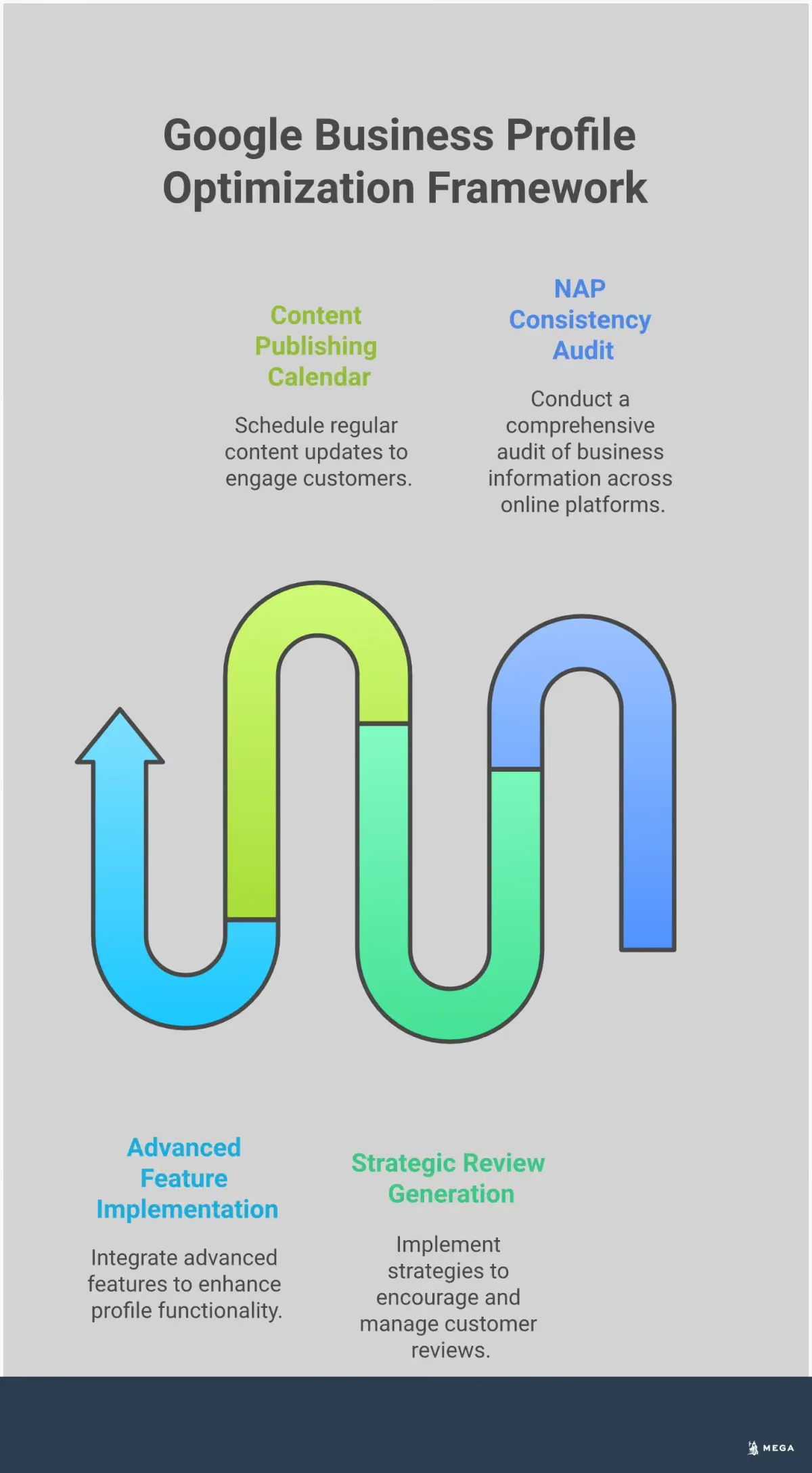
One of the most critical elements for local search is your NAP: Name, Address, and Phone number. It’s essential that this information is identical everywhere it appears online, from your website to other directories like Yelp or Facebook. Inconsistencies can confuse search engines and erode trust, which can harm your local search rankings. Imagine a customer finding two different phone numbers for your business—which one should they call? Take a moment to audit your online presence and ensure your NAP is exactly the same across all platforms, matching your Google Business Profile perfectly. This simple step signals to Google that your business information is reliable.
Choose the Right Business Categories
Categories tell Google exactly what your business does, helping it match you with relevant customer searches. Your primary category is the most important, so be as specific as possible. For example, instead of just “Restaurant,” choose “Italian Restaurant” or “Vegan Cafe.” After selecting your primary category, you can add secondary categories to describe other aspects of your business. If your Italian restaurant also offers catering and has a full bar, you can add “Caterer” and “Bar” as additional categories. Choosing the right ones ensures you show up when potential customers are looking for the specific services you provide.
Choosing Your Primary Category
Your primary category is the most important signal you can give Google about what your business does. It’s how Google matches you to customers searching for your specific services, so precision is key. For example, selecting “Italian Restaurant” instead of the generic “Restaurant” tells Google exactly who to show your profile to. This single choice can determine whether you appear in highly relevant local searches. After you’ve set this main category, you can add secondary ones to provide more detail. For that same restaurant, you might add “Caterer” or “Bar” to capture searches for those services, too. Take your time to explore all the options and choose the right business categories to paint a complete picture of your offerings.
Add High-Quality Photos and Videos
Photos and videos bring your business to life and show customers what to expect. A profile with compelling visuals is proven to attract more customers and drive engagement. Start by uploading a high-resolution logo and a cover photo that best represents your brand. Then, add a variety of other images: shots of your storefront or office exterior, photos of the interior, pictures of your team at work, and images of your products or services in action. These visuals help build trust and allow customers to connect with your business before they even walk through the door. Regularly adding new photos also signals to Google that your profile is active and up-to-date.
Define Your Service Area
If you’re a service-area business—meaning you travel to your customers, like a plumber, landscaper, or mobile dog groomer—this feature is for you. Instead of displaying a single address, you can define the specific geographic areas you cover. This helps you appear in search results for customers within your service radius without having to publicize a physical address, which is especially useful if you operate out of your home. Clearly defining your service area ensures you connect with relevant local customers and makes it clear to people where you serve specific geographic locations.
Hiding Your Address for Service-Area Businesses
For many service-area businesses, the "office" is a home address you would rather not publicize. If you don't have a physical storefront for customers to visit, you should hide your address on your profile for privacy and safety. When you hide your address, your profile will no longer display a street number or a map pin at your location. Instead, it will show your defined service area, such as a list of cities or a radius, letting customers know where you operate without revealing your home address.
This is the correct and intended way to set up a profile for a service-area business, and it does not negatively impact your ability to rank in local search. Google uses your defined service area to understand where your business is relevant. To make this change, you simply need to clear your address from the "Info" section of your profile dashboard. This action ensures you can add or edit your service area correctly while keeping your personal information secure.
How to Write a Compelling Business Description
Your business description is your 750-character elevator pitch. Use this space to tell potential customers who you are, what you do, and what makes you different. Go beyond just listing your services and share a bit of your story or mission. Highlight your unique selling points, whether it’s your years of experience, commitment to sustainable practices, or special offers for new clients. Weave in important keywords naturally, but focus on writing for a human reader, not a search engine algorithm. A well-written description can help you stand out from the competition and persuade a user to choose your business over another.
Following Content Guidelines
To get the most out of your profile, you'll need to follow Google's content guidelines. Think of your profile as an active storefront that requires consistent care. A profile that sits untouched can appear neglected, so make it a habit to share updates through Google Posts, add fresh photos, and answer customer questions. This signals to Google that your business is active and engaged. High-quality visuals are especially powerful; photos and videos bring your business to life and give customers a real sense of what you offer. Finally, make it a priority to encourage and respond to all customer reviews. This interaction builds trust and shows Google that you value customer input, which is a key factor in your local search performance.
Keep Your Business Hours Up to Date
Accurate business hours are non-negotiable. This is one of the first things customers look for, and providing incorrect information is a quick way to create a frustrating experience. Make sure your regular hours are always current. More importantly, use the "special hours" feature to update your availability for holidays, special events, or any temporary closures. Keeping this information accurate is fundamental to good customer satisfaction and shows both customers and Google that you are actively managing your profile. This simple act of maintenance helps build trust and prevents the negative reviews that often follow a wasted trip to a closed business.
Setting Hours for Specific Services
Google understands that not all parts of your business operate on the same schedule. You can set different hours for specific services, which adds a layer of accuracy that customers appreciate. For example, a restaurant can list its main dining room hours, separate hours for takeout, and different times for delivery. A bank can show when the lobby is open versus its drive-thru hours. This feature is incredibly useful for businesses with multiple offerings. By providing this level of detail, you eliminate confusion and prevent customers from showing up at the wrong time, creating a smoother and more positive experience from their very first interaction with your business.
Manage Your Contact Information
Your contact information is the bridge between a potential customer and a sale. Ensuring it's accurate, complete, and easy to find is a cornerstone of effective local marketing. While your primary phone number is crucial, Google Business Profile allows for a more nuanced approach to managing how customers reach you. Providing multiple contact points can streamline your operations by directing inquiries to the right department from the start, whether it's sales, support, or appointments. This not only improves customer experience but also saves your team valuable time.
Keeping this information meticulously updated is a key part of any successful SEO strategy. Every detail on your profile, especially your contact information, sends signals to Google about your business's reliability and professionalism. When your data is consistent and detailed, it builds trust with both the search engine and your audience. This trust translates into better visibility in local search results and gives customers the confidence they need to take the next step and connect with your business. Think of it as digital housekeeping that pays dividends in customer acquisition.
Adding and Hiding Phone Numbers
Your Google Business Profile allows you to add up to three phone numbers, giving you the flexibility to guide customers to the right place. You can list your main business line, a direct number for your sales team, and another for customer service. This simple setup helps manage customer flow and ensures inquiries are handled efficiently. While you have the option to hide your phone number, it’s generally best to keep it visible for transparency. Hiding contact information can create friction for potential customers. The exception is often for service-area businesses that operate from a private residence and prefer to manage all communication through website forms or messaging to maintain privacy.
Manage Your Reviews to Rank Higher
Reviews are a huge part of your online reputation. They act as social proof for potential customers and are a major ranking factor in Google's local search algorithm. Think about it: when you're looking for a new coffee shop or plumber, you probably check the reviews first. Your customers are doing the same thing. A steady stream of positive, recent reviews signals to both Google and searchers that your business is trustworthy, active, and provides a quality experience.
Managing your reviews isn't just about damage control for the occasional bad experience. It's a proactive strategy to build credibility and improve your visibility. By encouraging feedback and engaging with what customers have to say, you show that you value their business and are committed to excellence. This section will walk you through how to get more reviews, respond effectively, and use customer feedback to strengthen your online presence. A solid review management process can directly influence your position in local search results and help you stand out from the competition.
How to Get More Customer Reviews
The easiest way to get more reviews is simply to ask for them. Don't be shy about requesting feedback from happy customers. The key is to make the process as simple as possible. You can create a unique short link or QR code that takes customers directly to the review section of your Google Business Profile. Add this business link to your email signatures, receipts, or even a small sign at your checkout counter. Timing is also important. Consider using an automated system to send a review request via email or text shortly after a purchase or service, when the positive experience is still fresh in the customer's mind.
How to Respond to Every Review
Responding to reviews shows that you're an engaged business owner who cares about customer feedback. Make it a habit to reply to both positive and negative comments. For positive reviews, a simple thank you goes a long way. Acknowledge a specific point they made to show you actually read their comment. For all responses, keep your tone professional and courteous. When you reply to reviews, you're not just talking to one customer; you're showing every potential customer who reads them that you value feedback and are committed to providing a great experience.
How to Handle Negative Feedback
A negative review can feel like a personal attack, but it's best to see it as an opportunity to improve and demonstrate your customer service skills. Always respond promptly and publicly. Acknowledge the customer's frustration, apologize for their poor experience, and offer to resolve the issue offline by providing a phone number or email address. This shows other potential customers that you take concerns seriously. Whatever you do, never pay for positive reviews or for negative reviews of your competitors. If Google detects this kind of activity, it can lead to severe penalties, including having your profile locked down.
Using Reviews to Build Customer Trust
Trust is the foundation of any good business relationship, and online reviews are a cornerstone of building that trust digitally. As one expert notes, "The value of reviews is just getting more and more important, especially as AI comes in as well." When a potential customer sees a business with a healthy number of authentic reviews and thoughtful responses from the owner, it builds immediate credibility. This transparency shows that you stand by your service and are open to feedback, making customers more comfortable choosing you over a competitor with a less active or less transparent review profile.
Why Fresh Reviews Matter
While having a high volume of reviews is great, the frequency of those reviews is even more critical. As local search expert Brad Wetherall explains, if you have 500 reviews but they're all from five years ago, Google might see that information as stale and untrustworthy. A consistent flow of new reviews signals that your business is currently active and that the feedback is relevant to today's customer experience. This freshness factor tells Google that your business is a reliable choice to show in current search results, which can directly impact your ranking. Aim for a steady trickle of new reviews rather than a one-time push.
Create a Content and Engagement Strategy
Optimizing your Google Business Profile isn't a one-and-done task. Think of it as an active communication channel with your customers, a digital storefront that needs regular attention. A consistent content and engagement strategy signals to Google that your business is active and relevant, which can help your local search ranking. When Google sees you're frequently updating your profile with posts, photos, and responses, it views your business as more credible and helpful to users. More importantly, this activity builds trust and keeps your audience informed. People searching for local businesses want to see current information. An active profile shows you're open, engaged, and ready for their business. Regularly sharing updates, responding to questions, and showcasing what makes your business special encourages potential customers to choose you over the competition. This section will walk you through the key components of a strong engagement strategy, from creating different types of posts to managing customer messages. By treating your profile as a dynamic tool rather than a static listing, you can create a steady stream of engagement that translates into real-world foot traffic and sales.
What Kind of Posts Should You Create?
Google Posts are like mini-ads or social media updates that appear directly in your Business Profile on Search and Maps. They are a powerful way to communicate directly with people who find you online. You can use different post types to share updates, announce events, or feature special offers. For example, a restaurant could post its weekly specials, while a retail store might announce a flash sale. You can also share links to your latest blog posts or highlight a new product. The key is to post to your Google Business Profile regularly to keep your content fresh and give customers a reason to check back.
How to Optimize Photos and Videos for Posts
People are visual, and high-quality photos and videos can make your profile stand out. Go beyond just a picture of your storefront. Add photos of your products, your team at work, and happy customers (with their permission, of course). A short video tour of your space or a behind-the-scenes look at how you create your products can be incredibly engaging. Make sure your images are well-lit and professional. Regularly adding new visuals shows that your business is active and gives customers a better sense of what to expect. This simple step can significantly influence a potential customer's decision to visit or make a purchase.
Create a Consistent Posting Schedule
Consistency is crucial for any content strategy. Posting sporadically won't have the same impact as maintaining a regular schedule. To stay on track, create a simple content calendar outlining what you'll post and when. You might plan to share a new offer every Friday or a business update every other week. Planning ahead removes the pressure of coming up with ideas on the fly. You can also use a social media management tool to schedule your Google Posts in advance, ensuring your profile stays active even when you're busy running your business. This keeps your profile fresh and your audience engaged with minimal last-minute effort.
How to Manage Your Q&A Section
The Questions & Answers section on your profile is a direct line of communication with potential customers. Anyone can ask a question, and anyone can answer it. That’s why it’s so important for you, the business owner, to be the primary one providing answers. Monitor this section closely and respond to new questions as quickly as possible. You can also be proactive by seeding the section yourself. Think about the most common questions you receive and post them with clear, helpful answers. This helps you control the information on your profile and provides valuable information to customers before they even have to ask.
Highlight Special Offers and Events
If you have a sale, promotion, or special event, your Google Business Profile is one of the best places to announce it. Using the "Offer" or "Event" post types makes your promotion stand out with a special tag and can include details like coupon codes, links, and specific start and end dates. This is a fantastic way to drive immediate action. For example, you can highlight special offers like a "20% off first-time visit" coupon or an upcoming workshop. These time-sensitive posts create a sense of urgency and give customers a compelling reason to engage with your business right away.
Enable Customer Messaging for Direct Contact
The messaging feature allows customers to send you a text message directly from your Business Profile. This offers a convenient and low-friction way for people to get in touch without having to make a phone call. If you enable this feature, be prepared to respond promptly. Google shows customers your average response time, so a quick reply can build confidence and improve the customer experience. Treating these messages with the same importance as a phone call shows that you are accessible and attentive to customer needs, which can be a deciding factor for many consumers.
Enabling WhatsApp Chat
Integrating familiar tools like WhatsApp into your Google Business Profile is another way to make it incredibly easy for customers to connect with you. By enabling this feature, you provide a direct and familiar messaging option that many people prefer over making a phone call. This simple addition caters to modern communication habits and reduces friction, making your business feel more approachable. When customers see they can quickly send a message, they are more likely to reach out with questions about your services or availability. This direct line of communication is a powerful way to enhance your community visibility and show that you are accessible and ready to engage. Every interaction is an opportunity to build a relationship and turn a curious searcher into a loyal customer.
Using Advanced Profile Features
Once you’ve covered the basics, you can start using the more advanced features of your Google Business Profile. These tools are designed to give customers more information and make it easier for them to interact with your business directly from the search results page. Think of your profile as more than just a listing; it's an interactive storefront. By adding details like your product catalog, appointment booking links, and specific business attributes, you remove friction for potential customers and give them more reasons to choose you over the competition. These features help your profile stand out and can directly influence a customer's decision to contact you or make a purchase.
Showcase Your Products and Services
Showcasing your products and services directly on your profile is one of the most effective ways to attract customers. This feature allows you to create a catalog complete with photos, descriptions, and prices. For a retail store, this could be a collection of your best-selling items. For a restaurant, it’s your full menu. For a service provider, it's a detailed list of what you offer. By making this information readily available, you answer customer questions before they even have to ask. A complete profile with detailed product listings not only helps Google understand your business better but also significantly improves visibility and engagement in local search.
Let Customers Book Appointments Directly
For service-based businesses, the appointment booking feature is a game-changer. It allows customers to schedule a visit directly from your Google Business Profile, which is incredibly convenient. You can integrate your profile with a supported third-party scheduling provider to manage bookings seamlessly. This direct call to action can greatly increase conversions by making it as simple as possible for a customer to commit. Adding a booking button streamlines the process and can enhance customer engagement, turning searchers into paying clients with just a few clicks. It’s a simple way to fill your calendar without the back-and-forth of phone calls or emails.
How to Manage Multiple Locations
If your business operates in more than one location, maintaining consistency across all your profiles is critical. Google allows you to create a location group to manage multiple listings from a single dashboard. This makes it much easier to update information like business hours, post announcements, or respond to reviews for all your branches at once. Ensuring that your name, address, and phone number are identical everywhere builds trust with both customers and search engines. Using a centralized system helps you take better control of your brand's online presence, ensuring every listing is accurate and professional.
Select the Right Business Attributes
Attributes are specific details that tell customers more about your business, such as "Women-led," "Wheelchair accessible entrance," or "Outdoor seating." These tags help your profile appear in more specific searches and appeal to customers looking for businesses that meet their needs. Choosing the right attributes is a simple yet powerful optimization. The completeness of your profile is a key factor in how Google ranks you in local search results. Take the time to go through the available attributes and select all that apply to your business. This small step provides valuable context and helps you connect with your ideal audience.
Add Your Opening Date
Sharing your business's story helps build a connection with customers, and your opening date is a simple way to do just that. This feature allows you to add the month and year your business first opened its doors. It’s a small detail that adds a layer of authenticity and history to your profile. For a long-standing local business, it highlights your experience and stability within the community. For a newer business, it can generate excitement and encourage customers to support a fresh local enterprise. According to Google's guidelines, you only need the month and year, making it a quick and easy update that adds significant value.
Link Your Social Media Profiles
Your Google Business Profile can act as a central hub for your entire online presence. By linking your social media accounts, you make it easy for customers to find and follow you on platforms like Facebook, Instagram, TikTok, and LinkedIn. This feature helps you build a stronger community around your brand by directing traffic from Google to your other marketing channels. When customers can easily see your latest posts, photos, and updates, they get a more complete picture of your business's personality. It’s a simple way to cross-promote your content and encourage deeper engagement beyond a single search query, turning casual searchers into loyal followers.
Highlight Diversity and Inclusion
Customers today often seek to support businesses that reflect their values. Google's attributes for diversity and inclusion allow you to communicate what your business stands for. You can add special tags to show if your business is Black-owned, women-owned, veteran-owned, or LGBTQ+ friendly. Highlighting these attributes helps you connect with a specific audience that is actively looking to support businesses from these communities. It’s a powerful way to build trust and show that your business is a welcoming space for everyone. This transparency can be a deciding factor for many customers and helps you foster a more inclusive brand image.
Add Industry-Specific Features
Google understands that a one-size-fits-all approach doesn't work for every business. That's why it offers a range of industry-specific features designed to provide the most relevant information to your potential customers. Whether you run a restaurant, a hotel, or a car dealership, you can customize your profile with details that matter most in your sector. Using these tailored features makes your profile more useful and can significantly improve the customer experience. When a customer can find exactly what they need—like a menu, room amenities, or car inventory—directly in the search results, it removes friction and makes them more likely to choose your business.
For Restaurants
For any food business, your menu is one of the most important pieces of information you can provide. Google allows you to upload your menu directly to your profile, complete with items, descriptions, and prices. This is often the first thing a potential diner looks for when deciding where to eat. Keeping your menu accurate and up-to-date is essential. If you change your prices or add a seasonal dish, make sure to update it on your profile. A current and detailed menu not only helps customers make a decision but also improves your visibility in searches for specific dishes or types of cuisine.
For Hotels
Travelers need specific information to make booking decisions, and Google’s features for hotels cater directly to this need. You can display essential details like check-in and check-out times, as well as a comprehensive list of your amenities. Highlighting features such as "Free Wi-Fi," "Pool," or "Pet-friendly" can help you stand out to travelers searching with those specific criteria. Providing this information upfront streamlines the decision-making process and answers key questions before a potential guest even visits your website. It ensures that you attract the right guests by clearly communicating what they can expect during their stay.
For Car Dealerships
If you're a car dealership, your inventory is your main attraction. Google’s vehicle listings feature allows you to showcase the cars you have for sale directly on your Business Profile. This turns your profile into a virtual showroom, allowing local buyers to browse your available cars, including details like make, model, price, and mileage, without leaving the search page. This is an incredibly powerful tool for capturing the attention of customers who are actively in the market for a new vehicle. By integrating your inventory, you create a seamless path from search to sale and connect with qualified local leads more effectively.
How to Track Your Profile's Performance
Optimizing your profile is not a one-time task. To see real results, you need to regularly check your performance and make adjustments based on what the data tells you. Google provides built-in analytics that show how customers find and interact with your profile. Paying attention to these insights helps you understand what’s working and where you can improve, ensuring your efforts translate into more customers for your business.
What Are the Key Metrics to Track?
To understand your profile's performance, focus on a few key metrics. Track customer actions like how many people call your business, visit your website, or request directions directly from your profile. You should also monitor your search visibility, which includes how customers find you (direct vs. discovery searches) and where your profile appears on Google Search and Maps. These numbers are crucial for understanding how well your profile is performing. Using Google Business Profile management tools can help you keep an eye on these metrics and see your progress over time.
How to Understand Your Profile Insights
Google’s built-in analytics, found in the "Performance" section of your profile, are your best friend. This dashboard shows you how many views your profile gets and the specific actions customers take. For example, you can see the search terms people used to find your business. This information is a goldmine for understanding customer behavior. A complete and active profile often leads to more customer interactions. By regularly reviewing your profile insights, you can learn what your audience is looking for and refine your strategy to meet their needs more effectively.
How to Analyze Your Competitors
Take a look at what other local businesses in your industry are doing. Analyzing your competitors' Google Business Profiles can reveal their strategies and highlight opportunities for you. See which categories they are using, what kind of photos they post, and how frequently they share updates. Pay attention to their reviews and how they respond. This isn't about copying them, but about identifying gaps in your own profile. If a top competitor is getting a lot of engagement from their Q&A section, it might be a sign that you should invest more time there.
Turn Insights into Actionable Improvements
The goal of tracking analytics is to make smarter, data-driven decisions. Use the insights you gather to make informed adjustments to your profile. If you notice that searches for a specific service are bringing people to your profile, create a post highlighting that service or add more photos related to it. If your photo views are high but website clicks are low, make sure your posts include a clear call to action. Regularly reviewing your metrics allows you to continuously refine your approach, which can improve your visibility and customer engagement over time.
Tools to Help You Manage Your Profile
Managing your Google Business Profile effectively takes time, but the right tools can streamline the process. From updating your information across the web to tracking how customers find you, these platforms are designed to make local SEO more manageable. They handle many of the repetitive tasks, giving you more time to focus on running your business. Think of them as your digital assistant for all things local search, helping you stay consistent and engaged without having to log into dozens of different websites.
Profile Management Platforms
Profile management platforms act as a command center for your local SEO. Instead of updating multiple sites one by one, these tools let you manage your business information, respond to reviews, and track performance from a single dashboard. They are especially useful for ensuring your business name, address, and phone number (NAP) are consistent everywhere online. For example, Semrush’s Listing Management tool offers a full suite of features for local businesses, while platforms like Moz Local help you optimize your listings and monitor customer feedback. Using one of these services saves you hours of manual work and helps you maintain a strong, consistent online presence that search engines trust.
Solutions for Monitoring Reviews
Keeping up with customer reviews is critical for your reputation, but it can be overwhelming. Review monitoring solutions gather all your reviews from Google and other sites into a single feed. This makes it easy to see new feedback and respond quickly, which is a key factor in building customer trust. Some tools even offer templates for common responses to help you reply faster. For instance, Agorapulse’s integration with Google Business Profile simplifies review management, especially if you have multiple locations. By centralizing your reviews, you can ensure no customer comment goes unnoticed and maintain a positive and engaged relationship with your audience.
Analytics and Reporting Tools
While your Google Business Profile provides its own Insights, dedicated analytics tools can give you a more complete picture of your performance. These tools help you understand how customers are finding you, which keywords they use, and how your profile traffic translates into website visits or phone calls. Google’s own tools are a great place to start. By connecting your website to Google Analytics, you can track the customer journey from your profile to your site and see what actions they take. Using this data helps you make smarter decisions about your content strategy, service offerings, and overall marketing efforts.
Citation Management Systems
A citation is any online mention of your business’s name, address, and phone number. Consistent citations across directories like Yelp, Yellow Pages, and industry-specific sites are a strong signal to Google that your business information is accurate. Citation management systems automate the tedious work of finding, creating, and correcting these listings. Tools like Synup scan the web for mentions of your business and help you fix inconsistencies. This ensures that potential customers find the correct information no matter where they look, which is fundamental for building a solid local search foundation and improving your visibility in map results.
AI-Powered SEO Platforms
Keeping your Google Business Profile fresh and engaging requires a consistent effort that many small business owners simply don't have time for. This is where AI-powered SEO platforms can be a huge help. These tools are designed to automate the ongoing management of your profile, ensuring it remains an active and relevant signal to Google. Instead of manually creating posts or monitoring for new questions, an AI platform can handle these tasks for you. This consistent activity helps improve your local search ranking by showing Google that your business is operational and engaged with its community. Platforms like MEGA AI are built to simplify this process, making it accessible for businesses at all levels of expertise.
Using AI for Content Creation
Coming up with fresh content for your Google Business Profile can be a challenge, but AI makes it much easier. AI-powered tools can generate ideas and even write entire Google Posts, including updates, special offers, and event announcements. This ensures you always have something new to share with your audience. Beyond posts, AI can help you proactively manage your Q&A section by drafting answers to common customer questions. It can also help you refine your business description to be more compelling and keyword-rich. By automating content creation, you can maintain a dynamic profile that showcases what makes your business special and encourages potential customers to choose you over the competition.
Understanding the Edit and Review Process
When you make changes to your Google Business Profile, it’s important to know that they might not appear online immediately. You can edit your business info at any time to update details like your address, hours, or contact information, but Google has a review process in place to ensure the accuracy of its listings. This is a quality control measure designed to prevent spam and protect users from incorrect information. While many edits are approved quickly, some may take longer to be reviewed and published. Understanding this process helps set realistic expectations and ensures you don't panic if your changes aren't live within minutes. It’s a necessary step to maintain the integrity and trustworthiness of Google Search and Maps for everyone.
Google's Review Process for Edits
After you submit an edit to your profile, Google reviews your changes before they go live. This process is mostly automated, with algorithms checking the information against Google's guidelines and other data sources. In some cases, especially for significant changes like a new address or business name, a human reviewer may get involved. This verification step is crucial for maintaining the reliability of the information on Google Maps and Search. The time it takes for an edit to be approved can vary, but it’s all part of Google’s effort to ensure that the information customers see is accurate and up-to-date, which ultimately helps build trust in your business.
Suggesting Edits to Other Profiles
Just as you can edit your own profile, you can also suggest edits to other business profiles if you notice incorrect information. This feature is part of Google's community-driven approach to keeping its data accurate. If you see a business with the wrong hours or a disconnected phone number, you can submit a correction. This helps everyone, as inconsistencies can confuse search engines and customers alike. While you can't directly change another business's listing, your suggestion will be reviewed by Google. Contributing to the accuracy of the local search ecosystem helps build a more reliable and trustworthy environment for all users, reinforcing the importance of correct and consistent business information online.
Common Google Business Profile Mistakes to Avoid
Optimizing your Google Business Profile is a powerful way to attract local customers, but a few common missteps can undermine your efforts. Think of your profile as a digital storefront; you want it to be accurate, inviting, and active. Avoiding these frequent mistakes will help you make a great first impression on both Google and potential customers, ensuring your profile works for you, not against you. By steering clear of these pitfalls, you can build a stronger local presence and connect with more people searching for what you offer.
Inconsistent Business Information
One of the most damaging mistakes is having inconsistent business information scattered across the web. Your Name, Address, and Phone number (NAP) must be identical everywhere, from your website to other online directories. If you have different names, addresses, or phone numbers listed in various places, it confuses search engines and can hurt your local ranking. Google cross-references this data to verify your business's legitimacy. Take the time to audit your online citations and correct any discrepancies. This simple act of consistency builds trust with Google and makes it easier for customers to find you.
Neglecting Your Customer Reviews
Ignoring your customer reviews is a major missed opportunity. Reviews are one of the most significant factors in local search rankings and heavily influence customer decisions. It’s not enough to just hope for good reviews; you need a strategy to actively encourage them. Just as importantly, you should respond to all reviews, both positive and negative. Replying shows that you value customer feedback and are an engaged business owner. A steady stream of recent, positive reviews signals to Google that your business is active and trusted by the community, which can directly improve your visibility.
Using Outdated Content and Photos
If you set up your profile years ago and haven't touched it since, Google may question whether your information is still accurate. An inactive profile can be seen as unreliable. Regular activity on your listing acts as a signal of data quality. You should consistently add new photos, publish posts about updates or offers, and answer questions in the Q&A section. Keeping your profile fresh not only helps with your search ranking but also gives customers a current and accurate look at your business, encouraging them to visit or make a purchase.
Forgetting to Verify Your Profile
Verification is a fundamental step that many businesses overlook. An unverified profile has limited functionality and credibility. Before you can respond to reviews or access all of your profile's features, you must verify your business. This process confirms that you are the legitimate owner of the business and is typically done via a postcard mailed to your physical address, though other methods are sometimes available. Skipping this step means you can't fully manage your online reputation or use the tools Google provides to engage with your customers effectively.
Leaving Profile Attributes Incomplete
Leaving sections of your profile blank is like leaving money on the table. The completeness of your Google Business Profile helps Google rank you higher and encourages customers to take action. Take the time to fill out all relevant fields, especially the more detailed attributes. These can include things like "wheelchair accessible," "free Wi-Fi," or "women-led." These specific details help your business appear in more niche searches and give customers the exact information they need to choose you over a competitor. A fully completed profile provides a better user experience and signals to Google that you're a thorough and trustworthy business.