

Improving your website's speed is more than just a technical task; it's a strategic move that can significantly influence your business's success online. Faster load times lead to better engagement, lower bounce rates, and improved conversion opportunities – all vital for growing businesses. Google Analytics provides the diagnostic tools necessary to understand your current performance and identify specific areas needing attention. If you're ready to take control of your site's speed, this guide will show you how to use Google Analytics for site speed improvement?. We’ll cover how to access and interpret the relevant data, enabling you to implement targeted optimizations for a noticeably faster and more user-friendly website.
Key Takeaways
- Check Your Site Speed Regularly for Better Engagement: A fast website keeps visitors happy and supports your search rankings; use Google Analytics to see how your site currently performs.
- Use Analytics to Find and Fix What's Slowing You Down: Pinpoint underperforming pages with Google Analytics and PageSpeed Insights, then act on specific recommendations like image compression or server improvements.
- Weave Site Speed into Your Continuous Digital Efforts: Approach site speed as an ongoing part of your marketing strategy, not a one-off fix, to consistently enhance user experience and support your business goals.
What is Site Speed and Why Does It Matter?
Site speed refers to how quickly your website's content loads and becomes usable for a visitor. We've all been there – clicking on a link and then impatiently tapping our fingers as a page slowly materializes. That feeling of frustration is precisely why site speed is so important. It’s more than just a technical metric; it’s a critical first impression and a key factor in how users perceive your business online. A website that loads quickly can mean the difference between gaining a new customer and losing them to a competitor.
For startups and small businesses, where every interaction counts, understanding and optimizing site speed is essential. When your pages are swift, visitors are more likely to stay, explore your offerings, and take the actions you want them to, like making a purchase or signing up for a newsletter. Conversely, a sluggish site can turn users away before they even see what you have to offer. This directly impacts their experience and also influences how search engines like Google evaluate your site's quality. Let's look closer at how site speed specifically affects user experience and your search engine optimization (SEO) efforts.
How Site Speed Affects User Experience
The speed of your website is a fundamental part of a good user experience. When a page loads promptly, visitors feel their time is valued, making them more receptive to your message and content. Research consistently shows that slow loading times significantly increase bounce rates, meaning people leave your site quickly, often before it fully loads. Each bounce represents a lost opportunity – a potential customer who didn't get to see your products or services.
On the flip side, faster loading times contribute to higher user satisfaction. Visitors are more inclined to spend more time on your site, view multiple pages, and generally form a more positive opinion of your brand. This increased engagement, often measured by metrics like dwell time, signals that your site provides value and is enjoyable to use. A quick, responsive website helps build credibility and encourages visitors to return.
How Site Speed Impacts Your SEO
Search engines, especially Google, prioritize providing users with the best possible online experiences. Consequently, they consider user experience signals, including site speed, when determining website rankings. A slow website can negatively affect your position in search results, making it more challenging for potential customers to discover your business. High bounce rates and low engagement, often resulting from slow speeds, can be interpreted by search engines as indicators that your site isn't meeting user expectations.
It's also important to remember that search engine algorithms are constantly being refined. As these algorithms evolve, maintaining a technically sound and fast website becomes increasingly vital for consistent online visibility. While site speed is a confirmed ranking factor, it's one among many. It might not carry the same weight as factors like content quality or backlink profile, but neglecting your site's performance can still act as a drag on your overall SEO efforts.
How to Access Site Speed Reports in Google Analytics
Understanding your website's speed is crucial, and Google Analytics provides the tools to do just that. Once you know where to look, you can uncover valuable insights into how quickly your site performs for your visitors. This information is key to identifying areas that might need a little tune-up to enhance user experience and potentially improve your search rankings. Let's walk through how to find these reports and what they can tell you.
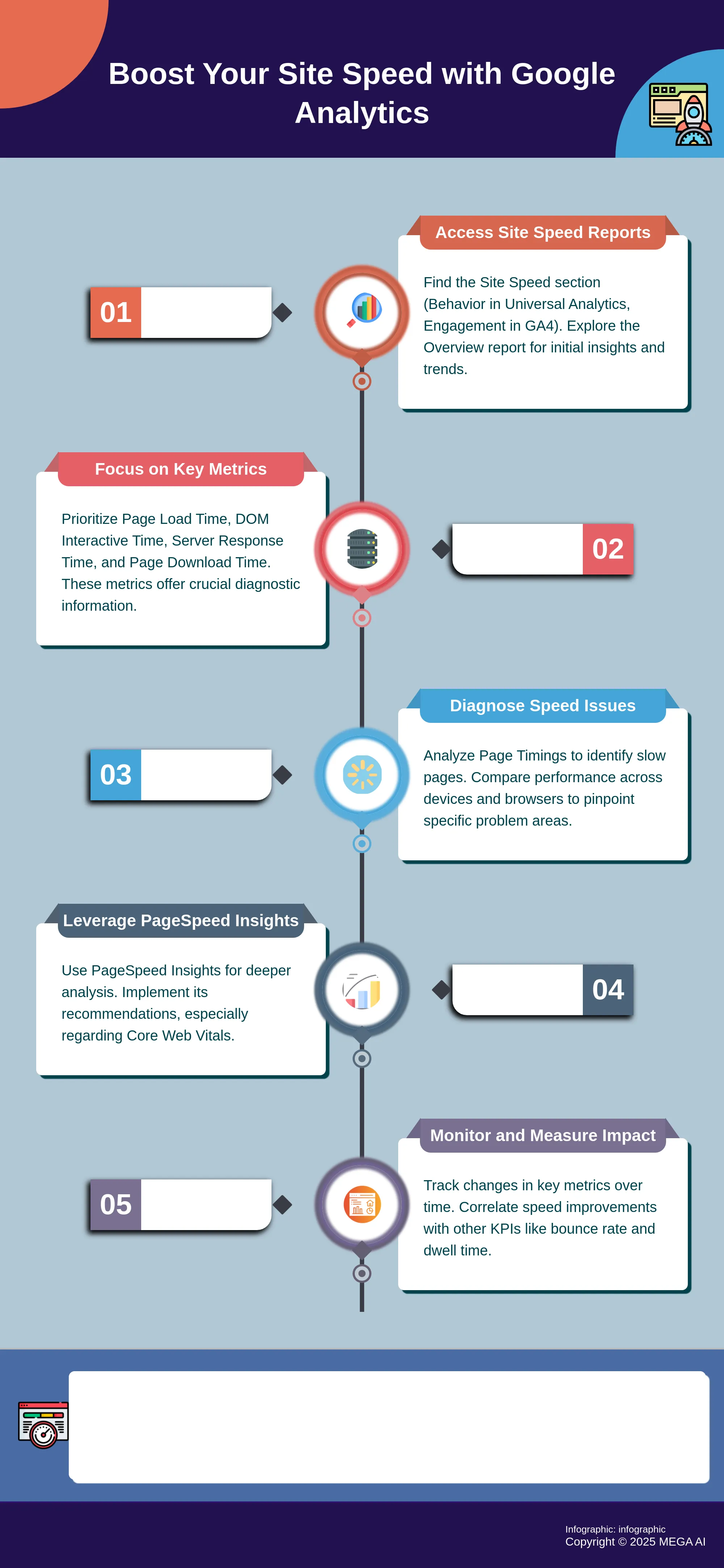
Find the Site Speed Section
Google Analytics helps you monitor site speed effectively. In Universal Analytics, you'll typically find these reports under the "Behavior" section. For those using Google Analytics 4, speed metrics are often integrated within "Engagement" reports, particularly under "Pages and screens," where you can analyze loading performance. The "Site Speed - Overview" report in Universal Analytics is a great starting point, as it tracks your site's performance over time with helpful data visualizations like charts and maps. This allows you to see trends, and you can also segment this data by factors like the browser visitors use, their geographical location, or even specific pages on your site. This breakdown is incredibly helpful for pinpointing exactly where slowdowns might be occurring and what user segments are most affected.
Understand Available Reports and Metrics
The Site Speed reports are designed to show you how quickly users can see and interact with your website's content. This is vital because a faster site generally leads to happier users and can contribute positively to your SEO efforts. These reports measure a few key aspects of speed. You'll find metrics like average page load time, which tells you how long it takes for a page to fully appear. Another important one is the DOM (Document Object Model) interactive time, indicating how quickly the browser renders the page so users can start clicking around. Some reports also offer "Speed Suggestions," which can provide recommendations for improvement, often linking to tools like Google's PageSpeed Insights for a more detailed analysis and actionable advice.
Which Key Metrics Should You Focus On for Site Speed?
When you start looking into your website's speed using Google Analytics, you'll find a variety of data points. It can feel a bit overwhelming at first, but the key is to know which metrics truly matter for understanding performance and making smart improvements. Focusing on the right numbers helps you cut through the noise and pinpoint exactly where your site might be slowing down your visitors. This is especially important when you're running a startup or small business, as your time and resources are precious. You want to direct your efforts where they'll have the most impact on user experience and, ultimately, your bottom line.
Think of these key metrics as your diagnostic tools. They tell you not just if your site is slow, but why and where. Is it the initial connection to your server? Is it the time it takes for users to actually interact with your page? Or perhaps specific elements are taking too long to load? By understanding a few core metrics, you can get clear answers to these questions. This clarity allows you to create a targeted plan for optimization, rather than guessing what might work. It’s about working smarter, not just harder, to ensure your website offers a smooth and fast experience that keeps users engaged and encourages them to convert. Let's explore the specific metrics that will give you this valuable insight.
Understand Page Load Time and DOM Interactive Time
Two of the most fundamental metrics you'll want to get familiar with are Page Load Time and DOM Interactive Time. As Google's own documentation on site speed clarifies, "Page Load Time measures how long it takes a page to fully load, while DOM (Document Object Model) Interactive Time indicates how quickly the browser displays the page and allows users to interact with it." Essentially, Page Load Time is the total wait until everything on the page is visible and functional. DOM Interactive Time, however, tells you when your users can start clicking buttons or scrolling, even if some less critical background elements are still loading. Both are vital because a lengthy wait for either can lead to frustrated visitors and an increased bounce rate.
Understand Server Response Time and Page Download Time
Next, let's consider Server Response Time and Page Download Time. The speed and efficiency of your web server play a significant role in your site's overall performance. Server Response Time measures how long it takes for your server to acknowledge and respond to a request from a user's browser. Page Download Time then refers to the duration it takes to download the actual HTML content of your page. According to Google, "The Speed Suggestions report provides insights into average page download time and server response time, which are essential for diagnosing performance issues." A slow server response can act as a bottleneck, delaying every subsequent step in the page loading process. Monitoring these metrics helps you identify if your hosting plan or server configuration might need an upgrade or adjustment.
Interpret These Metrics for Actionable Insights
Understanding what these metrics mean is the first step; the next is knowing how to use them to make real improvements. Google Analytics is designed to help you translate this data into concrete actions. "Utilizing the Site Speed reports allows you to identify slow-loading pages and elements through data visualizations like charts and maps." This means you can easily see which specific pages are underperforming. Furthermore, "The User Timings report can provide detailed insights into the load times of individual website elements, such as images and videos, which can help you focus your optimization efforts on specific areas." This level of detail is incredibly useful for targeted fixes, like optimizing large image files or streamlining hefty scripts. For a more comprehensive approach to site health, including technical SEO improvements that go hand-in-hand with speed, exploring platforms that offer SEO services can provide robust solutions.
How to Identify and Diagnose Speed Issues with Google Analytics
Once you know where to find site speed reports in Google Analytics, the next step is using them to pinpoint what’s slowing your site down. Think of yourself as a website detective, looking for clues to performance bottlenecks. This involves examining specific page performance, comparing how your site loads for different users, and monitoring changes over time.
Analyze Page Timings and Speed Suggestions
Google Analytics offers detailed reports showing how quickly your content becomes visible and interactive. "Site Speed reports in Universal Analytics show how fast users see and interact with your website content," invaluable for understanding real-world experience. Focus on Page Timings data, which lists individual pages and average load times, helping identify culprits. Beyond numbers, "the Speed Suggestions report helps pinpoint areas for improvement to make your website load faster." This is useful as it offers starting points for solutions. It often suggests using Google's PageSpeed Tools for further analysis and optimization, guiding concrete actions.
Compare Performance Across Devices and Browsers
Your website's speed isn't uniform. A page might load swiftly on a desktop but lag on mobile. It's crucial to investigate these performance variations. Google Analytics lets you "break down the data by browser, country, and specific pages to identify problem areas." This detailed view is essential for understanding diverse user experiences. Furthermore, "you can also use segments (like 'Mobile') to analyze speed on different devices." Applying segments isolates data for mobile users or specific browsers. If mobile load times are significantly higher, that’s a clear signal to investigate mobile-specific optimizations.
Recognize Patterns and Trends in Site Speed Data
Site speed isn't static; it fluctuates with new content, updates, or server issues. "Tracking changes over time helps you see the impact of updates or new features." If a new design increases load times, you’ll know where to look. The Site Speed reports in Google Analytics often include "data visualizations like charts and maps to help understand website speed performance." These visuals make spotting trends (like gradually increasing load times) or anomalies (like a sudden performance drop) easier. Regularly reviewing this data keeps you proactive.
How to Use Google PageSpeed Insights with Google Analytics
Google Analytics is incredibly helpful for showing you what's happening on your site, including which pages might be loading a bit too slowly for your visitors' liking. But when it comes to understanding why those pages are slow and getting specific, actionable advice on how to fix them, that's where Google PageSpeed Insights (PSI) really shines. Think of these two tools as a powerful team: Analytics helps you pinpoint potential problem areas, and PageSpeed Insights provides the detailed diagnostic report and a clear to-do list for making improvements.
Using these tools together means you can move smoothly from identifying a slow-loading page in your analytics reports to getting concrete, technical recommendations to speed things up. This systematic approach helps you tackle performance issues effectively, rather than just guessing what might be causing a slowdown. By leveraging both, you gain a much more complete picture of your site's speed and, more importantly, clear steps to make it better for your users and for search engine performance. This combined approach ensures you're not just aware of issues, but also equipped to resolve them.
Connect PageSpeed Insights to Google Analytics
It's useful to know that there isn't a direct, live data connection that automatically pulls your PageSpeed Insights scores right into your Google Analytics dashboard. However, Google Analytics, especially in its classic Universal Analytics versions, offers a convenient pathway to PSI. Within the 'Site Speed' reports in Analytics, particularly the 'Speed Suggestions' report, you'd often find recommendations for improvement. For individual pages listed in this report, Google Analytics frequently provides a direct link to run a PageSpeed Insights analysis for that specific URL.
This means you can easily go from reviewing a list of your slower pages in Analytics directly to a detailed PSI report for each one. This workflow is quite efficient because Analytics uses its data to highlight pages that need your attention. Then, with a simple click, you can access Google's specialized tool for in-depth performance diagnostics and tailored advice, helping you use the Site Speed reports to their full potential.
Understand and Implement PageSpeed Recommendations
Once you've followed the link from Google Analytics or navigated directly to the PageSpeed Insights tool, you'll receive a thorough analysis of your page's performance on both mobile and desktop devices. PSI does more than just give you a score; it offers a wealth of information and very specific suggestions. These recommendations are designed to help you make tangible improvements to your site's loading speed. You'll often see suggestions like optimizing images by compressing them or using modern formats, reducing the impact of JavaScript execution, and improving your server's response time.
It's particularly important to pay close attention to the Core Web Vitals section in your PSI report. These three key metrics—Largest Contentful Paint (LCP), Interaction to Next Paint (INP), and Cumulative Layout Shift (CLS)—are crucial indicators of the actual user experience on your page. If your site performs well on these, Google generally considers it to offer a good experience. The report will break down each metric and often point to the exact elements causing any issues, allowing you to implement targeted fixes.
How to Implement Site Speed Improvements Using Analytics Data
Once your Google Analytics data has helped you pinpoint which pages are lagging or what specific issues are slowing things down, it's time to take action. Think of your analytics reports as the diagnostic tool; now we move into the treatment phase. Making targeted improvements based on this data can lead to a noticeably faster website, which means happier visitors and better search engine performance.
The good news is that many common speed issues have well-established solutions. From optimizing the content on your pages to refining how your server delivers that content, there are several effective strategies you can employ. We'll walk through some of the most impactful changes you can make, starting with the foundational elements and moving towards more advanced techniques. Remember, even small, incremental improvements can add up to a significant overall enhancement in site speed. For businesses looking to streamline these processes, platforms like MEGA AI offer automated solutions for SEO and content optimization, which can include addressing site speed factors. These tools can help manage the technical details, allowing you to focus on your broader strategy.
Optimize Images and Minimize HTTP Requests
One of the most common culprits for slow-loading pages is large, unoptimized images. It's essential to compress images to reduce their file size without a noticeable drop in visual quality. Various tools can help you achieve this, often significantly shrinking files while maintaining clarity. This single step can make a substantial difference, especially on image-heavy pages.
Beyond individual image sizes, consider the sheer number of elements your pages need to load. Each image, script, and stylesheet creates an HTTP request. The more requests a browser has to make, the longer it takes for the page to fully render. You can minimize HTTP requests by simplifying your page design, combining CSS or JavaScript files where possible, and using CSS sprites for icons. Fewer requests mean your pages can load more quickly, offering a smoother experience for your users.
Implement Browser Caching and Reduce Server Response Time
Browser caching is a powerful technique that allows a visitor's browser to store copies of your site's assets—like images, CSS, and JavaScript files—locally. When that user revisits your site, their browser can load these stored files instead of re-downloading them, which drastically cuts down on load times for returning visitors. You can configure caching through your server settings or with plugins if you're using a content management system. This creates a much faster experience for repeat visitors.
Another critical factor is your server's response time. This is how quickly your server sends the first byte of information back to the browser after a request is made. A slow server response time can create a bottleneck, no matter how well-optimized the rest of your site is. Investing in quality hosting or optimizing your server configuration can lead to significant gains in how fast your site begins to load. Reducing server response time is vital for both user experience and SEO.
Explore Advanced Techniques: CDNs, AMP, and Lazy Loading
Once you've addressed the basics, you can explore more advanced methods to further enhance your site's speed. Content Delivery Networks (CDNs) are a popular choice. CDNs work by distributing copies of your website's static content across a network of servers located in different geographical regions. When a user visits your site, content is served from the server closest to them, reducing latency and speeding up load times, especially for a global audience.
For mobile users, Accelerated Mobile Pages (AMP) can offer a streamlined, faster version of your content. While AMP requires creating separate versions of your pages, the speed benefits on mobile devices can be substantial. Another effective technique is lazy loading. This defers the loading of non-critical resources, like images or videos further down the page, until the user scrolls to them. This means the initial, visible part of the page loads much faster. Monitoring Core Web Vitals through Google Analytics can help you see the impact of these advanced strategies on user experience.
How to Set Up Custom Reports and Alerts for Ongoing Monitoring
Once you've identified and started addressing site speed issues, the work isn't quite done. Consistent monitoring is key to maintaining a fast website and ensuring a great user experience long-term. Google Analytics offers robust tools to help you keep an eye on your site’s performance through custom dashboards and automated alerts, so you can catch any new slowdowns before they significantly impact your visitors or your SEO.
Create Site Speed Dashboards
To keep a regular pulse on your website's performance, creating a dedicated site speed dashboard in Google Analytics is a smart move. You can begin by exploring the "Site Speed - Overview" report, which provides a great starting point to track your site's speed over time. This report allows you to see how different factors, like the browser someone is using or their geographic location, might be affecting load times.
By breaking down this data, you can spot if users on a particular browser or in a specific region are having a slower experience. The Site Speed reports also help you identify individual pages that are loading slowly, enabling you to focus your optimization efforts where they're needed most. Consolidating these views into a custom dashboard gives you a quick, at-a-glance understanding of your site’s speed health.
Configure Automated Alerts for Speed Issues
Setting up automated alerts in Google Analytics is like having an early warning system for your website's performance. Instead of manually checking reports every day, you can configure alerts to notify you automatically if your site speed drops below a certain level you define. This proactive approach means you can find out about potential problems quickly and start addressing them before they frustrate too many users or affect your search rankings.
These alerts are particularly useful for tracking how updates or new features impact your site's speed. If you’ve just launched a new section or made changes to your site, an alert can quickly tell you if those changes have inadvertently slowed things down. By monitoring these changes and responding promptly to any significant drops in speed, you ensure your site stays fast and user-friendly.
How to Measure the Impact of Your Speed Improvements
Making changes to improve your site speed is a great first step, but how do you actually know if your efforts are paying off? Measuring the impact is key to understanding what’s working and where you might still need to focus. It’s not just about seeing faster load times; it’s about connecting those improvements to real business outcomes. When you can clearly see the results, you can better justify the time and resources spent on optimization and make smarter decisions moving forward. Let's look at how you can effectively track these changes and see the bigger picture for your website's performance.
Track Changes in Site Speed Metrics Over Time
Once you've put in the work to improve your site's speed, it's really important to see if those changes are making a difference. You'll want to keep an eye on your site speed metrics regularly. A great way to do this is by using the "Site Speed - Overview" report in Google Analytics. This report lets you track your site's speed over time. What's really helpful is that you can break down this data by different factors like the browser someone is using, their country, or even look at specific pages. This level of detail helps you identify if certain areas are still lagging or if your improvements have had a broad impact across your site.
Correlate Speed Enhancements with Other KPIs
Improving your site speed isn't just about making pages load faster; it has a ripple effect on other important business metrics. When your site is quick, visitors are generally happier. This often leads to lower bounce rates, meaning fewer people leave your site immediately, and increased dwell time, as they spend longer engaging with your content. These positive user experience signals can also give your SEO efforts a welcome lift. However, remember that improving website speed is a bit of a balancing act. While speed is crucial for user experience and search rankings, you don't want to sacrifice essential website functionality or design just for the sake of a few milliseconds.
How to Overcome Common Site Speed Analysis Challenges
Analyzing your site's speed can sometimes present a few tricky spots, but knowing what to look for makes these challenges much easier to handle. When you understand potential data quirks and how site speed fits into your larger strategy, you're better equipped to make smart improvements. Let's explore a couple of common areas where you might run into questions and how to address them effectively.
Handle Data Sampling and Browser Compatibility Issues
When you look at site speed reports, particularly in tools like Google Analytics, it's useful to know that the information often comes from a sample of your visitors. By default, many platforms collect data from a small percentage of users, perhaps around 1%. While this method is efficient for quick insights, it might not always paint the complete picture of every user's experience. If you find yourself needing a more granular view, it's a good idea to see if your analytics tool allows you to adjust this sampling rate for a more comprehensive dataset.
Another aspect to consider is browser compatibility. Most modern analytics reports are optimized for current browsers, which means data from users on older browser versions might not always be fully represented. If a notable part of your audience uses older technology, your site speed reports might not entirely reflect their experience. Being aware of the browsers your audience typically uses can help you interpret your site speed data with greater accuracy and context.
Balance Site Speed with Other SEO Factors
Improving your website's speed is certainly a valuable pursuit. Faster loading times contribute significantly to a positive user experience and can positively influence your SEO performance, as search engines favor sites that offer a smooth experience. However, it's important to view site speed as one key component within a broader digital strategy.
Think of your overall SEO efforts as a well-rounded plan. While site speed plays an important role, other elements such as high-quality content, smart keyword research, and a solid backlink profile are also vital for success. It's a common misunderstanding that focusing solely on one area, like building links or perfecting site speed, will automatically lead to top search rankings. The most effective strategies integrate various SEO practices. Tools like MEGA AI can assist in managing these diverse aspects, ensuring your site speed optimizations work in harmony with your complete SEO objectives.
How to Integrate Site Speed Optimization into Your Digital Strategy
Optimizing your site's speed isn't just a one-off technical fix; it's a vital, ongoing part of a well-rounded digital strategy. When you thoughtfully weave site speed improvements into your broader plans, you're actually setting your business up for better performance across many areas. Let's explore how to make this connection effective and how the right tools can support your efforts.
Align Speed Improvements with Broader Business Goals
It might seem like site speed is purely a technical concern, but it's deeply connected to your larger business objectives. A faster website directly contributes to a better user experience. When your pages load quickly, visitors are more likely to stay, explore what you offer, and ultimately take the actions you want them to, like making a purchase or signing up for your newsletter. In fact, research indicates that even a one-second delay in mobile load times can lead to a significant drop in conversions.
Beyond keeping your visitors happy, site speed is a critical factor for your visibility in search results. Search engines, including Google, consider user experience when determining rankings. A faster site often results in lower bounce rates and increased time spent on your pages, both of which are positive signals that can influence your SEO performance. So, when you invest in speeding up your site, you're also investing in making it easier for potential customers to find you online.
Use MEGA AI for Comprehensive Site Optimization
Understanding that site speed is important is the first step, but actually implementing the necessary improvements can feel like a complex challenge. Tools like Google PageSpeed Insights are excellent for identifying areas where your site can be faster, offering specific suggestions such as optimizing images or improving server response times.
However, translating these recommendations into action often requires technical know-how. This is where a platform designed for end-to-end optimization can be incredibly helpful. MEGA AI's SEO capabilities include features aimed at improving technical SEO, which naturally encompasses site speed elements. By automating and simplifying these processes, we help you implement necessary changes efficiently. This ensures your site is not only fast but also thoroughly optimized for both users and search engines, without you needing to become a technical expert overnight.
Related Articles
- Boost Traffic With These Proven Organic SEO Strategies
- Double Your Website Conversions: Proven SEO Strategies
- 2024 PageSpeed Guide: Boost Your Core Web Vitals
- Enhance SEO with Lazy Loading for Faster Page Loads
- How Core Web Vitals Affect SEO: Facts vs. Fiction
Frequently Asked Questions
Why is my website's speed so important for my business? Think of your website's speed as its first handshake. A quick-loading site makes a great first impression, encouraging visitors to stick around and see what you offer. If it's slow, people often leave before your page even finishes loading, which means lost opportunities for you. Plus, search engines like Google notice this and prefer to show faster, more user-friendly sites in their results.
Google Analytics shows several speed metrics. Which ones are most critical for me to understand? It's easy to get lost in the data, but focusing on a couple of key metrics will give you a good picture. Pay attention to "Average Page Load Time," which tells you the total time it takes for your page to load. Also, look at "DOM Interactive Time," as this indicates how quickly visitors can actually start clicking and interacting with your page, even if some background elements are still loading.
How can I tell if specific pages or certain types of visitors (like mobile users) are having more speed issues than others? Google Analytics is quite helpful here. You can look at the "Page Timings" report to see if particular pages are slower than others. You can also segment your speed data by device type, like "Mobile," or by browser. This helps you see if, for example, your mobile visitors are experiencing significantly slower load times, signaling an area you need to focus on.
I've identified some slow pages. What are some practical first steps I can take to improve their speed? A great starting point is often to look at your images. Large, uncompressed images are a common reason for slow pages, so optimizing them can make a big difference. Also, consider how many different elements your page has to load; sometimes simplifying the design or combining files can reduce the number of requests a browser needs to make, speeding things up.
Is improving site speed a one-time task, or do I need to keep monitoring it? Improving site speed is more of an ongoing effort rather than a one-and-done task. As you add new content, update your site, or as web technologies change, your site's performance can shift. It's a good practice to regularly check your speed metrics and even set up alerts in Google Analytics to notify you if things slow down unexpectedly. This way, you can address issues proactively.


