

Getting your website to rank well and convert visitors requires more than just creating content; it demands a deep understanding of how that content performs and how users engage with it. Google Analytics is a powerful free tool that provides these critical insights, helping you move beyond assumptions in your on-page SEO efforts. For startups, small businesses, and marketing agencies, mastering how to use Google Analytics for on-page optimization? can lead to significant improvements in online visibility and user satisfaction. This guide will walk you through the process, from initial setup and goal tracking to analyzing user behavior, identifying top-performing content, and using data to make impactful, strategic enhancements to your website.
Key Takeaways
- Master Google Analytics to decode user behavior: This means looking beyond simple traffic counts to see how visitors truly interact with your site, which is essential for making smart on-page SEO decisions.
- Use your analytics data to pinpoint actionable improvements: Identify which content shines, what needs a refresh, how to align with user search intent, and where technical elements like site speed can be enhanced for better performance.
- Transform insights into tangible SEO changes and measure their effect: Consistently apply what you learn from Google Analytics to refine your website, and then track the results to ensure your on-page strategy is effective and always evolving.
What is Google Analytics and Its Role in On-Page SEO?
If you're serious about improving your website's performance in search results, understanding your audience is not just helpful—it's essential. That’s precisely where Google Analytics steps in as a game-changer for your on-page SEO strategy. Think of it as the compass that guides your optimization efforts. Instead of making changes based on hunches or what you think might work, Google Analytics provides concrete data about how real people find and interact with your site. This information allows you to see what’s resonating with your visitors and, just as importantly, what’s not. On-page SEO is all about optimizing individual web pages to rank higher and earn more relevant traffic, and Google Analytics offers a direct window into how effective your current on-page elements are.
By diving into these analytics, you can uncover opportunities to refine your content, make your website more user-friendly, and ultimately, improve how search engines perceive your pages. For startups and small businesses, this data-driven approach is particularly valuable, offering a way to make smart, impactful changes without a massive budget. And if you're looking to take that efficiency a step further, tools like MEGA AI can automate the process of applying these insights, helping you optimize content and even update articles to improve rankings. In the sections that follow, we'll look closer at what Google Analytics is and pinpoint the specific metrics that will become your best friends in crafting a successful on-page SEO plan.
Define Google Analytics and Its SEO Function
Google Analytics is a powerful web analytics service offered by Google that allows you to track and analyze your website traffic in detail. Essentially, it’s a tool that collects data about your visitors and their interactions on your site. For on-page SEO, its function is incredibly valuable. It provides insights into how users engage with your content, which pages they find most interesting, and where they might be encountering issues. This information helps you identify specific areas for improvement on your pages, from content adjustments to user experience enhancements, ensuring your website is not just optimized for search engines, but also for the people using it.
Identify Key Metrics for On-Page SEO Success
When you start using Google Analytics for on-page SEO, you'll want to focus on a few key metrics. Organic traffic tells you how many visitors are finding your site through search engines, a direct indicator of your SEO efforts. Bounce rate, the percentage of visitors who leave after viewing only one page, can signal if your content isn't meeting expectations. Average session duration and pages per session show how engaged users are with your site.
Beyond these, analyzing user behavior through metrics like page views, time on page, and exit rates for individual pages can highlight which content performs well and which needs attention. Conversion rates are also crucial, as they measure how effectively your pages guide users to complete important actions, like filling out a form or making a purchase. Keeping an eye on these numbers will help you make informed decisions to refine your on-page strategy.
How to Set Up Google Analytics for Your Website
Getting Google Analytics up and running on your website is a foundational step to understanding your audience and how they interact with your content. It might seem a bit technical at first, but breaking it down makes it much more manageable. Once it's set up, you'll have a powerful tool to gather data that can directly inform your on-page SEO strategy, helping you make smarter decisions about your content and user experience.
Implement Google Analytics: A Step-by-Step Guide
To start tracking your website's performance and user behavior, you'll first need to get Google Analytics properly installed. Here’s how you can do it:
- Create a Google Analytics Account: If you don't have one already, your first stop is the Google Analytics website to sign up. This account will be your central hub for all your website data.
- Get Your Analytics Property ID: Once your account is active, Google will provide you with an Analytics Property ID. This unique code (it looks something like 'UA-XXXXXX-X' for older Universal Analytics properties or 'G-XXXXXXX' for the newer Google Analytics 4) is what links your website to your Analytics account.
- Connect to Your Website: The next step is to add this Property ID to your site. Most website platforms and content management systems have a specific section in their settings for Google Analytics integration. For example, if you're using Google Sites, you can find instructions directly from Google Support on where to paste your ID. Other platforms will have similar, easy-to-find areas for this.
- Allow Time for Data Collection: After you’ve linked the ID, it usually takes up to 24 hours for data to begin appearing in your Google Analytics reports. Be patient, and soon you’ll see those valuable insights rolling in.
Solve Common Setup Challenges
While setting up Google Analytics is fairly straightforward, some small businesses encounter a few common hurdles. Being aware of these can help you sidestep them and get the most out of your analytics from day one.
One frequent issue is diving into analytics without a clear plan. It's really helpful to first outline what you want to achieve with your website and SEO. This strategic approach ensures your analytics efforts are purposeful and aligned with your business goals.
Another challenge is not fully utilizing the tools available. Beyond just setting up Google Analytics, make it a habit to regularly check your reports and also connect Google Search Console. These tools work together to give you a comprehensive view of your traffic and search performance. Finally, don't be afraid to test different approaches. Simple A/B tests on your content or calls-to-action, guided by your analytics data, can lead to significant improvements over time.
How to Analyze User Behavior for SEO Insights
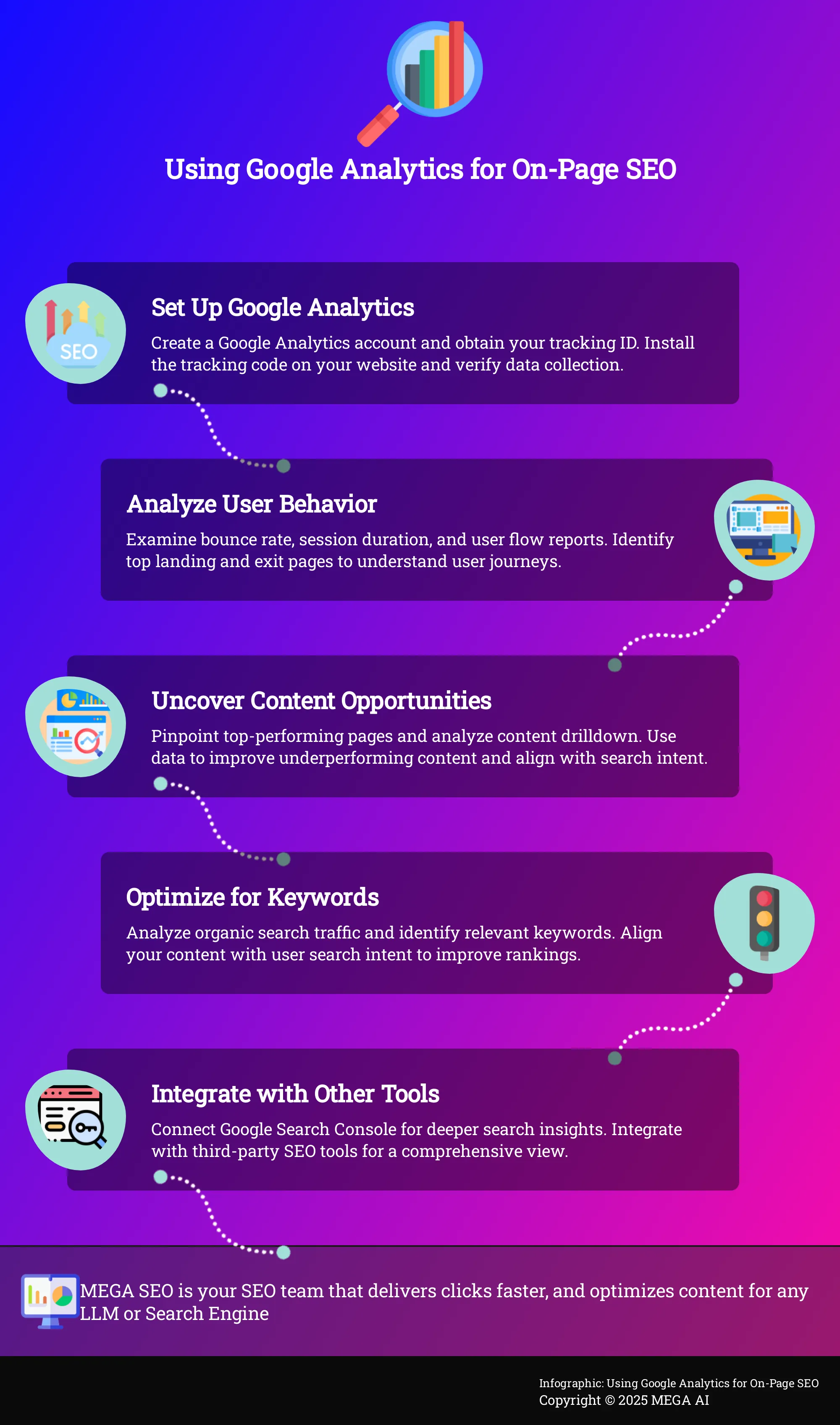
Understanding what visitors do once they land on your website is a cornerstone of effective on-page SEO. It’s not enough to simply attract traffic; you need to dig deeper to see if your content truly meets their needs and guides them effectively through your site. Google Analytics offers a suite of powerful tools that allow you to track user interactions in detail, providing a clear window into how people engage with your pages. This data is invaluable because it moves you from guesswork to informed decision-making, helping you identify specific areas for improvement and refine your SEO strategy based on actual user behavior.
When you get a handle on how users engage with your site—which pages they love, where they get stuck, and what paths they take—you can make targeted changes to enhance their overall experience. A better user experience often translates directly to improved search engine rankings, as search engines prioritize sites that satisfy user intent. For startups, small businesses, and digital marketing agencies aiming to maximize their online impact, these behavioral insights are crucial. They allow you to optimize every piece of content and every user pathway, ensuring your website works harder to achieve your business goals. This focus on user experience is something we at MEGA AI also believe in, as our tools are designed to help you optimize your content effectively based on data.
Interpret Bounce Rate and Session Duration
Two fundamental metrics you'll want to get familiar with are bounce rate and session duration. Bounce rate tells you the percentage of visitors who navigate away from your site after viewing only a single page. Session duration, on the other hand, measures the average length of time users spend on your site during a visit. As SEO consultant Will Marlow notes, small business owners should "analyze user behavior in Google Analytics...and conduct a thorough examination of metrics such as bounce rate and session duration to understand how users interact with your content." A high bounce rate isn't always bad—if a user finds an answer quickly on a FAQ page and leaves, that's a success. However, on a key landing page, it might signal that your content isn't aligning with what they expected from search results, or perhaps the page is slow to load.
Analyze User Flow and Behavior Flow
To get a clearer picture of how users move through your site, you'll want to explore the User Flow and Behavior Flow reports in Google Analytics. These visual reports are incredibly helpful because they map out the paths users take, starting from their entry point, through various pages, and highlighting where they tend to drop off. According to the team at Emulent, "Understanding user flow and behavior flow can help you pinpoint where users are dropping off and which pages are performing well, allowing for targeted improvements." Are visitors following the conversion paths you’ve designed? Are there unexpected loops or exits on important pages that suggest confusion? Analyzing these flows helps you identify bottlenecks or less-than-intuitive navigation elements that might be hampering the user experience and, as a result, your SEO efforts.
Find Insights from Landing and Exit Pages
Your landing pages are often the first impression a user gets of your site, especially if they're arriving from search or a campaign, while exit pages are the last ones they see before leaving. Analyzing these specific pages can tell you a lot about your content's performance. By looking at your top landing pages, you can see which content successfully draws users in and keeps them engaged. Conversely, examining your top exit pages can highlight areas of concern. As an insightful article on Medium puts it, "By analyzing landing and exit pages, you can identify which content is engaging users and which pages may need optimization to reduce exit rates." If a page that isn't a natural endpoint (like a "thank you" page after a purchase) has a high exit rate, it might signal that the content isn't satisfying user needs, the call to action is unclear, or there's a technical issue.
How to Uncover Content Performance Opportunities
Once you have Google Analytics set up and you're comfortable with the basics, you can start digging into your data to find real opportunities for improving your on-page SEO. It’s about understanding what’s working, what’s not, and where you can make impactful changes. Think of it as a bit of a treasure hunt, where the clues are hidden within your website data, and the treasure is better search engine rankings and more engaged visitors. This process isn't about guesswork; it's about systematically reviewing your content's performance to make informed decisions that truly move the needle.
This systematic review involves looking at which content already resonates with your audience and, just as importantly, identifying areas where a little optimization can go a long way. By understanding the nuances of your content's performance, you can make strategic choices rather than relying on assumptions about what your audience wants or what search engines prefer. It’s about being methodical and data-driven. Let's explore how to pinpoint these valuable opportunities, turning raw data into actionable steps that can significantly enhance your website's effectiveness and help you achieve your SEO goals. This approach will empower you to focus your resources where they'll have the most impact.
Identify Your Top-Performing Pages
Your first step in uncovering content opportunities is to know what’s already a hit with your audience. By using analytics tools like Google Analytics, you can monitor traffic patterns and identify trends. Look for pages that consistently drive significant organic traffic, have high engagement rates (like longer time on page), and perhaps even lead to conversions. These are your content champions.
Understanding why these pages perform well is key. Are they comprehensive guides, do they target high-intent keywords effectively, or do they offer an exceptional user experience? Once you identify these high-performing areas, you can aim to replicate their success factors across other content or focus your efforts on making these star pages even better. For instance, you might update them with fresh information or add internal links to newer, related content, ensuring your best assets continue to work hard for you.
Analyze Content Drilldown and Site Search Data
To get a deeper understanding of how users interact with your content, the Content Drilldown report in Google Analytics is incredibly useful. This report groups your content by subfolder, allowing you to see which sections of your site are most popular and how users move through them. You can analyze user behavior to see which topics or content formats are particularly engaging within specific categories.
Additionally, examining your site search data provides direct insight into what your visitors are actively looking for on your website. If many users are searching for a topic you haven’t covered extensively, that’s a clear signal to create new content or expand existing articles. This data helps you tailor your content strategy to directly meet the expressed needs of your audience, ensuring your efforts are relevant and valuable.
Use Data to Improve Underperforming Content
Just as important as knowing your top performers is identifying content that isn't meeting expectations. These pages might have low traffic, high bounce rates, or short session durations. Once you've pinpointed these underperforming pieces, you can use data to figure out why and how to improve them. Perhaps the content is outdated, doesn't match user intent for the keywords it ranks for, or has technical issues.
Regularly conducting A/B tests on different SEO strategies can help you discover what works best to revitalize these pages. You could experiment with new headlines, different calls-to-action, updated keyword targeting, or even a complete content refresh. For businesses looking to streamline this, tools like MEGA AI’s Maintenance Agent can automatically identify areas for improvement, suggest new content additions to existing articles, and help re-optimize them to perform better. This data-driven approach ensures your efforts are focused on changes that will likely yield positive results.
How to Use Google Analytics for Keyword Optimization
Understanding which keywords bring people to your site and whether your content truly meets their needs is fundamental for effective on-page SEO. It’s one thing to research keywords and create content; it’s another to know if those efforts are actually working. This is where Google Analytics becomes an invaluable ally. Instead of relying on assumptions, you can use analytics tools to gather concrete data about how users find and interact with your pages. This information is key to refining your keyword strategy, ensuring your content not only attracts visitors but also resonates deeply with them.
By diving into your Google Analytics reports, you can uncover which search terms are driving organic traffic and identify opportunities to better align your content with user search intent. This process isn't just about spotting popular keywords; it's about understanding the context behind those searches and the user journey that follows. When you effectively analyze user behavior, you can make informed decisions that improve your search engine rankings, enhance user engagement, and ultimately contribute to your business goals. The insights gained can then feed into a continuous cycle of optimization, helping you stay ahead. For instance, tools like MEGA AI can then help automate the process of updating and optimizing your content based on these data-driven insights, ensuring your SEO efforts are always at their peak.
Analyze Your Organic Search Traffic
To effectively optimize your keywords, you first need to know which ones are currently drawing visitors to your website. Google Analytics, particularly when you connect it with Google Search Console, offers clear insights into your organic search performance. You can see which search queries lead users to your site and which landing pages are most popular among organic visitors.
Start by looking at the Acquisition reports in Google Analytics, focusing on organic search. While Google Analytics itself often shows "(not provided)" for many keywords, the Search Console integration fills in these gaps with more detailed query data. This allows you to monitor traffic patterns and identify trends, seeing which terms consistently bring users to your content.
Align Content with User Search Intent
Bringing users to your site with the right keywords is just the first step; your content must then satisfy their search intent—the 'why' behind their query. If your content doesn't match what they're looking for, they'll likely leave quickly. Many small businesses, for example, can struggle with defining their target audience, which makes aligning content with search intent even more challenging.
Use Google Analytics to spot potential misalignments. A landing page receiving significant organic traffic for a keyword but showing a high bounce rate or low time on page often signals a mismatch. You can then conduct an audit of this content, looking for ways to better address what users searching for that keyword truly need. This might involve rewriting sections or adding new, relevant information.
How to Get Technical SEO Insights from Google Analytics
Beyond your content and keywords, the technical health of your website plays a significant part in your SEO success. Google Analytics can offer valuable clues about technical issues that might be holding your site back. While it's not a dedicated technical SEO tool in the same way Google Search Console is, it provides data on how users experience your site, which can highlight areas needing technical attention. By looking at specific metrics, you can uncover problems related to site speed, mobile-friendliness, and even how search engines crawl your site. This information is crucial for making informed decisions to improve your site’s performance and search rankings. For instance, understanding user behavior patterns in Google Analytics can help you analyze areas where technical glitches might be causing user frustration or leading them to leave your site.
Think of Google Analytics as a doctor checking a patient's symptoms; it tells you what might be wrong based on user interactions. Then, you can use more specialized diagnostic tools to pinpoint the exact cause. This approach helps you focus your technical SEO efforts where they'll have the most impact on user experience and, consequently, your search engine rankings. Regularly checking these insights can prevent small technical issues from becoming major roadblocks to your online growth.
Check Site Speed and Mobile Usability Metrics
Site speed and mobile usability are critical factors for both user experience and SEO. Slow-loading pages can lead to high bounce rates, and a poor mobile experience can deter a significant portion of your audience, especially since Google uses mobile-friendliness as a ranking signal. In Google Analytics, you can find site speed data under "Behavior" then "Site Speed." Pay close attention to metrics like "Average Page Load Time." If these numbers are consistently high, it’s a clear signal to investigate further.
Similarly, under "Audience" then "Mobile," you can compare how desktop, mobile, and tablet users interact with your site. Look for significant discrepancies in bounce rate, pages per session, or average session duration between device types. Such differences might indicate mobile usability problems that need addressing. While Google Analytics shows you the impact of these issues on user behavior, tools like Google's PageSpeed Insights can help you diagnose the specific technical causes and offer recommendations for improvement. Monitoring these metrics helps ensure your site offers a smooth experience for everyone.
Identify and Address Crawl Errors
Crawl errors occur when search engine bots can't access pages on your website. While Google Search Console is the primary tool to directly identify these errors, Google Analytics can help you understand their impact on actual users. For instance, if you have internal links pointing to pages that no longer exist (resulting in 404 errors), users clicking these links will encounter a dead end, leading to a frustrating experience and potentially causing them to leave your site.
You can look for spikes in traffic to your 404 error page (if you track it as a pageview in GA by checking its title or URL). Another approach is to analyze the "Behavior" > "Site Content" > "All Pages" report. Sort by "Exit %" to find pages with unusually high exit rates; these might be pages with broken links or other navigation problems that prevent users from continuing their journey. Addressing these issues ensures that both users and search engines can effectively access your valuable content, improving user satisfaction and site crawlability.
How to Create Custom Reports for Actionable SEO Insights
While Google Analytics offers a wealth of standard reports, the real power for on-page SEO comes from creating custom reports. These allow you to zero in on the data that directly impacts your specific SEO goals, cutting through the noise to find truly actionable insights. Instead of sifting through numerous default reports, you can build a dashboard that tells you exactly what you need to know about your content's performance and user engagement. This tailored approach helps you make smarter, data-driven decisions to refine your on-page strategy. Think of it as creating your own personalized SEO command center.
For businesses looking to streamline this process, platforms like MEGA AI can complement the insights you gather from your custom Google Analytics reports. MEGA AI offers features such as automated keyword research and content optimization, which can help you act on the data you uncover more efficiently. By focusing on specific metrics within your custom reports, you can more effectively track progress and clearly demonstrate the value of your SEO efforts to stakeholders or clients. This focused reporting makes it easier to see what’s working and where adjustments are needed.
Set Up Goal Tracking for Conversions
To truly understand if your on-page SEO is driving business results, you need to set up goal tracking in Google Analytics. Goals can represent a variety of actions, such as a completed purchase, a contact form submission, a download of a whitepaper, or even a user viewing a specific number of pages. By defining what a "conversion" means for your business, you can directly measure how your SEO efforts contribute to these important outcomes. This is crucial because it connects your SEO performance to tangible business objectives.
Monitoring traffic patterns is a good start, but knowing which traffic actually converts helps you refine your strategy effectively. You can identify which landing pages are most successful at turning visitors into customers and which keywords are bringing in users who are ready to take that next step. This information allows you to optimize your content and user experience to guide more visitors toward achieving your defined goals, ensuring your SEO work translates into actual business growth.
Design Reports for Specific SEO Objectives
Once you have your goals in place, you can begin to design custom reports in Google Analytics that are tailored to your specific SEO objectives. Are you focused on improving user engagement for a particular set of blog posts, or perhaps increasing organic traffic to new product pages? Your custom reports should directly reflect these priorities. For example, if your objective is to improve how users interact with your blog, you might create a report showing bounce rate, average session duration, and pages per session specifically for your blog content. You can analyze user behavior to see how visitors interact with different parts of your site.
Conducting regular content audits can help identify areas for improvement, and custom reports make it much easier to track your progress against these specific objectives. By focusing on the metrics that matter most to your strategy, you can make more targeted optimizations. If you're looking for ways to act on these insights more efficiently, exploring how MEGA AI can help optimize existing content could be beneficial, allowing you to focus on strategic analysis while the platform assists with implementation.
How to Integrate Google Analytics with Other SEO Tools
While Google Analytics offers a wealth of information about your website's visitors and their behavior, its power in shaping your on-page SEO strategy truly expands when you pair it with other specialized SEO tools. Think of Google Analytics as a fantastic starting point, giving you crucial insights into what happens on your site. However, to get the full picture of your SEO landscape—including how you stack up against competitors, the nuances of keyword rankings, and technical SEO aspects beyond site speed—integrations are key.
Combining data sources allows you to move from isolated metrics to a connected understanding of your digital presence. For example, Google Analytics can show you which pages have high bounce rates, but another tool might help you understand if that's due to poor keyword targeting or technical issues that GA doesn't fully highlight. By bringing different datasets together, you can make more informed decisions, refine your content strategy more effectively, and ultimately achieve better search visibility. Platforms that offer end-to-end SEO services often facilitate these connections, streamlining the process of gathering and interpreting data from multiple sources. This integrated approach helps ensure that your on-page optimizations are not just based on assumptions, but on a comprehensive view of performance indicators.
Connect Your Google Search Console Data
One of the most valuable first steps in expanding your Google Analytics insights is to connect it with Google Search Console. When you use Search Console and Google Analytics together, you gain a much clearer view of how people find your website through organic search and their initial experience. This integration brings crucial Search Console metrics directly into your Analytics reports, including data on impressions, click-through rates (CTR), and your site's average position in search results for various queries.
This combined data is incredibly useful for understanding which keywords are driving traffic, how well your pages attract clicks from the SERPs, and where opportunities for improvement lie. A significant advantage is that changes you make based on Search Console insights, such as optimizing a page title or meta description, will have their impact reflected retroactively in Google Analytics. This allows you to effectively track the results of your SEO efforts over time and see how your on-page adjustments influence user engagement and search performance.
Use Third-Party SEO Tool Integrations
Beyond Google's own ecosystem, integrating Google Analytics with third-party SEO tools can provide even deeper insights and capabilities. Many specialized SEO platforms offer integrations that pull your Google Analytics data into their dashboards, layering it with their unique datasets like competitor analysis, backlink profiles, or advanced keyword tracking. This allows you to monitor traffic patterns and identify trends with a richer context than GA alone might provide.
These integrations often make it easier to conduct A/B testing on different SEO strategies and see direct correlations between changes and outcomes. Furthermore, some platforms leverage AI to process this combined data, offering predictive insights or highlighting optimization opportunities you might have missed. For instance, a tool might combine GA's user behavior data with its own crawl data to pinpoint specific content pieces that could benefit from updates or identify new content areas to explore. Solutions like MEGA AI, which offer automated keyword research and content optimization, can use these integrated insights to further streamline your SEO workflow.
How to Implement Data-Driven On-Page SEO Improvements
Once you've gathered all this valuable data from Google Analytics, the next step is to put it into action. It’s not just about collecting numbers; it’s about using those numbers to make smart, effective changes to your website. This is where data-driven on-page SEO truly comes to life, helping you refine your content and user experience based on real user behavior and performance metrics. Moving from analysis to implementation is a critical juncture. Simply understanding your website's performance isn't enough; you need to translate those insights into concrete actions that will improve your search engine rankings and, more importantly, provide a better experience for your visitors.
This phase is about being strategic. Instead of making changes based on gut feelings or what you think might work, you're using hard data to guide your decisions. This approach significantly increases the likelihood that your efforts will yield positive results. Whether it's tweaking a headline, restructuring content, or improving site speed, every change should be informed by the information you've carefully collected. By systematically implementing and measuring your changes, you can create a cycle of continuous improvement that keeps your SEO efforts sharp and effective. This iterative process ensures your website evolves with user expectations and search engine algorithms, helping you maintain and grow your online presence. Let's look at how you can prioritize your tasks and track your success.
Prioritize Optimization Efforts Using Analytics
With a wealth of data at your fingertips, it can be tricky to know where to start. The key is to use your analytics to pinpoint the areas that will give you the most significant return on your optimization efforts. You can monitor traffic patterns and identify trends using tools like Google Analytics and Google Search Console. Look for pages with high traffic but low engagement or conversion rates – these are prime candidates for improvement. Similarly, identify content that’s ranking just off the first page of search results; a few targeted tweaks could provide a substantial visibility increase.
Analyzing user behavior can also reveal pages where users frequently drop off, signaling potential issues with content relevance or user experience that need addressing. Focusing your efforts this way ensures you’re not just making changes for the sake of it, but strategically enhancing pages that have the highest potential to impact your goals. For instance, if a blog post receives many views but has a high bounce rate, you might need to improve its introduction, add more engaging visuals, or ensure the content directly addresses the user's search intent. Platforms like MEGA AI can further streamline this by helping you automate keyword research and identify content gaps, making prioritization even more efficient.
Measure the Impact of SEO Changes Over Time
Making on-page SEO changes is only half the battle; understanding their impact is just as crucial. SEO is an iterative process, and regularly measuring the results of your optimizations allows you to learn what works, what doesn’t, and how to refine your strategy moving forward. After implementing changes, keep a close eye on the relevant metrics in Google Analytics. Did your bounce rate decrease on that revamped blog post? Did the time on page increase? Are you seeing more conversions from your optimized landing pages?
Consider conducting A/B tests on different SEO strategies to see what resonates best with your audience. This could involve experimenting with different headlines, calls-to-action, or content structures. Document your changes and the corresponding shifts in metrics over weeks and months. This long-term view is important because SEO results often take time to materialize. Seeing how data-driven tactics can lead to significant improvements in traffic and conversions, as shown in various SEO case studies, can be incredibly motivating. Tools like MEGA AI’s Maintenance Agent can also help by continuously optimizing content and adapting to search engine updates, ensuring your improvements have lasting effects.
Follow Best Practices and Avoid Common Pitfalls
Using Google Analytics effectively for your on-page SEO means more than just glancing at dashboards. It requires a thoughtful approach to data interpretation and a commitment to staying current with the platform's capabilities. By understanding how to properly use the information Google Analytics provides, you can make informed decisions that genuinely improve your website's performance. This means not only knowing what the numbers say but also understanding the story they tell about your users and your content.
It's easy to get lost in the sheer volume of data available. However, focusing on the right metrics and understanding their context will help you sidestep common errors. This section will guide you through some key practices to ensure you're getting the most accurate and actionable insights from Google Analytics, helping you refine your SEO strategy with confidence. We'll cover how to avoid misreading your data and the importance of keeping up with Google Analytics' evolving features. Platforms like MEGA AI can also help streamline your SEO efforts by automating data analysis and content optimization, making it easier to apply these best practices.
Avoid Misinterpreting Your Data
One of the most common challenges in using analytics is drawing the wrong conclusions from the data. Numbers without context can be misleading. For instance, a high bounce rate isn't always a bad sign; it might mean a user found exactly what they needed quickly on a blog post and left satisfied. It's crucial to look at metrics in relation to each other and your specific goals.
To get a clearer picture, consistently use analytics tools like Google Analytics and Google Search Console to monitor traffic patterns and identify trends. This practice helps you understand which pages are performing well and which ones might need some attention. By digging deeper than surface-level numbers, you can uncover the real story behind your website's performance and make data-driven adjustments to your on-page SEO.
Stay Updated with Google Analytics Features
Google Analytics is not a static tool; it evolves with new features and reports designed to offer deeper insights. To make the most of it, you need to commit to ongoing learning. Regularly exploring the platform and staying informed about updates will help you discover new ways to analyze your website's performance and user behavior. This proactive approach ensures you're always using the most effective methods for your SEO analysis.
Consider incorporating A/B testing for different SEO strategies to see what resonates best with your audience. You can experiment with various content formats, keyword targeting, and on-page optimization techniques. Furthermore, analyze user behavior within Google Analytics and conduct regular reviews of your data. This helps you stay informed about shifts in user engagement and traffic sources, allowing you to adapt your on-page SEO strategy effectively.
Related Articles
- Harnessing the Power of Google Analytics for Enhanced SEO Strategies - MEGA SEO | Blog
- On-Page.ai: The Ultimate Guide to AI-Powered SEO
- On-Page SEO: The Ultimate Guide to Ranking Higher
- Use AI to Optimize On-Page SEO for Better Rankings
- Keyword Research: How to Use Google Analytics
Frequently Asked Questions
I've set up Google Analytics. What's the first thing I should look at for on-page SEO? Once Google Analytics is collecting data, a great starting point is to look at your organic traffic numbers to see how many visitors are finding you through search engines. Then, check metrics like bounce rate and average session duration for your key pages. These figures give you an initial sense of whether your content is engaging visitors or if they're leaving quickly, which can guide your first optimization steps.
How does Google Analytics actually help me improve my website's content for SEO? Google Analytics provides direct feedback on how users interact with your content. By looking at metrics such as time on page, which pages users visit most, and where they tend to leave your site (exit pages), you can identify what topics resonate and which content pieces might need a refresh or better alignment with user expectations. This data helps you make informed decisions to create more effective and engaging content.
My site gets traffic, but how do I know if it's the right traffic for my SEO goals? To understand if your traffic is valuable, you'll want to see if visitors are taking the actions you want them to, like signing up for a newsletter or making a purchase. Setting up Goal Tracking in Google Analytics allows you to measure these conversions. Also, by connecting Google Search Console, you can see which search queries bring users to your site, helping you assess if your content truly matches their search intent.
Can Google Analytics point out technical issues that are hurting my SEO? While Google Analytics isn't a dedicated technical SEO tool, it can certainly signal potential problems. For example, the Site Speed reports can show if your pages are loading too slowly, which frustrates users and can impact rankings. You can also compare user behavior on desktop versus mobile devices; significant differences in engagement might indicate mobile usability issues that need attention.
Beyond the standard reports, how can I make Google Analytics more useful for my specific SEO strategy? To get more targeted insights, consider creating custom reports that focus on the specific metrics and dimensions most relevant to your SEO objectives. Setting up Goal Tracking, as mentioned, is also key. Additionally, integrating Google Analytics with Google Search Console is highly recommended, as this provides a much richer dataset about your organic search performance and the keywords driving traffic.


