

Guest posting is a powerful strategy for expanding your reach and building authority, especially for startups and small businesses looking to make their mark. But simply getting your content out there isn't enough. To truly make your guest blogging effective, you need to understand what’s working and what’s not. Are your articles attracting the right audience? Are they leading to valuable actions on your website? Answering these questions is fundamental, and that's where learning how to use Google Analytics for guest posting? becomes invaluable. We'll explore how to leverage this tool to track performance, gain actionable insights, and optimize your guest posting for better results.
Key Takeaways
- Establish Clear Tracking: Ensure Google Analytics is correctly configured and consistently use UTM parameters on your guest post links to accurately identify traffic sources.
- Focus on Meaningful Metrics: Move past basic traffic numbers by monitoring visitor engagement and setting up conversion goals to see how guest posts support your business objectives.
- Use Data for Better Decisions: Regularly analyze your Google Analytics insights to pinpoint successful guest posts and platforms, enabling you to refine your strategy for future collaborations.
Why Google Analytics is Your Go-To for Guest Post Tracking
When you invest your time creating guest posts, understanding their impact is key. Are they driving traffic? Are they engaging readers? This is where Google Analytics becomes an indispensable ally. It’s not just for monitoring your own website; it’s a powerful tool for tracking the effectiveness of your guest blogging. Using Google Analytics helps you see exactly how your guest contributions perform, providing data on referral traffic, user engagement, and even conversions. This knowledge allows you to refine your strategy, choose impactful platforms, and truly measure the success of your outreach.
What is Google Analytics and Why It's Crucial for Guest Posts
Google Analytics is a fantastic free tool from Google that helps you understand how people find and use your website. Think of it as your website’s personal detective, showing you where your visitors come from and what they do once they arrive. For guest posting, this information is invaluable. Tracking the performance of your articles allows you to see how much traffic they send your way and if those visitors take actions that matter to your business, like signing up for a newsletter. Without this insight, you're guest posting without knowing what’s truly effective.
It’s about understanding the quality of that traffic and its impact on your goals. Knowing which guest posts are effective helps you refine your approach, choose better host sites in the future, and demonstrate the tangible value of your content efforts. This data-driven approach is key to making your guest posting a measurable part of your digital marketing strategy.
Discover the Key Benefits for Guest Bloggers
For guest bloggers, using Google Analytics to track your posts is a game-changer for proving your impact and refining your approach. A major benefit is clearly seeing which of your guest articles actually drive traffic and engagement back to your own site. This helps you identify which topics resonate most with new audiences and which publications are the best fit for your content. You can monitor key metrics like new users from a specific guest post, how long they stayed on your site, and if they explored other pages.
This data empowers you to make smarter decisions. For instance, if a guest post on a particular topic drives a lot of engaged traffic, you know to create more content around that theme. Furthermore, when you can present concrete numbers showing the referral traffic and potential leads generated from your guest posts, it strengthens your position for future collaborations and showcases the real return on your writing efforts. It’s about working smarter, not just harder, by letting the data guide your guest blogging journey.
Set Up Google Analytics for Guest Post Tracking
When you're putting effort into guest posting, you want to know it's paying off, right? That’s where Google Analytics comes in. Think of it as your command center for understanding how your guest posts are performing. Without it, you're essentially guessing about the traffic and engagement your hard work generates. Setting up Google Analytics correctly allows you to see exactly which guest posts are driving visitors to your website and what those visitors do once they arrive. This isn't just about counting clicks; it's about gathering actionable data to refine your strategy, choose better guest post opportunities, and ultimately, achieve your marketing goals. Properly configured, Google Analytics transforms your guest posting from a hopeful shot in the dark into a measurable, optimizable part of your content strategy. It provides the clarity you need to make informed decisions and demonstrate the real value of your outreach efforts. Let's walk through the essential steps to get your tracking set up so you can start seeing these valuable insights.
Get Started: Create Your Google Analytics Account & Install Tracking
The very first step is to get your Google Analytics account up and running. If you don’t have one yet, you’ll need to create an account and set up a new property for your website. During this process, Google Analytics will provide you with a unique tracking ID, which usually starts with "G-". This ID is what connects your website to Google Analytics, allowing it to collect data. Once you have this ID, the next task is to install it on your website. How you do this depends on your website's platform—whether you're using WordPress, Shopify, Squarespace, or another system. Most content management systems (CMS) have a designated area in their settings or theme options where you can easily paste this tracking ID. This initial setup is fundamental; it enables Google Analytics to start gathering data on all your website visitors, including those who click through from your guest posts.
Fine-Tune Your Setup: Configure Property Settings for Analysis
With the basic tracking code installed, you can now adjust a few settings to get more specific data about your guest post traffic. A really effective way to do this is by using UTM parameters. These are simple tags you add to the end of the URLs you use in your guest posts. They tell Google Analytics exactly where that traffic came from—like which blog published your post and even which specific link they clicked. Google offers a handy Campaign URL Builder tool that makes creating these tagged links quite simple. Beyond UTMs, make a habit of checking your referral traffic report. This report shows you which external sites are sending visitors to you, helping you see which guest post placements are most effective. To truly measure success, you’ll also want to set up conversion goals in Google Analytics. These goals can track valuable actions like newsletter sign-ups, contact form submissions, or product purchases, giving you a clear view of how your guest posts contribute to your business objectives.
Master UTM Parameters for Guest Post Traffic
Understanding where your website traffic comes from is a cornerstone of effective digital marketing, and this is especially true when you're guest posting. UTM parameters are incredibly useful tools that help you pinpoint exactly how much traffic each guest post sends your way. By using them consistently, you can gather clear data, measure the real impact of your guest blogging efforts, and make smarter decisions about where to focus your energy for future collaborations.
UTM Parameters Explained: Why They're Essential for Guest Posts
So, what exactly are UTM parameters? Think of them as small tags you add to the end of a URL. These tags don't change where the link goes, but they tell Google Analytics specific information about how someone got there. For guest posts, this is invaluable. They allow you to accurately track traffic sources and see which specific articles are driving visitors to your site. Without these tags, all that guest post traffic might just show up as 'referral,' making it difficult to know which posts are performing well and which aren't justifying your time and effort. UTMs provide the detailed insights you need to truly measure the success of each piece of content you publish on other sites.
How to Create and Implement UTM Parameters for Your Guest Posts
Creating UTM parameters is quite straightforward. For any link within your guest post that points back to your website, you'll want to add these special tracking codes. This practice ensures you can clearly track the traffic and engagement generated by each specific post. Google’s Campaign URL Builder is a handy free tool that simplifies this process. You’ll define a few key pieces of information: utm_source (like the name of the website hosting your guest post), utm_medium (you could use 'guestpost' here), and utm_campaign (a name for your guest post or overall campaign). Once you fill these in, the tool generates a complete URL with the UTM parameters included, ready for you to use in your guest article.
Smart UTM Usage: Best Practices to Follow
To really get the most from your UTM parameters, consistency and a bit of planning go a long long way. It's not just about creating the codes; it's about using them thoughtfully and then analyzing the data they provide. Make it a habit to use unique UTM parameters for each link in every guest post. Then, regularly check your Google Analytics reports. Look at the traffic numbers, how users are behaving (like bounce rate and average time on page), and, most importantly, any conversions that came from these tagged links. Tracking the performance of your guest posts with this level of detail is crucial for understanding their true impact and optimizing your strategy for even better results next time.
Monitor Essential Metrics in Google Analytics
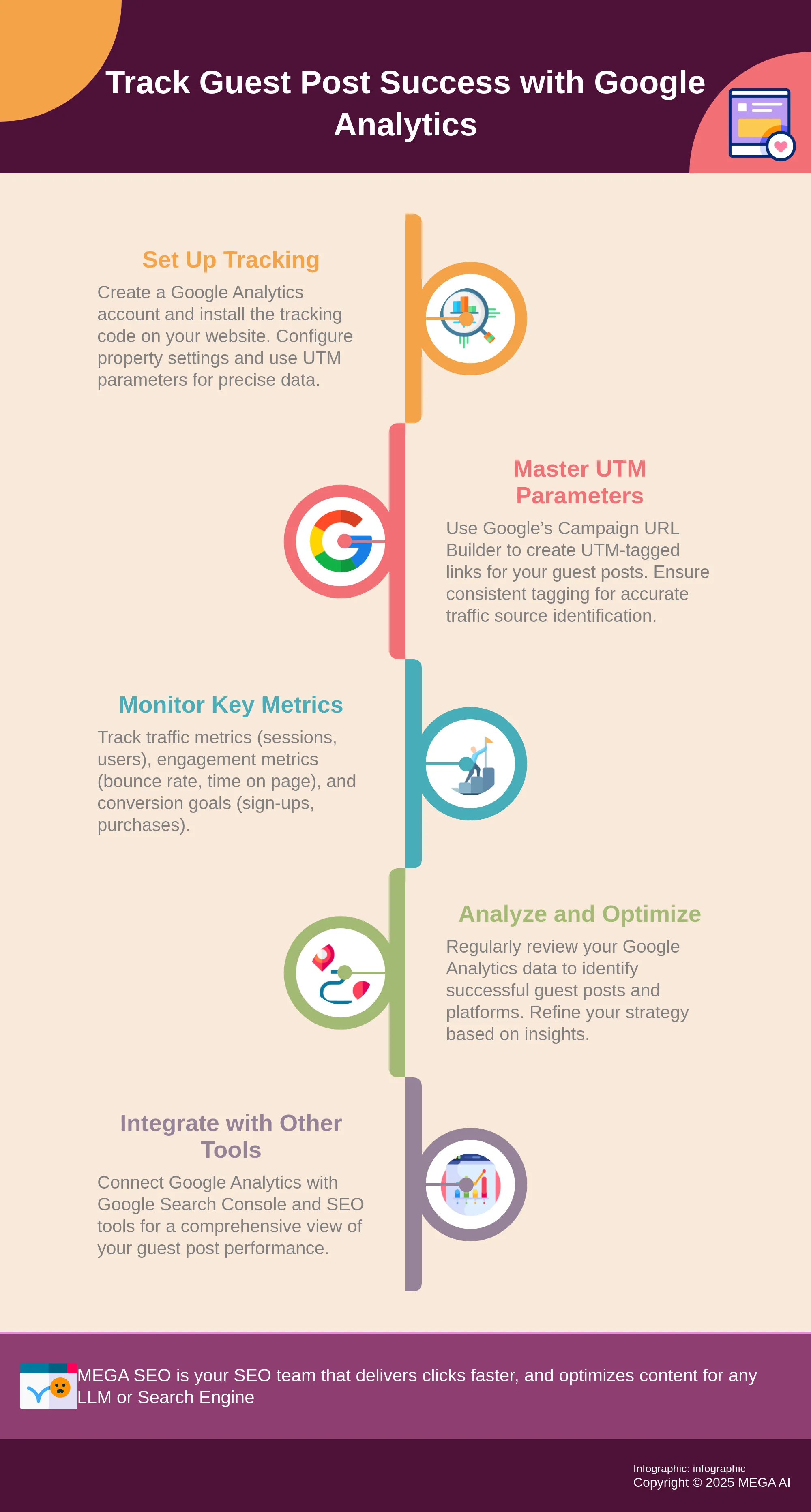
Once you have your Google Analytics account set up and your UTM parameters are diligently tagging your guest post links, it's time to dive into the data. Understanding which numbers to look at can feel overwhelming at first, but focusing on a few key metrics will tell you a lot about how your guest posts are performing. These metrics help you see not just how much traffic you're getting, but also how engaged those visitors are and whether they're taking the actions you want them to.
Key Traffic Metrics to Watch: Sessions, Users, and Pageviews
To understand the volume of traffic your guest post is sending your way, you’ll want to keep an eye on three core metrics. Users refers to the number of distinct individuals who visited your site from the guest post. Sessions are the periods of activity from those users; one user can have multiple sessions. Finally, Pageviews indicate the total number of pages viewed by these visitors, or as Google Analytics defines it, how many times people viewed the page. Tracking these metrics will give you a clear picture of the initial reach and interest generated by your guest content. For instance, a high number of users and sessions from a specific guest post signals that it's effectively driving people to your website. This data forms the foundation for understanding your guest post's audience.
Measure Engagement: Bounce Rate, Average Session Duration, and Pages per Session
Beyond just how many people visit, you need to know if they find your content compelling once they arrive. Bounce Rate shows the percentage of visitors who leave your site after viewing only one page—the one they landed on from your guest post. A high bounce rate might suggest your content isn't engaging enough or that the audience from the guest post isn't the right fit. Average Session Duration tells you how long, on average, visitors are spending on your site during a session; longer times often suggest more engagement. Similarly, Pages per Session indicates how many different pages a visitor looks at. These engagement metrics help you gauge if the audience coming from the guest post is genuinely interested in what you offer and explores beyond the initial landing page.
Track Conversions: Goal Completions and Conversion Rates
Ultimately, most guest posts aim to achieve a specific outcome, whether it's a newsletter signup, a product purchase, or a demo request. This is where Goal Completions come in. Within Google Analytics, you can set up specific goals to track these desired actions, effectively measuring when visitors complete an activity that contributes to your business's success. The Conversion Rate is then the percentage of sessions that result in a goal completion. Monitoring these conversion metrics is crucial because they directly measure the return on investment (ROI) of your guest posting efforts. A guest post might send a lot of traffic, but if none of that traffic converts, it might not be as valuable as one that sends less traffic but has a higher conversion rate.
Set Up Conversion Goals for Guest Posts
Beyond just tracking clicks and pageviews, understanding how your guest posts contribute to your actual business objectives is key. This is where setting up conversion goals in Google Analytics comes into play. It helps you see the real impact of your guest blogging efforts.
Identify Relevant Conversion Goals for Your Guest Posts
Your guest posts are bringing in traffic, which is a great start. Now, consider what specific actions you want those visitors to take on your site – these are your conversion goals. For many businesses, this could mean newsletter sign-ups, demo requests for tools like MEGA AI's automated SEO offerings, resource downloads, or direct purchases. Choose goals that directly support your overall marketing strategy. Writify.AI correctly notes, "Tracking the performance of your guest posts is essential for understanding their impact... track traffic, engagement metrics, and conversions..." Defining success for each guest post upfront makes your tracking more effective and focused on what drives growth.
Set Up Custom Goals in Google Analytics: A Simple Guide
After identifying your goals, the next step is setting them up in Google Analytics. You'll typically find this in the 'Admin' section, under your chosen 'View,' then 'Goals.' Google Analytics provides several goal types: 'Destination' goals (e.g., reaching a thank-you page), 'Duration,' 'Pages/Screens per session,' or 'Event' goals (for interactions like clicks). Proper setup is key. As Author Money advises, "Make sure you set up tracking correctly to get accurate data. This includes defining what constitutes a conversion for your guest posts..." For detailed instructions, Google’s official guide on creating goals is very helpful.
Accurately Measure Success: Link Goals to Guest Post Traffic
With goals established, you need to link conversions back to the specific guest posts that drove them. Your UTM parameters are essential here. In Google Analytics, review goal completion data (under Conversions > Goals > Overview, or via the Source/Medium report) and filter by the UTM campaign tags from your guest post links. This shows exactly which posts are converting. Author Money highlights that "Google Analytics is a powerful tool for tracking traffic... It allows you to measure conversion and other important metrics, helping you understand how well your guest posts are performing..." Linking conversions to guest post traffic provides clear ROI insights, enabling data-driven decisions for future guest blogging.
Use Advanced Google Analytics Features for Guest Post Insights
Once you have the basics of UTM tracking down, you can explore some of Google Analytics' more advanced features to get even richer data about your guest posting efforts. These tools allow you to customize how you view and analyze information, making it easier to see exactly what’s working and where you can make improvements. Think of it as moving from a standard map to a detailed satellite view of your guest post performance. By using these features, you'll gain a much clearer understanding of how each guest post contributes to your overall marketing goals. This deeper dive will help you refine your strategy and make more informed decisions about future guest blogging opportunities, ensuring your efforts are as effective as possible.
Gain Deeper Insights: Create Custom Reports for Guest Posts
Standard reports in Google Analytics offer a solid starting point, but custom reports let you select the specific dimensions and metrics that truly matter for your guest posts. Imagine creating a report that displays only traffic from your guest post referral sources, alongside metrics like conversion rates for specific goals and user engagement. Google Analytics is a robust platform for understanding website traffic and visitor behavior, and custom reports help you tailor this power directly to your guest posting strategy. This way, you can measure conversions and other important metrics without sifting through irrelevant data, giving you a clear picture of your guest post return on investment.
Focus Your Analysis: Use Segments to Isolate Guest Post Traffic
Segments are another powerful way to zero in on your guest post performance. Think of segments as filters that let you isolate specific subsets of your traffic. You can create a segment that includes only users who arrived at your site via your guest posts, using the UTM parameters you've already set up. Applying this segment allows you to see how these specific visitors behave compared to your overall site audience. This focused analysis helps you understand the quality of traffic from your guest posts and how effectively they contribute to your goals. By analyzing this segmented data, you can adjust your guest posting strategy for better results and identify which guest post sources bring in the most engaged users.
Visualize Your Success: Build Dashboards for Quick Guest Post Analytics
If you find yourself regularly checking the same set of metrics for your guest posts, custom dashboards can save you a significant amount of time. Dashboards allow you to display multiple reports and key metrics in one convenient place, offering an at-a-glance overview of your guest post performance. You can add widgets for referral traffic from guest posts, goal completions attributed to these posts, and engagement metrics like bounce rate and average session duration. Tracking the performance of your guest posts is vital for understanding their impact, and dashboards make this process efficient. This helps you quickly assess success and identify areas for optimization without needing to run multiple individual reports.
Analyze and Optimize Guest Post Performance
Publishing a guest post is a significant step, but understanding its true value comes next. It’s not enough to simply get your content live; you need to see what impact it has and how you can make future efforts even more successful. This is where diving into your Google Analytics data becomes crucial. By analyzing the performance of your guest posts, you can refine your strategy, make smarter decisions about where to publish, and ultimately get better results from your guest blogging efforts. This continuous loop of publishing, analyzing, and optimizing is key to a successful guest posting strategy that supports your overall marketing goals. When you consistently evaluate what’s working and what isn’t, you transform guest posting from a shot in the dark into a predictable driver of growth. This analytical approach ensures your time and resources are invested wisely, leading to more meaningful engagement and a stronger online presence for your business. Think of it as fine-tuning an engine; small adjustments based on performance data can lead to significant improvements in efficiency and power. For startups and small businesses, where every marketing dollar and hour counts, this level of precision is invaluable. It helps you focus your energy on activities that genuinely move the needle.
Assess the Impact: Evaluate Short-Term vs. Long-Term Guest Post Results
Tracking the performance of your guest posts is essential for understanding their impact and optimizing future efforts. When a guest post goes live, you might see an immediate surge in referral traffic to your website. This is a great short-term win. However, the benefits of guest posting often extend far beyond this initial spike. You should also monitor traffic and engagement over weeks and months to see the sustained impact. Long-term results can include consistent referral traffic from the host site, improved search engine rankings due to valuable backlinks, and increased brand awareness. Google Analytics helps you track these metrics, allowing you to see which guest posts continue to deliver value over time. By looking at both immediate traffic and longer-term engagement and conversion metrics, you get a complete picture of how each guest post contributes to your objectives.
Refine Your Strategy: Use Data to Improve Your Guest Posting
The data you gather from Google Analytics is more than just numbers; it’s a roadmap for improving your guest posting strategy. Based on your data analysis, you can adjust your approach to increase its effectiveness. For instance, you might discover that guest posts on websites within a specific niche drive more qualified leads, or that certain types of content resonate better with the audiences of your host sites. Practical steps for guest post analytics include using analytical tools effectively and ensuring that your tracking, especially with UTM parameters, is set up correctly to get accurate data. This information allows you to focus your efforts on the types of content and publications that yield the best return. This data-driven refinement is key to making your guest posting more efficient and impactful, helping you generate content that truly works.
Make Smarter Choices: Improve Future Placements with Performance Data
Your past performance data is your best guide for future guest posting success. Google Analytics is a powerful tool for tracking traffic and analyzing visitor behavior, allowing you to measure conversions and other important metrics. When you consistently track which guest posts drive the most valuable traffic—be it in terms of volume, engagement, or conversions—you build a clear understanding of what works for your brand. Use UTM tags diligently to track traffic sources and the effectiveness of various marketing channels. This detailed tracking means you can confidently identify which websites are worth pitching again. For example, if a post on Blog A resulted in numerous sign-ups, while a post on Blog B led to minimal engagement, you’ll know to prioritize opportunities similar to Blog A. This informed approach helps you optimize your outreach and secure placements that are more likely to achieve your desired outcomes.
Troubleshoot and Apply Best Practices
Even with a careful setup, you might sometimes encounter puzzling data or wonder if you’re truly making the most of your Google Analytics for guest posting. This is a common experience. The important thing is to have a solid approach for addressing common issues and consistently applying best practices. This will help you maintain accurate tracking and allow you to continuously refine your guest posting strategy for better outcomes. When your analytics are working correctly, you gain clear insights into what’s effective and where you can make improvements. Let’s explore a few key areas: ensuring your tracking is set up correctly, establishing a routine for checking your data, and staying current with the tool itself. By focusing on these aspects, you can ensure your guest posting efforts are well-measured and your decisions are data-driven, ultimately helping you achieve your content marketing goals.
Smooth Sailing: Resolve Common Google Analytics Tracking Issues
To ensure Google Analytics accurately tracks your guest posts, one of the first checks is to confirm you’re using the correct 'G-' ID from your Google Analytics account. It’s a simple detail, but essential. After you install the tracking code, remember that data might take up to 24 hours to appear in your dashboard, so a bit of patience can be necessary.
If you encounter issues and data isn't showing up, double-check that the 'G-' ID is entered correctly on your site. Also, verify that your website's theme or content management system settings aren't interfering with the tracking script. Different platforms may have specific instructions for integrating Google Analytics, so consulting their help documentation can be very useful.
Stay on Track: Establish Regular Monitoring and Reporting
Setting up Google Analytics is just the beginning; the real value comes from regularly monitoring your data. Make it a routine to review which websites are driving traffic from your guest posts. By consistently examining this information, you can compare the performance of different guest contributions. This allows you to understand which content topics resonate most, which external platforms deliver engaged readers, and where your efforts are yielding the best returns.
This ongoing review process is crucial for refining your guest posting strategy. The insights you gather will help you make informed decisions, such as prioritizing collaborations with platforms that provide quality traffic or adjusting your content approach based on audience engagement metrics. This consistent analysis of your traffic sources helps maximize the effectiveness of your guest posting.
Keep Learning: Stay Updated with Google Analytics Changes
Google Analytics is a robust tool that frequently evolves, offering deeper insights into how users interact with websites and apps. It tracks user behavior anonymously and provides many configuration options that allow you to customize data processing and filtering. To truly make the most of its capabilities for your guest posting, it’s helpful to stay informed about its latest features and any significant changes.
Understanding new functionalities or updates to existing ones can help you discover more effective ways to track your guest post performance. Whether it’s a new type of report, a change in how metrics are calculated, or enhanced segmentation options, keeping your knowledge current ensures you’re using Google Analytics to its full potential. This allows you to get the most accurate picture of your guest posting success and adapt your strategies accordingly.
Integrate Google Analytics with Other Tools
While Google Analytics is incredibly powerful on its own, you can get an even clearer picture of your guest posting success by connecting it with other tools. Think of it like adding more pieces to a puzzle; each new tool brings a different perspective, helping you see the full impact of your efforts. This integrated approach allows for a more robust analysis, ensuring you’re not missing out on crucial data points that can inform your strategy. By combining insights, you can make more well-rounded decisions about where to guest post and how to optimize your content for the best results. This holistic view is what truly helps you understand the return on your guest posting investment.
Expand Your Data: Connect with Google Search Console
One of the most valuable connections you can make is with Google Search Console (GSC). If you're not already using it, GSC is a free service from Google that helps you understand how your site performs in Google Search results. When you link Google Analytics with Google Search Console, you can see GSC data directly within your Analytics reports. For guest posting, this means you can track how your content is appearing in search, which queries are driving users to your guest posts (especially if the guest post is on your own domain or you're analyzing referral traffic sources), and identify any technical issues. This integration is a key part of a complete guest posting guide to success, as it allows you to monitor traffic, engagement, and even conversions stemming from your guest post efforts, providing a comprehensive view of their effectiveness.
Power Up Your Analysis: Leverage SEO Tools with Google Analytics
Beyond Google's own suite, many third-party SEO tools can significantly enhance your guest post analysis when used alongside Google Analytics. These platforms often provide deeper insights into keyword performance, backlink profiles, and the overall SEO health of sites where you’re guest posting. Understanding why analytics is important for guest posting becomes even clearer when you combine GA's traffic data with the competitive and off-page insights from SEO tools. This combination helps you assess the true authority and relevance of potential guest post sites and track the long-term SEO benefits, like improvements in your own site’s rankings due to backlinks from those posts. This comprehensive view ensures you're making data-driven choices for your guest blogging strategy.
Related Articles
- How to Use Google Analytics to Track Blog Performance
- Smart Guest Posting Strategies to Build Quality Backlinks
- Guest Posting for SEO: A Startup's Guide
- Harnessing the Power of Google Analytics for Enhanced SEO Strategies - MEGA SEO | Blog
- Keyword Research: How to Use Google Analytics
Frequently Asked Questions
Do I need a separate Google Analytics account just for my guest posts? No, you don't need a separate Google Analytics account. You'll use the same account that's connected to your own website. The key is to use UTM parameters on the links within your guest posts. These tags will help you distinguish the traffic coming from each specific guest post within your existing Google Analytics reports.
What if the website hosting my guest post doesn't allow me to add UTM parameters to my links? While UTM parameters are ideal for precise tracking, if a host site has a strict policy against them, you can still gather some insights. You'll rely more heavily on the 'Referral' traffic report in Google Analytics. This report will show you which websites are sending traffic to you, so you can identify the host site there. It won't be as granular as UTM tracking, but it still provides valuable information about traffic sources.
Why are UTM parameters so important if I can already see referral traffic? Referral traffic tells you which website sent visitors, but UTM parameters tell you much more. They can specify the exact campaign (e.g., 'spring-guest-post-campaign'), the medium (e.g., 'guestpost'), and even the specific link clicked if you use multiple links in one article. This level of detail is crucial for understanding which specific efforts are most effective, especially if you have multiple guest posts on the same site or run various campaigns.
How soon after my guest post is published should I start looking at the Google Analytics data? You can start seeing some data within 24-48 hours after your guest post goes live and people begin clicking on your links. However, to get a fuller picture of its impact, it's a good idea to monitor the data over several weeks, or even months. This allows you to see not just the initial traffic spike, but also any sustained traffic, engagement patterns, and conversions that occur over time.
Can Google Analytics directly tell me if a guest post improved my website's SEO? Google Analytics itself primarily tracks website traffic and user behavior, not direct SEO ranking factors like backlink authority. However, by integrating Google Analytics with Google Search Console, you can get a more holistic view. Search Console provides insights into how your site performs in search results, including which queries lead to your site. While GA won't explicitly say "this guest post improved your rank," strong referral traffic from a reputable site (tracked in GA) is a positive signal that often correlates with SEO benefits.


