
Free AI tools have been a game-changer, giving small businesses access to powerful technology once reserved for large enterprises. Google AI Studio was a prime example, offering a low-risk way to innovate. But the rules of the game just changed. The platform’s free API access has been severely limited, forcing businesses to rethink their reliance on it for daily operations. This isn't just a technical issue. It's a business problem that affects your budget, your content strategy, and your marketing automation. This guide explains the new landscape and provides a clear framework for your next move.
Key Takeaways
- Understand the new limitations of Google's free API: The previously generous free access to Google AI Studio is now heavily restricted with lower daily request caps and fewer models. Businesses should treat the free tier as a tool for light experimentation, not as a foundation for daily marketing operations.
- Prioritize AI tasks based on business value: With API access becoming a measured resource, focus your AI efforts on activities with the highest return. Concentrate on automating time-consuming internal workflows and analyzing business data to find growth opportunities, rather than on lower-impact experiments.
- Build a resilient, multi-platform AI strategy: Relying on a single provider creates significant risk. Protect your business from future platform changes by diversifying your AI toolset, creating fallback systems, or using a managed AI marketing platform that handles these integrations and adapts for you.
What is Google AI Studio?
Google AI Studio is a free, browser-based platform for testing and building applications with Google's Gemini models. Think of it as a workspace where you can prototype with AI, test different prompts, and build simple applications without needing to be a developer. It’s designed to be an accessible starting point for anyone wanting to see what these powerful models can do, from generating creative text to analyzing information.
This platform has become a popular tool because it lowers the barrier to entry for AI development. Instead of committing to a paid plan or complex setup, you can interact directly with the models in your browser. This makes it much easier for small businesses to understand how AI can fit into their operations before investing significant time or money.
What is Google AI Studio Used For?
Google AI Studio is the central environment for anyone working in Google’s Gemini developer ecosystem. It’s a free, web-based space for prompt design, file testing, and validating structured outputs. For marketers and business owners, this is where you can refine instructions for tasks like creating ad copy or drafting email newsletters. The platform supports smooth model integration into custom workflows, which helps professionals improve the efficiency and consistency of their content marketing strategy. By testing different approaches in the studio, you can develop a reliable process for generating high-quality materials before deploying it in a live application.
Understanding Its Core Capabilities
To get the most out of Google AI Studio, it helps to know about the powerful features working behind the scenes. These aren't just minor upgrades; they represent significant shifts in what's possible with an AI tool. One of the most talked-about features is its massive context window, which fundamentally changes how the AI can process and remember information. This capability allows you to work with large amounts of data in a single session, opening the door for more complex analysis and content generation tasks that were previously out of reach for a free tool.
The 1 Million Token Context Window
One of Google AI Studio's standout features is its 1 million token context window. Think of a context window as the AI's short-term memory. A token is a small piece of text, like a word or part of a word, and the more tokens an AI can remember, the more context it has for your conversation. With a 1 million token capacity, the AI can hold onto an enormous amount of information at once—we're talking thousands of pages of text. This means you could upload an entire business plan, a year's worth of customer feedback, or a lengthy research report and ask the AI to analyze it without it losing track of the details.
Beyond Prompts: Building Native Apps
Google AI Studio is evolving from a simple playground for text prompts into a full-fledged development environment. The platform now allows you to build entire Android applications directly from a text description. This is a huge step forward for small businesses and entrepreneurs who have great ideas but lack the coding expertise or budget to hire a developer. Instead of just generating content, you can now create functional tools that solve real-world problems for your customers or streamline your internal processes, all starting from a simple instruction in your web browser.
From Text Prompt to Android App
The process of creating an app in Google AI Studio is designed to be incredibly straightforward. You can build a functional Android app simply by describing what you want it to do. There's no need to install any complex software or set up a development environment on your computer. You can do everything right in your web browser, making it one of the most accessible ways to get started with app development. This prompt-to-app functionality removes a major technical barrier, allowing you to turn an idea into a working prototype in a fraction of the time it would traditionally take.
Accessing Device Hardware and Offline Capabilities
The applications you create with Google AI Studio are more than just simple web pages. They are native apps that can tap into your phone's hardware. This means you can build tools that use the device's camera, GPS, or other sensors. For a local business, the possibilities are exciting. A restaurant could create an app that uses GPS to show directions and offer location-based promotions. A retail store could build an app that uses the camera to scan barcodes for price checks or product information. This ability to interact with hardware makes the apps much more powerful and useful in a real-world context.
Testing, Publishing, and Scaling Your App
Once you've built your app, AI Studio provides a clear path for testing and distribution. If you have a Google Play developer account, you can easily send your app to Google Play for internal testing among your team. The platform helps configure this for you, simplifying what can often be a complicated process. While this is a fantastic pathway for a simple app, businesses looking to scale their marketing automation across multiple channels might find that a managed platform like MEGA AI handles the complexities of integration and maintenance more efficiently, especially when coordinating SEO and paid ad campaigns.
New Features and Integrations to Know
Google is constantly adding new features to AI Studio, making it an even more versatile tool for creators and businesses. Recent updates have focused on improving mobility, connecting with other platforms, and adding sophisticated design tools. These new capabilities make it easier to work on projects from anywhere, integrate your AI workflows with tools you already use, and create more polished, professional-looking applications. Staying aware of these updates can help you find new ways to innovate and improve your business operations.
The AI Studio Mobile App
To make development even more flexible, Google has introduced an AI Studio mobile app. This app allows you to build and test your projects from your phone or tablet, so you're no longer tied to your desk. For a busy small business owner, this is a huge advantage. You can work on a new app idea, test a prompt, or check on a project's progress while you're on the go. This mobility ensures that you can keep your projects moving forward, no matter where you are, making it easier to fit AI development into a packed schedule.
Connecting with Google Workspace and Antigravity
AI Studio is designed to work with other tools in the Google ecosystem. You can connect your projects to Google Workspace to pull in data from Docs or Sheets, or send your work to Google Antigravity for more intensive development on your own computer. This integration is key for users with development skills who want to move from a simple prototype to a more robust application. For those without a technical background, a platform like MEGA AI can provide a more accessible end-to-end solution, automating complex SEO and content tasks without requiring you to manage different development environments.
Advanced Design and Research Tools
Your app's design is just as important as its functionality, and AI Studio now includes tools to help with that. Using a feature called Nano Banana, the platform can generate unique images and design elements for your application. This means you can create a visually appealing and professional-looking app without needing to hire a graphic designer or spend hours searching for stock images. This integrated design capability helps you build a strong brand identity right from the prototyping stage, ensuring your final product looks as good as it works.
Resources for Getting Started
Feeling inspired to try Google AI Studio? The good news is that you don't have to figure it all out on your own. Google provides several resources designed to help you learn the ropes and see what's possible with its Gemini models. From galleries of examples to active developer communities, there's a wealth of information available to guide you. These resources are perfect for getting ideas, learning best practices, and connecting with others who are exploring the same tools.
The Prompt Gallery and Cookbook
If you're not sure where to begin, the Prompt Gallery is the perfect starting point. It's a collection of examples that showcase what you can achieve with different prompts and models. You can see how others have used the AI to write code, generate creative text, or analyze data. The Cookbook offers more detailed "recipes" or templates for common tasks, giving you a structure to follow. These resources are invaluable for learning by example and can help you get up to speed much faster than trying to invent everything from scratch.
Connecting with the Developer Community
When you're learning a new technology, having a community to turn to for help can make all the difference. Google encourages users to connect with other developers through forums and community groups. This is a place where you can ask questions, share your projects, and get feedback from people who have experience with the platform. For a small business owner who might be the only one in their company working with these tools, this community support system is an essential resource for problem-solving and continuous learning.
Why Free API Access Matters for Small Businesses
For small businesses, free API access is more than just a nice-to-have; it’s a critical path to innovation. The previously generous free tier offered a low-risk way for companies with limited resources to explore AI. It allowed them to experiment with automating tasks, gaining data insights, and improving customer experiences without a major financial commitment. This access helps level the playing field, allowing smaller companies to capitalize on AI opportunities that were once only available to large enterprises. When businesses can test and validate AI use cases for free, they are better positioned to make smart investments and compete in an AI-driven economy.
What's Changing with Google AI Studio's Free API?
If you've been experimenting with AI tools for your business, you may have used Google's AI Studio to access its powerful Gemini models. It has been a popular way for developers and small businesses to test AI capabilities without a significant financial commitment. However, the landscape of free access is changing, and it's important to understand what these shifts mean for your marketing efforts.
Google is adjusting its free API tier for its Gemini models, moving away from the generous limits that many users became accustomed to. These changes primarily affect the number of requests you can make per day and which models are available for free. For businesses that have built workflows around this free access, these adjustments require a new strategy for using AI in content creation, SEO, and automation. Understanding the specifics will help you decide on the best path forward, whether that involves a paid plan, exploring alternatives, or re-evaluating how you use AI.
From Generous Tiers to Strict Daily Limits
The most immediate change is a significant reduction in the number of free daily requests. Previously, users could make a substantial number of calls to the API, but Google has now implemented much stricter caps. For instance, some reports show the free daily limit for the Gemini 2.5 Flash model was slashed by over 90%, dropping from hundreds of requests to just a handful. This means if you were using the API to generate blog post ideas, draft social media captions, or summarize articles throughout the day, you might now hit your limit before your morning coffee is finished. This shift effectively turns the free tier into a limited trial rather than a sustainable tool for daily business operations.
A Silver Lining: Free App Deployment on Google Cloud
While the new API limits are a setback for daily, ad-hoc tasks, there is a silver lining for businesses with bigger ambitions. Google is now encouraging a shift from simple API calls to building full-fledged applications. To support this, you can now deploy your first two apps on Google Cloud for free, without needing a credit card. This is a significant opportunity if you're looking to create a custom tool for your team or a simple app for your customers. The platform even allows you to create native Android apps directly within AI Studio, simplifying the path from an idea to a functional product that can be sent to Google Play for internal testing. This move suggests Google is prioritizing deeper integration over casual use.
What Are the New Token and Model Restrictions?
Beyond daily request limits, the changes also affect which AI models you can access for free. Access to the most advanced model, Gemini 2.5 Pro, has been removed from the free tier entirely. This pushes users who need the highest quality output toward a paid plan. Google AI Studio is positioned as a developer-first environment for experimentation, and these changes align with that focus. By limiting free access, Google is encouraging serious, production-level users to transition to its paid cloud services. For small businesses, this means the cost-free experimentation phase with top-tier models is coming to a close.
When Do These Changes Take Effect?
These adjustments were rolled out quite suddenly, catching many users by surprise. Unlike planned deprecations with long lead times, these new limits appeared with little to no official warning, leading to confusion among developers and users. The changes are already in effect. If you're currently using the free API, you are operating under these new, stricter limitations. This immediacy makes it critical for businesses to audit their reliance on the service right away. Waiting to see how it impacts your workflows isn't an option; the impact is already here. Now is the time to assess your usage and create a plan to adapt.
How Will This Impact Your Business?
Platform changes like these can feel abstract, but they have real-world consequences for your marketing and budget. When a tool you rely on changes its rules, it can disrupt workflows and introduce unexpected costs. The shift in Google AI Studio’s free API access is more than a technical update; it’s a strategic move that affects how small businesses can leverage AI. Let's break down what these changes mean for your content, automation, and bottom line.
How API Limits Affect Your Content and SEO
For many small businesses, Google's previously generous free API tier was a low-barrier entry point for creating AI-powered content. It allowed for experimentation and developing content strategies without a significant financial investment. With these new, stricter limits, that easy access is gone. Businesses that built their content engine on this free service now face a bottleneck. This directly impacts your SEO, where a consistent output of quality content is crucial for ranking. You now have to choose between paying for API access or scaling back production, potentially losing momentum in search results.
What This Means for Your Marketing Automation
If you've built custom workflows using Google AI Studio to automate parts of your marketing, these changes could cause significant disruption. Automation is meant to improve efficiency, but when the underlying tool changes its access rules, your systems can break or become unreliable. While businesses integrating AI now will be better positioned to thrive, how you integrate it matters. Relying on a single provider's free tier for critical operations is risky. A more resilient strategy involves using platforms that can manage these integrations for you, shielding your business from the volatility of individual API changes.
How Will This Affect Your Budget?
The most immediate impact is on your budget. Google has significantly reduced free access, slashing daily limits for models like Gemini 2.5 Flash by over 90%. This shift moves businesses from a predictable, free model to a variable, usage-based cost structure. Costs now follow the rules of the paid Gemini API or Vertex AI, which can lead to unexpected bills if you're not carefully monitoring usage. For a small business, this budget uncertainty is a major challenge. It makes a strong case for services that offer clear, flat-rate pricing, so you know exactly what you're spending each month.
How Can You Adapt to These Changes?
When a core tool in your workflow changes, it can feel disruptive. But these shifts in Google's API access also present an opportunity to evaluate your strategy and build a more resilient system for your business. Instead of just reacting, you can proactively decide on the best path forward. The right choice depends on your budget, your technical comfort level, and how critical AI-powered tasks are to your daily operations. Let's walk through the main options available so you can make an informed decision that aligns with your business goals.
Should You Upgrade to a Paid Google Plan?
For businesses that have built essential workflows around the Gemini Pro model, the most direct path forward is upgrading to a paid plan. Moving from the free tier gives you dramatically higher rate limits, removing the new, restrictive caps on requests. This is the simplest way to ensure your existing applications and processes continue to run without interruption. The transition is fairly straightforward, as it primarily requires you to enable billing on your Google Cloud project. If you rely heavily on Google’s ecosystem and want to avoid migrating to a new platform, this is a practical and immediate solution.
What Are the Best Alternative AI Platforms?
Google’s sudden decision to abruptly yank free access for some models left many small businesses feeling stranded. If this change has eroded your confidence in relying on a single provider, now is the perfect time to explore alternatives. Diversifying your AI tools can protect your business from future unexpected changes. You might consider other major AI providers or specialized platforms that fit your niche. A more advanced strategy is to build multi-model fallbacks in your system, which can automatically switch to a different model if one hits its limit. This approach creates a more robust and flexible AI infrastructure for the long term.
How to Choose the Right AI Platform for Your Business
Ultimately, there is no one-size-fits-all answer. The best path depends entirely on your company’s specific needs. Start by identifying your core use cases. Are you using AI primarily for generating blog posts, analyzing customer feedback, or automating internal reports? For some businesses, the remaining free tier of AI Studio may still be sufficient for experimentation and smaller, non-critical tasks. For others, the ROI from their AI-driven activities will easily justify the cost of a paid plan or a subscription to another service. Carefully evaluate your budget and the value you get from AI to make a strategic choice that supports your growth.
How to Maximize Your Limited API Calls
When your access to a tool becomes limited, the best approach is to get smarter about how you use it. Instead of seeing the new API limits as a roadblock, think of them as an opportunity to become more efficient. With a few strategic adjustments, you can make every API call count and keep your AI-powered workflows running smoothly without breaking the bank. These tactics focus on reducing waste, prioritizing what matters, and building a safety net for your operations.
Batch Requests and Use Smart Caching
One of the most effective ways to optimize your API usage is to implement batch requests. Think of it like this: instead of making a separate trip to the store for every single item on your list, you make one trip and get everything at once. Batching allows you to send multiple requests in a single API call, which reduces overhead and makes your limited calls go further. Additionally, using a smart caching strategy can prevent you from making the same request over and over. By storing frequently accessed data locally, you can reuse the information without needing to call the API again, saving calls and improving response times.
Prioritize High-Value AI Tasks
With a finite number of API calls, it’s critical to focus on the tasks that deliver the most value to your business. Take a step back and evaluate where AI is having the biggest impact. For most small businesses, this means automating time-consuming internal workflows or analyzing business data to find growth opportunities. By directing your limited API calls toward these high-impact activities, you ensure your resources are supporting your most important goals. This isn't about doing less with AI; it's about doing more of what truly matters for your return on investment.
Set Up a Multi-Model Fallback System
Relying on a single AI model can be risky, especially when free tiers have strict limits. A multi-model fallback system acts as a safety net. The idea is simple: if you hit the API limit for your primary model, your system automatically routes the request to a secondary model. For example, if you can no longer use a powerful model for a task, you can switch to a lighter, faster model to ensure the job still gets done. This strategy helps you manage your API usage across different services and ensures your applications remain reliable and responsive, providing a continuous experience without interruption.
Which AI Tasks Should You Prioritize?
With API access becoming more limited, it’s time to get strategic about how you use AI. Think of it less as a restriction and more as an opportunity to refine your approach. Not every AI-powered task delivers the same value, and for a small business, focusing your resources where they count is essential. The key is to move from experimenting with AI to implementing it with clear purpose and intention.
To make the most of every API call, you need a clear system for prioritization. This doesn't have to be complicated. It starts with asking a few direct questions about your current workflows. Which tasks are repetitive and time-consuming? Where are the biggest opportunities for growth? Which activities directly contribute to your bottom line? By answering these, you can build a simple but effective hierarchy for your AI tasks. This process helps you focus on applications that save you the most time, generate the most revenue, and deliver the best experience for your customers. We’ll walk through three steps to help you build this priority list: separating the essentials from the nice-to-haves, creating a framework based on ROI, and finding the right balance between automation and manual work.
Identifying Essential vs. Nice-to-Have AI Tasks
First, take stock of all the ways you’re using AI and sort them into two buckets: essential and nice-to-have. Essential tasks are the ones that directly support core business functions like sales, marketing, and customer service. These are the activities that save you significant time or money, or directly improve the customer experience. Think of tasks like generating optimized product descriptions, analyzing customer feedback to identify trends, or automating initial drafts for your blog posts.
Nice-to-have tasks are often more experimental. They might be fun or interesting but don't have a clear link to your business goals. This could include generating images for internal presentations or rewriting emails that only take a minute to draft yourself. Be honest about which tasks truly move the needle.
How to Build a Prioritization Framework Based on ROI
Once you’ve separated your tasks, evaluate the essentials based on their potential return on investment (ROI). For every AI task, consider both the cost and the benefit. The cost isn't just about money; it's also the number of API calls and the time it takes to manage the process. The benefit is the value it creates, whether that’s hours saved, new leads generated, or higher conversion rates.
Create a simple framework by asking two questions for each task: 1) How much time will this save my team per week? 2) How much potential revenue could this generate? This helps you quantify the value and prioritize tasks with the highest impact. Focusing on high-ROI activities ensures your limited AI resources are always working on what matters most.
When to Automate vs. When to Use Manual Work
Finally, remember that the goal of AI is to augment your efforts, not replace them entirely. The most effective strategies find a healthy balance between automation and manual work. Use AI to handle the repetitive, data-heavy lifting so you can focus on tasks that require a human touch—like building client relationships, refining your brand strategy, or creative problem-solving.
Focus on automating internal workflows and analyzing business data. For example, let an AI agent handle the initial keyword research and content outlining, but have a person write the final draft to ensure it perfectly captures your brand’s voice. This hybrid approach allows you to scale your efforts efficiently without sacrificing the quality and nuance that make your business unique.
Why Platform Independence is Key
The recent changes to Google AI Studio’s free API access are a perfect example of why relying on a single platform for critical business functions is risky. When a tool you depend on suddenly changes its rules, it can disrupt your entire workflow, from content creation to marketing automation. For small businesses, these disruptions can be especially damaging. Building a strategy that isn't tied to one provider isn't just a good idea; it's essential for long-term stability and growth.
Platform independence means you have the flexibility to adapt when a service changes its pricing, features, or availability. It protects your business from unexpected roadblocks and gives you control over your own operations. Instead of being at the mercy of one company's decisions, you can pivot, integrate new tools, and keep your marketing engine running smoothly. This approach allows you to leverage the best features from multiple providers without becoming overly dependent on any single one.
Why Relying on One AI Provider is Risky
When Google abruptly changed its Gemini API access, many developers and small businesses felt the impact. Access to the powerful Gemini 2.5 Pro model was removed from the free tier, and the slashed daily limits for the Gemini 2.5 Flash model fell by over 90% without warning. For some users, the model simply vanished from their dashboards. If your entire content strategy or a key automation workflow was built on that free access, it would have stopped working overnight. This scenario highlights the core risk of single-provider dependency: your operations are vulnerable to decisions made entirely outside of your control.
How to Build a Resilient, Multi-Platform AI Strategy
The best way to protect your business is to build a resilient, multi-platform strategy. This doesn't mean you have to stop using valuable tools like Google's AI Studio. Instead, it means having backups and alternatives in place. Think of it like having multiple suppliers for a key ingredient. You should regularly audit which APIs you're using and set up fallback systems. For example, if one AI model hits its limit or becomes unavailable, your workflow could automatically switch to another. It's also important to remember that tools like Google AI Studio are often a developer-first environment for experimentation, not a guaranteed long-term service for production.
How to Prepare for Future API Changes
It’s wise to treat any "free" API tier as a temporary benefit rather than a permanent fixture of your business plan. Platform providers can and will change their terms. The most effective approach is to prepare for these shifts ahead of time. Start by understanding the paid tiers of the services you use. What would it cost to upgrade if you had to? The most direct path often involves a simple transition, like when you enable billing on your Google Cloud project to move to a paid Gemini plan. By budgeting for potential API costs, you can make a smooth transition when a free tier is changed or retired, ensuring your business operations continue without interruption.
How an AI Marketing Platform Can Help
Changes to a major API like Google AI Studio’s can feel disruptive, especially for small businesses that rely on AI tools for content creation and marketing. Constantly tracking new rate limits, pricing tiers, and technical requirements is a full-time job in itself. This is where an AI marketing platform can step in to manage the complexity for you.
Instead of you having to connect directly to different AI models, a platform acts as an intelligent intermediary. It handles all the backend connections, optimizations, and provider relationships. This approach gives you access to powerful AI capabilities without needing a developer to manage the integrations. When a provider like Google changes its access rules, the platform can adapt by rerouting tasks or optimizing usage—often without you even noticing a difference. It turns a potential crisis into a minor background adjustment, letting you focus on running your business.
Manage Multiple AI Services Automatically
A dedicated AI marketing platform doesn't just connect to one service; it orchestrates many. Think of it as a general contractor for AI. You describe the job—like writing a blog post or optimizing a product description—and the platform selects the best tool for each part of the task. It can automatically create custom workflows that pull from different models to get the best result efficiently.
When one provider’s API becomes more restrictive or expensive, the platform can automatically shift tasks to a more suitable alternative. This ensures your marketing efforts continue without interruption. For example, a platform like MEGA AI uses an SEO agent that operates on autopilot, making these kinds of adjustments automatically to keep your content strategy on track.
Integrate with Different Providers Seamlessly
Google AI Studio is a powerful, developer-first environment, but its focus on experimentation isn't always ideal for stable, day-to-day business operations. An AI marketing platform provides a layer of stability by integrating with multiple AI providers. This diversification means you aren't locked into a single ecosystem. If one service experiences downtime or becomes too costly, the platform can seamlessly switch to another.
This multi-provider strategy builds resilience into your marketing operations. You get the benefit of cutting-edge AI without the risk of depending on one company’s policies. A platform with an API-first architecture is designed to connect with dozens of services, ensuring it can always find an effective path to execute your campaigns.
Reduce Technical Complexity and Costs
For small businesses, the biggest hurdles to adopting AI are often technical complexity and unpredictable costs. Managing API keys, monitoring usage to avoid overage fees, and troubleshooting integration issues require specialized skills. An AI marketing platform removes these barriers. It consolidates everything into a single, user-friendly interface with a predictable subscription fee.
This model allows small businesses to capitalize on AI opportunities without needing an in-house tech team. You no longer have to worry about per-token costs or daily request limits. Instead, you can focus on your marketing goals, knowing the platform is handling the technical details in the most cost-effective way. This approach makes enterprise-level automation accessible, with clear pricing that fits a small business budget.
What Are Your Immediate Next Steps?
Navigating sudden platform changes can feel disruptive, but taking a structured approach will help you maintain momentum. Instead of reacting to the new limits, you can proactively adjust your strategy. The key is to understand your current usage, plan for potential costs, and build a more resilient system for the future. These next steps will help you create a clear path forward for your business's AI-powered marketing efforts.
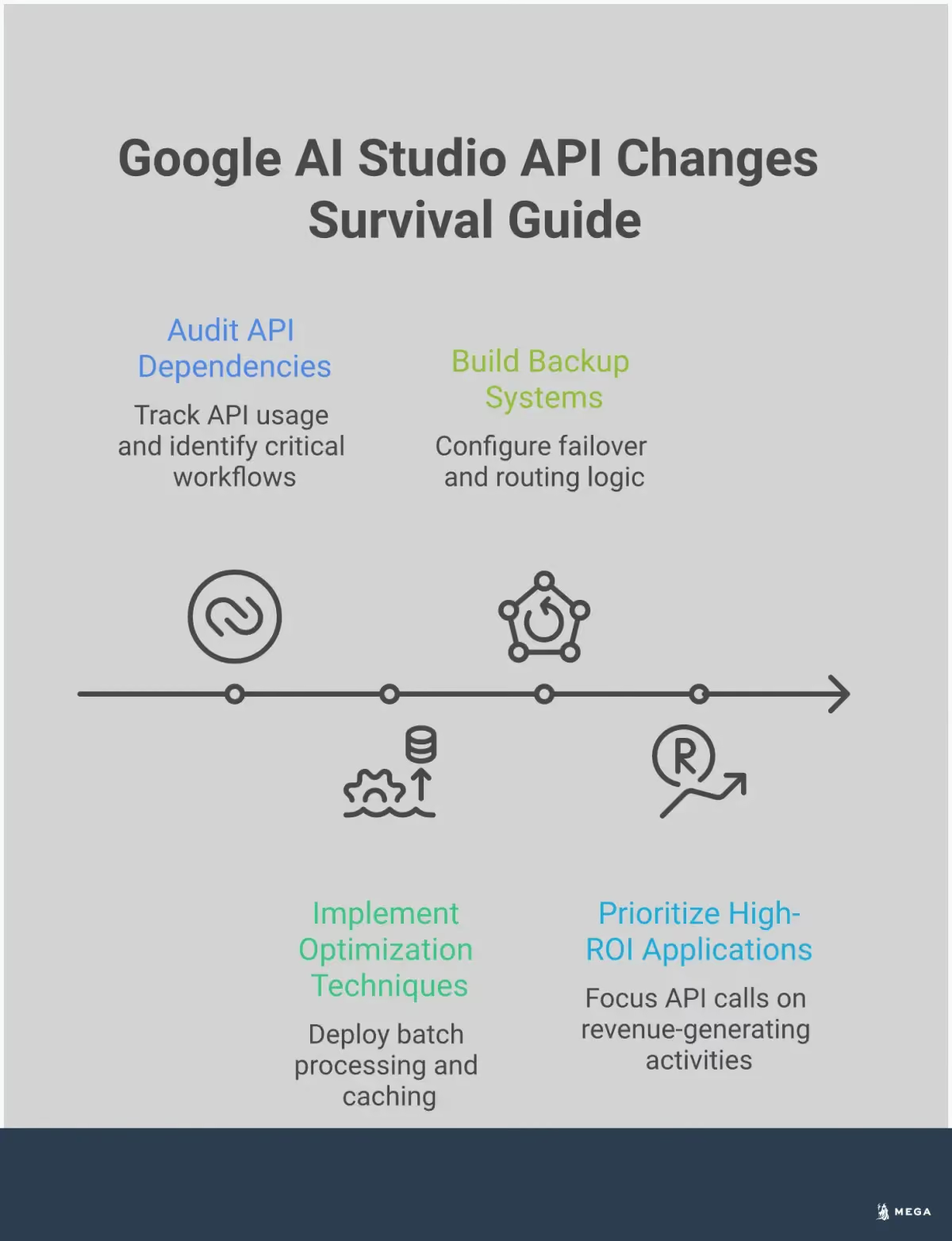
Audit Your Current API Usage
First, you need a clear picture of how your business uses the Google AI Studio API. A thorough audit will show you exactly how many calls you’re making and for which tasks. This is especially important given the recent, unannounced reduction of the free tier’s daily quota. Many developers were surprised to find their usage capped at just 20 requests per day. By understanding your specific needs, you can determine if the new free tier is sufficient or if you need to explore other options. This data is the foundation for every decision you'll make next.
Plan Your Transition Budget and Timeline
Once your audit is complete, you can plan your next move. If your API usage exceeds the new free limits, transitioning to a paid plan is a straightforward option that involves enabling billing on your Google Cloud project. The important part is to budget for this change ahead of time. For example, Google's pricing for Gemini Pro is based on character count, so your audit will help you estimate monthly costs. Planning your budget and timeline now prevents unexpected bills and service interruptions, allowing you to make a calm, strategic decision rather than a rushed one.
Implement a Backup Solution
Relying on a single provider for a critical business function is always risky. To protect your operations, it’s wise to implement a backup solution. A practical step is to set up multi-model fallbacks in your code. This means if your primary model hits its rate limit, your system can automatically route the request to a secondary model. This approach ensures your applications continue to run smoothly. Building this kind of resilience is a core part of a future-proof AI strategy, ensuring that one platform’s policy change doesn’t halt your marketing automation.
How to Build a Future-Proof AI Strategy
The recent changes to Google AI Studio’s free API access are a clear signal that the AI landscape is constantly evolving. Relying on a single tool or platform can leave your business vulnerable to sudden shifts in pricing, access, or capabilities. Building a future-proof AI strategy isn't about predicting the future; it's about creating a resilient marketing operation that can adapt to whatever comes next. For small businesses, this adaptability is key to competing effectively without a large team or budget.
A strong strategy is built on three core ideas: diversifying your technology, creating flexible processes, and staying informed about industry trends. By focusing on these areas, you can move from a reactive position to a proactive one. Instead of scrambling when a platform changes its rules, you'll have a plan in place to maintain momentum. This approach ensures your AI-driven marketing efforts continue to deliver results, protecting your investment and supporting your growth over the long term. It transforms AI from a simple tool into a durable component of your business strategy.
Diversify Your AI Toolset
Placing all your reliance on one AI provider is risky. When that provider changes its terms, your entire workflow can be disrupted. A more resilient approach is to build a toolkit with multiple AI solutions that fit different needs. Small businesses should look for AI solutions that integrate smoothly into their existing operations, whether for marketing, customer service, or content creation. By diversifying, you can assign tasks to the best model for the job—one for creative writing, another for data analysis, and a third for image generation. This multi-platform approach not only protects you from unexpected API changes but also improves the quality of your output.
Create Scalable and Adaptable Workflows
Your AI workflows should be designed to grow with your business and adapt to change. Start by mapping out your processes and identifying where AI provides the most value. Look for opportunities to create systems that can handle an increase in volume without requiring a complete overhaul. For example, while a free tool is great for getting started, your workflow should account for the possibility of needing more power. Consider how you might upgrade your plan or switch providers if your needs change. An adaptable workflow might include logic that automatically routes tasks to a backup model if your primary choice is unavailable, ensuring your operations continue running smoothly.
Stay Ahead of Industry Shifts
The AI industry moves quickly, and platform changes can happen with little warning. As one report noted, Google recently slashed daily limits for its Gemini 1.5 Flash model by over 90% without any advance notice, leaving many businesses scrambling. Staying ahead of these shifts requires a proactive mindset. Make it a habit to regularly audit your API usage and review the terms of service for the tools you depend on. Set aside a budget for paid tiers so you’re not caught off guard if a free service is limited. Building fallbacks into your processes can prevent disruptions and keep your AI-powered tasks on track.