

Seeing the “Crawled, currently not indexed” status in Google Search Console can feel like a rejection. Google knows your page exists but has essentially placed it in a “maybe later” pile. This isn't always a red flag, but it’s a clear signal that something is preventing your content from making the cut. The reason could be the quality of the content itself, a hidden technical issue, or simply that Google doesn't see the page as a priority. In this article, we’ll break down the common causes and show you how to diagnose the problem and get your valuable pages indexed.
Key Takeaways
- Start with Google Search Console: Use the Page Indexing report to get a list of affected URLs. Look for patterns—are the pages from a specific section of your site or were they all published recently? This helps you pinpoint the root cause.
- Focus on Content That Deserves to Rank: Google is selective, so give it a reason to index your page. Improve thin articles with more depth and unique insights, and consolidate or remove duplicate content to show Google you're offering real value.
- Check Your Technical Signals: Ensure you aren't accidentally telling Google to ignore your pages. Check for
noindextags, review yourrobots.txtfile for incorrectDisallowrules, and use internal links to guide crawlers to your most important content.
What Does "Crawled, Currently Not Indexed" Mean?
The "Crawled, currently not indexed" status in Google Search Console means exactly what it says: Google’s crawler has visited a specific URL on your site but has decided not to add it to its search index for now. Think of it like a librarian who has scanned a book but hasn't placed it on the public shelves yet. Google knows the page exists, but for various reasons, it doesn't see a compelling need to show it in search results at this moment.
This can happen for several reasons, ranging from the quality of the content to technical site issues. It could also be that Google has determined the page isn't valuable enough to index when compared to other content on your site or across the web. Seeing pages with this status isn't automatically a cause for alarm. However, it does signal that you should take a closer look to ensure your important content isn't being left behind. Understanding why this happens is the first step toward fixing it and improving your overall SEO performance.
How This Status Affects Your SEO
The most direct impact of this status is straightforward: these pages generate zero organic traffic from Google. If a URL isn't in the index, it can't rank. While this might be acceptable for low-priority pages like old archives or certain tag pages, it becomes a significant problem when your key product pages or cornerstone blog posts land in this report. It's important to regularly review the URLs listed here to confirm whether they are pages you actually want indexed. A sudden, large increase in "crawled, not indexed" pages can also be a red flag for a more serious problem, such as a site hack generating spammy URLs that Google is refusing to index.
Clearing Up Common Misconceptions
Let’s clear up a common misunderstanding: having pages in the "crawled, currently not indexed" report does not automatically mean your website is broken. In fact, almost every website has pages with this status. It's a normal part of how Google manages its massive index. Google has to be selective about what it stores and serves to users. According to Google's own documentation, you don't always need to take action. Resubmitting the URL for crawling often isn't necessary, as Google will likely revisit the page on its own schedule. The key is to determine if the pages in this report are ones you need indexed or if they are low-value pages that Google is correctly choosing to ignore.
Why Aren't My URLs Getting Indexed?
When you see the "Crawled, currently not indexed" status in Google Search Console, it means Google’s crawler has visited your page but decided not to add it to the search index for now. Think of it as Google putting your page in a "maybe later" pile. This can happen for a few key reasons, and understanding them is the first step to getting your content seen. Most of the time, it boils down to Google questioning the page's quality, running into a technical barrier, or simply deciding other pages are a higher priority. Let's look at what might be happening behind the scenes.
Content Quality and Relevance
Google's main job is to provide users with valuable, relevant answers. With a massive amount of content being published every day, Google has become much stricter about what it includes in its index. If your page offers little unique value, rehashes information found elsewhere, or is considered "thin," Google may choose not to index it. The search engine is trying to avoid an index bloated with low-quality pages. To fix this, you need to ensure your content is genuinely helpful and provides a good user experience. The goal is to create pages that are clearly superior to what’s already ranking, giving Google a compelling reason to add your content to its index.
Technical SEO Roadblocks
Sometimes, the problem isn't your content but a technical signal telling Google to stay away. A common culprit is an accidental noindex meta tag on the page, which explicitly instructs search engines not to include it in their results. Another issue could be your robots.txt file, which might be unintentionally blocking crawlers from accessing certain URLs. Canonicalization issues can also cause problems. If you have multiple pages with very similar content, Google might index only one version (the canonical one) and ignore the others to avoid duplication. Checking these technical settings is a crucial step in troubleshooting indexing issues.
How Google Prioritizes Indexing
Google doesn't have unlimited resources. It allocates a "crawl budget" to every website, which determines how many pages it will crawl and how often. Google prioritizes pages it deems important, using signals like your site's authority, the number of quality internal links pointing to a page, and its placement in your XML sitemap. If a page is buried deep within your site structure or has few or no internal links (an "orphaned page"), Google may assume it's not important and deprioritize crawling and indexing it. A clean, logical site architecture helps guide Google to your most valuable content, making a strong case for its inclusion in the index.
How to Find and Analyze Affected URLs
Before you can fix the "crawled, currently not indexed" issue, you need to understand its scope. The first step is to put on your detective hat and dig into the data to see which pages are affected and why. This process involves using Google Search Console to identify the problem URLs and then looking for patterns that can point you to the root cause. For larger sites, you might also need some specialized tools to get a complete picture. Let’s walk through how to find and analyze the URLs that Google is struggling to index.
Use Google Search Console to Find Problem Pages
Your primary tool for this investigation is Google Search Console. GSC’s indexing report is where you’ll find a list of pages that Google knows about but has not added to its index.
Inside GSC, go to the “Indexing” report under the “Pages” section in the left-hand menu. This report shows you which of your site’s pages are indexed and which are not. For the pages that aren’t indexed, GSC provides a reason. You’ll likely see a list of issues, and one of the most common is “crawled, currently not indexed.” Clicking on this reason will give you a list of the specific URLs that fall into this category. This list is your starting point for diagnosis.
Spot Patterns in Your Non-Indexed Content
Once you have your list of affected URLs, it’s time to look for patterns. A sudden, massive increase in non-indexed pages can signal a serious problem, like a site hack or a misconfiguration that’s generating millions of low-quality URLs.
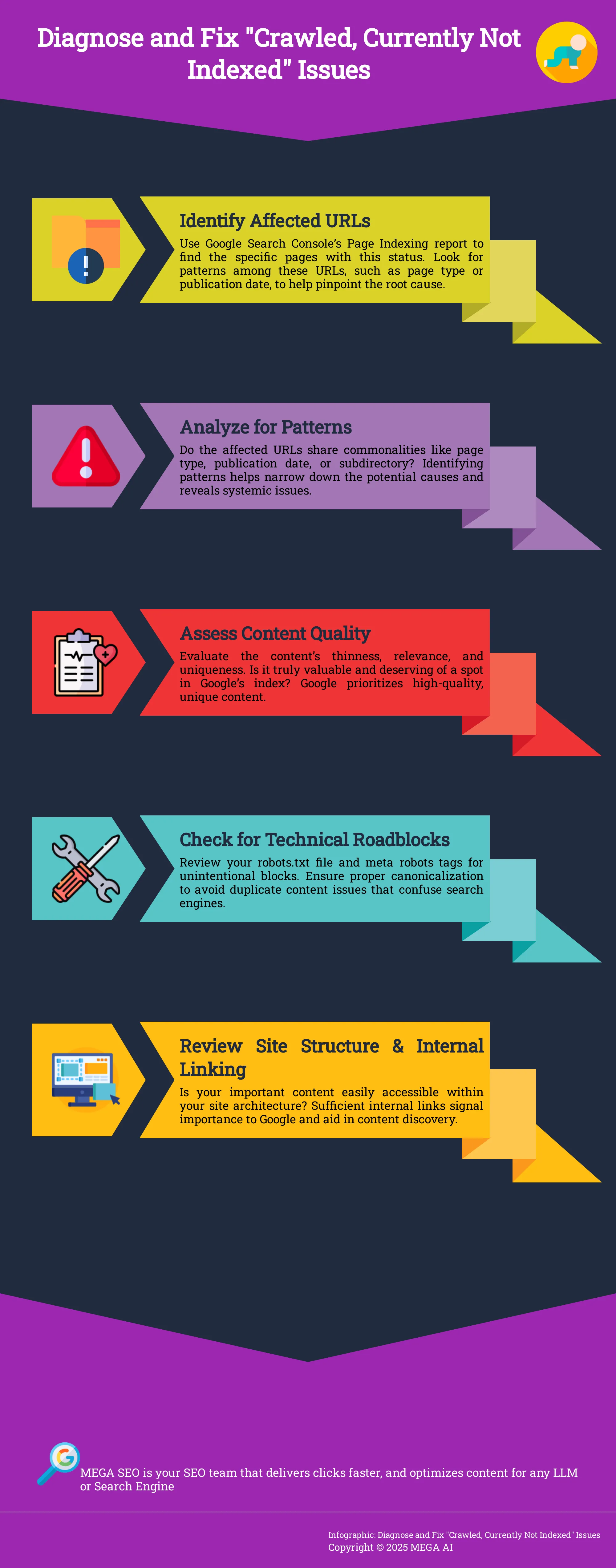
Look at the trend line in the report. Is the number of affected pages growing steadily or was there a sharp spike? Next, examine the URLs themselves. Do they share anything in common? Perhaps they are all from a specific subdirectory, like /blog/ or /products/. Maybe they all use the same page template or were published around the same time. Identifying these patterns helps you move from looking at individual pages to understanding the systemic issue that’s preventing indexation.
Helpful Tools for a Deeper Dive
For websites with thousands of pages, manually checking URLs in Google Search Console can be time-consuming. This is where third-party tools can help you get a more comprehensive view. You can crawl your website with a tool like Screaming Frog, which can connect to the Google Search Console API. This integration allows you to check the indexation status of your URLs in bulk, giving you a complete list of crawled but unindexed pages. This kind of deep analysis can uncover technical problems that are not immediately obvious. For a more automated approach, MEGA AI's SEO platform can also perform site audits to identify and help resolve these kinds of technical roadblocks.
How to Improve Your Content for Indexation
If Google has crawled your page but won't index it, the problem often lies with the content itself. Google’s primary goal is to show users the most helpful and reliable results, so its quality standards are high. Your content needs to earn its spot in the index. It's not just about publishing a page; it's about publishing a page that deserves to be shown to searchers. Think of it as a quality filter. If your content is thin, a duplicate of another page, or doesn't offer real value, Google might decide it's not worth adding to its massive library.
Improving your content involves focusing on three main areas: adding depth and relevance, eliminating duplicate or thin pages, and optimizing your page structure for readability and crawling. By addressing these points, you send strong signals to Google that your content is valuable and ready for an audience. Tools like MEGA AI's Maintenance Agent can streamline this by automatically identifying where to add new, relevant information to your existing articles, helping you meet those quality standards more efficiently.
Add More Depth and Relevance
Google wants to index content that thoroughly answers a user's query. If your pages are getting stuck in the "crawled, not indexed" category, take an honest look at their quality. As SEO expert Olga Zarr notes, a lot of low-effort AI-generated content gets stuck here because it's "really poor quality." To avoid this, focus on creating content with depth. This means going beyond surface-level information to provide comprehensive answers, unique insights, and actionable advice. A great way to understand user needs is to analyze the top-ranking pages for your target keyword and identify what they do well—and where you can do better.
Fix Duplicate and Thin Content
With so much content being created daily, Google has become more selective about what it indexes. Pages with thin or duplicate content are often the first to be filtered out. Thin content offers little to no value to the reader, while duplicate content is identical or nearly identical information that appears on multiple URLs. Both can confuse search engines and dilute your site's authority. Start by running a content audit to identify these problem pages. For duplicate content, decide which version is the primary one and use 301 redirects to consolidate them. For thin content, either expand it with more valuable information or, if it serves no real purpose, remove it and redirect the URL.
Optimize Your Content's Structure and Formatting
A well-structured page is easier for both users and search engines to understand. Clear formatting helps readers scan your content and find what they need, while a logical structure helps Google grasp the page's main topics and hierarchy. Use headings (H2, H3) to organize your ideas, and break up long blocks of text with short paragraphs, bullet points, and bolded text. For a more technical approach, you can use tools like Screaming Frog with the Google Search Console API to "inspect those URLs in bulk and then report it back to you," as Olga Zarr suggests. This helps you spot structural issues at scale and ensures your pages are set up for successful crawling and indexing.
Technical SEO Fixes to Get Your Pages Indexed
Once you’ve confirmed your content is high-quality, it’s time to look at the technical side of your website. Technical SEO issues are often the unseen barriers preventing Google from indexing your pages. These fixes involve making sure your site is easy for search engine crawlers to find, understand, and navigate. By addressing these core technical elements, you clear the path for your content to be properly indexed and ranked.
Improve Your Site Structure and Internal Linking
A logical site structure acts like a clear map for Google. If your important pages are buried deep within your site or have no links pointing to them, crawlers may never find them. Review your site’s architecture to confirm that your key content is accessible within a few clicks from the homepage. Strong internal linking not only helps crawlers discover new pages but also distributes authority throughout your site, signaling which pages are most important. If a page isn’t indexed, check how many internal links point to it and ensure the content itself is valuable enough for Google to prioritize.
Check Your Robots.txt and Meta Robots Tags
Your robots.txt file and meta robots tags give search engines direct instructions on how to crawl and index your site. A simple mistake in these files can accidentally block crawlers from accessing important content. Check your robots.txt file for any Disallow directives that might be preventing access to the pages you want indexed. Similarly, inspect the meta robots tag on individual pages to make sure it doesn’t contain a noindex value. Sometimes you may want to intentionally block pages like archives or internal search results to focus Google’s resources on your most valuable content.
Use Your XML Sitemap Correctly
Think of your XML sitemap as a list of recommended URLs you want search engines to crawl. Its main purpose is to help Google discover all the pages on your site, especially those that might not be found through regular crawling. It’s important to keep your sitemap clean and up-to-date. Only include URLs that you want to be indexed and make sure they return a 200 OK status code. Submitting a sitemap through Google Search Console is a good practice, but remember that it’s a guide for crawlers, not a command for indexing.
How to Monitor and Maintain Your Site's Indexation
Fixing indexing issues isn't a one-and-done task. It's an ongoing part of a healthy SEO routine. Once you've addressed the initial problems, you need a system to monitor your site's indexation status and catch new issues before they grow. Think of it as regular maintenance for your website's visibility on Google. By staying proactive, you ensure your valuable content continues to be discovered by your audience. This continuous oversight helps you maintain the gains you've made and adapt to any new challenges that arise.
Perform Regular Indexation Checks
Make it a habit to check your site's indexation status. The best place to start is the Pages report in Google Search Console. This report clearly shows you which of your pages are indexed and, more importantly, which are not. For any unindexed pages, Google provides a reason, such as "Crawled, currently not indexed" or "Discovered, currently not indexed." Getting familiar with this report allows you to spot potential problems early on. Regular checks turn reactive problem-solving into a proactive maintenance strategy, keeping your site in good standing with search engines.
Address New Issues as They Appear
When you review your indexing report, pay close attention to the trend lines. A gradual change might be normal, but a sudden, sharp increase in non-indexed pages can be a red flag. A significant spike could indicate a serious issue, like a security breach or a technical error from a recent site update. By monitoring these trends, you can quickly diagnose whether you're dealing with a minor content issue or a major site-wide problem. This allows you to prioritize your efforts and address the root cause effectively before it impacts your traffic.
Track Your Progress Over Time
After you've implemented fixes, you need to verify that they're working. A simple way to check if a specific URL is indexed is by using the site: search operator directly in Google. Just type site:yourdomain.com/your-url into the search bar. If your page appears in the results, it's indexed. If not, Google hasn't processed it yet. Tracking your progress over time helps you understand which solutions are most effective for your site. This continuous feedback loop is essential for refining your strategy and ensuring your SEO efforts consistently deliver results.
Advanced Fixes for Tough Indexing Problems
Sometimes, the standard fixes don’t quite work, especially when you're dealing with stubborn or widespread indexing problems. If you’ve tried the basics and are still seeing pages in the “crawled, not indexed” report, it’s time to look at some advanced tactics. These steps can help you diagnose and resolve more complex issues that might be holding your site back from its full potential.
How to Handle Large-Scale Indexing Issues
When you look at your GSC report, pay close attention to the trend line. If you see a sudden, massive jump in non-indexed pages—going from a few hundred to thousands or even millions—it could be a red flag. Often, a dramatic increase like this suggests a potential security breach, where your site has been hacked to create spammy pages. Your first step should be to check the Security issues report in Search Console. If you find a problem, you'll need to clean up your site and remove the unauthorized URLs. Another common cause is technical issues with faceted navigation or URL parameters that generate countless low-value pages, overwhelming Google's crawl budget.
When to Use Google's "Request Indexing" Feature
The "Request Indexing" button in the URL Inspection tool can be useful, but it's not a fix for site-wide problems. Before you click it, first confirm a page isn't indexed. You can do this with a quick site: search in Google (e.g., site:yourwebsite.com/your-page). If nothing shows up, the page is not in the index. This is a more reliable, real-time check, as the data in Search Console can sometimes be outdated. Use the URL Inspection tool for a handful of important new or updated pages you want Google to see quickly. It tells Google that you've made a change, but it doesn't guarantee immediate indexing. Using this feature for hundreds of pages won't solve underlying quality or technical issues.
Fit Indexation Fixes into Your Broader SEO Strategy
If your whole site seems stuck, the problem might be bigger than individual pages. Google is dealing with a flood of new content, and if your pages don't offer real value, they can easily get left behind in the "crawled, not indexed" pile. The solution is to make content quality a core part of your SEO strategy. Instead of just producing more, focus on improving what you have. Add depth, unique insights, and helpful information to your articles. Demonstrating expertise and trustworthiness is critical. This signals to Google that your site is a reliable resource worth indexing and showing to users.
How to Spot and Fix Security Issues
Sometimes, the "crawled, currently not indexed" status isn't about content quality or technical missteps. It can be a symptom of a more serious problem: a security breach. When your site is compromised, hackers can create thousands of spammy pages without your knowledge. Google might crawl these pages but will refuse to index them, leading to a massive spike in this GSC report. Addressing this quickly is critical not just for your SEO, but for protecting your brand and your visitors. Regular site health monitoring is your first line of defense. Tools that offer automated technical SEO checks can help you catch these issues before they spiral out of control.
Signs Your Website Might Be Compromised
The most telling sign of a hack is a sudden, dramatic increase in the number of pages listed under "crawled, currently not indexed." Head to your Google Search Console report and look at the trend line. A sharp upward spike is a major red flag. Next, examine the example URLs in the report. If you see URLs with strange terms that have nothing to do with your business—like pharmaceutical products or foreign-language e-commerce keywords—your site has likely been compromised. These are pages the hacker has created on your domain to exploit your site's authority.
How to Verify and Resolve Security Problems
Once you suspect a hack, you need to act fast. First, confirm the issue is still live. Google Search Console data can sometimes be delayed, so it’s important to check if the strange URLs are still accessible on your site. If they are, your immediate priority is to clean your website. The most reliable way to do this is to restore your site from a clean, recent backup made before the hack occurred. After restoring your site, change all your passwords—for your CMS, hosting, FTP, and databases—to prevent the attacker from getting back in.
Put Preventive Measures in Place
After you’ve removed the hack and restored your site, you need to tell Google that those spammy pages are gone for good. Simply letting them return a 404 "Not Found" error isn't enough; Google may continue trying to crawl them for a long time. Instead, you should configure your server to return a 410 "Gone" status code for all the hacked URLs. This sends a much stronger signal to Google that the pages have been permanently removed and should be dropped from its crawl queue more quickly. This is a key part of a proactive SEO strategy that keeps your site clean and healthy over the long term.
How to Prevent Indexing Issues in the Future
Fixing existing indexing problems is important, but setting up your site for future success is the real goal. By adopting a few key habits, you can prevent many of these issues from happening in the first place. This proactive approach saves you time and helps maintain a healthy relationship with Google, ensuring your new content gets the visibility it deserves without unnecessary delays. It’s about building a solid foundation so you can focus on creating great content instead of troubleshooting technical errors.
Manage Your Content Proactively
One of the simplest ways to stay ahead of indexing issues is to actively manage your content. Don't just publish and forget. You can run a quick check on any URL by using the "site:" search operator in Google. Just type site:yourwebsite.com/your-url into the search bar. If your page doesn't show up, it’s a clear sign that it hasn't been indexed. Making this a regular practice helps you spot problems early. For a more automated approach, MEGA AI's Maintenance Agent can monitor your content and make improvements to ensure it meets indexing standards without you having to perform constant manual checks.
Keep Up with Google's Guidelines
Google is constantly refining its algorithms to deliver better search results. This means the standards for what gets indexed are always evolving. A page that might have been indexed a year ago could be ignored today if it no longer meets Google's quality threshold. To avoid this, it's wise to stay familiar with Google Search Essentials, which outlines what the search engine looks for in high-quality content. When major updates roll out, review your key pages to ensure they still align with best practices. This is also where automation can help, by re-optimizing your content to stay compliant after a Google update.
Perform Regular Site Audits
Think of a site audit as a routine health checkup for your website. Performing them regularly helps you catch technical issues before they snowball into major indexing problems. You can use tools to crawl your site and identify URLs that Google has crawled but not indexed. By connecting these tools with your Google Search Console account, you can inspect URLs in bulk and get detailed reports. This practice allows you to find and fix problems efficiently. For startups and small businesses, running comprehensive SEO audits can be time-consuming, which is why platforms like MEGA AI automate the process to keep your site technically sound.
How to Measure Success and Set Realistic Goals
Fixing indexation issues is a great step, but how do you know if your efforts are paying off? Measuring success isn't just about watching the "crawled, not indexed" number go down. It's about understanding the data, setting realistic timelines, and making sure your work aligns with your larger business goals. Let's walk through how to track your progress and define what success looks like for your site.
Key Metrics to Watch in Google Search Console
Your main tool for this is Google Search Console. Inside GSC, head to the "Pages" report under the "Indexing" section. This is your source of truth for how Google sees your site's pages. You'll find a chart that separates your URLs into "Indexed" and "Not indexed." Click into the "Not indexed" section to see a list of reasons why pages aren't in Google's index. Pay close attention to the count of pages under "Crawled, currently not indexed." As you implement fixes, your goal is to see this number decrease and the "Indexed" number grow. You can find more details on this in Google's Page Indexing report documentation.
What to Expect for a Timeline
Patience is key when it comes to SEO. After you've improved your content or fixed a technical issue, Google needs time to recrawl and re-evaluate your pages. This process can take anywhere from a few days to several weeks. It's also important to know that the data in Google Search Console can be slightly outdated. Before you start troubleshooting a URL from the report, use the URL Inspection tool in GSC or a site:yourdomain.com/your-url search in Google to check its live status. This ensures you're working with the most current information and not chasing a problem that has already been resolved.
Align Indexation Goals with Your SEO Objectives
The ultimate goal isn't necessarily to get 100% of your website's pages indexed. Instead, focus on getting your most important pages indexed—the ones that drive traffic and conversions. Review the list of non-indexed URLs and ask yourself which ones are critical to your SEO objectives. Your core service pages, cornerstone blog content, and key product pages should be the priority. If you find low-value pages like old tag archives or internal search results in the report, it might be fine to leave them un-indexed. Concentrate your efforts on improving the quality and authority of the pages that truly matter to your business.
Related Articles
- How Long Does Google Indexing Take in 2024?
- Boost SEO with Better Crawl Efficiency: Indexing Benefits
- SEO Blocking Risks: How They Impact Indexing
- Getting Started with Google Search Console: A 2024 Guide
- Top 5 Website Indexing Tools for SEO Pros
Frequently Asked Questions
Is the "crawled, currently not indexed" status always a bad thing? Not necessarily. It's quite normal for some pages on a website to have this status. Google is selective and may choose not to index low-value pages like old archives, certain tag pages, or internal search results. The key is to review the list of affected URLs in Google Search Console. If the pages are unimportant, you can likely ignore it. If your core service pages or cornerstone blog posts are on that list, then it's a problem that needs your attention.
How long will it take for Google to index my page after I fix it? There's no exact timeline, as it depends on Google's own schedule for crawling your site. After you've improved a page's content or fixed a technical issue, it can take anywhere from a few days to several weeks for Google to recrawl and re-evaluate it. You can check the live status of a URL using the URL Inspection tool in Google Search Console to see the most current information, as the main report can sometimes have a delay.
Should I use the "Request Indexing" button for every unindexed page? It's best to use this feature sparingly. The "Request Indexing" button is not a solution for widespread indexing problems and won't fix underlying quality or technical issues. It's most effective when used for a handful of high-priority pages that are new or have been significantly updated. Your primary focus should be on improving your site's overall quality so that Google wants to index your content naturally.
What if my most important pages, like my homepage, are not being indexed? If critical pages like your homepage or main service pages are appearing in this report, it signals a high-priority problem. This often points to a significant technical issue, such as an accidental noindex tag on the page or a rule in your robots.txt file that is blocking Google's crawler. You should conduct a thorough technical audit immediately to find and resolve the root cause.
Can having too many low-quality pages hurt the indexing of my good pages? Yes, it can. Google allocates a "crawl budget" to every site, which is the amount of resources it will use to crawl your pages. If Google spends too much time and energy crawling thousands of thin, duplicate, or low-value pages, it may have fewer resources left to find and index your important, high-quality content. This is why performing regular content audits and removing or improving thin content is a crucial part of a healthy SEO strategy.


