

The iconic sound of an AC-130 gunship, the thrill of a last-second defuse, the satisfying thump of a perfectly placed grenade—Call of Duty 4: Modern Warfare delivered a multiplayer experience that defined a generation. But is it still alive? Absolutely. Call of Duty 4 game servers continue to host thousands of players worldwide, keeping the spirit of COD4 alive and kicking. This guide delves into the world of COD4 servers, providing you with the tools and knowledge to find active communities, optimize your gameplay, and even host your own server. Whether you're a nostalgic veteran or a curious newcomer, we'll help you navigate the world of Call of Duty 4 game servers and rediscover the magic of Modern Warfare.
Key Takeaways
- Active servers are available: You can still find and join Call of Duty 4 servers across different platforms. Use server browsers like GameTracker to locate active servers based on your preferences.
- Enhance your performance: Optimize your game settings, master the maps, and prioritize teamwork and communication for a better in-game experience. Adapting to server-specific rules and community norms can also give you an advantage.
- Discover custom content: Explore modded servers and custom game modes for a fresh take on Call of Duty 4. PC players, in particular, have access to a wide variety of custom content.
What Are Call of Duty 4 Game Servers?
Call of Duty 4: Modern Warfare offers multiplayer action on PC, Playstation 3, and Xbox 360. These platforms, unlike the Nintendo DS version, allow online play through dedicated game servers. These servers are specialized computers that host and manage online matches, enabling players worldwide to connect and compete.
Definition and Purpose
Game servers are central hubs for online multiplayer matches. They store game data, track player progress, enforce rules, and maintain a consistent gaming experience. Consider them the referees and scorekeepers of the online Call of Duty 4 world. Without these servers, online multiplayer wouldn't be possible. They create the shared virtual environment where players connect, interact, and compete.
How Game Servers Work
When playing Call of Duty 4 online, your console or PC connects to a game server. This server manages all match aspects, from player positions and weapons to game mode rules and objectives. Each server has a maximum player capacity, usually displayed as a ratio (for example, 21/64 players). Console players need a paid service like Playstation Network or Xbox Live Gold, plus a solid internet connection, as detailed in this guide. Joining a game typically involves accessing the multiplayer menu, selecting online play, and then choosing a server or creating a private match. The process might vary slightly between PC and console, but the core requirement remains: connecting to a game server is essential for online play.
Current State of Call of Duty 4 Servers
Want to know if people still play Call of Duty 4 online? The answer is a resounding yes. Dedicated players keep the game alive and kicking. Let's explore the current server landscape.
Active Player Base
Despite its age, Call of Duty 4 maintains a surprisingly active player base. While not as massive as newer titles, you can still find thousands of players logging in regularly. GameTracker reports hundreds of active servers, with a fluctuating player count often exceeding 2,000 concurrent players. The most populated servers typically host popular game modes like Team Deathmatch (TDM). Console players on Xbox One and PlayStation also report consistently finding TDM matches. This continued activity demonstrates the game's enduring appeal across platforms, as confirmed by player discussions on Reddit.
Available Server Types
Call of Duty 4 offers a variety of server types catering to different preferences. GameTracker provides a comprehensive server browser that you can filter by several criteria. You can search using specific server names, IP addresses, or even the current map being played. Looking for a particular game mode or server variable? You can filter for those, too. GameTracker also maintains server rankings based on popularity and activity, both globally and by country. This makes it easier to find a thriving community and helps players quickly locate servers that match their desired gameplay experience.
Finding and Joining Call of Duty 4 Servers
This section helps you find and join Call of Duty 4 servers. We'll cover useful resources and tips for choosing the right server for your play style.
Server Browsers and Community Resources
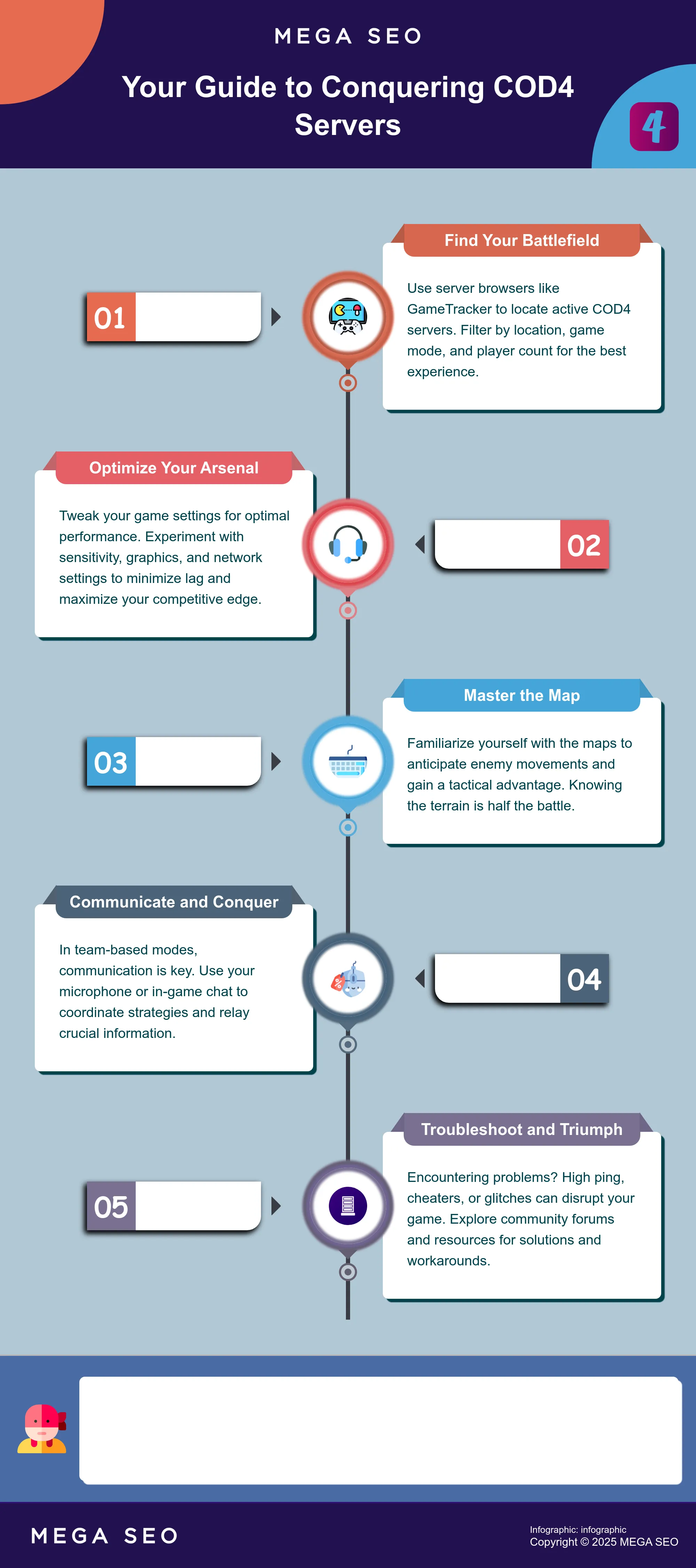
Dedicated server browsers are your primary tool for locating active Call of Duty 4 servers. GameTracker is a popular option, offering a searchable list of servers based on criteria like location, game mode, and current player count. This allows you to quickly narrow down your options and find a server that fits your preferences. Beyond server listings, GameTracker also provides community features like player statistics and forums, helpful for connecting with other players and staying up-to-date on the Call of Duty 4 scene.
Tips for Selecting the Right Server
Once you've found a few potential servers, consider these factors before joining:
- Ping: A lower ping means a more responsive connection. Look for servers geographically closer to you to minimize lag.
- Player Count: A healthy player count ensures full matches and a more dynamic experience. Avoid empty servers or those nearing capacity, as they can lead to unbalanced teams or long wait times.
- Game Mode: Different servers may focus on specific game modes like Team Deathmatch, Search and Destroy, or Domination. Choose one that aligns with your preferred way to play.
- Map Rotation: If you enjoy variety, check the server's map rotation. Some servers stick to a few popular maps, while others offer a more diverse selection. Familiarizing yourself with the maps is always a good idea, regardless of the server you choose. Knowing the terrain gives you a tactical advantage. Utilizing UAVs while sprinting helps react more quickly to enemy attacks.
- Community: A positive and active community can greatly enhance your gaming experience. Look for servers with friendly players and active admins. Resources like GameFAQs can offer insights into server communities and gameplay strategies. Aiming down your scope before and after a kill helps maintain situational awareness.
By considering these tips and utilizing available resources, you can find the perfect Call of Duty 4 server for your gaming style and preferences.
Common Challenges on Call of Duty 4 Servers
Even veteran players run into issues on Call of Duty 4 servers. From frustrating lag to disruptive cheaters, understanding these common challenges can help you troubleshoot problems and find a better gameplay experience.
Connection and Stability Issues
Connection problems plague even the most skilled Call of Duty 4 players. High ping and packet loss can lead to frustrating lag, making precise aiming and quick reactions nearly impossible. One tip to improve your connection is to adjust your rate settings. A rate of 25000 can often create a faster connection to the server. Additionally, choosing a server geographically closer to your location can minimize latency. If you consistently experience connection issues, consider checking your internet connection or contacting your internet service provider.
Cheating and Hacking Prevention
Unfortunately, cheating remains a persistent issue in Call of Duty 4. Players using aimbots and wallhacks disrupt the competitive balance and create an unfair playing field. While some server administrators actively work to combat cheating through anti-cheat software and community reporting, encountering cheaters is still relatively common. One player reported a significant number of cheaters in their matches, highlighting this ongoing problem. If you suspect someone of cheating, report them to the server administrators. Choosing servers with active moderation can also improve your experience.
Outdated Infrastructure Workarounds
Call of Duty 4, being an older game, sometimes suffers from outdated infrastructure. This can lead to glitches, exploits, and vulnerabilities that players might exploit. For example, there are known workarounds for certain map exploits, like the “Javelin Glitch.” One player suggested a technique to mitigate this, advising players to "aim down their scope before and after the kill," which can sometimes delay the negative effects of the glitch. While these workarounds can be helpful, they also highlight the need for ongoing server maintenance and updates.
Optimizing Your Gameplay Experience
Stepping onto the virtual battlefield in Call of Duty 4 requires more than just quick reflexes; it demands a strategic approach. This section covers key optimizations to enhance your gameplay, from tweaking settings to mastering communication.
Adjusting Game Settings for Better Performance
Victory hinges on both skill and setup. Before diving into a match, explore your game settings. Experiment with sensitivity options to find what feels comfortable for aiming. Lowering graphics settings can improve frame rates, giving you a smoother experience, especially crucial in fast-paced firefights. Consider these practical tips: learn the maps to anticipate enemy movements and find weapons that suit your playstyle. Weapon mastery is key, so practice with different loadouts to discover your strengths. If you're not playing hardcore, the Bandolier perk (for extra ammo) is a must-have, especially as you progress and rely more on your primary weapon. The Steady Aim perk can also be helpful for SMGs and the M4, and Deep Impact for weapons like the AK47 or M16. Experiment to find what works best for you.
Communication and Teamwork Strategies
In team-based modes, communication is paramount. Use your microphone or in-game chat to relay enemy positions and coordinate strategies. Develop a system of callouts with your team to quickly and efficiently share information. Learning the maps is crucial, not just for navigation, but also for effective communication. Knowing key locations allows for precise callouts, enabling your team to react swiftly. Calling in a UAV while sprinting lets you react more quickly to enemy attacks.
Server-Specific Tactics
Each server can present unique challenges and opportunities. Some servers might have specific rules or custom settings that influence gameplay. Pay attention to server details before joining to understand any unique characteristics. Adapting your tactics to the server environment is essential. For instance, if a server is known for frequent sniper battles, consider adjusting your loadout and playstyle accordingly. One helpful tip is to aim down your scope briefly before and after a kill to disguise your position from other snipers. Additionally, some players recommend adjusting network settings like rate and cl_maxpackets to potentially improve connection quality and hit registration, though results may vary depending on your individual setup and the server's configuration.
Hosting and Maintaining Call of Duty 4 Servers
Hosting your own Call of Duty 4 server can be a rewarding experience, allowing you to tailor the gameplay and foster a dedicated community. However, it also comes with responsibilities. This section covers the key aspects of hosting and maintaining your own server.
Requirements and Configuration Options
Before diving in, you'll need a dedicated machine or a reliable game server hosting provider. A solid internet connection with ample bandwidth is crucial for a smooth player experience. System requirements aren't overly demanding, but ensure your hardware meets the minimum specifications for the server software you choose.
Once you've sorted your hardware, select your server software. Several options exist, each with its own strengths and weaknesses. Research different server software and choose one that aligns with your technical skills and desired features. Configuration options within the server software let you customize various aspects of the game, including game modes, map rotations, player limits, and weapon settings. You can even tweak the gameplay itself, adjusting elements like damage multipliers and health regeneration. Resources like StrategyWiki offer valuable insights into gameplay mechanics that can inform your server configuration choices.
Community Management and Moderation
Building a thriving community around your Call of Duty 4 server requires active management and moderation. Establish clear rules and guidelines to ensure fair play and a positive environment for everyone. Actively communicate with your players, addressing their concerns and incorporating their feedback. Consider implementing a voting system for map rotations or other server settings to give players a sense of ownership and involvement.
Dealing with disruptive players is inevitable. Implement a system for reporting and handling cheaters and other problematic individuals. Consider using anti-cheat software to deter cheating and maintain a level playing field. Regularly monitor player activity and server logs to identify and address potential issues. Experienced server admins often share tips and advice on forums like GameFAQs, which can be invaluable for new server hosts learning the ropes. Fostering a strong community is key to the long-term success of your Call of Duty 4 server.
The Future of Call of Duty 4 Servers
While Call of Duty 4: Modern Warfare is a classic, its online multiplayer scene isn't what it used to be. That doesn't mean it's gone, though. Dedicated communities and modders keep the game alive, but challenges still exist.
Community Efforts and Potential Challenges
You can still find active COD4 servers, especially for popular modes like Team Deathmatch. Your experience will vary depending on your platform and playing time. Peak hours and weekends are generally best. One issue, however, is the presence of cheaters, which can sour the experience. Community efforts to address cheating are ongoing, but it remains a problem.
Modded Servers and Custom Game Modes
The modding community is a big part of COD4's continued relevance. PC players have tons of options, from custom maps to entirely new game modes. Console players have fewer choices, but private matches are still an option, as this guide explains. Regardless of your platform, exploring modded servers can revitalize your COD4 experience. These communities often run their own dedicated servers with unique rules, offering a fresh take on gameplay.
Call of Duty 4 Servers vs. Modern Game Servers
Playing Call of Duty 4: Modern Warfare today isn't quite the same as hopping into a modern title. The technology, community, and overall gameplay experience have their own unique quirks. Let's explore some key differences.
Technological Differences
Call of Duty 4’s servers rely on older technology compared to modern games. While dedicated servers still exist, many players host listen servers directly from their machines. This peer-to-peer setup can lead to inconsistencies in connection quality. Tweaking your game settings, can sometimes improve your connection. Modern games often utilize powerful dedicated servers and advanced networking infrastructure to minimize lag and ensure a smoother experience. They also typically handle more players per match and offer features like cross-platform play, which aren't available in Call of Duty 4.
Community and Gameplay Contrasts
The Call of Duty 4 community, while smaller than newer titles, is dedicated. Players have spent years mastering maps and developing strategies around the game's mechanics. You'll find discussions on forums like GameFAQs about clever tactics, like minimizing your killcam exposure. Discussions about optimizing perk and weapon choices are also common. This focus on established tactics contrasts with the constantly evolving meta of modern games, where new content and balance updates frequently shift optimal strategies. Modern games also often incorporate more sophisticated anti-cheat measures than those available in Call of Duty 4, impacting the overall gameplay environment.
Frequently Asked Questions
Are Call of Duty 4 servers still active? Yes, Call of Duty 4 servers are still active, though the player base is smaller than newer titles. You can find active servers on PC, Xbox 360, and PlayStation 3, particularly for popular game modes like Team Deathmatch. The experience can vary depending on platform and time of day, with peak hours and weekends generally offering more populated servers.
How do I find Call of Duty 4 servers? The easiest way to find Call of Duty 4 servers is through server browsers like GameTracker. These platforms provide searchable lists of active servers, allowing you to filter by location, game mode, player count, and other criteria. In-game server browsers are also available on PC and consoles.
What should I consider when choosing a server? When selecting a server, consider factors like ping (lower is better), player count (a healthy balance is ideal), game mode, and map rotation. A positive and active community can also enhance your experience. Reading server descriptions and looking for servers with active admins can often lead to a better gameplay environment.
What are some common problems with Call of Duty 4 servers, and how can I address them? Common issues include connection problems (high ping, lag), cheating, and occasional glitches due to the game's age. To improve your connection, try selecting servers closer to your location and adjusting your rate settings. Reporting suspected cheaters to server administrators is crucial. For glitches, community forums and resources can sometimes offer workarounds or insights.
Can I host my own Call of Duty 4 server? Yes, you can host your own server. You'll need a dedicated machine or a game server hosting provider, a good internet connection, and server software. Hosting your own server allows for greater control over game settings and community management. However, it also requires technical knowledge and ongoing maintenance.


