

Bounce rate is one of the most misunderstood metrics in digital marketing. Many website owners see a high number and immediately assume their site is failing. But that’s not always the case. Sometimes, a high bounce rate means a visitor found exactly what they needed—like a phone number on a contact page—and left satisfied. The real issue isn’t the number itself, but the context behind it. Understanding when a bounce is a sign of success versus a signal of a problem is key. This guide will help you look beyond the percentage and explore the real benefits of bounce rate reduction for enhanced user experience?
Key Takeaways
- Use Bounce Rate as a UX Diagnostic Tool: Think of your bounce rate as a report card on your site's first impression. A high number often points to a disconnect between visitor expectations and your page's content, design, or speed.
- Look Beyond the Number to Understand Context: A high bounce rate isn't always a problem. If a visitor finds an answer on a single page and leaves satisfied, the page did its job. Always analyze bounce rate alongside other goals, like conversions or time on page.
- Focus on Foundational Fixes to Keep Users Engaged: The most effective way to lower your bounce rate is by improving the core user experience. Prioritize optimizing your site speed, creating relevant content, simplifying your site's structure, and ensuring a flawless mobile design.
What Is Bounce Rate (and Why Should You Care)?
Think of bounce rate as a measure of your website's first impression. It’s the percentage of visitors who land on one of your pages and then leave without taking any further action, like clicking a link, filling out a form, or making a purchase. Essentially, they "bounce" away after seeing just one page. A high bounce rate often means visitors aren't finding what they expected, or the page experience itself is pushing them away before they have a chance to explore.
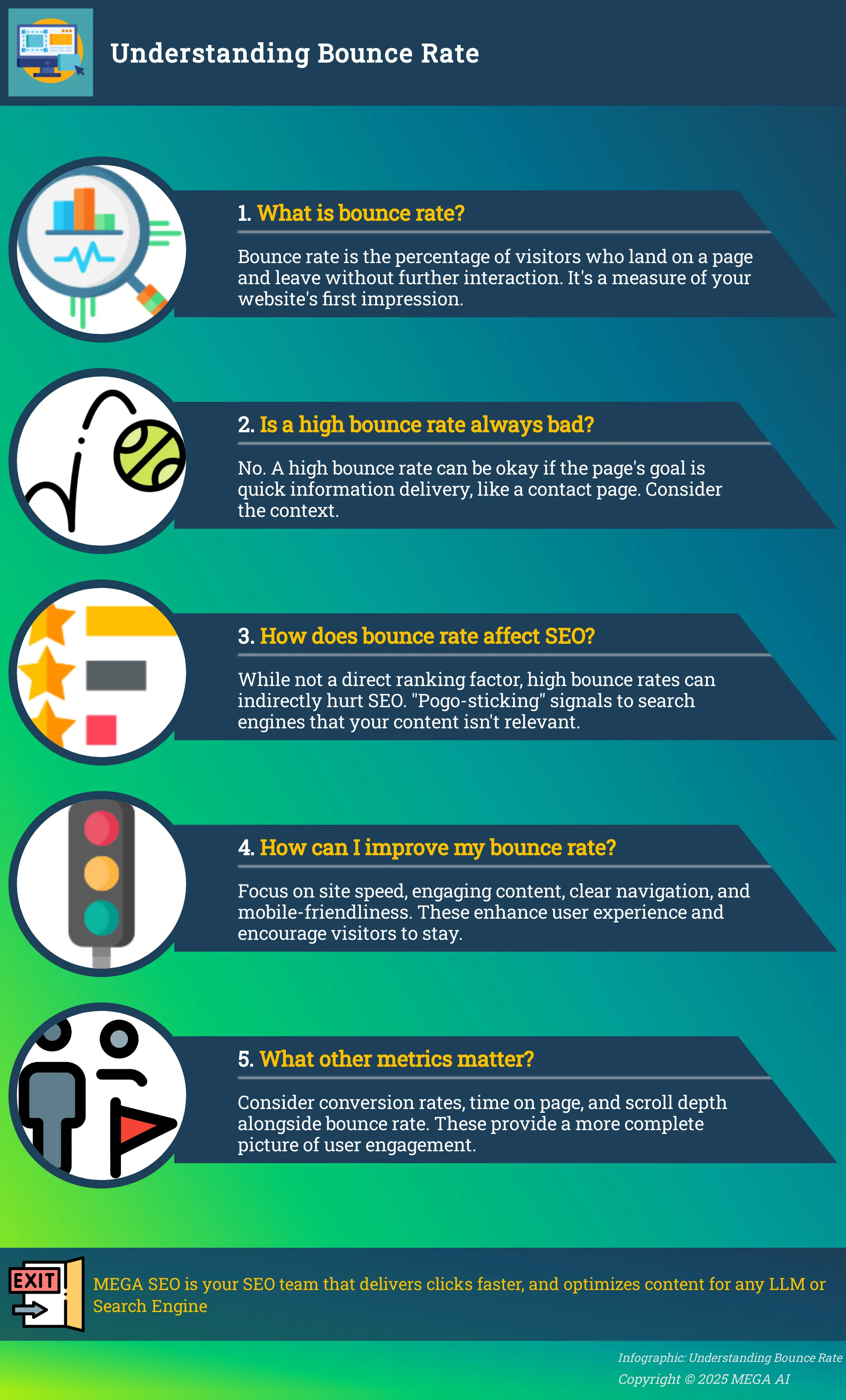
Caring about your bounce rate is crucial because it’s a direct indicator of user engagement and content relevance. If a large portion of your audience leaves immediately, you’re losing valuable opportunities to convert them into customers, subscribers, or loyal readers. It’s one of the clearest signals you can get about whether your landing pages are meeting visitor expectations. Understanding this metric helps you diagnose underlying issues and make targeted improvements to your SEO strategy to keep people on your site longer. For instance, MEGA AI's Maintenance Agent can help identify content gaps and re-optimize pages to better match user intent, directly addressing a common cause of high bounce rates.
How to Calculate Bounce Rate
The formula for bounce rate is straightforward. It’s calculated by dividing the number of single-page sessions—visits where a person left your site from the entrance page—by the total number of sessions on your site. The result is then multiplied by 100 to get a percentage. For example, if 1,000 people visit your website and 450 of them leave after viewing only one page, your bounce rate would be 45%.
Luckily, you don’t need to do this math yourself. Website analytics platforms like Google Analytics calculate bounce rate for you automatically. You can find this metric in your audience overview reports, allowing you to easily monitor performance and spot trends over time.
How a High Bounce Rate Affects Your Site
A high bounce rate is more than just a vanity metric; it’s a red flag that can signal deeper problems with your website. It often indicates a disconnect between what users were looking for and what your page delivered. This could be due to misleading ad copy, irrelevant content, or a confusing design. A high bounce rate is a key indicator of a poor user experience, suggesting your site may be slow, difficult to use, or simply not providing the value visitors want.
This can also have an indirect impact on your search rankings. If users frequently click on your site from a search engine and quickly return to the results page, it signals to the search engine that your page isn't a good match for that query. Over time, this can harm your visibility. Addressing the root causes of a high bounce rate is essential for both improving conversions and supporting your overall SEO efforts.
How Bounce Rate and User Experience Are Connected
Your bounce rate and user experience (UX) are deeply intertwined. Think of your bounce rate as a direct report card on a user's first impression of your site. A high bounce rate suggests that visitors are leaving without exploring further, which often means your content or design isn't resonating with them. When users land on a page and quickly decide it’s not for them, it’s a clear sign that the experience failed to meet their expectations.
On the other hand, a low bounce rate indicates that your website is engaging and valuable to visitors. It shows that you’ve successfully captured their attention and provided a clear path for them to continue their journey. This positive first interaction is the foundation of good UX, leading to more page views, longer session durations, and a better chance of achieving your conversion goals.
What Bounce Rate Tells You About User Satisfaction
A high bounce rate, often considered anything over 70%, is a strong indicator of user dissatisfaction. It tells you that a significant portion of your visitors land on a page and leave without taking any other action. This can happen for many reasons, but it usually boils down to a disconnect between what the user expected and what they found.
This metric is a straightforward signal that something is wrong. A high bounce rate can mean your page is confusing, your content is irrelevant to the search query that brought them there, or your site simply doesn't deliver on its promise. Essentially, it’s a vote of no confidence from your audience, showing they didn't find the value they were looking for on that initial page.
Spotting UX Problems Through Your Bounce Rate
You can use your bounce rate as a diagnostic tool to identify specific UX issues. If you notice a high bounce rate on a particular page or across your site, it’s time to investigate. Common culprits often include slow page loading times, a design that isn't mobile-friendly, irrelevant content, or a confusing navigation structure.
To pinpoint the exact cause, you need to understand why people are leaving. Start by reviewing the quality of your content and the overall structure of your site. You can also use tools to get a clearer picture of user behavior. For example, heatmaps and session recordings can show you exactly where users are clicking—or where they aren't—helping you identify the friction points that are causing them to bounce.
The Benefits of a Lower Bounce Rate
A low bounce rate is more than just a number to report on; it’s a direct reflection of your website’s health and its ability to connect with visitors. When people land on your site and decide to stick around, it signals that you’re providing a valuable and engaging experience. This positive first impression has a ripple effect across your entire digital strategy, influencing everything from brand perception to your bottom line.
Achieving a lower bounce rate means you are successfully capturing your audience's attention right from the start. It indicates that your content is relevant, your design is intuitive, and your page performance meets user expectations. These factors work together to build trust and encourage visitors to explore what else you have to offer. Ultimately, a site that keeps users engaged is better positioned to turn casual visitors into loyal customers and achieve its core business objectives.
Keep Users on Your Site Longer
When a visitor lands on your page and doesn't immediately leave, it’s a clear sign that you’ve captured their interest. A low bounce rate shows that your content is valuable and your user experience is effective. This extended engagement gives visitors more time to connect with your brand. Instead of viewing a single page and leaving, they might browse your services, read another blog post, or explore your company’s story.
Each additional click deepens their understanding of what you do and why it matters. This prolonged interaction is crucial for building the familiarity and trust needed to guide a user from initial curiosity to a conversion. A website that successfully reduces its bounce rate is one that creates a welcoming environment where visitors want to stay and learn more.
Improve Conversion Rates
A visitor who leaves your site after viewing only one page can’t make a purchase, fill out a form, or sign up for your newsletter. A high bounce rate directly harms your ability to generate leads and sales. By focusing on creating an experience that encourages users to stay, you naturally improve your chances of conversion. Every page they visit is another opportunity to present a call to action and guide them further down the sales funnel.
Think of it this way: a lower bounce rate means more people are entering your conversion pipeline. They are actively engaging with your content and showing interest in your offerings. This is a strong indicator that your messaging is resonating and your site is effectively communicating its value. Improving user experience is a critical step toward reducing bounce rates and, in turn, seeing a meaningful increase in sales and brand reputation.
Support Your SEO and Search Rankings
Search engines like Google aim to provide users with the most relevant and high-quality results for their queries. One way they measure this is by analyzing user behavior. When a user clicks on your link from a search results page and stays on your site, it sends a positive signal to the search engine that your page successfully answered their question. This is a key component of what is known as user engagement.
A consistently low bounce rate tells search engines that your site is a valuable resource, which can help support your search rankings over time. Conversely, a high bounce rate can suggest that your page isn't a good match for the user's intent, potentially harming your visibility. By optimizing your site to keep users engaged, you’re also investing in a stronger SEO foundation that drives more qualified organic traffic.
4 Actionable Ways to Reduce Your Bounce Rate
Seeing a high bounce rate can be discouraging, but it’s also a valuable signal that something in your user experience needs a tune-up. The good news is that you can take concrete steps to make your site more inviting and keep visitors around longer. Lowering your bounce rate often comes down to addressing a few key areas: how fast your site loads, how engaging your content is, how easy it is to get around, and how well it works on a phone. By focusing on these four pillars of user experience, you can create a more "sticky" website that encourages visitors to click, explore, and convert. Let's walk through some practical ways to make that happen.
1. Optimize Your Website's Speed
Nothing sends a visitor clicking the "back" button faster than a slow-loading page. In our fast-paced world, patience is thin, and a few extra seconds of load time can be the difference between a new customer and a bounced user. Improving website speed is crucial for retaining visitors. Simple techniques like optimizing your images, compressing files, and using a reliable hosting service can significantly enhance load times. Think of your site's speed as its first impression. A fast, responsive site feels professional and respectful of the user's time, encouraging them to stay and see what you have to offer.
2. Create Content That Captivates
Once a visitor lands on your page, your content has to deliver on the promise that brought them there. Creating compelling and relevant content is essential. You need to ensure that your content aligns with user search intent and provides real value to your audience, which can keep them engaged longer. This means understanding what questions your audience is asking and answering them clearly and thoroughly. Tools like MEGA AI's automated keyword research can help you pinpoint exactly what your audience is looking for, allowing you to generate content that truly resonates and encourages further exploration of your site.
3. Simplify Your Website Navigation
If visitors can't easily find what they're looking for, they'll likely get frustrated and leave. Clear and intuitive navigation is key to a positive user experience. Your goal is to make it effortless for visitors to move through your site. You can achieve this by using straightforward menu labels, organizing your content logically, and including helpful features like a prominent search bar. A well-structured site acts as a friendly guide, helping users discover more of your content and products. This simple clarity can dramatically reduce friction and lower your bounce rate.
4. Ensure Your Site Is Mobile-Friendly
With a huge portion of web traffic coming from mobile devices, a site that isn't optimized for smaller screens is a major liability. It's essential to prioritize a mobile-first design. This means your website should be responsive, automatically adjusting its layout to look great and function perfectly on any device, especially smartphones. Test your site on different phones and tablets to make sure buttons are easy to tap, text is readable without zooming, and navigation is simple. A seamless mobile experience shows users you value their visit, no matter how they access your site.
How to Measure and Analyze Your Bounce Rate
Before you can start making improvements, you need a clear picture of where you stand. Measuring your bounce rate is the first step, but analyzing why users are leaving is where the real insights are found. By combining quantitative data with qualitative observations, you can diagnose issues and create a targeted plan to fix them.
Key Metrics to Track
Your bounce rate is the percentage of visitors who land on a page on your website and leave without clicking on anything else or visiting a second page. Think of it as someone walking into your store, taking one look around, and immediately walking out. While benchmarks vary, a rate over 70% is often a sign that people aren't finding what they need. This can harm your search engine rankings, conversions, and overall brand perception over time.
Tools for Monitoring User Behavior
Google Analytics is the standard for tracking your bounce rate, but the number itself only tells you what is happening, not why. To understand the user behavior behind the metric, you’ll need more specialized tools. Heatmap software like Hotjar or Crazy Egg shows you where users are clicking, moving their mouse, and how far they scroll down a page. Session recordings go a step further, letting you watch anonymized recordings of actual user visits. Seeing where people get stuck or what they ignore can provide clear, actionable insights that a simple percentage can't.
Set Realistic Improvement Goals
A low bounce rate is a strong indicator that your website is engaging and valuable to visitors. When you notice a page with a particularly high bounce rate, it’s time to investigate. The issue could stem from slow page speed, confusing navigation, or content that doesn't match what the user was searching for. Instead of aiming for an impossibly low number, set realistic goals for improvement. For example, you can use a tool like MEGA AI's Maintenance Agent to automatically update content and improve its click-through rate, which directly addresses user engagement and helps lower your bounce rate methodically.
Common Myths About Bounce Rate
Bounce rate is one of those metrics that can cause a lot of anxiety, but it's often misunderstood. While a high bounce rate can signal issues with your site's user experience or content, it isn't always the red flag it’s made out to be. The key is to understand the context behind the number and use it as one piece of a much larger puzzle. Thinking about bounce rate in isolation can lead you down the wrong path.
Instead of panicking over a high percentage, it's more productive to look at what that number tells you in relation to your page's specific goal. Sometimes, a user bouncing is actually a sign of success—they found exactly what they needed and left satisfied. For example, a visitor might land on a blog post, find the answer to their specific question, and leave without clicking further. In this case, the page fulfilled its purpose perfectly. The bounce isn't a failure; it's a sign of efficiency. By debunking some common myths, you can learn to interpret your bounce rate more effectively and focus on changes that truly matter for your business.
When a High Bounce Rate Is Actually Okay
It might sound counterintuitive, but a high bounce rate isn't always a bad thing. The value of your bounce rate depends entirely on the purpose of the page. For instance, if a user lands on your contact page, finds your phone number, and immediately calls you, they've "bounced" according to analytics. But in reality, they completed the exact action you wanted them to. The same applies to blog posts or FAQ pages that provide a quick, specific answer to a user's question. They get the information they need and leave. As one source puts it, "a website designed to get immediate contact information (like a contact page) might have a high bounce rate, but that's expected and not necessarily negative." Your goal isn't just to keep people clicking around aimlessly; it's to satisfy their intent.
How to Balance Bounce Rate with Other Metrics
Focusing only on bounce rate can be misleading. To get a complete picture of your site's performance, you need to consider it alongside other important metrics. A high bounce rate might seem alarming, but if your conversion rates are strong, it may not be a major concern. For example, if a landing page has an 80% bounce rate but the remaining 20% of visitors are all converting into qualified leads, that page is doing its job exceptionally well.
Prioritize metrics that align with your business objectives, such as conversion rates, time on page, and scroll depth. These data points provide deeper insights into user engagement. A user might spend several minutes reading a blog post before leaving, which analytics would still count as a bounce. By looking at time on page, you can see that the content was engaging, even if it didn't lead to another page view. This balanced approach helps you make smarter decisions for your website.
Create a Plan for Continuous Improvement
Reducing your bounce rate isn't a one-time fix. It’s an ongoing commitment to understanding your audience and refining their experience. A plan for continuous improvement turns your website into a dynamic resource that evolves with your users. This involves a cycle of identifying opportunities, implementing changes, and measuring results to see what works. By treating user experience as a process, you build a stronger, more resilient online presence.
Prioritize High-Impact Changes
Start by focusing on changes that deliver the biggest results. Not all pages are created equal, so use your analytics to find pages with high traffic but also a high bounce rate. These are your prime opportunities. A lower bounce rate shows your website is engaging and valuable, leading to more user interaction and better performance. Fixing a high-bounce page that gets thousands of visitors will have a much greater impact than tweaking one that only gets a handful. This strategic focus ensures your efforts are spent where they matter most, and automated tools can help you optimize content at scale.
Monitor and Optimize Your Site Regularly
To make smart improvements, you need to understand how people use your site. Regularly analyze website performance using tools like Google Analytics to track bounce rates and identify problem areas. You can also use heatmaps and session recordings to see where users click, how far they scroll, and where they get stuck. These tools provide a window into the user’s experience, turning abstract data into clear, actionable insights. For example, if a heatmap shows users are ignoring your primary call-to-action, you know exactly what to test next. This cycle of monitoring and optimizing is the engine of continuous improvement.
Adapt to Shifting User Behavior
The way people search and interact with websites is always changing. What worked last year might not be effective today. Understanding user search intent is essential for creating content that feels relevant. A positive user experience directly correlates with lower bounce rates, as users get the answers they need quickly. Your plan should include ways to adapt to these shifts. MEGA AI's platform can help you re-optimize content automatically after a Google update, ensuring your site continues to meet user expectations and keep them engaged.
Related Articles
- Site Navigation Benefits: Lower Your Bounce Rate
- Optimize Your Content for Google Search Objectives
- Boost Google SEO With These Content Optimization Tips
- Time in SEO: A Comprehensive Guide for 2024
- SEO Trends 2024: What’s Changing and How to Stay Ahead
Frequently Asked Questions
What is considered a good bounce rate? There isn't a single number that defines a "good" bounce rate because it depends heavily on your industry and the type of page. For example, a blog post that thoroughly answers a specific question might have a higher bounce rate than an e-commerce product page, and that’s perfectly fine. As a general guide, many sites aim for a bounce rate between 40% and 60%, but the most important thing is to establish a baseline for your own site and work on improving it over time.
Is bounce rate the same thing as exit rate? No, they measure two different things. Bounce rate counts only the visitors who land on a page and leave without visiting any other pages on your site. Exit rate, on the other hand, is the percentage of visitors who leave your site from a particular page, regardless of how many other pages they viewed beforehand. Every bounce is an exit, but not every exit is a bounce.
How can I tell if a high bounce rate is actually a problem for a specific page? To understand the full story, you need to look at the page's purpose alongside other metrics. If a page with a high bounce rate is meant to provide quick information, like a contact page with a phone number, then visitors leaving quickly might mean they found what they needed. Check other engagement metrics like "time on page" or "scroll depth." If people are spending several minutes reading before they leave, the content is likely effective, even if the visit technically counts as a bounce.
Does bounce rate directly impact my search engine rankings? While Google has stated that bounce rate itself is not a direct ranking factor, the user behavior it represents certainly matters. If a user clicks on your site from the search results and immediately returns to the search page, it signals that your page wasn't a good match for their query. This behavior, sometimes called "pogo-sticking," can indicate to search engines that your content isn't satisfying user intent, which can indirectly harm your rankings over time.
My website is just one page. Does bounce rate even matter for me? For a single-page website, the traditional bounce rate metric is not very useful, as almost every visit will be counted as a bounce. Instead of focusing on bounce rate, you should measure engagement through event tracking in your analytics platform. You can set up events to track meaningful interactions like clicks on a "contact us" button, form submissions, video plays, or scrolls to a certain part of the page. This gives you a much clearer picture of how users are interacting with your content.


