

Getting more clicks from search results doesn't always require outranking your competitors. Sometimes, it just means having a more appealing listing. Rich snippets—the extra details like star ratings, FAQs, and event times shown directly in search results—can dramatically improve your click-through rate. The key to getting these enhanced listings is structured data. By implementing Bing schema markup, you provide Bing with the context it needs to feature your content more prominently. This article breaks down how to use schema to your advantage, turning your standard blue links into compelling, informative results that users want to click.
Key Takeaways
- Use Schema to Stand Out in Search: Schema markup translates your page's content for search engines, which can result in rich snippets. These enhanced listings show details like ratings or prices directly in search results, improving your click-through rate.
- Match Your Schema to Your Content: Always use the schema type that accurately describes your page’s main purpose—for example, use
Productschema for a product page, not a blog post. Implementing this with the recommended JSON-LD format keeps your code clean and easy for search engines to process. - Test and Update Your Markup Regularly: Schema is not a one-time setup. Use tools like Bing Webmaster Tools to validate your code, fix errors, and ensure your markup stays current with search engine guidelines and your own site's content.
What Is Bing Schema Markup?
Schema markup, also known as structured data, is a type of code you add to your website's backend. Its job is to act as a translator for search engines like Bing. While you and I can easily see that a string of numbers is a product rating or a date is for an upcoming event, search engines need a little more help. Schema markup provides that context, labeling your content so search engines can understand it on a deeper level.
This code helps search engines categorize your content more effectively, moving beyond just keywords to understand the relationships between different pieces of information on a page. Think of it as giving Bing a clear, organized summary of what your page is about, whether it’s a recipe, a product, an article, or a local business. This clarity is the first step toward getting more visibility in search results.
The Purpose of Schema Markup
The main purpose of schema markup is to remove ambiguity for search engines. It’s a standardized vocabulary that you can use to describe your content in a way that machines can process instantly. When you add schema markup to a webpage, you’re not changing how it looks to a human visitor. Instead, you’re adding a layer of information specifically for search engine crawlers.
This "translation tool" helps search engines better understand your website content and its context. For example, you can use it to specify that "May 10" is an event date, that "4.5" is a star rating out of five, and that "$25" is the price of a product. This level of detail allows search engines to use that information to serve more relevant results to users.
How Bing Uses Schema in Search Results
Bing uses schema markup to understand the key details on your pages and then uses that information to create more engaging and informative search results. When Bing can confidently identify elements like product availability, reviews, event times, or article authors, it can display them directly on the search results page. These enhanced listings are often called "rich snippets."
For example, if you mark up a recipe page with the correct schema, Bing can show the cooking time, calorie count, and user ratings right below your page title in the search results. This gives users a snapshot of your content before they even click. By providing these key details upfront, you help Bing deliver a better search experience, which it rewards with more prominent placement.
The Benefits for SEO and User Experience
Implementing schema markup correctly can directly influence your site's performance. While it's not a direct ranking factor, it leads to rich snippets that make your listings stand out. These visually appealing results, often featuring star ratings or images, can significantly improve your click-through rate (CTR). A higher CTR signals to Bing that your page is a relevant and popular answer for a given query.
This process creates a positive feedback loop. Better visibility leads to more clicks, and more clicks can contribute to improved rankings over time. By making your search listings more informative, you also enhance the user experience from the very first interaction. This helps attract more qualified traffic to your site, as users know what to expect from your page. Automating your SEO strategy can help ensure your schema is always implemented correctly and updated as needed.
What Schema Types Does Bing Support?
Bing supports a wide range of schema from the standard vocabulary at Schema.org. The key isn’t finding a secret list of "Bing-only" types, but understanding which common types it prioritizes and how to apply them correctly to your content. Getting this right helps Bing understand your pages, which can lead to richer, more informative search results for users. Think of it as speaking the search engine's native language to describe what your page is about.
Common Schema Types: Articles, Products, and Events
Bing recognizes many of the same schema types as other major search engines. This is great news because it means you don’t have to create completely separate strategies. Common types include Article, Product, Local Business, FAQ, Breadcrumbs, Review, and Event schema. Each one gives Bing specific details about your content. For example, Product schema can show price and availability directly in search results, while Article schema helps identify a page as a news story or blog post. Using these foundational types is a solid starting point for any business.
Bing-Specific Schema Types
While Bing primarily uses the universal vocabulary from Schema.org, it’s important to consult its specific documentation. Bing doesn't have a long list of proprietary schema types, but it may support or display certain types differently than other search engines. The main goal of schema is to help search engines like Bing better understand your website's content. For the most accurate and up-to-date information, it's always best to refer to Bing's official guidelines on structured data. This will tell you exactly what Bing is looking for and how it uses that data to create enhanced search listings.
Choose the Right Schema for Your Content
One of the most common mistakes is using the wrong schema type for your content. For example, applying the "Product" schema to a blog post sends confusing signals to Bing. The rule is simple: the schema you implement must accurately reflect the main content of the page. If the page is about a recipe, use Recipe schema. If it’s a job posting, use JobPosting schema. This precision is critical for your structured data to be effective. Manually managing this can be tedious, which is why automated SEO tools are so helpful for ensuring the correct markup is always applied to the right pages.
How to Implement Schema Markup for Bing
Getting started with schema markup might seem technical, but it's a straightforward process once you break it down. The core idea is to give search engines like Bing a clearer, more structured understanding of your content. Think of it as adding labels to your information so that Bing’s crawlers don’t have to guess what a page is about. This clarity helps Bing display your content in more engaging ways, like with rich snippets, which can directly impact how many users click through to your site. The implementation process generally follows four key stages: choosing the right schema vocabulary for your content, generating the markup code, adding that code to your website’s HTML, and finally, testing it to make sure everything works correctly.
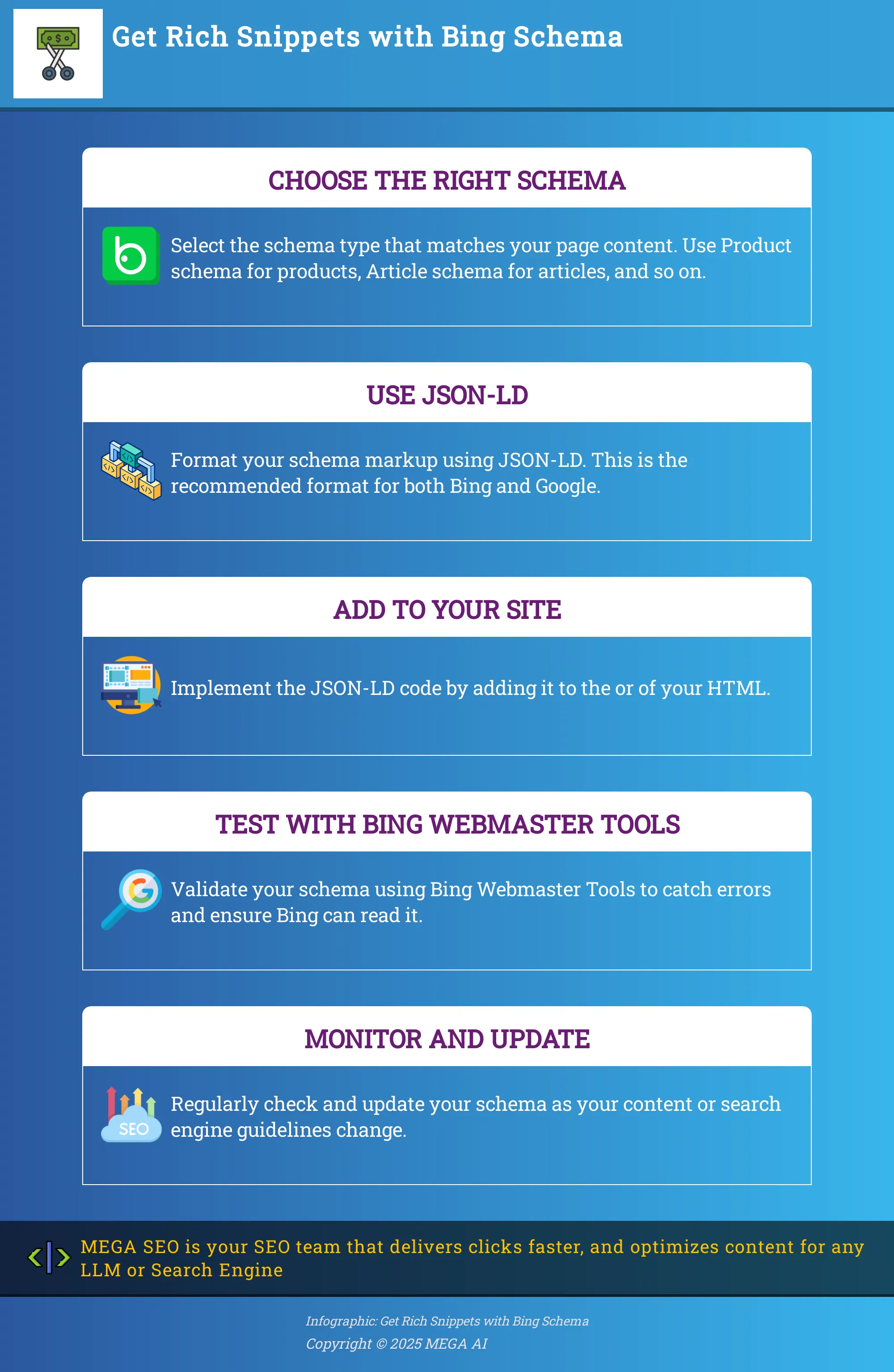
While you can do this all by hand, many tools and platforms can simplify these steps. For instance, various online schema generators can create the necessary code for you based on the information you provide. If you use a popular CMS like WordPress, plugins are available that can inject the schema for you. For businesses looking for a more hands-off approach, automated SEO platforms can manage the entire lifecycle of your schema markup. These systems can identify the best schema types for your pages, generate the code, and implement it without you needing to touch a single line of HTML. This not only saves time but also reduces the risk of human error, ensuring your markup is always accurate and up-to-date with both your content and Bing's latest guidelines.
Use JSON-LD: The Recommended Format
When it comes to the code format for your schema, JSON-LD (JavaScript Object Notation for Linked Data) is the way to go. Both Bing and Google recommend this format because it’s clean and easy for search engine crawlers to process. Unlike older formats that mix the schema code directly with your visible HTML text, JSON-LD is implemented as a single block of script. You can place this script in the <head> or <body> section of your page’s HTML. This separation makes it much simpler to manage, update, and troubleshoot without affecting your site's content. Because it's easier for computers to read, JSON-LD works especially well with complex website structures and is the modern standard for structured data implementation.
Add Schema Markup to Your Site
Once you have your JSON-LD code, the next step is to add it to your website. Schema markup is a type of microdata that you add to a website's HTML code to provide search engines with more information about the content on the page. If you're comfortable editing code, you can manually paste the JSON-LD script into the HTML of the relevant page. For those using a content management system (CMS) like WordPress or Shopify, there are numerous plugins and apps designed to simplify this process, often providing a simple interface where you can paste your code. Another method is to use Google Tag Manager to inject the schema. For a fully automated solution, platforms like MEGA AI can handle the implementation for you, ensuring the right schema is added to the right pages consistently.
Follow Best Practices for Implementation
To get the most out of your schema, it’s important to follow a few key best practices. First, be as specific as possible. If you’re marking up a recipe, use the Recipe schema, not the more generic Article type. Understanding which schema markup types are crucial can significantly enhance your visibility in Bing search results. Second, only mark up content that is visible to users on the page. Adding schema for hidden text is against search engine guidelines and can lead to penalties. Finally, ensure your markup is complete and accurate. Continuously reviewing your schema markup ensures it is optimized for search engines like Bing and Google. This means filling out as many relevant properties as you can and keeping the information updated whenever your page content changes.
Avoid These Common Mistakes
Implementing schema correctly is just as important as implementing it at all. A few common mistakes can prevent your markup from working or even hurt your SEO. One of the most frequent errors is using the wrong schema type for your content. For example, using the Product schema for a blog post will confuse search engines and provide no benefit. Another issue is incomplete markup, where you leave out required properties for a specific schema type, which can make the entire block invalid. Also, avoid creating schema for content that doesn't exist on the page. All your marked-up information should correspond to visible text or elements. Steering clear of these common schema markup mistakes will help ensure Bing can read and use your data effectively.
How Bing Displays Your Schema Markup
Once you’ve added schema markup to your site, you’re signaling to Bing exactly what your content is about. Bing then uses this information to create more detailed and visually appealing search results. This doesn't just make the search results page look better; it provides immediate value to users and can directly influence their decision to click on your link over a competitor's. Understanding how your structured data appears is key to making the most of your SEO efforts.
Rich Snippets and Enhanced Results
The most common way you'll see your schema markup appear is through rich snippets. These are the extra lines of information that show up under your page title in search results, like star ratings, review counts, or event dates. Schema markup is the structured data vocabulary that helps search engines like Bing understand your content well enough to create these snippets. By providing this context, you help Bing display your page more effectively, which can improve your click-through rate. Tools like MEGA AI’s Maintenance Agent can automatically update your content to improve CTR, working alongside your schema strategy to attract more traffic.
Knowledge Panels and Other Bing Features
Beyond rich snippets, schema markup can help your business appear in Bing’s Knowledge Panel—the detailed information box that appears on the right side of search results. This is prime real estate that can feature your company logo, contact information, social media links, and more. To get here, you need to implement the right schema types, such as Organization or LocalBusiness. Understanding which schema markup types are crucial can significantly enhance your visibility. Getting this right is a core part of a technical SEO strategy, which is where an end-to-end platform can simplify the process.
Bing vs. Google: Key Differences in Schema
While both Bing and Google use Schema.org as their foundation, they don't always display the results in the same way. It's a common myth that schema is only for large websites with massive amounts of traffic. The truth is that any website can benefit from it, regardless of size. Another misconception is that it guarantees higher rankings. While it doesn't directly impact rankings, the enhanced visibility from rich snippets can lead to more clicks, which is a positive signal. Because each search engine has its own priorities, it's important to test your implementation in both Bing Webmaster Tools and Google Search Console to ensure your content is optimized for every platform.
Test and Validate Your Schema Markup
Once you’ve added schema markup to your site, the next step is to make sure it’s working correctly. Simply adding the code isn’t enough; you need to test and validate it to confirm that search engines like Bing can read and understand it. This validation process helps you catch errors before they cause problems, ensuring your efforts translate into the rich results you’re aiming for.
Think of it as proofreading your work. A small typo in your code can prevent it from working entirely. Regular testing helps you find and fix these issues, keeping your structured data clean and effective. By taking the time to validate your markup, you give your content the best possible chance to stand out in search results and provide a better experience for users.
Use Bing Webmaster Tools for Validation
The most direct way to see how Bing interprets your schema is to use its own tools. Bing Webmaster Tools offers a suite of features designed to help you manage your site’s presence on the search engine, including a tool for validating your structured data. By submitting your site here, you can get direct feedback on how Bing’s crawlers see your markup.
This process helps you confirm that your schema is not only technically correct but also optimized for Bing’s specific requirements. The tool will highlight any errors or warnings, allowing you to fix them quickly. Regularly checking your schema within Bing Webmaster Tools ensures it remains effective for crawling and indexing, which is fundamental for improving your visibility in search results.
Try Third-Party Testing Tools
While Bing’s tools are essential, it’s also a good idea to use third-party validators for a more comprehensive check. Google's Rich Results Test is a popular choice because it’s excellent at assessing your code’s syntax. You can test a specific URL or a snippet of code to see which types of structured data are detected and whether they are valid.
Even though this tool is from Google, it provides valuable insights that apply across different search engines. It can help you spot general coding errors that might prevent Bing from properly reading your markup. Using a combination of Bing’s native tools and a general validator like the Rich Results Test gives you a complete picture of your schema’s health and helps you maintain high-quality structured data.
Find and Fix Common Errors
When you start testing, you might come across a few common mistakes. One of the most frequent is using the wrong schema type for your content, like applying the ‘Product’ schema to a blog post. Another is implementing markup for features you don’t have, such as adding ‘Product Rating’ schema when your page has no reviews. Identifying and correcting these kinds of errors is crucial for your schema to be effective.
Your goal is to provide accurate, helpful information to both search engines and users. Incorrect schema can be misleading and may prevent you from getting rich results. For businesses looking to implement structured data correctly, it's important to ensure all information is accurate. Tools like MEGA AI’s SEO platform can help automate this process, ensuring your schema is implemented correctly from the start and avoiding these common pitfalls.
Optimize Your Schema for Better Bing Performance
Implementing schema is a great first step, but optimizing it is what truly sets you apart. To get the most out of your efforts, you need to think beyond just adding code to your site. It involves making sure your schema directly contributes to your marketing goals, works in harmony with your other SEO activities, and stays current with search engine guidelines. By taking a strategic approach, you can turn your schema markup into a powerful tool for driving traffic and engagement on Bing.
Improve Your Click-Through Rates
Schema markup helps search engines like Bing understand your content, which can lead to rich snippets in search results. These enhanced listings are more visually appealing and provide extra information, like ratings, prices, or event dates, directly on the results page. This added context makes your listing stand out from the competition. When users see that your page has exactly what they’re looking for, they are more likely to click. This is how well-implemented schema can directly increase your click-through rates, driving more qualified traffic to your website without necessarily needing to improve your ranking.
Combine Schema with Other SEO Tactics
While schema markup can significantly improve your visibility, it works best when it’s part of a comprehensive SEO strategy. Think of it as a supporter for your other efforts, not a standalone solution. High-quality content, strategic keyword usage, mobile-friendliness, and a healthy backlink profile are still fundamental to ranking well. Implementing schema correctly enhances these elements by providing search engines with clear, structured context about your great content. When you combine schema with other SEO tactics, you create a powerful synergy that helps Bing better understand and reward your website with higher visibility and more relevant traffic.
Monitor and Update Your Schema
Schema is not a "set it and forget it" task. Search engines update their guidelines, and your website content changes over time. Continuously reviewing your schema markup is essential to ensure it remains accurate and effective. Regularly use tools like Bing Webmaster Tools and Google's Rich Results Test to validate your code and identify any errors or warnings that could be holding you back. An outdated or incorrect implementation can do more harm than good. For businesses looking to streamline this process, platforms like MEGA AI can automate content maintenance and updates, ensuring your schema is always optimized for peak performance without the manual effort.
Troubleshoot Common Bing Schema Issues
Even with the best intentions, you might run into a few bumps when implementing schema. The good news is that most issues are common and have straightforward fixes. Let's walk through how to identify and solve them so your structured data can work its magic.
Address Common Misconceptions
First, let's clear up a couple of myths. Many marketers believe schema is only for large enterprises or that it’s a guaranteed ticket to the top of search results. Neither is true. While large companies see significant benefits, every website can gain an edge from structured data, no matter its size. Think of it as giving Bing a clearer roadmap to your content. Also, while schema can improve visibility and click-through rates, it doesn't directly guarantee higher rankings. It’s one important piece of a much larger SEO puzzle, helping search engines understand your content's context, which can indirectly support your ranking efforts over time.
Fix Implementation Issues
One of the most frequent errors is simply using the wrong schema for your content. For example, applying the ‘Product’ schema to a blog post or the ‘Article’ schema to your homepage can confuse search engines. It’s essential to choose the correct schema markup types that accurately describe your page’s content. Another common problem is implementing schema for elements that don't exist on the page, like adding review markup when there are no reviews. This creates an error. You can use validation tools to check your URLs and syntax to see which types of structured data are detected and if they contain errors.
Stay Current with Bing's Requirements
Schema markup isn't a one-and-done task. Search engines are constantly evolving, and so are their guidelines for structured data. What works today might be outdated tomorrow. Make it a habit to periodically review your schema to ensure it aligns with the latest best practices from Bing. This continuous review helps search engines crawl and index your site more efficiently. Keeping your structured data accurate and up-to-date is crucial for maintaining your visibility in search results and providing a better experience for users. This proactive approach ensures your schema is beneficial and continues to support your SEO goals.
Related Articles
- Implement Schema Markup to Improve Your Site's Appearance in Search Engine Result Pages: Advanced Technical SEO Techniques - MEGA SEO | Blog
- Schema Markup: The Ultimate Guide for 2024
- Boost SERP Visibility with Schema Markup: Advanced SEO Tips
- Bing SEO in 2024: The Definitive Guide
- Bing Driving Traffic & Conversions: The Ultimate Guide
Frequently Asked Questions
Will adding schema markup guarantee my site ranks higher on Bing? Schema markup is not a direct ranking factor, so implementing it won't automatically move you to the number one spot. Instead, think of it as a tool for improving visibility. By helping Bing understand your content, you can earn rich snippets that make your search listings more noticeable. This can lead to a higher click-through rate, which sends a positive signal to Bing that your page is a relevant result for users.
Do I need to create separate schema markup for Bing and Google? No, you don't need to create two different sets of code. Both Bing and Google use the same vocabulary from Schema.org, so the markup you implement will work for both search engines. While they might display certain rich snippets differently, the underlying code is universal. The most important thing is to create accurate, high-quality markup that reflects your page's content.
Do I need to be a developer to implement schema markup? While schema is a form of code, you don't need to be a developer to use it. Many content management systems have plugins that can add the code for you, and there are online generators that will create the code based on your inputs. For a more hands-off approach, automated SEO platforms can identify the right schema for your pages and implement it for you, removing the need for any manual coding.
What happens if I use the wrong schema type on a page? Using the wrong schema type, like putting "Product" schema on a blog post, sends confusing signals to search engines. It won't break your website for visitors, but it will likely make your schema ineffective. Bing will not be able to generate a rich snippet from incorrect information, meaning your implementation efforts won't produce any benefit. It's always best to ensure your schema accurately describes the content on the page.
How can I tell if my schema markup is working correctly? The best way to check your work is to use validation tools. Bing Webmaster Tools has its own feature for testing your structured data, which will show you exactly how Bing sees your code and flag any errors. You can also use third-party tools like Google's Rich Results Test to get another perspective. Once your code is validated, you can monitor your performance to see if you are earning rich snippets in search results.


