

Improving your website’s speed doesn’t have to be a complex mystery reserved for developers. With the right tool, you can get a clear, actionable report that tells you exactly what’s wrong and how to fix it. Ahrefs’ Site Audit provides this clarity, translating technical issues into a prioritized to-do list. This article is your step-by-step guide to that process. We will walk you through how to use Ahrefs for site speed improvement, from setting up your first performance audit to understanding the key metrics that matter. You’ll learn how to identify common culprits like large images and slow server response times, giving you the confidence to make meaningful changes.
Key Takeaways
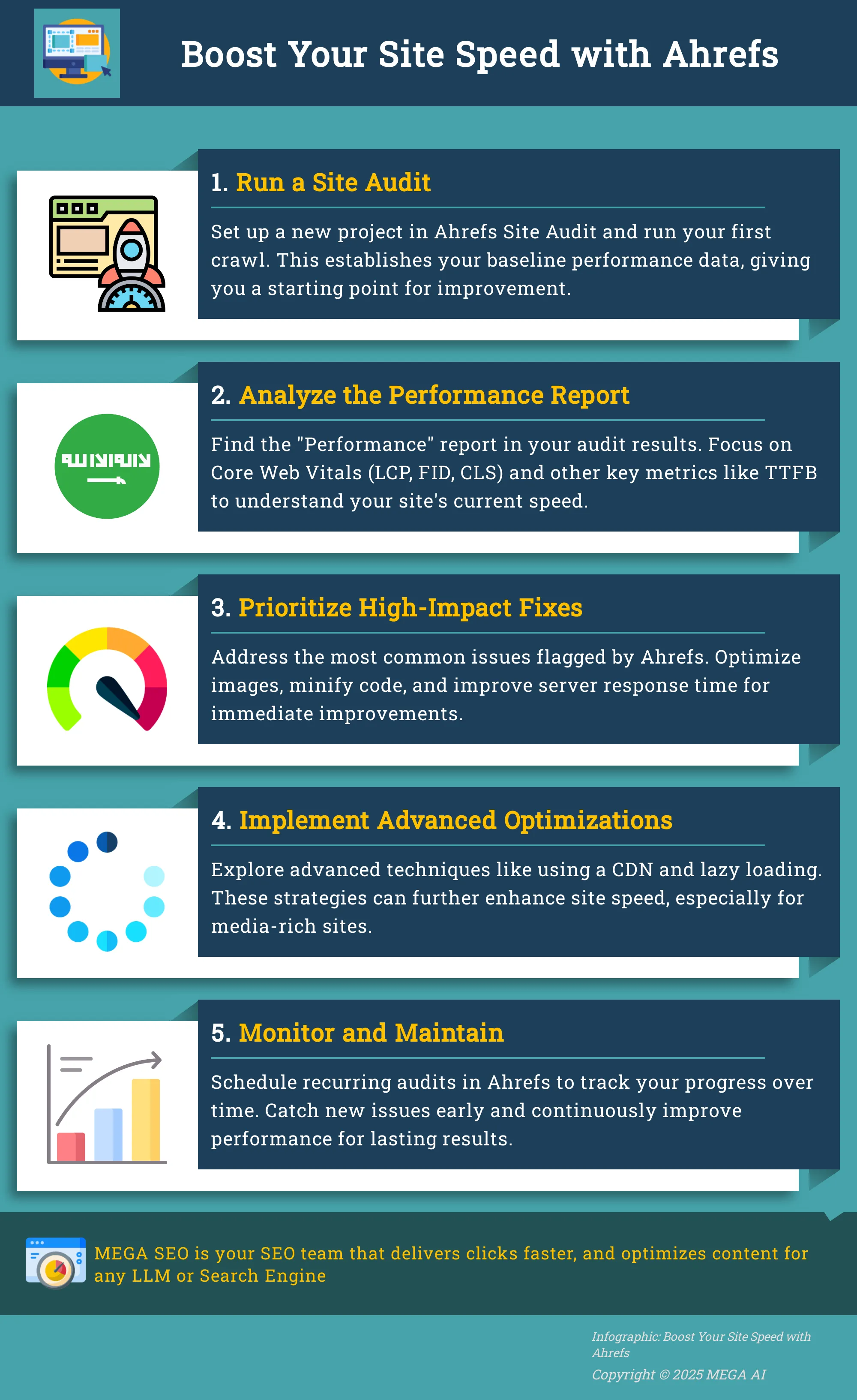
- Run an Audit First: Use the Ahrefs Site Audit tool to establish a performance baseline. This initial report will show you exactly what's slowing your site down, from Core Web Vitals to specific page issues, so you know where to focus your efforts.
- Tackle High-Impact Fixes: Prioritize the most common speed issues identified in your audit. This often means optimizing images, minifying code, improving server response time, and using browser caching to make immediate improvements to your load times.
- Treat Speed as a Process: Site performance isn't a one-time fix. Schedule recurring audits in Ahrefs to monitor your progress, catch new problems, and benchmark your speed against competitors to maintain a long-term advantage.
What is Ahrefs and Why Does Site Speed Matter?
Before you can improve your website's loading time, you need to understand what’s slowing it down and why it’s a problem in the first place. Ahrefs is a powerful tool for diagnosing technical issues, and site speed is one of the most critical factors for keeping users engaged and ranking well in search results. A slow site can undermine all your other SEO efforts, making speed optimization a foundational part of any successful digital strategy.
Ahrefs' Role in Site Speed Analysis
Ahrefs is a comprehensive suite of tools that covers nearly every aspect of SEO, including keyword research, backlink analysis, and technical health. Its Site Audit feature is particularly useful for performance analysis. To check your site's speed metrics, you can run an audit and find the Performance report in the results. This report gives you a clear view of your Core Web Vitals and other speed-related data.
For ongoing monitoring, you can set up recurring audits to run automatically on a weekly or monthly basis. This allows you to track performance over time and quickly catch any new issues that might slow your site down, ensuring you maintain a high-quality user experience.
How Site Speed Impacts SEO and User Experience
Website speed is a critical factor for both user experience and search engine rankings. Online attention spans are short, and a slow-loading page is a quick way to lose a potential customer. In fact, research shows that nearly 70% of consumers admit that page speed influences their willingness to make a purchase.
The impact is measurable. The probability of a user leaving your site increases by 32% as the page load time goes from just one to three seconds. A high bounce rate tells search engines that users aren't finding your page useful, which can harm your rankings. A fast, responsive website, on the other hand, creates a positive user experience, encouraging visitors to stay longer and convert.
Run Your First Site Speed Audit
Before you can fix any speed issues, you need to know what they are. Running a site speed audit is your starting point for identifying performance bottlenecks. Ahrefs makes this process straightforward by integrating speed checks into its comprehensive Site Audit tool. This initial audit provides the baseline data you need to measure improvements and track your progress over time. Let's walk through how to get your first audit running and where to find the most important speed insights.
How to Set Up Your First Site Audit
To begin, you need to set up a project in Ahrefs' Site Audit. This tool will crawl your website to check for a wide range of technical SEO issues, including performance problems. The setup is simple and allows you to schedule regular crawls for your site. Depending on how frequently your website content changes, you can set these to run automatically on a weekly or monthly basis. This consistent monitoring is essential for catching new speed issues as they appear, ensuring your site remains fast and responsive for users and search engines. Think of it as a regular health checkup for your website's performance.
Read the Site Audit Dashboard for Speed Insights
Once your first audit is complete, it’s time to look at the results. In the Ahrefs dashboard, find your project and open the latest audit report. On the left-hand sidebar, select the "Performance" report to see all the speed-related data. Here, you can review key metrics that Ahrefs gathers, including Core Web Vitals and other critical speed indicators. This dashboard gives you a high-level overview of your site’s performance, showing you which pages are fast, which are slow, and what specific issues are causing delays. This initial report is your roadmap for what to prioritize and fix first.
What Site Speed Metrics to Track in Ahrefs
Once your site audit is complete, the performance report is where you’ll find the data you need to improve your site’s speed. Ahrefs tracks several key metrics, but it’s helpful to start with the ones Google prioritizes for user experience before moving on to the more technical indicators. Understanding these numbers is the first step toward making meaningful improvements that both users and search engines will appreciate.
What Are Core Web Vitals (LCP, FID, CLS)?
Core Web Vitals are the specific metrics Google uses to measure a page's overall user experience. Think of them as the foundation of a fast, responsive website. There are three main components:
- Largest Contentful Paint (LCP): This measures how long it takes for the largest piece of content, like an image or block of text, to load on the screen. A good LCP is 2.5 seconds or less.
- First Input Delay (FID): This measures how quickly your site responds to a user's first interaction, such as a click or a tap. For a good score, you’ll want an FID of 100 milliseconds or less.
- Cumulative Layout Shift (CLS): This measures visual stability, tracking how much unexpected layout shifts occur as the page loads. A low CLS score of 0.1 or less is ideal.
Monitor Other Critical Speed Indicators
Beyond Core Web Vitals, Ahrefs reports data on other performance indicators that provide a more complete picture of your site’s speed. These metrics help you diagnose the root causes of a slow-loading page. Key indicators to watch include:
- Time to First Byte (TTFB): This is the time it takes for a browser to receive the first byte of data from your server. A high TTFB often points to server-side issues.
- First Contentful Paint (FCP): This marks the moment the very first piece of content appears on the screen. It’s an early indicator that the page is loading.
- Speed Index: This metric shows how quickly the content of a page becomes visibly populated.
- Total Blocking Time (TBT): This measures the total time that the page was blocked from responding to user input.
How to Read Ahrefs' Performance Reports
Finding your speed metrics in Ahrefs is straightforward. From the main dashboard, navigate to the Site Audit tool. Select your project and open the most recent audit. In the left-hand sidebar, click on "Performance" to see a full breakdown of your site’s speed data. Here, you can view your scores for Core Web Vitals and other key indicators across your entire site or for specific URLs.
To track your progress effectively, it’s a good practice to set up recurring audits. You can schedule them to run weekly or monthly from your project settings. This allows you to monitor how your scores change over time as you implement fixes, helping you maintain optimal performance and catch new issues before they impact your users.
Find and Fix Common Site Speed Issues
Once your Ahrefs Site Audit report identifies speed-related problems, the next step is to fix them. Tackling these issues directly can lead to noticeable improvements in your Core Web Vitals, user experience, and ultimately, your search rankings. Here’s how you can address some of the most frequent culprits that Ahrefs flags. While these manual fixes are effective, they require ongoing attention, which is where automated SEO tools can help streamline your workflow over the long term.
Optimize Images and Media
Large, unoptimized images are one of the most common reasons for slow page loads. Your Ahrefs audit will likely flag images with large file sizes. The goal is to reduce the file size without a noticeable drop in quality. You can compress images using dedicated tools or WordPress plugins like Imagify or ShortPixel, which can automate the process. It's also important to resize images to the exact dimensions needed for your site's layout before uploading them. Serving a 2000-pixel wide image in a 500-pixel container forces the browser to do extra work and wastes bandwidth, slowing everything down.
Manage Code and Scripts for Faster Loads
Your website’s code—HTML, CSS, and JavaScript—can contain unnecessary characters like spaces and comments that make files larger than they need to be. The process of removing them is called minification. For WordPress users, plugins like Autoptimize can handle this automatically. Another common issue is render-blocking JavaScript. You can defer the parsing of JavaScript to prevent non-essential scripts from loading until after the main content of your page has rendered. This simple change can make your site feel much faster to visitors because they see the content they came for almost immediately.
Improve Server Response Time
Server response time, or Time to First Byte (TTFB), measures how long it takes for a server to send back the first piece of information after receiving a request. A slow TTFB can be a major bottleneck. If Ahrefs flags a high TTFB, the issue often lies with your hosting provider. Inexpensive shared hosting plans can be slow because you are sharing server resources with many other websites. Upgrading to a more robust hosting solution like a Virtual Private Server (VPS) or managed cloud hosting can provide the dedicated resources your site needs to respond quickly, especially as your traffic grows.
Use Browser Caching Effectively
Browser caching is a technique that tells a visitor's browser to store static files—like your logo, CSS stylesheets, and JavaScript files—locally on their device. When that person visits another page on your site or returns later, their browser can load those files from its local cache instead of re-downloading them from your server. This dramatically speeds up load times for repeat visitors. The easiest way to implement this is with a caching plugin. Popular options like W3 Total Cache or WP Rocket can configure browser caching for you with just a few clicks, making it one of the most effective speed optimizations you can make.
Apply Advanced Speed Optimization Strategies
Once you’ve addressed the low-hanging fruit like image compression and script management, you can move on to more advanced tactics. These strategies often require a bit more technical setup but can produce significant gains in your site’s performance, especially as your site grows. Think of these as the next level of optimization that separates a fast site from a truly high-performing one. Ahrefs’ Site Audit tool will help you confirm that these implementations are working correctly and not causing any new issues.
Implement a Content Delivery Network (CDN)
Using a Content Delivery Network (CDN) is a powerful way to decrease load times for your global audience. A CDN is a network of servers distributed across various geographic locations. When a user visits your site, the CDN delivers your content—like images, CSS, and JavaScript files—from the server that is physically closest to them. This process significantly reduces latency, which is the time it takes for data to travel from the server to the user's browser. For businesses with an international customer base, a CDN is not just a nice-to-have; it's an essential tool for providing a consistent and fast user experience to everyone, everywhere.
Use Lazy Loading for Images and Videos
If your pages are rich with images or embedded videos, lazy loading is a technique you should implement. Lazy loading instructs the browser to only load media assets when they are about to scroll into the user’s view. Instead of loading every single image on a page right away, it defers the off-screen ones. This dramatically shortens the initial page load time and improves what’s known as “perceived performance,” making the site feel much faster to the user. Many modern platforms and plugins offer lazy loading as a built-in or easily configurable feature, and it’s a standard practice for improving Core Web Vitals.
Optimize for Mobile Speed
More users browse on their phones than on desktops, and Google’s mobile-first indexing means your mobile site’s performance is critical for your SEO success. Optimizing for mobile isn't just about having a responsive design; it's about ensuring the experience is fast and smooth on a smaller screen with a potentially slower connection. You can use tools like Google PageSpeed Insights to get a detailed performance analysis for your mobile site. Ahrefs integrates this data, allowing you to see mobile-specific issues directly within your Site Audit report. Prioritizing these recommendations is key to keeping mobile users engaged and maintaining strong search rankings.
Monitor and Maintain Site Speed with Ahrefs
Improving your site speed is a great first step, but the work doesn’t end there. Websites are dynamic; new content, plugins, and code changes can affect performance over time. Consistent monitoring is the key to maintaining a fast, user-friendly experience and protecting your SEO gains. Ahrefs provides the tools you need to automate this process, turning site speed maintenance from a reactive chore into a proactive part of your strategy. By regularly checking in on your site’s performance, you can catch small issues before they become major problems that hurt your rankings and frustrate your visitors.
Set Up Recurring Audits and Custom Reports
SEO is not a one-time task. Search engine algorithms change, and your site needs to adapt. This is why setting up recurring audits is so valuable. You can schedule an Ahrefs Site Audit to run automatically—weekly, monthly, or quarterly—depending on how frequently your site content changes. This helps you stay on top of any new performance issues that arise. You can also create custom reports that focus specifically on speed-related metrics. This allows you to filter out the noise and get a clear, consistent view of your site’s performance over time, making it easier to spot trends and address problems quickly.
Track Progress and Maintain Optimal Speed
Once your recurring audits are running, the next step is to use them to track your progress. The first audit you run establishes a baseline for your site's health. Each subsequent audit is an opportunity to measure your improvements against that baseline. Are your load times getting faster? Have your Core Web Vitals scores improved? Ahrefs makes it easy to compare crawl data over time. By scheduling regular crawls, you create a historical record of your site’s performance. This data is essential for demonstrating the value of your optimization efforts and for holding your team accountable to speed-related goals.
Integrate Speed Insights into Your SEO Strategy
Site speed data shouldn't live in a silo. It needs to be an integral part of your overall SEO strategy. You can view page speed data in Ahrefs by opening your latest audit and selecting the "Performance" report from the sidebar. Use these insights to inform your decisions. For example, if you notice that pages with large video files are consistently slow, you can create new guidelines for media optimization. If a specific script is slowing down your site, you can work with your developers to find a more efficient solution. Treating speed as a foundational element of SEO ensures that both users and search engines have the best possible experience on your site.
Use Ahrefs for Continuous Improvement
SEO is not a one-and-done activity. Search engine algorithms are constantly refined, competitors are always adapting, and your website's content and code change over time. This means that maintaining optimal site speed and strong search rankings requires a commitment to continuous improvement. Ahrefs is built to support this ongoing cycle, providing the data you need to monitor performance, identify new issues, and track your progress. By treating site speed as a process rather than a project, you can stay ahead of problems and maintain a seamless user experience.
This proactive approach involves regularly checking your metrics, understanding what they mean, and taking action. While Ahrefs is excellent at identifying what needs to be done, managing the constant updates and optimizations can be time-consuming. This is where integrating your analytics with an automation platform can be a game-changer. Using tools that offer automated SEO can help you implement the fixes Ahrefs recommends, update content to improve performance, and ensure your site remains optimized without constant manual intervention. This combination of powerful data and intelligent automation creates a sustainable workflow for long-term success.
Stay Updated on New Ahrefs Features
Just as Google updates its algorithms, Ahrefs consistently updates its platform with new features and enhanced capabilities. To get the most out of your subscription, it’s important to stay informed about these changes. New reports, filters, or metrics could provide deeper insights into your site’s performance or offer a more efficient way to diagnose speed issues. Following the official Ahrefs blog or release notes is a simple way to keep up. By understanding and adopting new features as they become available, you ensure you are using the tool to its full potential and not missing out on data that could give you a competitive edge.
Use Ahrefs' Resources to Keep Learning
Ahrefs does more than just provide data; it also offers a wealth of educational content to help you become a better marketer. The Ahrefs blog and YouTube channel are packed with detailed guides, case studies, and tutorials that cover everything from technical SEO principles to advanced strategies. Using these resources helps you understand the "why" behind the data. Instead of just seeing a poor Core Web Vitals score, you can learn what causes it and how to approach a solution strategically. Investing a little time in learning helps you move from simply following a checklist to making informed, impactful decisions for your site.
Troubleshoot Complex Speed Issues
Sometimes, the initial fixes for common speed problems aren't enough. When you encounter persistent or complex performance issues, you need to dig deeper into the data. Ahrefs' Performance report within the Site Audit tool is your starting point for this kind of investigation. To access it, navigate to your project’s latest audit and select "Performance" from the sidebar. This report provides granular data on individual URLs and specific speed metrics, helping you pinpoint exactly which pages or elements are causing slowdowns. By isolating the problem, you can work with your development team to implement a targeted and effective solution.
Measure the Impact of Your Speed Improvements
After you’ve put in the work to fix speed issues, the next step is to measure the outcome. This isn’t just about confirming your fixes worked; it’s about understanding how a faster website translates into tangible results for your business. Tracking the right metrics will show you the direct return on your efforts and help you make a case for continued investment in technical SEO.
Quantify Speed's Effect on Rankings and Traffic
The most direct way to see the impact of site speed is by looking at your SEO metrics. Before you implement any changes, establish a baseline for your keyword rankings. You can use the Ahrefs Rank Checker to monitor your target keywords over time. After your speed improvements are live, watch for positive movement in your rankings. Alongside rankings, keep an eye on your organic traffic in Ahrefs’ Site Explorer or Google Analytics. An increase in traffic to the pages you optimized is a strong signal that your efforts are paying off and that search engines are rewarding your faster user experience.
Connect Speed Improvements to Business Goals
Higher rankings and more traffic are intermediate goals. The ultimate goal is to improve your business's bottom line. A faster website typically leads to lower bounce rates and higher engagement, which can directly influence your conversion rates. Track key business metrics like sales, form submissions, or newsletter sign-ups before and after your speed optimizations. SEO is not a one-time fix; Google's algorithm is always changing. That's why setting up recurring audits in Ahrefs is a smart move. It helps you maintain your site’s technical health, ensuring your speed improvements continue to support your business objectives and deliver sustainable growth.
How to Use Ahrefs for Competitor Speed Analysis
Optimizing your site in a vacuum isn't enough. To truly gain a competitive edge, you need context. Where do your competitors stand? Are their sites lightning-fast, or is there an opportunity for you to pull ahead? Ahrefs provides the tools to answer these questions and turn competitor insights into a strategic advantage. By analyzing your competitors' site speed, you can move from guessing to data-driven decision-making. This process isn't about blindly copying them; it's about understanding the competitive landscape to inform your own strategy. It helps you set realistic performance targets and identify where to invest your optimization efforts for the biggest impact.
For instance, if all your top competitors have slow sites, a moderate speed improvement on your part could become a significant ranking factor in your favor. Conversely, if they're all incredibly fast, you know you have to meet that high standard just to stay in the game. This analysis forms the foundation of a smart, targeted speed optimization strategy. Using tools to automate this kind of research and implementation can save valuable time, allowing you to focus on the bigger picture. Our AI-powered SEO services can help you not only analyze these metrics but also automatically implement technical improvements to keep you ahead.
Benchmark Your Site Speed Against Competitors
To see how your site measures up, you need a clear benchmark. While direct speed metrics are key, you can also look at broader indicators of site health and authority. For example, you can track your Ahrefs Rank and compare it to your competitors over time. A significant improvement in your rank suggests positive growth in your site's overall authority and visibility, which often goes hand-in-hand with technical excellence like fast load times. This high-level comparison gives you a general sense of where you stand. It helps you understand if you're lagging behind or leading the pack, setting the stage for a more detailed speed analysis.
Identify Industry Standards and Set Realistic Goals
Once you have a general idea of the competitive landscape, it's time to dig into specific speed metrics. Ahrefs' Site Audit tool is perfect for this. To find the data, navigate to the Audits section, choose your project, and open the latest audit. From there, you can select the Performance report in the sidebar to view page speed data. By running audits on your competitors' sites, you can see their Core Web Vitals and other performance scores. This information reveals the industry standard you should aim for. It helps you set realistic, achievable goals instead of chasing abstract perfection. Knowing what's typical in your niche allows you to create a practical optimization plan.
Related Articles
- Tech SEO Checklist: Ultimate Guide for 2024
- 7 Quick SEO Fixes from a Live Website Audit Explained
- Boost Rankings: Fix Your Website’s SEO Problems Now
- Mastering Technical SEO: A Complete Guide
- Mastering Mobile Page Speed: Essential Strategies for SEO and User Satisfaction
Frequently Asked Questions
After running my first Ahrefs audit, what speed issue should I fix first? Start with the most common and impactful problems, which are often large, unoptimized images. Compressing images and resizing them to the correct dimensions before uploading can provide a significant speed improvement with relatively little effort. Addressing these easy wins first can make a noticeable difference in your load times.
How often should I run a site speed audit in Ahrefs? The ideal frequency depends on how often your website changes. If you publish new content or make site updates daily or weekly, running a weekly audit is a good practice to catch new issues quickly. For sites that are less dynamic, a monthly audit is usually sufficient to maintain performance and stay on top of any technical problems.
Can Ahrefs fix my site speed issues for me? Ahrefs is a diagnostic tool, not an implementation tool. It excels at crawling your site to identify what is slowing it down, providing detailed reports on performance issues. However, it does not automatically fix these problems. You or your development team will need to take the insights from the Ahrefs audit and manually implement the necessary changes to your site's code, images, or server configuration.
My Core Web Vitals scores are good, but my site still feels slow. What else should I check? If your Core Web Vitals look fine, check other metrics in the Ahrefs Performance report like Time to First Byte (TTFB) and Total Blocking Time (TBT). A high TTFB indicates a slow server response, which can make your entire site feel sluggish even if content loads quickly once it starts. High TBT means scripts are preventing users from interacting with your page, which also contributes to a poor user experience.
Why should I bother analyzing my competitors' site speed? Analyzing your competitors' performance gives you essential context. It helps you understand the standard for speed in your specific industry, which allows you to set realistic and meaningful goals for your own site. If your competitors are slow, improving your speed can become a key competitive advantage. If they are fast, you know the benchmark you need to meet to stay competitive in search results.


