
A high bounce rate is a clear sign that visitors aren't finding what they expect on your website. This often isn't about your product, but how difficult it is for people to find information. If your site's layout is confusing or illogical, you create an immediate barrier for users, causing them to leave. This is where strategic site navigation improvement becomes essential. This guide shows you how to adjust your site's structure and menus to create a more intuitive user journey, leading to a reduced bounce rate and keeping potential customers engaged longer.
Key Takeaways
- Understand Navigation’s Impact on Bounce Rate: Recognize that if visitors leave your site quickly, unclear or confusing navigation is often the culprit; improving it is key to better user engagement and SEO.
- Build an Intuitive Path for Visitors: Design your site with clear menus, a logical flow of information, and seamless mobile access to help users easily find what they’re looking for.
- Treat Navigation as an Evolving Feature: Continuously monitor how users interact with your site, gather their feedback, and test adjustments to ensure your navigation stays effective and supportive of your goals.
What is Bounce Rate and Why Does It Matter?
Understanding bounce rate is fundamental to improving your website’s performance. It’s a key metric that tells you a lot about how visitors interact with your site and whether your content is hitting the mark. If you’re aiming to enhance your online presence, getting a grip on bounce rate is a great starting point.
What is Bounce Rate and Why is it Important?
So, what exactly is bounce rate? Simply put, bounce rate is the percentage of website visitors who arrive on one of your pages and then leave without clicking on anything else or visiting any other page on your site. Imagine someone walking into a shop, glancing around from the doorway, and then immediately turning around and walking out. That’s essentially a bounce.
A high bounce rate can be a clear signal that your website isn’t quite capturing visitor interest or that the page they landed on isn’t what they expected. While the definition of “high” can differ depending on your industry and the type of page, a bounce rate exceeding 70% is often an indicator that there’s an opportunity to better engage your audience. It’s an important piece of feedback on how well your content or user experience is performing.
How Bounce Rate Impacts SEO and User Experience
A high bounce rate isn’t just a number to track; it can have tangible effects on your website’s overall success. One significant area it influences is your search engine optimization—especially when guided by an advanced SEO AI agent. Search engines strive to deliver the most relevant and high-quality results to users. If a large number of visitors quickly depart from your page, it might suggest to search engines that your page isn’t a strong match for their search query, which could potentially affect your search engine rankings.
Beyond SEO, bounce rate offers direct insight into the user experience you’re providing. When visitors leave quickly, it often means they didn’t find the information they were searching for, the page was confusing to use, or perhaps it didn’t load correctly. This kind of experience can directly translate into fewer conversions, whether that means fewer sales, newsletter sign-ups, or inquiries about your services. In essence, a high bounce rate often points to missed opportunities to connect with your audience.
Common Types of Website Navigation
Now that we understand how a high bounce rate can hold your site back, let's look at a core component of user experience: navigation. The way you structure your site’s menus directly influences how easily visitors can find what they need. Choosing the right type of navigation is the first step toward creating a more intuitive and engaging website. Here are some of the most common approaches you'll see, each with its own strengths depending on your site's complexity and goals.
Horizontal Navigation Bar
A horizontal navigation bar is one of the most traditional and recognizable forms of site navigation. It's typically positioned across the top of the webpage, presenting the most critical links in a clear, linear fashion. This layout is highly effective because it's immediately visible and familiar to most users, guiding them to the main sections of your site—like 'About Us,' 'Services,' or 'Contact'—without any guesswork. By placing your primary pages front and center, you create a straightforward path for visitors to follow, which is essential for a positive first impression.
Dropdown Menus
When your website has a lot of content or multiple sub-pages for each main category, dropdown menus are a great solution. They work by revealing a list of sub-links when a user hovers over or clicks on a main item in your horizontal navigation bar. This approach helps maintain a clean and uncluttered design by tucking away deeper content until it's needed. For example, a 'Services' link could drop down to show 'Service A,' 'Service B,' and 'Service C.' This keeps the main menu simple while still giving users direct access to more specific pages, preventing them from feeling overwhelmed.
Hamburger Menus
You've almost certainly seen the hamburger menu, even if you didn't know its name. It's the icon made of three short horizontal lines, commonly found in the corner of mobile websites and apps. When tapped, it expands to reveal the full navigation menu. The primary advantage of this design is its ability to save a significant amount of screen space, which is critical on smaller devices. It collapses the entire navigation system into a single, compact icon, leaving more room for your actual content. This has become the standard for mobile design, so users instantly recognize its function.
Vertical Sidebars
A vertical sidebar places your navigation links in a column, usually on the left or right side of the page. This format is particularly useful for websites that have a large number of primary categories that wouldn't fit neatly into a horizontal bar. Think of e-commerce sites with many product categories or blogs with extensive archives. While a sidebar can display a long list of links clearly, the main consideration is that it takes up valuable screen real estate. You have to balance the need to show many options with the goal of keeping the focus on your main content.
Footer Menus
The footer menu, located at the very bottom of your website, acts as a secondary navigation hub. It’s the perfect place for important links that don’t need to be in the primary, top-of-page navigation. This often includes links to your company's contact information, privacy policy, terms of service, career opportunities, or a site map. By placing these items in the footer, you keep your main navigation clean and focused on the user's primary journey. It also serves as a helpful catch-all for visitors who scroll to the bottom of a page looking for more information.
How Site Navigation Influences Bounce Rates
Think of your website’s navigation as its roadmap. If that map is confusing, poorly labeled, or leads users down dead ends, they won’t stick around to figure it out. They’ll simply leave. This quick departure is what we call a “bounce,” and a high bounce rate can signal that something is amiss with how users experience your website. Effective site navigation is fundamental to keeping visitors engaged and guiding them toward their goals, whether that’s finding information, making a purchase, or contacting you. When users can move through your site effortlessly, they’re more likely to stay longer, explore more content, and ultimately convert.
A clunky or illogical navigation structure is a primary reason visitors abandon a site. This directly impacts your bounce rate and, consequently, your site’s overall performance and search engine optimization. If people arrive on a page and can’t easily determine where to go next or how to find related information, their frustration builds quickly. This isn’t just about aesthetics; it’s about fundamental usability. A clear path through your content respects the user’s time and intent, making them feel understood and valued. When this is missing, they are far more likely to return to search results and try a competitor, signaling to search engines that your page wasn’t a good match for their query.
Common Navigation Problems That Increase Bounce Rates
When visitors land on your site, they want to find what they’re looking for quickly and without hassle. If your site makes this difficult, their patience will wear thin. One of the most frequent issues is simply that it’s hard to find things on the website; this could be due to unclear menu labels, a disorganized site structure, or important links being buried where users don’t expect them.
Confusing menus, for instance, or links that are difficult to spot can quickly frustrate visitors, leading them to give up and look elsewhere. These navigation hurdles contribute significantly to a higher bounce rate because they create a poor user experience. Essentially, if users can’t easily understand how to get from point A to point B, or if the journey is counterintuitive, they’re more likely to bounce off your page, often within seconds.
What Users Expect From Your Website Navigation
Users arrive at your website with a goal in mind, and they expect your navigation to help them achieve it efficiently. Clear menus and straightforward labels are paramount; visitors shouldn’t have to guess where a link might lead or decipher jargon. They anticipate an intuitive structure that allows them to easily find what they need, often mirroring familiar patterns they’ve encountered on other well-designed sites.
Implementing proven strategies for site structure ensures a smooth journey for the user. A well-thought-out navigation system not only improves usability but also helps users locate information swiftly and feel confident in their ability to explore your offerings. This clarity and ease of use meet user expectations, encouraging them to explore further rather than bouncing away. Moreover, logical navigation also helps search engines efficiently crawl and understand your site’s content, which is a bonus for your SEO efforts.
What Are the Essentials for Effective Site Navigation?
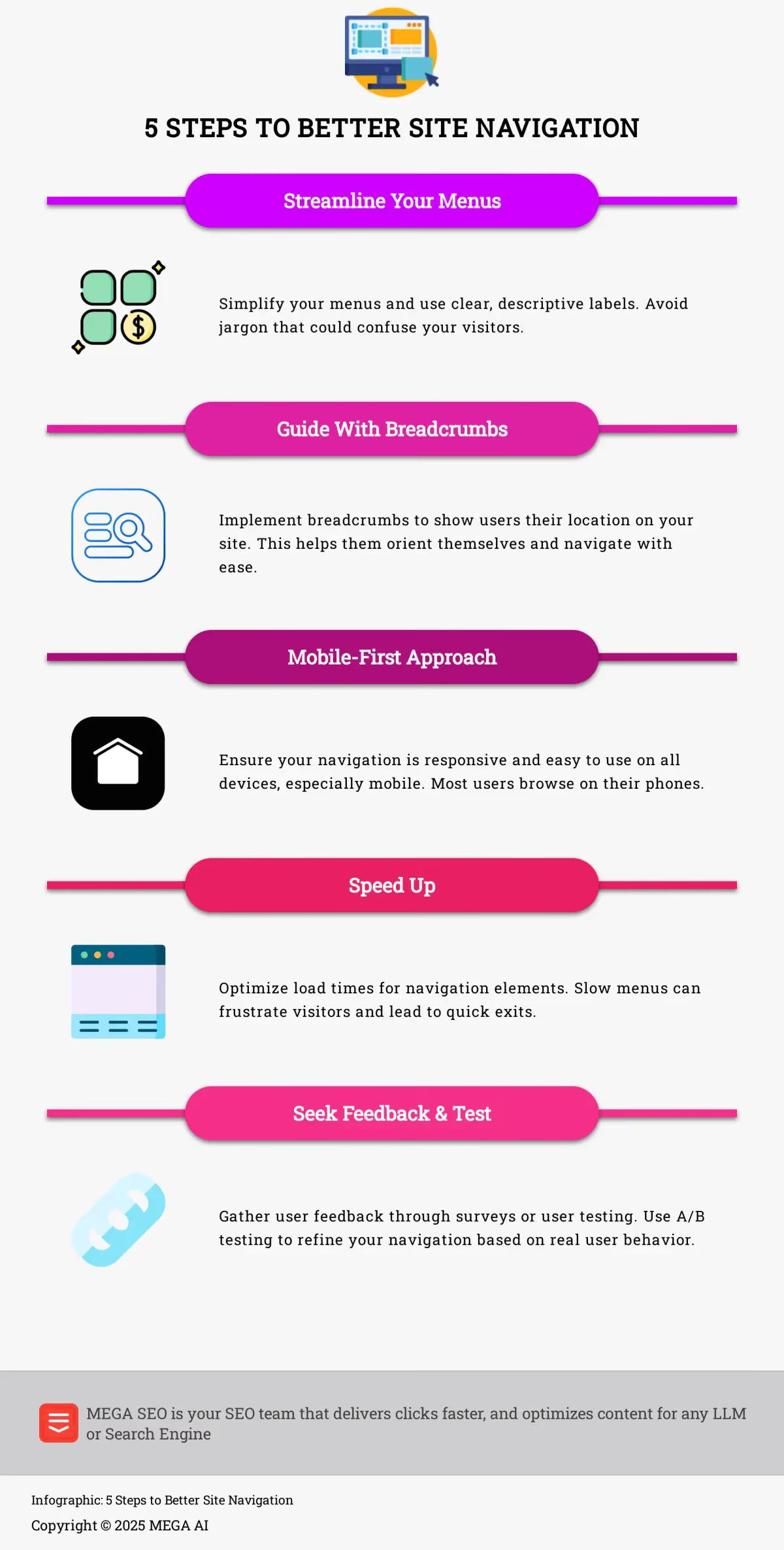
When visitors land on your website, their first interaction often involves finding their way. If they can’t locate what they need quickly, they might leave. Good site navigation isn’t just about looks; it’s about creating a smooth journey for your users. Let’s look at the core elements that make site navigation truly effective.
Clear Menus and Logical Information Hierarchy
Think of your website’s menu as its table of contents. It needs to be straightforward and organized in a way that makes sense to your visitors. A logical information hierarchy means arranging your content from broad categories to more specific topics, guiding users naturally. Effective website navigation is so important for enhancing user experience and making conversions more likely. A well-thought-out navigation system improves how usable your site is, helps people find information without frustration, and also plays a key role in ensuring search engines can efficiently crawl and understand your site’s structure. This clarity helps users feel confident and in control as they explore.
Effective Search and Mobile-First Design
Many users, especially those who know what they’re looking for, will head straight for a search bar. A prominent and effective search function can significantly improve their experience, allowing them to bypass several navigation steps. Equally important is a mobile-first design approach. With more people browsing on their phones, your site must be fully responsive. As highlighted in Project Sphinx, focusing on a seamless user experience across devices by modernizing designs and simplifying workflows can dramatically reduce bounce rates. Prioritizing mobile ensures your navigation is accessible and easy to use, regardless of screen size.
Intuitive Labels and Visual Cues
The words you use in your navigation menus matter immensely. Labels should be intuitive, using common terms your audience will immediately understand. Avoid jargon or overly creative names that might cause confusion. Visual cues also play a vital role in helping users understand where they are and how to get where they want to go. For instance, breadcrumb navigation is a simple yet powerful tool that improves findability by showing users their current location within the site’s hierarchy. These small details contribute to a smoother journey, making users feel more comfortable and less likely to get lost.
Linking the Logo to the Homepage
One of the most fundamental rules of effective website navigation is to link your logo to the homepage. Visitors arrive at your site with clear goals, and they expect your navigation to help them efficiently. By making the logo a clickable link that always returns them home, you provide a reliable and intuitive way for users to restart their journey or reorient themselves from any page. This practice meets a core user expectation, removing the need for them to guess where a link might lead or hunt for a home button. A well-structured navigation system helps users locate information swiftly, and this simple convention is a key part of creating that smooth experience and keeping them on your site longer.
What Are the Benefits of Improving Site Navigation?
Investing time and thought into your website’s navigation is far more than a simple design choice; it’s a fundamental aspect of creating a successful online presence. In a digital landscape where users make snap judgments, the ease with which they can find information on your site directly influences their perception of your brand and their willingness to engage. Think of your site navigation as the central nervous system of your website – it connects every piece of content and guides users seamlessly to their destinations. If this system is confusing or broken, visitors are likely to become frustrated and leave, often before they’ve had a chance to see the value you offer. This quick departure, known as a bounce, can signal to search engines that your site isn’t meeting user needs.
Conversely, a clear, intuitive, and well-structured navigation system acts like a welcoming and knowledgeable guide. It anticipates user needs, presents information logically, and makes the journey through your site effortless and enjoyable. This positive experience not only encourages visitors to stay longer and explore more deeply but also builds trust and reinforces your brand’s professionalism. Ultimately, effective site navigation is a cornerstone of good user experience (UX), and it translates directly into tangible business benefits, from significantly lower bounce rates and higher engagement to improved conversion rates and a stronger overall brand reputation. The following sections will explore these benefits in more detail, showing how strategic navigation improvements can make a real difference.
Lower Bounce Rates and Higher User Engagement
One of the most immediate benefits of better site navigation is a reduction in your bounce rate. When users land on your site and can quickly understand where to go next, they’re less likely to hit the back button. A well-structured navigation system acts as a roadmap, guiding visitors deeper into your site and encouraging them to explore more of what you offer. This increased exploration naturally leads to higher user engagement.
Instead of feeling lost or overwhelmed, users feel empowered and in control. They can efficiently find information, discover new products or services, and spend more time interacting with your content. This positive experience not only keeps them on your site longer during their current visit but also makes them more inclined to return in the future. When navigation is intuitive, users don’t have to think too hard about how to get around, allowing them to focus on the value your site provides.
Better Conversion Rates and Improved Search Rankings
Clear navigation doesn’t just keep users on your site; it actively guides them towards your conversion goals. Whether you want visitors to make a purchase, sign up for a newsletter, or fill out a contact form, an optimized navigation path makes these actions easier to complete. For instance, Tetra Web Design shared a case study where optimizing an e-commerce site’s navigation led to a remarkable 45% increase in conversions. By removing friction and making the journey to conversion seamless, you can see a direct uplift in your key business metrics.
Furthermore, good site navigation is a friend to search engines. When search engine crawlers can easily understand the structure and hierarchy of your website, they can index your content more effectively. This improved crawlability can contribute to better search rankings, making it easier for potential customers to find you in the first place. A site that’s easy for users to navigate is often easy for search engines to understand, creating a win-win situation for both user experience and SEO performance.
Greater User Satisfaction and Stronger Brand Perception
Ultimately, a website that’s easy to navigate leaves users feeling satisfied. When visitors have a positive, frustration-free experience, they are more likely to view your brand favorably. This positive perception builds trust and credibility. As highlighted in a UX case study on Snapdeal, delivering an exceptional user experience is crucial for success, and navigation plays a huge part in that.
Conversely, a confusing or clunky navigation system can lead to annoyance and a negative impression of your brand, potentially increasing your bounce rate. A high bounce rate often signals issues with your site’s usability or content relevance. By prioritizing clear and intuitive navigation, you show users that you value their time and are committed to providing a good experience. This focus on user satisfaction can foster loyalty and encourage repeat visits, strengthening your brand’s reputation in the long run.
Developing a High-Level Navigation Strategy
Effective website navigation doesn’t happen by accident. It’s the result of a thoughtful strategy that considers both your business objectives and your visitors’ needs. Before you start designing menus or choosing labels, it’s important to step back and create a high-level plan. This strategy acts as a blueprint for your site’s structure, ensuring that every link and every path serves a clear purpose. It’s about creating an intuitive flow that guides users where you want them to go while helping them find exactly what they’re looking for. A strategic approach transforms your navigation from a simple list of pages into a powerful tool for engagement and conversion.
Think of this strategy as the foundation upon which you’ll build a user-friendly experience. It involves aligning your site’s structure with your core business goals, understanding the different types of people who visit your site, and organizing your content in a way that makes logical sense. When you get this foundation right, you create a seamless journey that reduces frustration and encourages exploration. This not only helps lower your bounce rate but also builds trust with your audience. A well-planned navigation system shows visitors that you’ve considered their needs, making them more likely to stay, engage, and ultimately become customers.
Align Navigation with Business Goals
Your website’s navigation should be one of your hardest-working employees, actively guiding visitors toward the actions you want them to take. To achieve this, you need to match your navigation to your business goals. Start by identifying the most important outcomes for your website. Is it to generate sales, capture leads, or schedule appointments? Once you’re clear on your primary objectives, review your navigation to see if it creates a clear and easy path to completing those actions. For example, if your main goal is to get potential clients to contact you, your “Contact Us” or “Book a Demo” link should be prominent and accessible from every page, not buried in the footer.
Create Clear Paths for Different Audiences
Your website likely serves more than one type of visitor, and a one-size-fits-all navigation structure may not work for everyone. If your site caters to different groups, it’s wise to create distinct navigation paths for each audience. For instance, a local gym might have separate sections for “Personal Training Clients” and “Group Class Members,” each with tailored information. This approach makes the experience more relevant and efficient for each user segment. By anticipating their unique needs and providing a direct route to the information they care about, you reduce confusion and make it far more likely that they’ll find what they’re looking for without getting frustrated and leaving.
Show Relationships Between Content
Good navigation does more than just get users from one page to another; it helps them understand the bigger picture of your site and how different pieces of information connect. This is about creating a logical structure that reveals the relationships between your content. For example, a product page for a camera could link to a blog post with photography tips or a guide on choosing the right lens. These contextual links encourage deeper exploration and keep users engaged. By showing how your content is interconnected, you provide more value and demonstrate your expertise, which can help keep visitors on your site longer and guide them through their decision-making process.
Use Logical Link Repetition
It might seem counterintuitive, but repeating a link in more than one navigation category can be a smart move. This isn’t about being redundant; it’s about being user-friendly. If a page logically fits under multiple headings, placing it in both places makes it easier for users to find. For example, a “Backpacks” page could reasonably live under both “Travel Gear” and “Camping Equipment.” By including it in both, you cater to different user thought processes and reduce the chance that someone will miss it. This approach anticipates user expectations and ensures they can find what they need with minimal effort, creating a smoother and more intuitive experience.
How to Optimize Site Navigation and Reduce Bounce Rates
Improving your website’s navigation is a powerful way to keep visitors engaged and reduce your bounce rate. When users can easily find what they’re looking for, they’re more likely to stay, explore, and convert. Let’s look at some practical steps you can take to refine your site’s navigation.
Simplify Menus and Use Descriptive Labels
Think of your website’s menu as the main directory to all your valuable content. If it’s cluttered or confusing, visitors might give up before they even start. Aim for simplicity. Limit the number of top-level menu items to avoid overwhelming users. Each label in your menu should be crystal clear and accurately describe the content of the linked page. For instance, instead of a vague term like “Resources,” consider more descriptive labels like “Blog,” “Case Studies,” or “Guides.” This clarity helps users understand your site structure and find information efficiently, making their experience much smoother and encouraging them to delve deeper into your site.
Limit the Number of Menu Items
When a visitor arrives on your site, a cluttered menu can be overwhelming. This is a concept known as choice paralysis, where too many options make it difficult for someone to make a decision. Instead of choosing, they might just leave. To prevent this, keep your main navigation menu clean and focused. A good rule of thumb is to have about seven or eight main choices. This limitation makes it easier for users to quickly scan their options, understand what your site offers, and decide where they want to go next without feeling like they need to study a map.
Order Links for Maximum Impact
The order of items in your navigation menu can subtly guide your visitors. People tend to pay the most attention to the first and last items in a list—a psychological principle called the serial position effect. You can use this to your advantage by placing your most important pages, like "Services" or "Products," at the beginning of the menu. Then, place a key call-to-action, such as "Contact Us" or "Book a Demo," at the very end. This strategic placement ensures your highest-priority links get the most visibility and helps users remember these spots best.
Make Dropdown Headers Clickable
It’s a common point of frustration for users when a main menu item only serves to open a dropdown list but isn’t a clickable link itself. Visitors often expect to be able to click on a broad category like "About Us" or "Solutions" to see a high-level overview page. When that header is a "dead click," it disrupts the user's journey. Always ensure your main category headers are linked to a relevant landing page. This allows users to either dive into a specific sub-topic via the dropdown or explore broader product groups from the main category page, providing a more complete and intuitive experience.
Avoid Overly Complex Dropdowns
While dropdown menus can help organize content, they can also become a problem if they’re too large or have multiple levels. A massive dropdown menu, often called a "mega menu," can be just as overwhelming as a cluttered main navigation bar. They can be difficult to scan and particularly clumsy to use on mobile devices. If you find that a dropdown menu has too many confusing options or requires several layers of sub-menus, it’s a sign to simplify. A better approach is to make the main menu item link to a dedicated landing page where you can lay out all the options clearly with more space and context.
Implement Breadcrumbs and Optimize for Mobile
Breadcrumbs are a helpful secondary navigation aid. They show users their current location on your site and the path they took to get there, like a digital trail. This allows people to easily retrace steps or jump to higher-level pages. For larger websites, breadcrumbs improve findability and can significantly provide clear pathways for users, reducing bounce rates. Optimizing for mobile is also crucial. Many visitors use smartphones, so your navigation must be mobile-friendly. Ensure it’s responsive, easy to tap, and avoids excessive zooming. Clear mobile pathways create a better user experience.
Ensure Fast Load Times and Consistent Navigation
The speed at which your website loads, navigation elements included, greatly impacts user satisfaction. Slow menus can frustrate visitors, causing them to leave. Even a one-second improvement in load time can significantly decrease bounce rates and improve conversions. Optimize images and scripts within your navigation so they load quickly. Consistency is also vital. Your main menu should look and work the same on every page. This predictability helps users feel comfortable and confident as they explore. When users know what to expect, they are more likely to stay and engage with your content.
Use a Comprehensive "Mega Footer"
The footer of your website is often an overlooked piece of real estate, but it can be a powerful navigation tool. Think of it as a safety net for visitors who have scrolled to the bottom of a page without finding what they were looking for in the main menu. A "mega footer" expands on the basic copyright notice by including an organized list of important links. This can include secondary pages like "About Us," "Careers," and "Contact," along with links to customer support, FAQs, and your privacy policy. By providing these resources, you give users another opportunity to find information before they decide to leave your site, which can directly help reduce your bounce rate.
Move Social Media Icons to the Footer
While you want to connect with your audience on social media, placing prominent social icons in your website's header can be counterproductive. These links often act as exit signs, encouraging visitors to leave your site before they’ve had a chance to explore your offerings or convert. A better strategy is to move these icons to the footer. Here, they are still accessible to users who are actively looking for them, but they don’t distract from your primary navigation and calls-to-action. This simple change helps keep traffic on your site and focused on the journey you’ve designed for them, rather than sending them away prematurely.
Place Important Calls-to-Action Strategically
Your navigation should do more than just list pages; it should guide users toward the most important action you want them to take. Identify the single most critical page for your business goals—whether it’s a “Get a Quote,” “Shop Now,” or “Book a Demo” page—and make that menu item stand out. You can achieve this by using a contrasting color, presenting it as a button, or using action-oriented language. This visual emphasis draws the user’s eye and provides a clear, immediate next step. When visitors have a clear direction, they are less likely to feel lost and are more inclined to engage with your site, which helps lower your bounce rate.
Prioritize Subcategory Links on Category Pages
When a visitor lands on a broad category page, their immediate goal is to narrow down their options. However, many websites make the mistake of prioritizing promotions or featured products at the top of these pages, forcing users to scroll to find navigation links. According to research from the Baymard Institute, a better approach is to make subcategory navigation the most prominent element. For example, on a "Women's Shoes" page, the first thing users should see are clear links to "Heels," "Flats," and "Boots." This helps them quickly filter the results and find what they’re looking for, creating a more efficient and satisfying user experience.
How to Measure and Analyze Navigation Improvements
So, you’ve put in the effort to enhance your website’s navigation. That’s a fantastic step. But how do you know if your changes are truly making a difference for your visitors and your business goals? It’s not just about making your site look good; it’s about making it work better. This means diving into some data, using specific tools to see how people interact with your site, and being open to testing and tweaking along the way. By systematically looking at your navigation’s performance, you can ensure it’s effectively guiding users and encouraging them to explore what you offer.
Track Key Metrics for Navigation Performance
To really get a handle on whether your navigation improvements are hitting the mark, you’ll want to monitor a few important numbers. A big one to watch is your website’s bounce rate. Think of it this way: if a lot of people land on your site and then leave quickly without clicking on anything else, it might mean they aren’t finding what they need or your site isn’t grabbing their attention. As the folks at Jetpack mention, a high bounce rate can be a sign of trouble, and fixing it can lead to more engaged readers or customers.
When visitors leave your site almost immediately, it can significantly impact your ability to make sales or get sign-ups. Keeping an eye on your bounce rate before and after you make changes to your site’s navigation will give you a clear picture of whether you’re moving in the right direction. It’s a straightforward way to see if users are finding your improved pathways more inviting.
Use Tools to Analyze User Behavior and Navigation
There are some excellent tools out there that can give you a much clearer picture of how people are actually using your website and its navigation. Google Analytics is a fantastic resource for this. It can help you pinpoint which pages have high bounce rates, so you know where to focus your efforts. You can also see the paths users take through your site, where they tend to leave, and how they interact with your menus.
For a more visual take on user behavior, consider tools like Hotjar or CrazyEgg. These platforms offer heatmaps, which visually show you where users are clicking, how far they’re scrolling, and even where their mouse moves on your pages. This kind of visual insight can be incredibly revealing. You might discover that people are trying to click on things that aren’t actually links, or that they’re completely missing important navigation elements. This information helps you understand the user experience beyond just numbers.
Leveraging AI for User Behavior Analysis
While tools like Google Analytics and heatmaps provide a wealth of raw data, interpreting it to find actionable insights can be a significant challenge, especially for busy business owners. This is where artificial intelligence can make a substantial difference. AI-powered platforms can process enormous amounts of user behavior data, identifying complex patterns and correlations that might not be obvious through manual analysis. Instead of just showing you that a page has a high bounce rate, AI can help you understand the underlying reasons by analyzing user flows, on-page interactions, and even the language used in your content to pinpoint sources of friction.
This deeper level of analysis allows you to move from reactive fixes to a more proactive strategy. For instance, an AI system can predict which navigation changes are most likely to improve user engagement before you even implement them. At MEGA AI, our SEO platform is designed to simplify this process. Our Maintenance Agent continuously analyzes user engagement signals and can automatically identify opportunities to improve existing content or suggest structural changes to your site. This helps ensure your navigation not only looks good but is also optimized to guide users effectively, reducing bounce rates and improving the overall user experience.
Refine Navigation with A/B Testing
Making smart decisions about your site’s navigation often comes down to testing different approaches. This is where A/B testing becomes really useful. Essentially, you create two versions of a page element—say, different menu labels or a different layout for your navigation bar—and show them to different segments of your audience to see which one performs better. Tools like Statsig can help you manage these kinds of tests and gather data on what truly resonates with your users.
Beyond A/B testing, don’t underestimate the power of direct user feedback. In-app surveys, for instance, are a great way to get feedback from people while they’re actually using your site. You can ask specific questions about their experience finding information or using your navigation. These insights can uncover issues or preferences that data alone might not show, helping you continuously improve your site’s usability.
How to Balance Aesthetics and Functionality in Navigation
Creating website navigation that is both visually appealing and highly functional can often feel like a balancing act. You want a design that captures your brand’s essence, but if users can’t easily find what they’re looking for, they’re likely to leave your site. The sweet spot is where your navigation’s appearance actually enhances its usability. When aesthetics and functionality work in harmony, you provide a seamless experience that encourages visitors to explore further, which is a key factor in improving your site’s SEO and reducing bounce rates. Ultimately, your navigation’s primary job is to guide users effectively.
Apply Visual Hierarchy Principles
Think of visual hierarchy as the art of guiding a user’s eye through your navigation elements in a natural, intuitive way. It’s about making the most important links or actions stand out so users can quickly understand their options. You can achieve this by using variations in size, color, contrast, and spacing. For example, your main navigation items might be larger or use a bolder font than secondary links, or a key call-to-action button within your navigation could feature a contrasting color to draw immediate attention.
Effective website navigation is crucial for a positive user experience. A well-structured system not only improves how easy your site is to use but also helps users find information quickly. This clarity ensures visitors don’t feel lost, making them more inclined to stay and interact with your content.
Make Clickable Areas Obvious
A common source of user frustration is ambiguity in what is clickable. When a visitor has to hover over different elements just to see what happens, you’re adding unnecessary friction to their journey. Research from the Baymard Institute highlights this issue, noting that over half of websites fail to clearly indicate which visual elements are interactive. To prevent this, ensure your links and buttons have distinct visual cues. Simple hover effects, like a color change or an underline appearing, provide immediate feedback. This small detail removes guesswork, builds user confidence, and helps them move through your site with ease.
Add Context with Visuals and Icons
While clear text labels are essential, you can further improve scannability by pairing them with simple, recognizable icons. These small visual aids act as mental shortcuts, helping users process information and identify the right category more quickly, especially on mobile screens where space is limited. For example, a small house icon next to "Home" or a shopping cart icon for the cart are universally understood. This approach helps users choose their path without needing to read every single menu item carefully. When used consistently, icons can make your navigation feel more intuitive and professional, contributing to a smoother user journey.
Avoid Distracting Homepage Elements
Your homepage serves as the front door to your business, and its primary role is to orient visitors and guide them to the information they need. Overloading this critical space with aggressive pop-ups or large, flashy promotional banners can be counterproductive. It creates a jarring first impression and can obscure the very navigation paths you’ve worked to clarify. Research shows this is a widespread issue, with many sites featuring distracting elements that can drive users away. Instead of interrupting the user’s journey, integrate promotions more naturally within your site’s design or on dedicated landing pages. A clean, focused homepage builds trust and encourages exploration, reducing the likelihood of an immediate bounce.
Incorporate Brand Elements Without Sacrificing Usability
Your website’s navigation offers a great opportunity to reinforce your brand identity. You can integrate your brand’s colors, typography, and overall style to create a consistent look and feel. However, it’s vital that these branding choices don’t compromise the navigation’s clarity or ease of use. For instance, a highly stylized brand font that is difficult to read in smaller sizes might not be the best choice for navigation labels. Similarly, ensure your brand colors provide enough contrast for all text to be easily legible.
The main objective is to optimize navigation in a manner that smoothly guides users toward important actions while still reflecting your brand’s personality. When users can effortlessly understand and use your navigation, their overall satisfaction with your site increases. This means selecting brand elements that support, rather than hinder, the core function of helping users find what they need.
Adapt Navigation for Different Website Types
Not all websites serve the same purpose, so their navigation systems shouldn’t be identical either. The structure and complexity of your navigation should align with your website’s type and its primary goals. An e-commerce site with an extensive product catalog will naturally require a more detailed and layered navigation system compared to a straightforward blog or a small business’s informational site. For example, mega menus can be very effective for large retail sites, whereas a simple top-bar menu might be perfectly adequate for a portfolio website.
Furthermore, responsive web design is essential. Your navigation must adapt fluidly to various screen sizes, particularly for mobile users. This often involves using mobile-specific navigation patterns, such as hamburger menus or bottom navigation bars, to ensure a good user experience on smaller screens. Tailoring your navigation ensures it effectively serves your users, no matter how they access your site.
Use Sticky Menus for Long Pages
For pages with a lot of content, scrolling back to the top to find the navigation menu can be a real chore for visitors. This is where a sticky menu—one that stays fixed at the top of the screen as you scroll—becomes incredibly useful. It ensures that your main navigation links are always accessible, no matter where a user is on the page. This constant visibility makes it easy for them to move to another section of your site without the frustrating experience of endless scrolling. By keeping the menu present, you improve website navigation and remove a common reason for users to abandon a page, helping to keep your bounce rate down.
Add a Hover Delay to Dropdown Menus
Dropdown menus that appear the instant a mouse cursor passes over them can be a source of major frustration. This often leads to menus flickering open and closed accidentally, creating a chaotic and distracting experience for the user. A simple yet highly effective solution is to add a short delay before the hover menu appears. Research from the Baymard Institute suggests a delay of about 0.3 to 0.5 seconds is ideal. This small pause ensures that the menu only opens when a user intentionally hovers over it. Implementing a hover menu delay makes your navigation feel more deliberate and less erratic, preventing accidental clicks and improving the overall user experience.
How to Continuously Optimize Your Navigation
Optimizing your website’s navigation isn’t a one-and-done task. To keep your bounce rate low and user engagement high, you need a strategy for ongoing improvement. Think of it as tending a garden; regular care ensures it thrives. This means consistently gathering insights, staying informed about best practices, and iteratively testing changes. By adopting a continuous optimization mindset, you can ensure your site navigation evolves with your audience’s needs and industry standards, leading to a better user experience and stronger performance.
Collect and Implement User Feedback
Understanding how users interact with your site is fundamental to improving its navigation. You can gather valuable feedback through various channels. Consider using on-site surveys or pop-ups to capture thoughts while users are actively browsing. Email surveys sent after a visit can also provide useful insights. Don’t forget to monitor social media for mentions of your site or brand, as users often share their experiences publicly. For more in-depth understanding, user testing sessions, where you observe people trying to navigate your site, can reveal pain points you might not have anticipated.
Once you’ve collected this feedback, the crucial step is to analyze and implement it. Look for recurring themes or common frustrations. Perhaps users consistently struggle to find a specific page, or maybe certain labels are confusing. Prioritize changes based on impact and feasibility, and always track the results of any adjustments you make.
Keep Up with UX Trends and Accessibility Standards
The digital landscape is always changing, so staying informed about current user experience (UX) trends and web accessibility standards is key. What worked well a few years ago might not be the most effective approach today. Following reputable UX design blogs, attending webinars, or even taking short courses can help you stay current. This knowledge allows you to proactively improve your navigation rather than just reactively fixing problems.
Equally important is adhering to accessibility standards, such as the Web Content Accessibility Guidelines (WCAG). An accessible website is usable by everyone, including people with disabilities. This not only broadens your potential audience but also often leads to better design practices that benefit all users. Clear navigation, proper color contrast, and keyboard navigability are examples of accessibility features that improve the overall user experience and can positively influence your SEO.
Test and Refine Navigation Elements Regularly
Continuous improvement relies heavily on testing. Don’t assume a change will be an improvement; test it to be sure. A/B testing is a powerful method for comparing different versions of navigation elements to see which performs better. You could test different menu labels, the order of items, or even the placement of your search bar. Tools that provide heatmaps or record user sessions can also offer visual data on how users interact with your navigation, highlighting areas of confusion or high engagement.
Regularly review your site analytics, paying attention to metrics like bounce rate on key landing pages, time on site, and conversion paths. These can indicate whether your navigation is effectively guiding users. Based on your findings from user feedback, UX research, and testing, make incremental refinements. This iterative process of testing and refining helps you optimize user flow and ensure your navigation remains effective over time.
How to Overcome Common Navigation Challenges
Creating a website that’s easy for visitors to explore is a cornerstone of good design and essential for keeping them on your site. When users can find what they need quickly and intuitively, they’re more likely to engage with your content, make a purchase, or take whatever action you’re hoping for. However, as your site evolves, or even from the initial design phase, certain hurdles can emerge that make getting around your site tricky. These aren’t uncommon issues; many businesses face them. Perhaps your site has grown organically over time, leading to a sprawling structure that’s hard to manage. Or maybe there’s a disconnect between what makes sense for search engine optimization and what feels natural for a human user. And, of course, ensuring a smooth experience across the myriad of devices people use today presents its own set of complexities.
Recognizing these potential pitfalls is the first step toward building a more effective online presence. Addressing them proactively doesn’t just lower your bounce rate; it builds trust, enhances user satisfaction, and can significantly impact your conversion rates. Think of your website’s structure as the friendly guide at a visitor center – if the guide is confusing or sends people in circles, visitors will leave. But if the guidance is clear and helpful, they’ll happily explore further. In the following sections, we’ll look at some of these common challenges in more detail and discuss practical ways you can tackle them, ensuring your website is welcoming and easy for everyone to use.
Manage Complex Site Structures and Large Content Volumes
When your website grows, or if it naturally has a lot of information, it’s easy for visitors to feel a bit lost. To help people find their way around, breadcrumbs are a fantastic tool. Think of them as a digital trail showing users exactly where they are within your site’s structure and the path they took to get there, which really improves findability. For websites packed with content, clear and logical categorization is your best friend. Beyond well-structured menus, consider implementing a robust internal search function. For sites with many sections, mega menus can also be very effective, as they display multiple levels of your site’s hierarchy at once, offering a comprehensive overview without overwhelming your audience.
Balance SEO Needs with User-Friendly Navigation
It’s a common goal: you want your website to perform well in search results, but this shouldn’t come at the cost of a good user experience. The great news is that these two aspects often go hand-in-hand. Using clear, descriptive labels for your menu items and links helps visitors understand where they’re headed and can naturally include important keywords. A well-organized site structure also makes it easier for search engines to crawl your site efficiently, allowing them to understand how your content connects. This logical framework, combined with smart internal linking, tells search engines which pages are key. Utilizing tools for SEO content enhancement can further ensure your site’s architecture supports both easy user exploration and better search engine performance, ultimately reducing frustration and bounce rates.
Adapt Navigation for Various Devices and Screen Sizes
With so many people using their phones and tablets to go online, your website’s layout and how users move through it must be flawless on every screen. A responsive web design is essential here; it ensures your site automatically adjusts to fit the user’s device, be it a desktop, tablet, or smartphone. This adaptability is crucial for a positive user experience. For smaller screens, familiar patterns like the “hamburger” menu (those three little lines) are great for keeping the interface tidy while still giving access to all your important links. Don’t forget to thoroughly test how your site works on different devices and browsers. This helps catch any quirks and ensures everyone has a smooth experience, which in turn can improve engagement and keep those bounce rates low.