
In online gaming, milliseconds matter. Whether you're strategizing in Fortnite or soaring in Rocket League, a strong connection to epic servers is key. But how do these epic games servers handle millions of players worldwide? This article explores the technology behind these crucial systems, from peak performance management to security measures. We'll also share practical tips for optimizing your connection and troubleshooting issues, helping you level up your online gaming.
Key Takeaways
- Epic Games servers power your favorite online games: From matchmaking to managing in-game events, these servers are the backbone of popular titles like Fortnite and Rocket League.
- Cloud computing ensures a smooth experience: Epic leverages AWS to handle massive player volumes and fluctuating demand, ensuring consistent performance and minimal lag.
- Troubleshooting connectivity is straightforward: Check the Server Status page, restart your router, or adjust network settings to resolve common issues. Epic Games Support offers additional resources for personalized assistance.
What Are Epic Games Servers?
Epic Games servers are the backbone of popular online games like Fortnite, Rocket League, and Fall Guys, creating the environment where millions of players connect and compete. These servers aren’t just about hosting the game itself; they manage everything from matchmaking and in-game communication to leaderboards and player progression. Understanding how these servers work is key to grasping the nuances of the online gaming experience.
Understanding Epic Servers: Purpose and Function
At their core, Epic Games servers provide a stable and secure online environment. They facilitate real-time interactions between players, ensuring a smooth and consistent gaming experience. Epic Games uses its own platform, Epic Online Services, to manage these complex interactions. This platform is designed with security in mind, adhering to industry best practices to protect user data and maintain a fair playing field. Epic’s commitment to security is a core principle, detailed in their Trust Statement, outlining their approach to protecting user information and upholding the integrity of their services.
Key Components of Epic Games Server Infrastructure
The infrastructure supporting Epic Games servers is a complex network of interconnected systems. A key element is their reliance on cloud computing, specifically Amazon Web Services (AWS). This allows Epic Games to scale their server capacity based on player demand, ensuring consistent performance even during peak hours. This cloud infrastructure also supports the development and deployment of the Unreal Engine, a widely used game development platform also created by Epic Games. The combination of cloud technology and robust server architecture allows Epic to handle the massive player base of games like Fortnite.
How Epic Servers Power Multiplayer Experiences
Epic Games servers are specifically engineered to handle the demands of multiplayer gaming. They manage the complex process of connecting players, synchronizing game data, and ensuring a seamless experience. The servers use sophisticated techniques to minimize lag and optimize performance, even with millions of players online concurrently. This robust infrastructure is essential for delivering the fast-paced, competitive gameplay that defines popular titles like Fortnite.
Managing High Player Volume on Epic Games Servers
Cloud Solutions and AWS: Scaling Epic Servers
Epic Games, the company behind incredibly popular online games like Fortnite, faces a unique challenge: managing a massive and often unpredictable player base. Their solution? The power of cloud computing. Epic Games uses Amazon Web Services (AWS) to provide the flexible infrastructure they need to handle everything from daily gameplay to massive in-game events. This move to the cloud in 2018 was a game-changer, allowing them to scale resources up or down based on real-time demand. This elasticity is crucial for a smooth player experience, even when player numbers surge. AWS also gives Epic access to tools for data storage, analytics, and management. This data-driven approach allows them to constantly monitor server performance, identify potential bottlenecks, and optimize the gaming experience for millions of players.
This results in a more stable and responsive gaming environment, minimizing lag and maximizing uptime. By leveraging AWS’s global reach, Epic Games can also deploy servers closer to their players, further reducing latency and improving performance. This global infrastructure is essential for a game like Fortnite, which has a worldwide player base.
Specific AWS Services Used by Epic Games
Epic Games leverages a suite of AWS services to power its online gaming experiences. These include foundational services like Amazon EC2 for computing power and Amazon S3 for storage. But their utilization goes deeper, incorporating services like Amazon Timestream, a time series database built for analyzing operational data at scale. This allows Epic to gain real-time insights into player behavior, which they use to improve the game experience. They also make use of AWS Graviton2 instances, providing a balance of compute, memory, and networking resources, further optimizing performance and cost efficiency.
Benefits of AWS Services for Epic Games
The partnership with AWS offers Epic Games significant advantages. One of the most crucial is the ability to handle massive spikes in player activity. AWS’s scalable infrastructure allows Epic to accommodate fluctuations of up to 30 times their normal player volume during peak periods. This scalability is essential for a game like Fortnite, which has experienced explosive growth. This elasticity ensures a consistent and enjoyable experience for players, even when millions are online concurrently. The use of AWS also allows Epic Games to access valuable data and analytics, which they use to monitor server performance, identify potential bottlenecks, and continuously optimize the gaming experience.
AWS Local Zones and Reduced Latency
To further enhance the player experience, Epic Games utilizes AWS Local Zones. These strategically placed data centers bring compute, storage, and other select AWS services closer to end users, significantly reducing latency. For Epic Games, this means players in the central US and Mexico enjoy a more responsive and lag-free gaming experience. This strategic placement of servers is a key factor in delivering smooth, real-time gameplay for a global audience.
The History of Epic Games' Partnership with AWS
The relationship between Epic Games and AWS began in 2012. Epic went “all in” on AWS in 2018, recognizing the need for a robust and scalable infrastructure to support their ambitious growth plans. This decision provided them with the storage, analytics, and scaling capabilities critical to handling the demands of a rapidly expanding global player base. This partnership has enabled Epic Games to focus on creating compelling game experiences, while relying on AWS to manage the complex underlying infrastructure.
Scaling for Peak Times: The 10x Challenge
The unpredictable nature of player activity presents a constant challenge for online game developers. Epic Games tackles this by harnessing the power of cloud computing. The elasticity of AWS allows them to dynamically adjust resources to meet demand, ensuring a smooth player experience even during massive surges in player numbers. This ability to scale rapidly and efficiently is crucial for maintaining a positive player experience and minimizing disruptions during peak times.
AWS Thinkbox Deadline and Unreal Engine Pipelines
Beyond supporting their live games, Epic Games also uses AWS to streamline its development processes. AWS Thinkbox Deadline, a render farm management software, is used for scheduling Unreal Engine pipelines. This improves efficiency and accelerates the development of new games and features. This integration of AWS services into the development pipeline allows Epic Games to optimize its workflows and bring new content to players faster.
GPU-Based Compute on AWS
The creation of realistic digital humans and intricate 3D models requires significant processing power. Epic Games leverages GPU-based compute on AWS to handle these demanding tasks. This allows them to cost-efficiently scale their resources to process petabytes of data, supporting the creation of stunning visuals and immersive experiences for millions of users. This access to powerful GPU resources is essential for pushing the boundaries of visual fidelity in modern games.
AWS Support for Unreal Engine in Other Industries
The benefits of AWS extend beyond Epic Games’ internal operations. AWS also supports the use of Unreal Engine across a wide range of industries, from architecture and automotive design to film and television production. This broad support fosters innovation and collaboration, pushing the boundaries of what’s possible with real-time 3D technology. This collaborative ecosystem benefits both Epic Games and the wider community of Unreal Engine users.
The Women Creators Program
Beyond the technical aspects of their partnership, Epic Games and AWS also collaborate on initiatives that support the broader gaming community. One example is the Women Creators Program, which aims to empower and elevate women in the gaming industry. This program provides resources and opportunities for women game developers, fostering a more inclusive and diverse gaming landscape. This commitment to diversity and inclusion reflects the shared values of both companies.
Load Balancing on Epic Games Servers
Managing a global player base means players connect from all over the world. For a consistent experience regardless of location, Epic Games uses load balancing. This efficiently distributes player traffic across multiple servers, preventing overload. It acts like a traffic controller for internet data, ensuring smooth flow and preventing digital gridlock. AWS plays a key role here, offering services like Amazon EC2 that facilitate this distribution. By spreading the load, Epic Games minimizes latency—that dreaded delay that can ruin a perfectly timed shot or a crucial in-game decision.
This results in a smoother, more responsive experience for everyone, regardless of location. The use of AWS also allows Epic to quickly deploy new servers and adjust their load balancing strategy as needed to keep up with player demand. This flexibility is crucial in the fast-paced world of online gaming, where player numbers can fluctuate dramatically.
Peak Times on Epic Servers: Staying Online
One of the biggest challenges for any online game is handling peak times—those periods when player numbers skyrocket. For Fortnite, these peaks can see player numbers jump up to 30 times higher than average. Epic Games tackles this with cloud scalability and smart resource management. Their AWS infrastructure allows them to quickly add server capacity as needed, ensuring the game remains responsive even during the busiest periods. Beyond simply adding more servers, Epic Games also optimizes its game code and server configurations to handle these traffic surges.
This includes things like pre-caching game assets and optimizing database queries to minimize load times. The result is a more seamless experience for players, even when millions of others are battling it out online. This agility also allows for quicker game iterations, enabling Epic Games to add new content and features more rapidly. This constant evolution is a key part of keeping players engaged and maintaining a thriving online community.
Troubleshooting Epic Games Server Issues
Experiencing connectivity problems with Epic Games? You’re not alone. Millions of gamers rely on Epic Games’ servers, and occasionally, issues can arise. This section helps you identify, troubleshoot, and find support for common server problems.
Spotting Epic Server Problems
Before diving into troubleshooting, determine if the problem originates with Epic Games or your own setup. A quick visit to the Epic Games Server Status page will reveal any reported outages or ongoing issues. This status resource confirms whether their servers are operational, saving you time and potential frustration. If the status page shows all systems go, it’s time to check your own network.
Troubleshooting Epic Server Issues: Steps to Take
If the Epic Games Server Status page shows no problems, the issue likely lies within your local network. Start by restarting your modem and router, a simple step that often resolves connection problems. A connection issue, by definition, is anything preventing you from accessing the Epic Games Launcher or other Epic Games products. If a router reset doesn’t solve the problem, explore Epic Games’ comprehensive troubleshooting guide for more in-depth solutions.
Troubleshooting "Fortnite Server Offline" Error
Specifically for Fortnite, the dreaded "server offline" error can interrupt your battle royale fun. This frustrating message can pop up for several reasons, from scheduled maintenance or updates to unexpected glitches or problems with your internet connection. Before you panic, try these troubleshooting tips: restarting your router and modem is a good first step. This simple action can often resolve temporary network hiccups. Next, check your internet speed. A slow or unstable connection can sometimes mimic a server offline error. If your connection is consistently problematic, consider using a VPN to bypass restrictions and potentially connect to more stable servers. You can also check the official Epic Games Server Status page for any reported outages.
Slow or Unstable Internet Connections
Sometimes, what appears to be a "Fortnite server offline" error is actually a problem with your own internet connection. A slow or unstable connection can disrupt gameplay and trigger error messages. If you suspect this is the case, a VPN like LagoFast can help optimize your connection by routing your traffic through a dedicated server, potentially bypassing network congestion and improving stability. This can lead to a smoother, lag-free Fortnite experience, even during peak hours. Consider running a speed test to diagnose potential bandwidth issues.
Optimizing In-Game Settings
Even with a stable internet connection, your in-game settings can significantly impact your Fortnite performance. Optimizing these settings can make a world of difference. Consider lowering graphics settings like textures and shadows, especially if you're experiencing lag or slowdowns. Closing unnecessary applications running in the background can also free up system resources and improve game performance. Experiment with different settings to find the right balance between visual quality and smooth gameplay.
Updating Drivers
Outdated drivers can be a hidden culprit behind performance issues and connectivity problems in Fortnite. Keeping your graphics drivers updated is essential for maintaining optimal performance. Regularly check your graphics card manufacturer's website (like NVIDIA or AMD) for the latest drivers. Updated drivers often include performance optimizations and bug fixes that can significantly improve your Fortnite gameplay. Consider setting up automatic updates to ensure you always have the latest drivers installed.
Getting Help: Epic Games Server Support
If you’ve exhausted the basic troubleshooting steps and still can’t connect, Epic Games Support offers a wealth of resources. Their guides and answers address many common customer service inquiries. If you can’t find a solution in their knowledge base, their support team can provide personalized assistance. Reviewing their support articles is a great first step before contacting support directly. This can often save you time and get you back online faster.
Securing Epic Games Servers and Player Data
Security is paramount in online gaming, and Epic Games takes it seriously. They employ a multi-layered approach to protect both their servers and your data, ensuring a safe and fair gaming environment.
User Authentication and Epic Account Security
Epic Games uses robust authentication measures to safeguard player accounts. When you log in with your Epic Account, whether for Fortnite, Rocket League, or another title, they manage the entire authentication and data access process. This includes implementing role-based access controls, meaning different levels of access are granted based on the user’s role. This structure helps protect your data and restricts access to sensitive information. You can review how Epic Games manages data access in their trust statement.
Combating Cheating and Hacking on Epic Servers
Fair play is essential for a positive gaming experience. Epic Games actively works to prevent account compromises and employs various technologies to combat cheating and hacking. This commitment to security helps ensure a level playing field for everyone. Beyond technical measures, Epic Games requires security training for all individuals with access to sensitive data, strengthening their defenses against potential threats.
Protecting Your Data on Epic Games Servers
Epic Games follows the Center for Internet Security (CIS) Critical Security Controls framework when developing and reviewing their security requirements. This industry-standard framework provides a structured approach to data protection, demonstrating their dedication to safeguarding player information. Their Information Security Team continuously works to protect players, data, products, and services, reinforcing their commitment to a secure gaming environment.
Optimizing Your Epic Games Connection
A smooth connection to Epic Games servers is crucial for an enjoyable gaming experience. This section outlines practical steps you can take to optimize your connectivity and troubleshoot common issues.
Best Practices for a Smooth Epic Games Experience
Before adjusting your settings, check the Epic Games Server Status page for any reported outages. This can save you time, as sometimes the problem originates with Epic’s infrastructure. Once you’ve ruled out server-side problems, focus on your connection. Restarting your router can often resolve temporary glitches by clearing its cache and refreshing your internet connection.
Optimizing Your Network for Epic Games
If you experience consistent lag or connection drops, adjusting your network settings can help. Consider setting up port forwarding on your router. This directs specific data traffic to your gaming device, potentially improving connection speed and stability. Many router manufacturers provide guides on how to implement port forwarding. Ensure your network drivers are also up to date to avoid compatibility issues that can hinder performance. You can typically update drivers through your operating system or device manager.
Epic Games Launcher: Tips for Optimal Use
The Epic Games Launcher itself impacts your connection quality. Keeping the launcher updated ensures you benefit from the latest performance improvements and bug fixes. Review your account security settings and enable two-factor authentication for added protection against unauthorized access. A secure account contributes to a more stable online experience.
Epic Games Server Status and Maintenance
Checking Epic Games Server Status
Keeping tabs on the current status of Epic Games’ services is easy thanks to the Epic Games Public Status page. This resource offers a real-time snapshot of how various games and services are performing, including Fortnite, Rocket League, Fall Guys, and the Epic Games Store. You can see the status of key features like matchmaking, logins, and in-game purchases, so you’ll know right away if there are any ongoing issues. You can also sign up for notifications about incidents and maintenance via email, text, Slack, or webhook.
Information Provided on the Epic Games Server Status Page
The Epic Games Public Status page offers real-time updates on the performance of various Epic Games services. This includes popular games like Fortnite, Rocket League, and Fall Guys, along with the Epic Games Store and Unreal Engine. The page clearly shows each service's current status, categorized as Operational, Degraded Performance, Partial Outage, Major Outage, or Maintenance. This allows you to quickly determine if any problems you encounter stem from a widespread issue or a local network problem.
Historical Incident Data
In addition to current status updates, the Epic Games Public Status page provides a log of recent incidents. This historical data typically covers the past several days and includes details about when each incident began, updates on its progress, and the time it was resolved. Reviewing this information can help you understand the frequency and types of service disruptions. It also provides valuable context for any ongoing issues and offers insights into how quickly Epic Games typically resolves problems.
Server Status Notifications
Stay informed about service interruptions and planned maintenance by subscribing to Epic Games server status notifications. You can choose to receive alerts via email, text message, Slack, webhook, Atom feed, or RSS feed, selecting the method that best suits your preferences. Whether it's an unexpected outage or scheduled maintenance, timely updates allow you to plan your gaming sessions effectively.
Typical Incident Resolution Time
A review of recent incident data on the Epic Games Public Status page reveals that most reported issues are resolved within a few hours. While the specific timeframe depends on the complexity of the problem, Epic Games prioritizes addressing service disruptions quickly. This rapid response helps minimize downtime and allows players to return to their games as soon as possible.
Scheduled Maintenance Communication
Epic Games strives to minimize disruptions to players' gaming experience. Any scheduled maintenance is clearly announced on the Public Status page. This proactive communication gives players ample time to anticipate potential downtime and adjust their gaming plans. This transparency reflects Epic Games' commitment to a positive player experience and respect for its community.
Scheduled Maintenance for Epic Games Servers
Regular maintenance is essential for keeping Epic’s servers running smoothly. Epic Online Services, for example, has planned maintenance that can sometimes affect gameplay features like sessions and lobbies. Knowing when these maintenance windows are scheduled will help you avoid interruptions. Check the Epic Games Public Status updates to stay informed.
How Server Health Impacts Your Epic Games Gameplay
The overall health of Epic Games’ servers has a direct impact on your gaming experience. A major outage can lock players out of popular titles, as happened during a recent incident affecting games like Elder Scrolls Online (ESO), Fortnite, Rocket League, and Fall Guys. This outage lasted for about three hours and highlighted how vulnerable large online gaming platforms can be to server overload, especially during peak times or special events. Server reliability is key for keeping players happy and engaged.
Real-time Server Issues and Community Discussion
When server issues hit Epic Games, the gaming community reacts. It’s not just about interrupted games; it’s a shared experience of frustration. Players immediately flock to platforms like Reddit and Twitter, sharing experiences and looking for answers. These real-time discussions offer valuable insight, often providing quicker updates than official channels. For example, during a past Fortnite outage, Reddit discussions showed that some players experienced total outages, while others had intermittent problems, suggesting a more complex issue than a simple server shutdown.
The Importance of Community Forums
Community forums are essential for understanding server issues. Platforms like Reddit and Discord become central hubs for players. They report problems, compare experiences, and even offer workarounds. This collective knowledge helps determine if a problem is widespread, regional, or platform-specific. These discussions also reveal the range of player experiences. One player might be completely unable to connect, while another experiences lag. This information helps players determine if the problem is on their end or with Epic’s servers. For Epic Games, these forums provide real-time feedback, improving their diagnostics and solutions. This crowdsourced troubleshooting is especially useful for identifying intermittent or localized problems.
Conflicting Experiences During Outages
Server outages create a fragmented online gaming experience. Some players experience total disconnections, others encounter lag, and some have no issues at all. These varying experiences cause confusion. Is the problem with Epic Games, the player’s internet, or something else? The Epic Games Server Status page becomes a critical resource, offering official updates. However, even with official updates, individual experiences differ. A player might still have problems even when the status page is green. This demonstrates the complexity of online gaming infrastructure and the many factors affecting connectivity.
Impact of Broader Internet or Cell Network Outages
Sometimes, connectivity issues have nothing to do with Epic Games’ servers. General internet outages or local network problems can mimic server issues, leading to misdirected troubleshooting. For example, a regional internet outage might explain why many players in that area can’t connect to Fortnite, even if the Epic Games Server Status page shows no issues. Before blaming Epic Games, check for broader internet outages in your area or contact your internet provider. This can save you time and pinpoint the real problem.
The Future of Epic Games Servers
The Epic Games Store has seen significant growth, and Epic Games is committed to continually improving its server infrastructure to provide a better user experience. Let’s explore what the future holds for Epic Games servers.
Planned Improvements for Epic Server Infrastructure
Epic Games recognizes the importance of a smooth and enjoyable user experience. In 2023, they focused heavily on back-end development for the Epic Games Store, laying the groundwork for new features and enhancements. This year, the company plans to build on that foundation, further refining the user experience across the platform. This commitment to ongoing improvement suggests a future where the Epic Games Store is even more user-friendly and feature-rich.
Innovations in Epic Server Performance
Epic Games leverages the power of Amazon Web Services (AWS) to provide the robust infrastructure needed to support millions of players. This partnership allows for the scalability and reliability necessary for handling massive online events, such as those seen in Fortnite, which have reached over 15.3 million concurrent players. By continuing to innovate with AWS, Epic Games is positioning itself to handle even larger player bases and more complex game experiences in the future. This focus on scalability and performance ensures that Epic Games servers can handle the demands of future games and events.
Enhancing the Epic Games User Experience
Beyond back-end improvements, Epic Games has outlined plans to enhance the overall user experience within the Epic Games Store launcher. These include more robust search functionality, making it easier for users to find the games they want. The planned support for third-party subscriptions will streamline access to games from other providers. Improvements to the launcher’s performance will ensure smoother navigation and faster access to games. A revamped download manager with improved controls will give users more control over their game downloads. Finally, a new personalized “for you” tab will tailor recommendations and content to individual user preferences. These enhancements point to a future where the Epic Games Store is not just a place to download games, but a personalized gaming hub.
Frequently Asked Questions
What exactly are Epic Games servers, and why are they important?
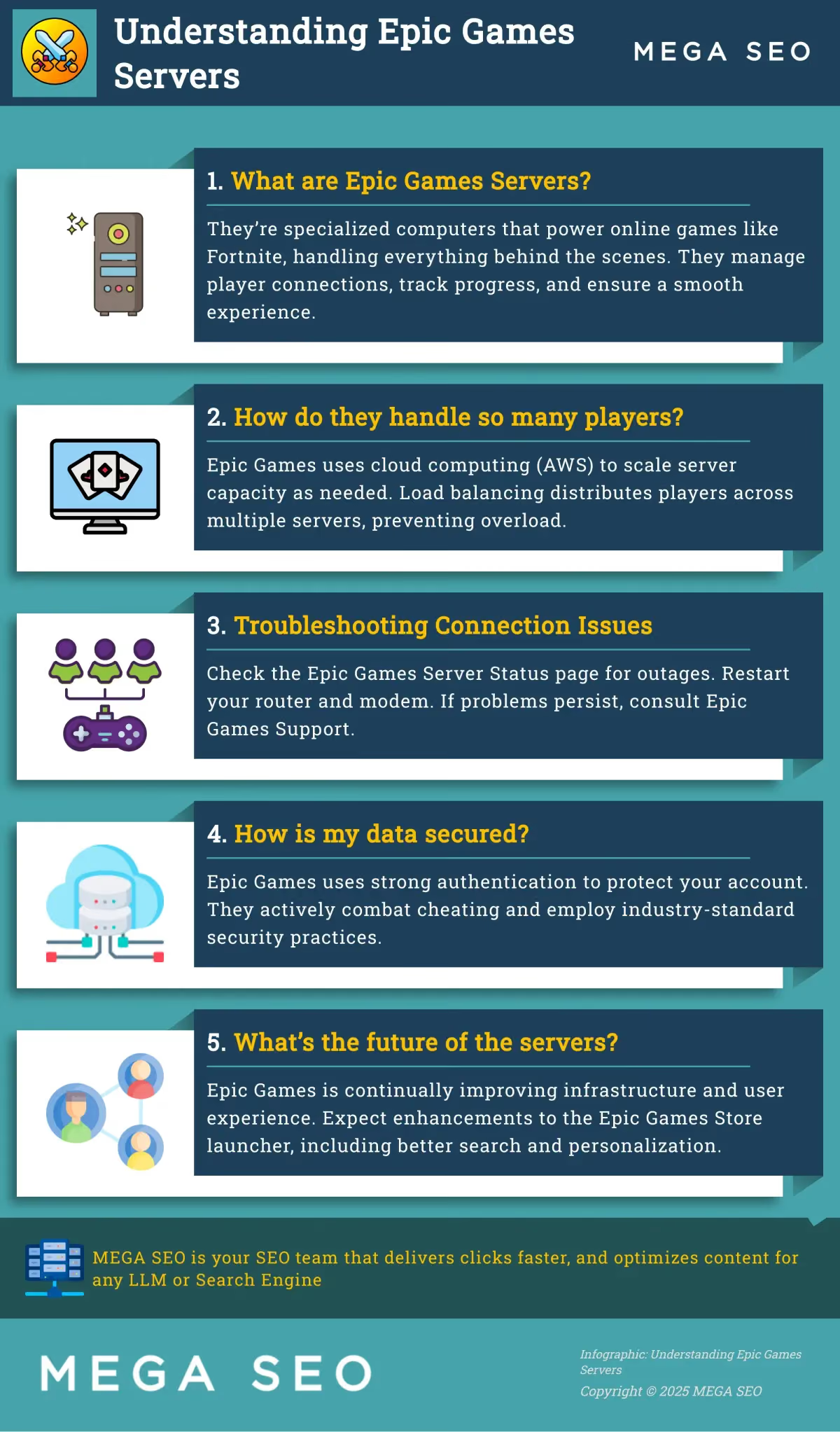
Epic Games servers are specialized computers that host and manage online games like Fortnite. They handle everything behind the scenes, from connecting players to tracking their progress, ensuring a smooth and fair gaming experience. Without these servers, online multiplayer games wouldn’t be possible.
How does Epic Games handle so many players at once, especially during peak times?
They use cloud computing, specifically Amazon Web Services (AWS), which allows them to quickly increase or decrease server capacity as needed. Think of it like adding more lanes to a highway during rush hour. They also use load balancing to distribute players across multiple servers, preventing any single server from getting overloaded.
What can I do if I’m having trouble connecting to Epic Games servers?
First, check the Epic Games Server Status page to see if there’s a known outage. If not, try restarting your router and modem. If the problem persists, consult Epic Games’ support resources or contact their support team directly. They have helpful guides and experts who can assist you.
How does Epic Games keep my information and account secure?
They use strong authentication measures to protect your account from unauthorized access. They also actively combat cheating and hacking to maintain fair play. Additionally, they adhere to industry-standard security practices to protect your data.
What’s next for Epic Games servers?
Epic Games is constantly working to improve their server infrastructure and user experience. They’re planning enhancements to the Epic Games Store launcher, including better search functionality, support for third-party subscriptions, and a more personalized experience. They’re also continuing to innovate with AWS to ensure their servers can handle the growing demands of online gaming.